Boosting Cold Call Success with Kixie PowerDialer and Gong’s AI Analysis

Cold calling can be challenging, but with the right tools, it becomes an opportunity to connect with potential customers and drive sales. By combining the power of Kixie’s PowerDialer with Gong’s AI analysis, sales teams can approach cold calls more strategically, improving their chances of success. Together, these tools provide a data-driven approach that equips reps with insights to engage confidently and convert leads more effectively. Here’s how you can use Kixie and Gong to improve your cold calling outcomes.

Why Use Kixie and Gong for Cold Calls?

Kixie’s PowerDialer enables rapid, efficient calling, helping reps reach more leads in less time. When paired with Gong, which analyzes call recordings to identify patterns, successful phrases, and engagement triggers, it creates a powerful setup for effective cold calling. With these insights, sales teams can refine their approach based on what works, ensuring that every call is optimized to engage the prospect and overcome objections.
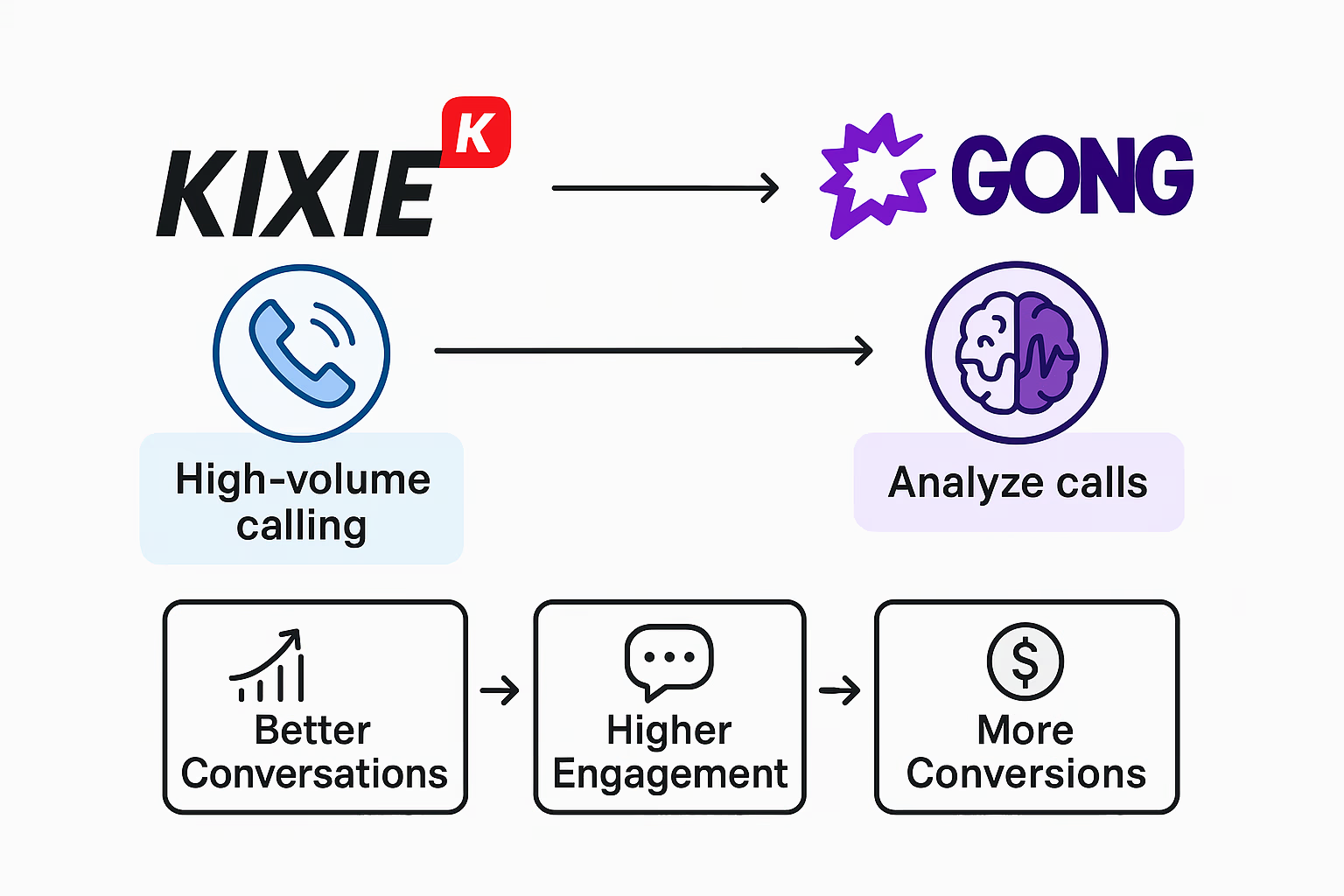
Steps to Enhance Cold Calling with Kixie PowerDialer and Gong
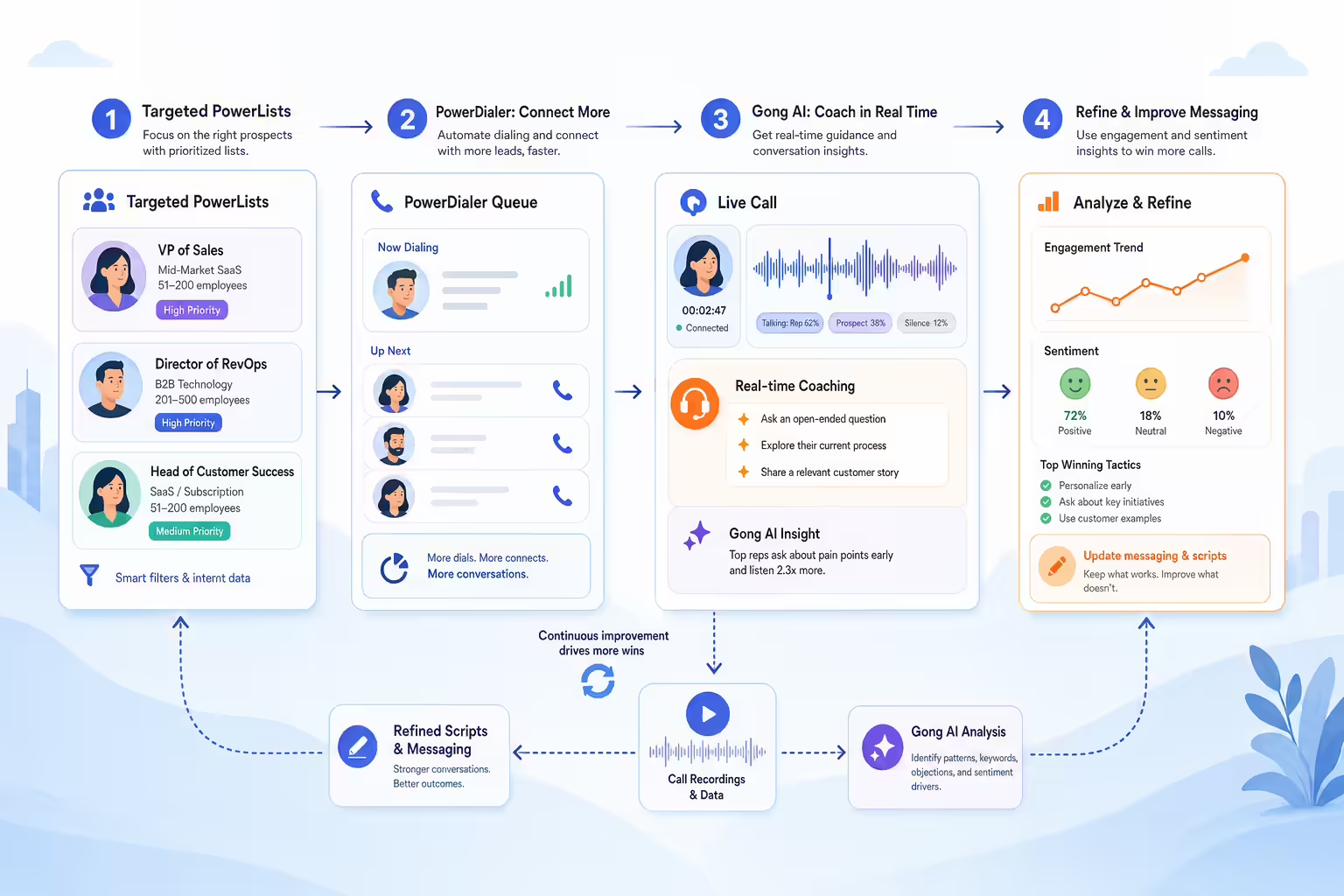
Cold calling workflow connecting power dialer activity to Gong AI insights
  1. Set Up Targeted PowerLists in Kixie: Organize your leads into PowerLists within Kixie based on factors like industry, lead source, or recent engagement. By segmenting lists, reps can tailor their approach for each group, enhancing relevance and improving the chances of connecting.
  2. Use Gong to Identify Winning Conversation Tactics: Gong’s AI analysis provides insights into successful phrases and strategies from past calls. Use these findings to build scripts or talking points that address common cold call challenges, like handling objections or keeping prospects engaged.
  3. Leverage Real-Time Coaching During Calls: Kixie’s live call monitoring feature allows managers to observe cold calls in real-time and offer feedback or guidance when necessary. Combining this with Gong’s insights on effective communication can help train reps on-the-fly, improving each conversation’s quality and effectiveness.
  4. Refine Your Messaging Based on Gong’s Feedback: After calls, review Gong’s data on engagement and sentiment to adjust messaging. Identify where prospects show interest or disengage, then refine your approach to make each call more effective.

Benefits of Using Kixie PowerDialer and Gong for Cold Calling

When it comes to cold calling, efficiency and data-driven insights are essential. Here’s how Kixie and Gong together can elevate your cold call strategy:

Automated cold calling workflow connecting dialer activity to conversation insights
  • Higher Call Volume: Kixie’s PowerDialer automates calling, allowing reps to reach more prospects in a shorter time frame. With Gong’s insights to guide their approach, reps can make each call count.
  • Data-Driven Conversations: By analyzing past calls, Gong identifies patterns that resonate with prospects, providing reps with a strategic edge on every call.
  • Improved Objection Handling: Gong’s AI analysis highlights effective responses to common objections, helping reps build confidence and overcome barriers more easily.

Best Practices for Cold Calling Success with Kixie and Gong

To make the most of Kixie and Gong for cold calling, follow these best practices:

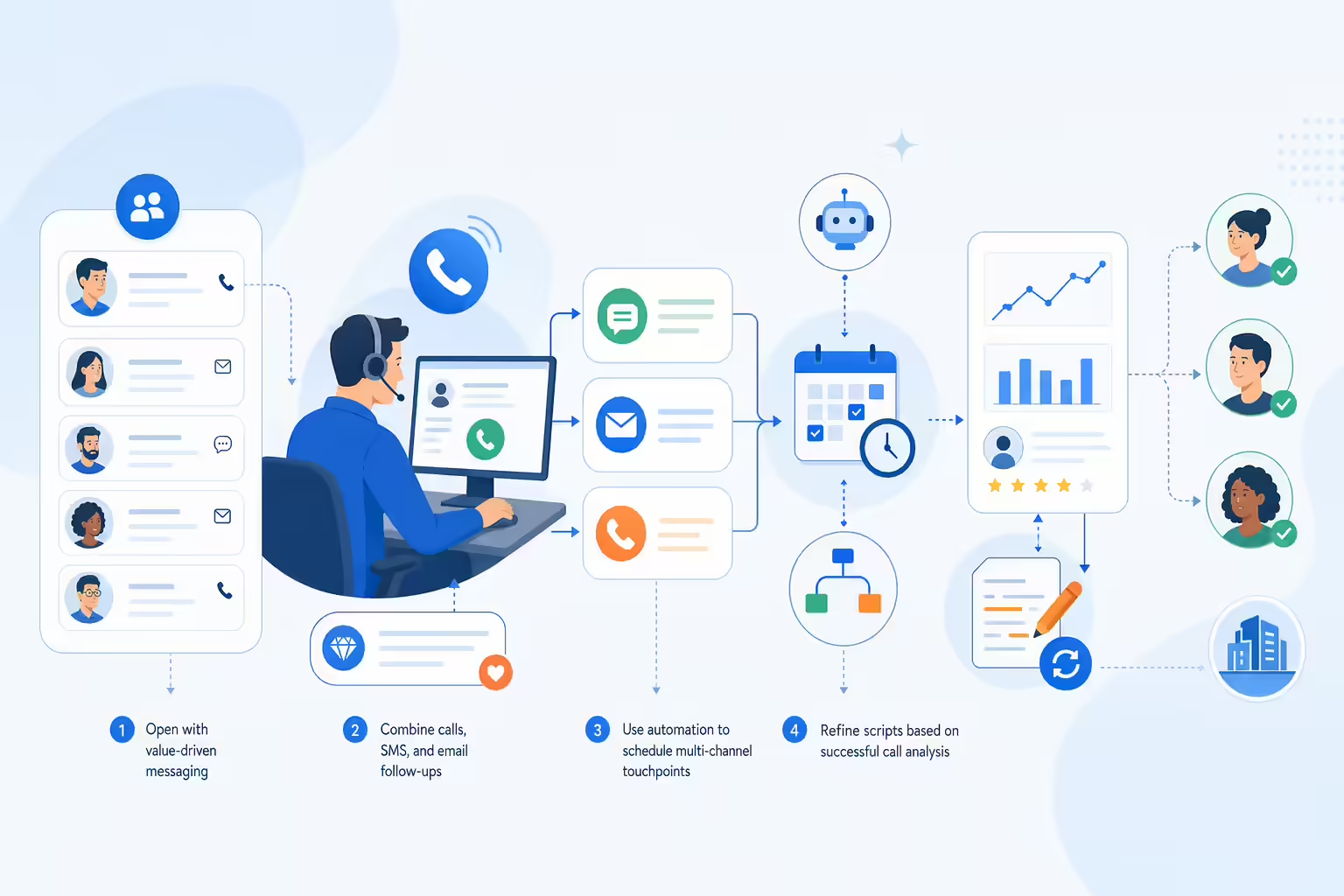
Cold calling coaching loop with scripts call insights and quality review
  • Use Personalized Openings: Gong’s data shows that tailored introductions boost engagement. Start each call with a personalized opening, mentioning the prospect’s industry or recent activity, to make a strong first impression.
  • Implement Objection-Handling Scripts: Based on Gong’s analysis, equip your team with tested scripts that address common objections head-on. Regularly update these scripts based on new insights from Gong’s call analysis.
  • Monitor and Review Call Quality Regularly: Periodically review both call quality and conversation insights from Gong to identify areas for improvement and maintain high engagement on cold calls.

Get Started with Kixie and Gong for Effective Cold Calling

Ready to turn cold calls into valuable connections? Try Kixie’s free trial and see how combining Kixie’s PowerDialer with Gong’s AI insights can improve your team’s cold calling strategy and increase conversions. Maximize your outreach and start achieving better results today.

Cold calling workflow connecting dialer outreach to AI insights

Unlocking Advanced Call Coaching: Using Kixie’s PowerCall with Gong for Real-Time Feedback

In today’s competitive sales environment, effective call coaching can be the game-changer that helps reps close more deals. By combining Kixie’s powerful sales dialer with Gong’s conversation analytics, sales leaders can monitor calls in real-time, analyze performance, and provide instant feedback that makes a difference. In this post, we’ll explore how you can leverage the Kixie-Gong integration for advanced, data-driven coaching.

Why Use Kixie and Gong Together for Call Coaching?

Kixie’s PowerCall dialer offers a fast, reliable calling solution with built-in sales automation features. When paired with Gong, a conversation intelligence tool, sales leaders can gain a comprehensive view of each call. Gong’s AI-powered insights can pinpoint areas for improvement, while Kixie’s live call monitoring provides real-time access to active conversations. Together, they make an ideal solution for effective, on-the-spot coaching.

Kixie and Gong call coaching workflow

Steps to Set Up Real-Time Coaching with Kixie and Gong

Real-time sales coaching setup workflow
  1. Integrate Kixie with Gong: Ensure your Kixie and Gong accounts are linked. This will enable you to capture call data seamlessly and allow Gong to analyze conversations made through Kixie.
  2. Enable Live Monitoring: With Kixie’s PowerCall dialer, managers can join live calls discreetly to listen in. This feature is invaluable for training new reps or providing support during high-stakes conversations.
  3. Use Gong’s Real-Time Insights: Gong provides live conversation analysis, identifying important moments like objection handling or buying signals. Managers can use this data to guide the rep in real-time, helping them adapt their pitch or handle objections effectively.

Benefits of Real-Time Feedback with Kixie and Gong

Providing feedback during a call rather than after can significantly improve a rep’s performance. Here’s how using Kixie and Gong together boosts coaching outcomes:

Real-time sales coaching feedback loop
  • Immediate Adjustments: When managers can jump into calls and observe sales interactions, they can suggest adjustments on the spot, improving call outcomes.
  • Increased Confidence for Reps: Knowing that they have support on the line encourages reps to take calculated risks and approach conversations with greater confidence.
  • Enhanced Learning for New Reps: Real-time coaching enables faster onboarding and helps new team members adopt best practices from day one.

Best Practices for Effective Call Coaching with Kixie and Gong

Maximize your coaching efforts by following these best practices:

Sales call coaching best practices workflow
  • Prepare in Advance: Identify which calls or reps need monitoring. Use Gong’s data on call performance to prioritize high-impact coaching opportunities.
  • Provide Actionable Feedback: Focus on specific improvements, like adjusting tone or tackling objections differently, so reps have clear takeaways.
  • Encourage Self-Review: Encourage reps to review their own calls using Gong’s recordings and insights, then schedule follow-ups to discuss their self-assessment with you.

Get Started with Kixie and Gong for Enhanced Sales Coaching

Integrating Kixie with Gong can transform your coaching process, making it faster and more effective. If you haven’t already, consider starting a free trial with Kixie to experience firsthand how this powerful combination can elevate your sales team’s performance.

Sales coaching workflow combining call data and real-time feedback

Discover more ways to empower your sales team with Kixie’s automated calling and SMS solutions. Visit our blog for the latest insights on sales automation and customer engagement.

Maximizing Call and SMS Templates with Kixie and Gong for Consistent Messaging

Consistency in messaging is crucial for building trust and maintaining a professional image. By using Kixie’s call and SMS templates alongside Gong’s conversation insights, sales teams can create standardized, effective communication that aligns with customer needs. Here’s how to set up and optimize templates in Kixie using real engagement data from Gong.

Why Consistent Messaging Matters

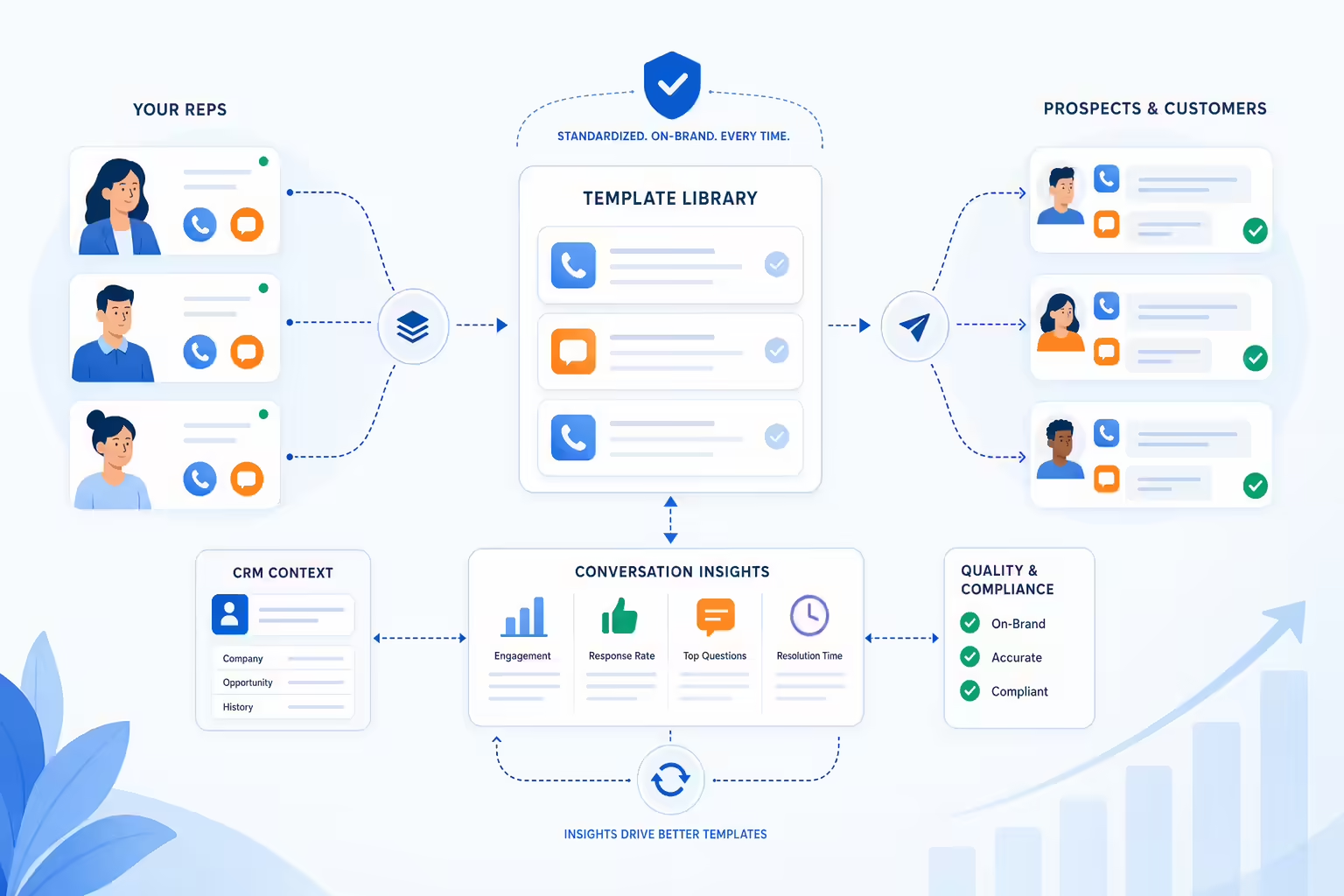
Consistent messaging helps ensure that all prospects and customers receive a seamless experience, regardless of which rep they’re speaking with. Standardizing key messages and responses allows teams to deliver more accurate, on-brand information and maintain high-quality interactions at every touchpoint.

Template library aligning call and SMS messages across sales reps

Steps to Set Up and Optimize Call and SMS Templates

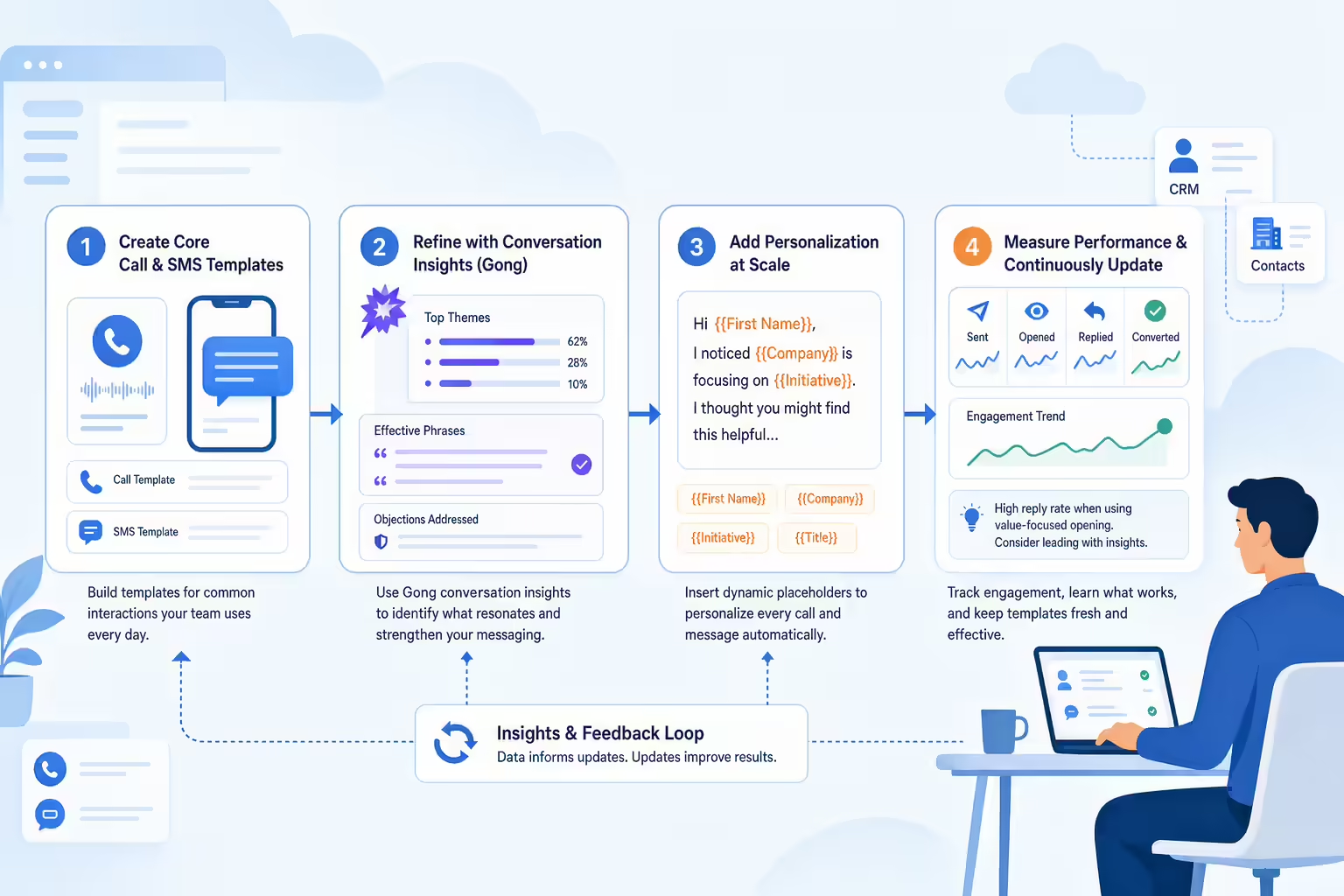
Workflow for optimizing call and SMS templates
  1. Create Core Templates in Kixie: Start by developing templates for common interactions such as introductory calls, follow-ups, and post-call SMS. Use Kixie’s SMS and call template features to ensure these messages are readily available to your team.
  2. Review Gong’s conversation data to identify which phrases or questions resonate best with prospects. Adjust your templates based on this feedback, focusing on language that generates positive responses.
  3. Incorporate Personalization Elements: To keep messages relevant, include placeholders for personalized details (e.g., [first name] or [company name]) in Kixie’s templates. Gong can help you identify other personalization cues to incorporate based on common customer concerns.
  4. Regularly Update Templates Based on Performance: Periodically review performance metrics and feedback from Gong to refine your templates. Focus on high-engagement language and eliminate elements that don’t drive results.

Benefits of Using Call and SMS Templates with Kixie and Gong

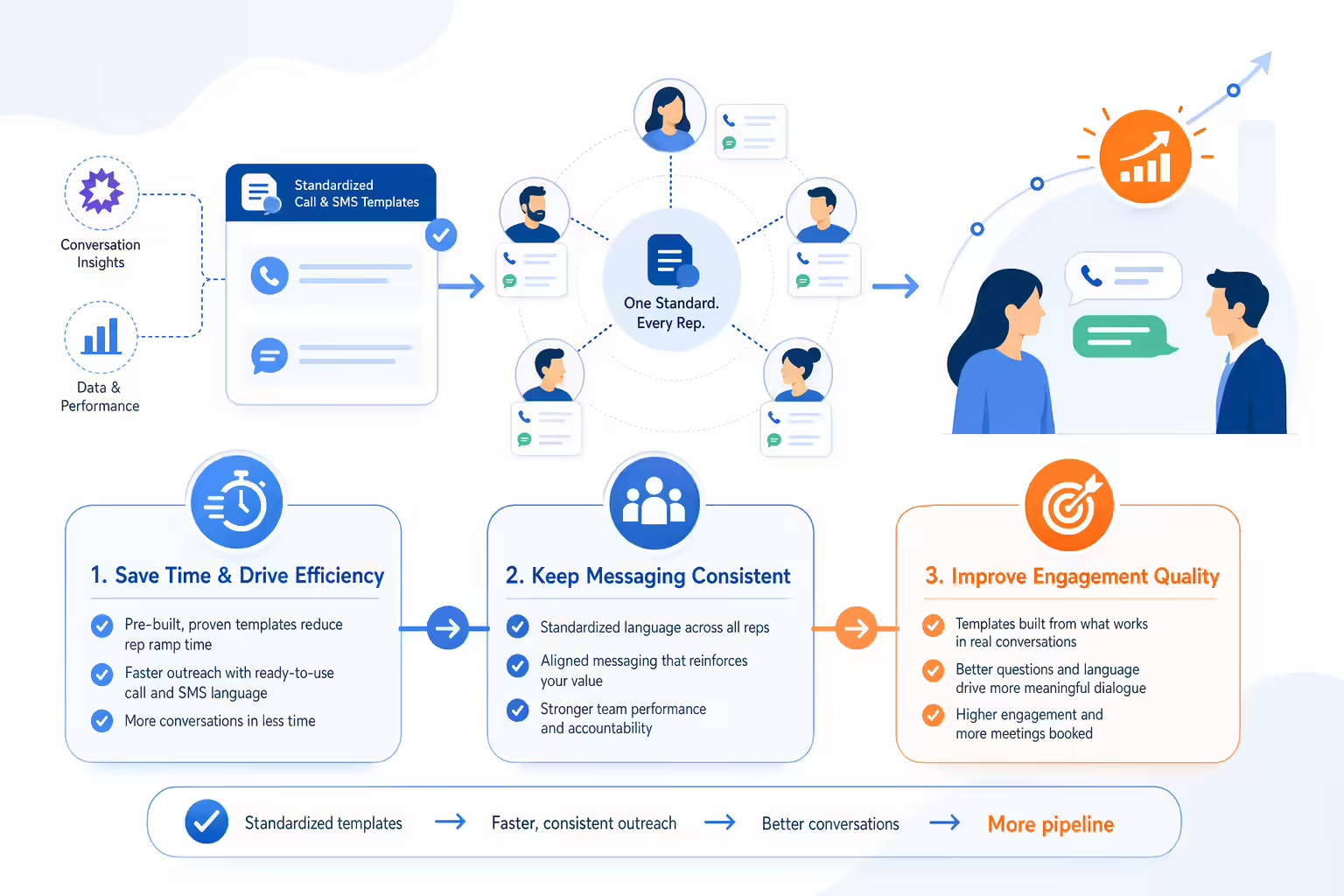
Standardizing messaging with data-driven templates offers several advantages:

Connected benefits of standardized call and SMS templates
  • Improved Efficiency: Templates save time, allowing reps to focus on personalizing interactions instead of drafting messages from scratch.
  • Consistency Across Reps: Templates ensure that all team members convey key information accurately, maintaining a unified brand voice.
  • Enhanced Engagement: By using language and questions that are proven to work (thanks to Gong), your team can drive higher engagement and improve conversation quality.

Best Practices for Template Optimization

To make the most of Kixie and Gong for template management, keep these tips in mind:

Template optimization loop using feedback and iteration
  • Focus on High-Impact Templates First: Prioritize templates that cover common scenarios, such as follow-ups and objections. These interactions are often where consistent messaging can make the biggest difference.
  • Test and Iterate: Use feedback from Gong to continuously improve your templates. Implement small changes and test their effectiveness over time to see what drives the best results.
  • Encourage Team Feedback: Involve your team in the process. Reps on the front lines can offer valuable insights into which templates resonate most with customers.

Start Building Consistent Messaging with Kixie and Gong

Ready to streamline and standardize your sales messaging? Try Kixie’s free trial today and see how call and SMS templates, powered by Gong’s insights, can create a stronger, more cohesive customer experience. Optimize your communication strategy and make every conversation count.

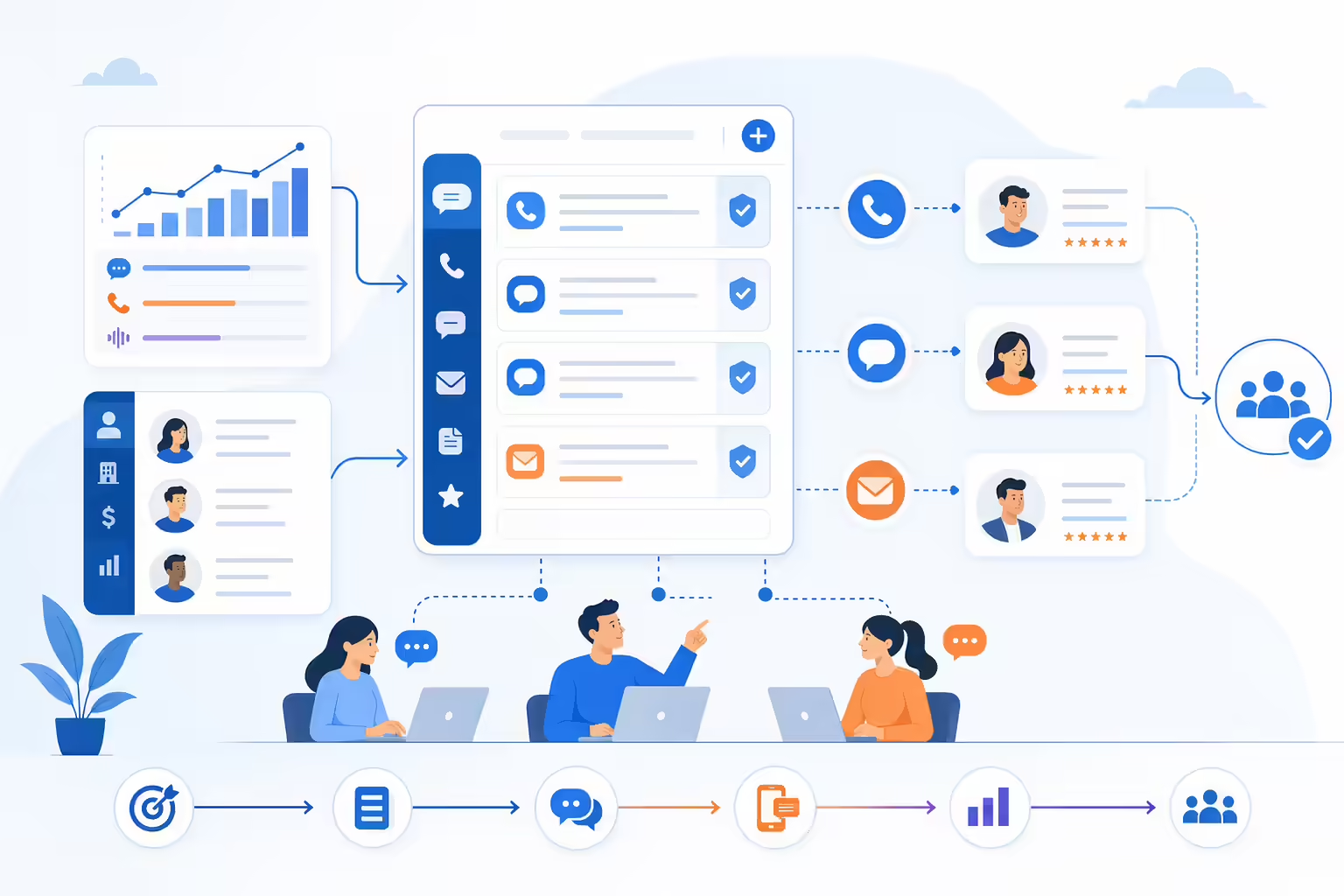
Consistent call and SMS template hub for sales messaging

Enhancing Customer Retention with Kixie and Gong’s Data-Driven Follow-Up

Customer retention is just as important as new customer acquisition. With the right tools, sales and support teams can ensure customers remain engaged, satisfied, and loyal. By using Kixie’s follow-up automation alongside Gong’s engagement insights, you can develop a data-driven follow-up strategy that keeps customers coming back. Here’s how to use Kixie and Gong to strengthen customer retention through timely, personalized follow-ups.

Why Customer Retention Matters

Customer retention contributes to long-term growth, reduces acquisition costs, and builds brand loyalty. Retained customers are more likely to make repeat purchases, refer new business, and become advocates for your brand. By focusing on data-driven retention strategies, you can foster deeper customer relationships that drive sustainable growth.

Customer retention loop showing loyalty, referrals, and growth

Steps to Set Up Data-Driven Follow-Up for Customer Retention

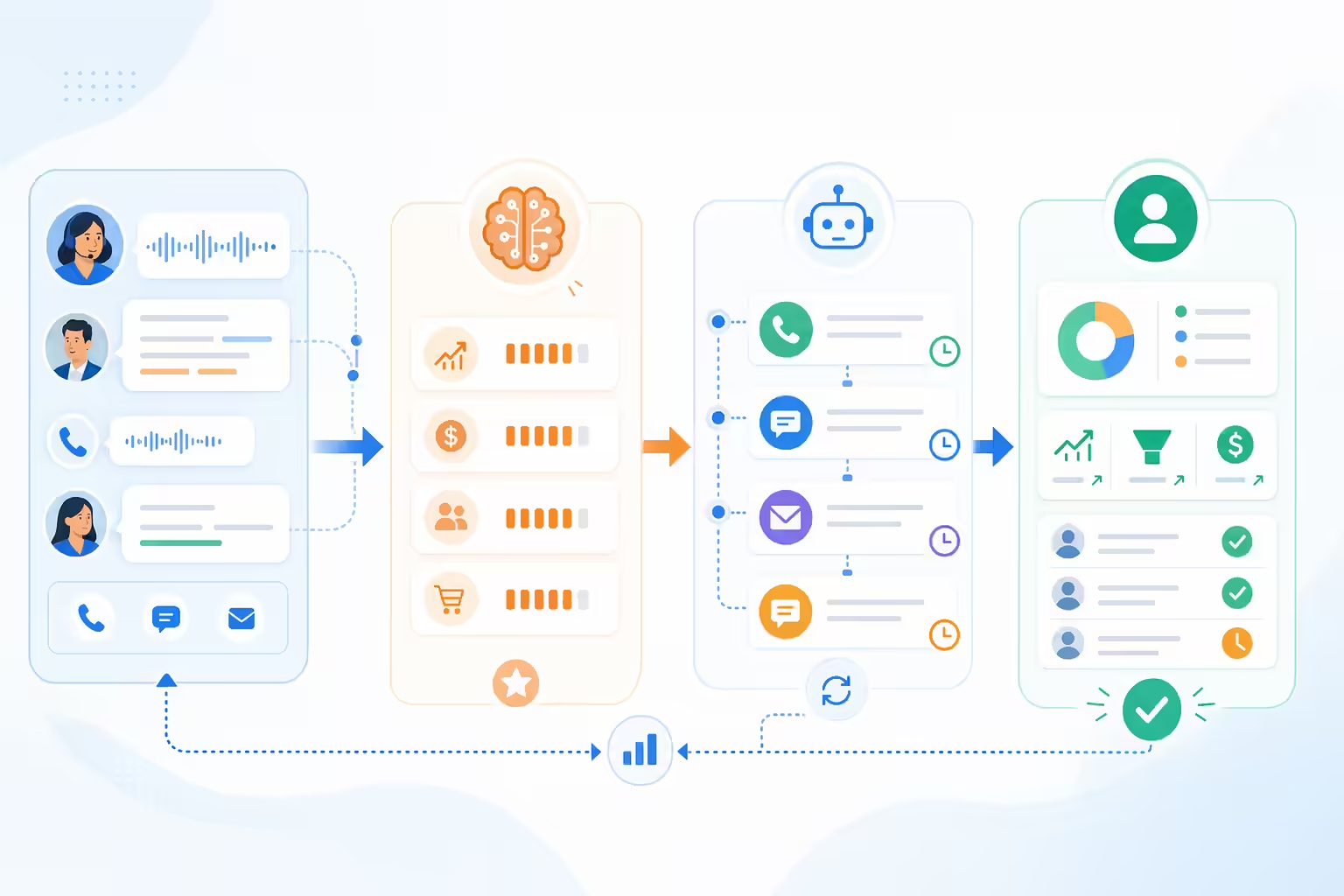
Data-driven customer follow-up workflow from insights to automated outreach
  1. Identify Key Engagement Points in Gong: Start by analyzing Gong’s conversation insights to understand the moments when customers are most engaged. These can be onboarding calls, product check-ins, or specific support interactions.
  2. Set Up Follow-Up Triggers in Kixie: Use Kixie’s Auto-SMS and Auto-Call features to schedule follow-ups after critical engagement points. For instance, you could automate an SMS check-in a week after an onboarding session or call a month after a purchase.
  3. Personalize Follow-Up Messaging: Leverage insights from Gong to tailor follow-up messages based on previous conversations. Referencing specific needs or concerns shows customers that you’re paying attention, helping to build loyalty.
  4. Analyze Follow-Up Success Rates: Monitor the performance of your follow-up cadences in Kixie, using Gong to track changes in customer sentiment. Refine your approach based on what keeps customers most engaged over time.

Benefits of Data-Driven Customer Retention Strategies

Using Kixie and Gong for retention-based follow-ups offers several key benefits that go beyond simple engagement:

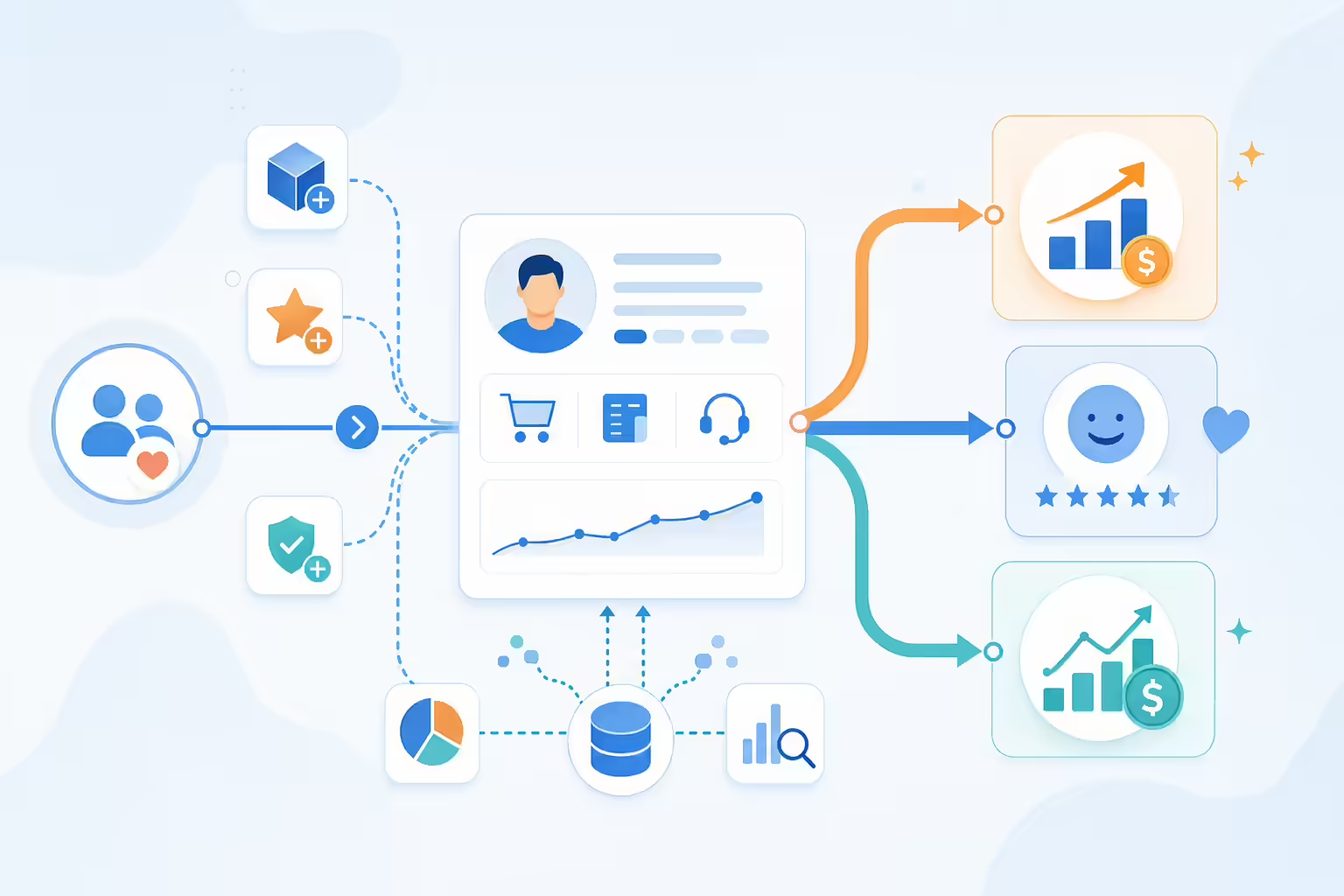
Customer retention benefits hub showing satisfaction, lifetime value, and loyalty
  • Increased Customer Satisfaction: By proactively addressing customer needs and following up consistently, you can create a better overall experience and resolve potential issues early.
  • Improved Customer Lifetime Value (CLV): Retained customers contribute more revenue over time, and with personalized follow-ups, you can increase repeat purchases and long-term engagement.
  • Stronger Brand Loyalty: Thoughtful, timely communication that addresses customer needs fosters trust and loyalty, encouraging customers to stick with your brand.

Best Practices for Effective Retention-Based Follow-Ups

To get the most from your retention strategy, consider these best practices:

Retention follow-up workflow guided by customer engagement insights
  • Focus on High-Impact Follow-Ups: Prioritize follow-ups after key interactions, like onboarding or product demos, when customers are most engaged and receptive.
  • Use Data to Refine Messaging: Regularly review Gong’s insights to improve your messaging, ensuring that follow-ups stay relevant and valuable to each customer.
  • Provide Value with Each Interaction: Go beyond simple check-ins. Offer customers relevant content, product updates, or tips based on their usage patterns, creating additional value.

Start Enhancing Customer Retention with Kixie and Gong

Ready to build a more loyal customer base? Try Kixie’s free trial and see how combining Kixie’s follow-up automation with Gong’s insights can help you drive retention and create lasting customer relationships. Keep customers engaged and build loyalty with data-driven follow-ups.

Customer retention loop powered by follow-up automation and engagement insights

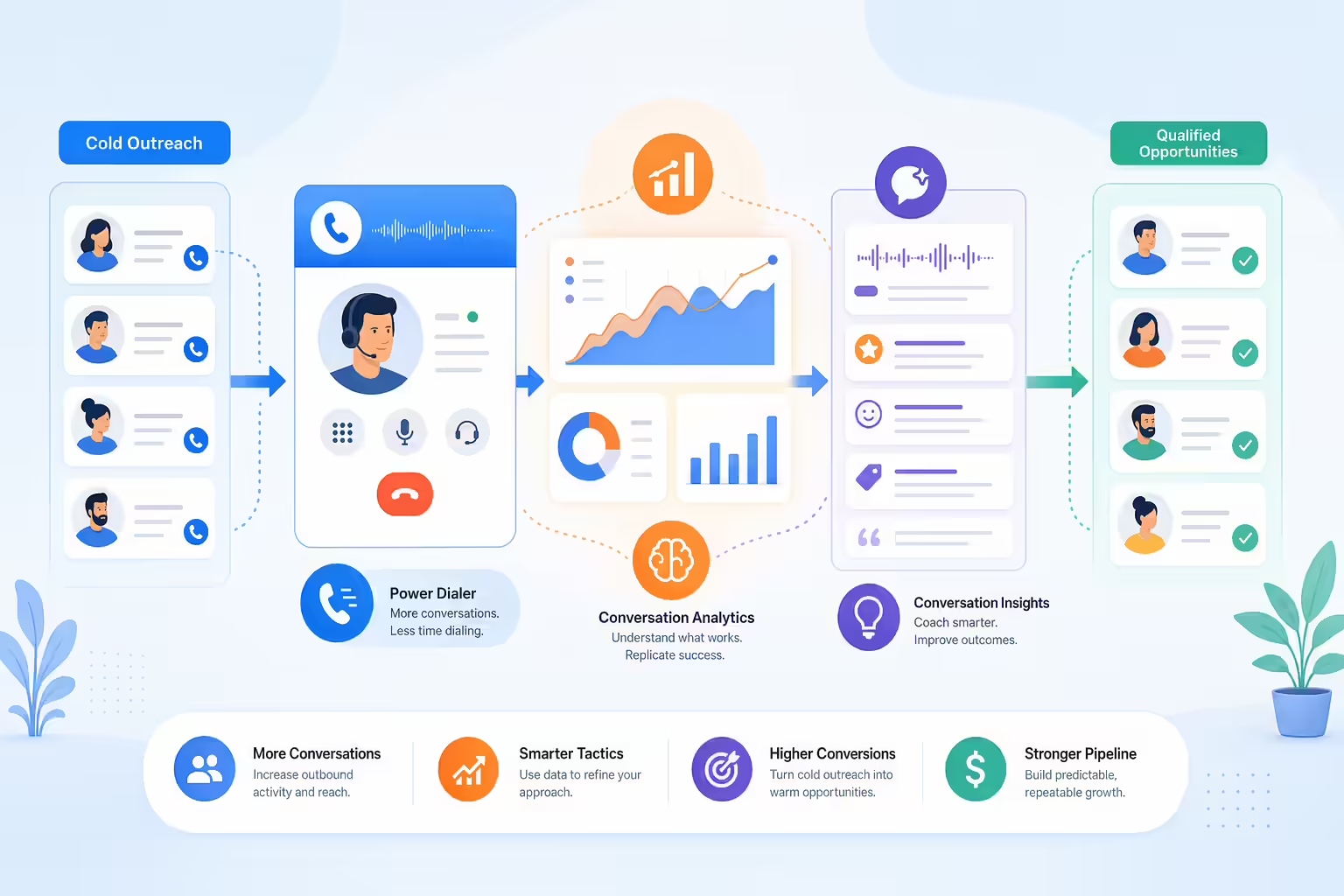
Integrating Kixie’s PowerDialer and Gong’s Analytics for Effective Cold Outreach

Cold outreach can be challenging, but with the right tools, your team can engage prospects effectively and make each call count. By combining Kixie’s PowerDialer with Gong’s analytics, sales reps gain the power to reach more leads faster while refining their approach based on data-driven insights. Here’s how to use Kixie and Gong together to turn cold calls into warm opportunities.

Why Use Kixie’s PowerDialer and Gong for Cold Outreach?

Kixie’s PowerDialer enables sales reps to quickly dial through a list of leads, maximizing outreach efficiency. When paired with Gong’s AI-driven analytics, reps can analyze successful calls, learn from high-performing conversations, and adjust their strategy based on what resonates with prospects. Together, these tools empower your team to execute cold outreach with confidence and precision.

Sales dialer and analytics workflow for cold outreach

Steps to Enhance Cold Outreach with Kixie and Gong

  1. Create Targeted PowerLists in Kixie: Segment your cold leads into PowerLists based on factors such as industry, company size, or prior engagement. This allows reps to tailor their messaging and prioritize leads with higher potential.
  2. Set Up Cold Outreach Cadences with Kixie: Use Kixie’s Auto-Call and Auto-SMS features to set up cadences for each PowerList. Automating follow-up calls and messages ensures consistent outreach, increasing the chances of converting cold leads into warm opportunities.
  3. Analyze Successful Calls in Gong: Review call data in Gong to identify what’s working. Look for common phrases, questions, and approaches that drive engagement, and incorporate these elements into your cold call scripts in Kixie.
  4. Adjust Messaging Based on Gong’s Feedback: Use insights from Gong to refine your outreach approach. For example, if Gong’s analytics reveal that prospects respond well to certain value propositions, emphasize these in your cold outreach strategy.
Automated cold outreach workflow connecting lead lists, calls, SMS, and analytics

Benefits of Using Kixie and Gong for Cold Calling

Integrating Kixie and Gong for cold outreach offers several advantages that can increase your team’s effectiveness and productivity:

Cold calling benefits shown through call volume, messaging insights, and responses
  • Higher Call Volume: Kixie’s PowerDialer allows reps to reach more leads quickly, increasing the overall number of outreach attempts without sacrificing quality.
  • Data-Driven Messaging: Gong’s insights enable reps to adjust their messaging based on real-world results, helping them find the right approach for each lead type.
  • Improved Response Rates: Consistent follow-up through automated cadences and optimized messaging keeps prospects engaged, improving the likelihood of a positive response.

Best Practices for Effective Cold Outreach with Kixie and Gong

Maximize the effectiveness of your cold outreach by following these best practices:

Cold outreach workflow combining dialer automation and call analytics
  • Focus on Value-Driven Openings: Use Gong’s data to identify value propositions that resonate with prospects. Make sure each call starts with a strong, relevant opening statement.
  • Incorporate Multi-Touch Outreach: Combine calls with SMS and email follow-ups. Kixie’s automation features allow you to schedule multi-channel touchpoints, keeping prospects engaged through various channels.
  • Regularly Update Call Scripts: Use Gong’s analysis of successful calls to refine your scripts, ensuring your reps are using approaches that have proven to work.

Start Optimizing Cold Outreach with Kixie and Gong

Ready to improve your cold calling strategy? Try Kixie’s free trial today and see how combining Kixie’s PowerDialer with Gong’s insights can help you turn cold outreach into warm opportunities. Streamline your approach and boost conversions with data-driven tactics.

Cold outreach workflow optimized with dialer automation and analytics

Advanced Troubleshooting: Solving Common Integration Issues with Kixie and Gong

Integrating Kixie’s calling and SMS tools with Gong’s conversation intelligence provides sales teams with seamless data sharing and insights. However, like any integration, issues can occasionally arise. Knowing how to troubleshoot these common problems can save time and keep your workflow uninterrupted. Here’s a guide to solving typical integration issues with Kixie and Gong, so your team can stay focused on engaging prospects.

Common Integration Issues and Solutions

While both Kixie and Gong are designed to work smoothly together, connectivity, permissions, and data-sync issues may occasionally cause interruptions. Here are the most common issues and their solutions:

Integration troubleshooting workflow for Kixie and Gong data sync

1. Data Syncing Errors Between Kixie and Gong

If call data isn’t syncing from Kixie to Gong, this could be due to connectivity or permission issues.

  • Solution: Verify that Kixie has the necessary permissions to send data to Gong. Check that your Gong account settings allow integrations and confirm that your API keys or tokens are correct and active.
  • Additional Tip: Ensure both platforms are updated to the latest version, as outdated versions can sometimes disrupt data syncing.

2. Incomplete Call Records in Gong

Sometimes, calls logged in Kixie may appear incomplete or missing in Gong.

  • Solution: Check the Kixie call logging settings to ensure calls are set to log automatically. Also, verify the internet connection during calls, as unstable connections can occasionally interrupt the data transfer.
  • Additional Tip: Manually log any missing calls in Gong and observe if the issue persists. If so, contact support to investigate potential technical causes.

3. Permission Denials or Access Issues

If you experience access issues, it may be due to mismatched permissions between Kixie and Gong.

  • Solution: Review and align user permissions on both Kixie and Gong. Ensure users have the right roles and permissions to access integrated features, as restricted access can cause disruptions in functionality.
  • Additional Tip: Designate an account admin to regularly review permissions and ensure that all settings stay aligned across platforms.

4. Delays in Data Transfer

If there’s a delay in data appearing in Gong after a call is logged in Kixie, the integration may be experiencing a temporary slowdown.

  • Solution: Check your Kixie and Gong accounts for any notifications about scheduled maintenance or downtime. If no issues are reported, consider increasing the refresh frequency within your integration settings.
  • Additional Tip: Monitor data sync performance over a day to see if the issue resolves on its own. If delays continue, reach out to Kixie or Gong support for further troubleshooting.

Best Practices for Ensuring a Smooth Kixie-Gong Integration

To avoid common integration issues, keep these best practices in mind:

Kixie and Gong integration health checklist workflow
  • Regularly Update Both Platforms: Ensure that Kixie and Gong are always updated to the latest versions to prevent compatibility issues.
  • Assign an Integration Admin: Designate an admin to manage the integration, review permissions, and handle troubleshooting steps as needed.
  • Monitor Integration Performance Weekly: Regularly review data sync logs and check for any missing call records to catch potential issues early.

Start Troubleshooting with Kixie and Gong

Ready to get the most from your Kixie-Gong integration? Try Kixie’s free trial today and experience how easy it can be to combine these platforms. If you encounter any issues, this guide will help you keep your integration running smoothly so you can focus on building customer connections.

Integration troubleshooting workflow with connected call data checks

Tracking Customer Sentiment with Gong and Reacting in Real-Time with Kixie

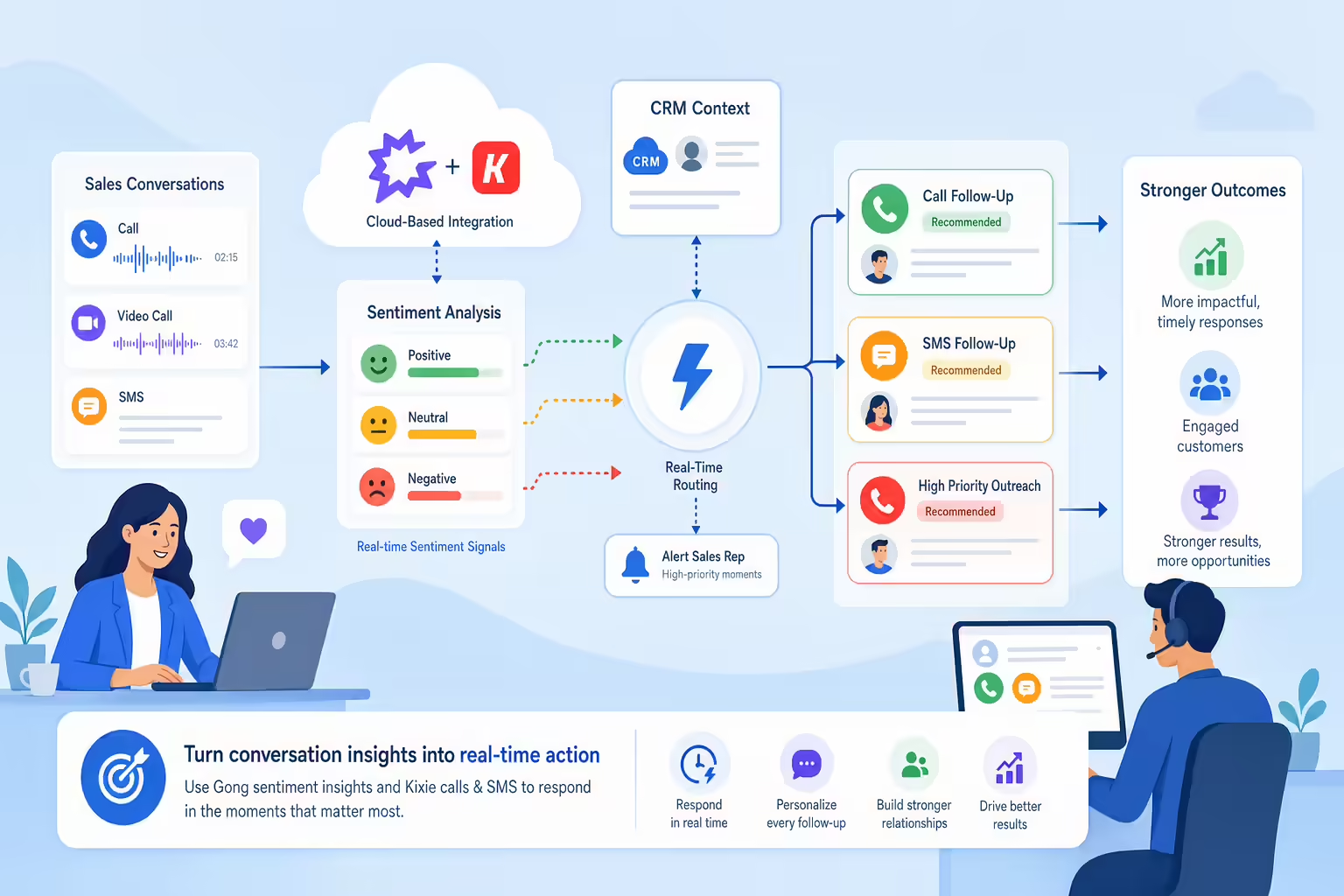
Understanding customer sentiment is essential for maintaining positive relationships and closing more deals. By tracking sentiment through Gong’s AI-driven insights and responding in real-time with Kixie’s call and SMS features, sales teams can address customer needs promptly and improve engagement. Here’s how to leverage Gong and Kixie together to monitor customer sentiment and respond effectively.

Why Track Customer Sentiment?

Customer sentiment provides insight into how prospects feel about your product, service, or team. By gauging their mood, you can tailor your responses, address concerns, and increase the chances of a successful outcome. Tracking sentiment allows teams to catch potential issues early and react in ways that keep the relationship positive and productive.

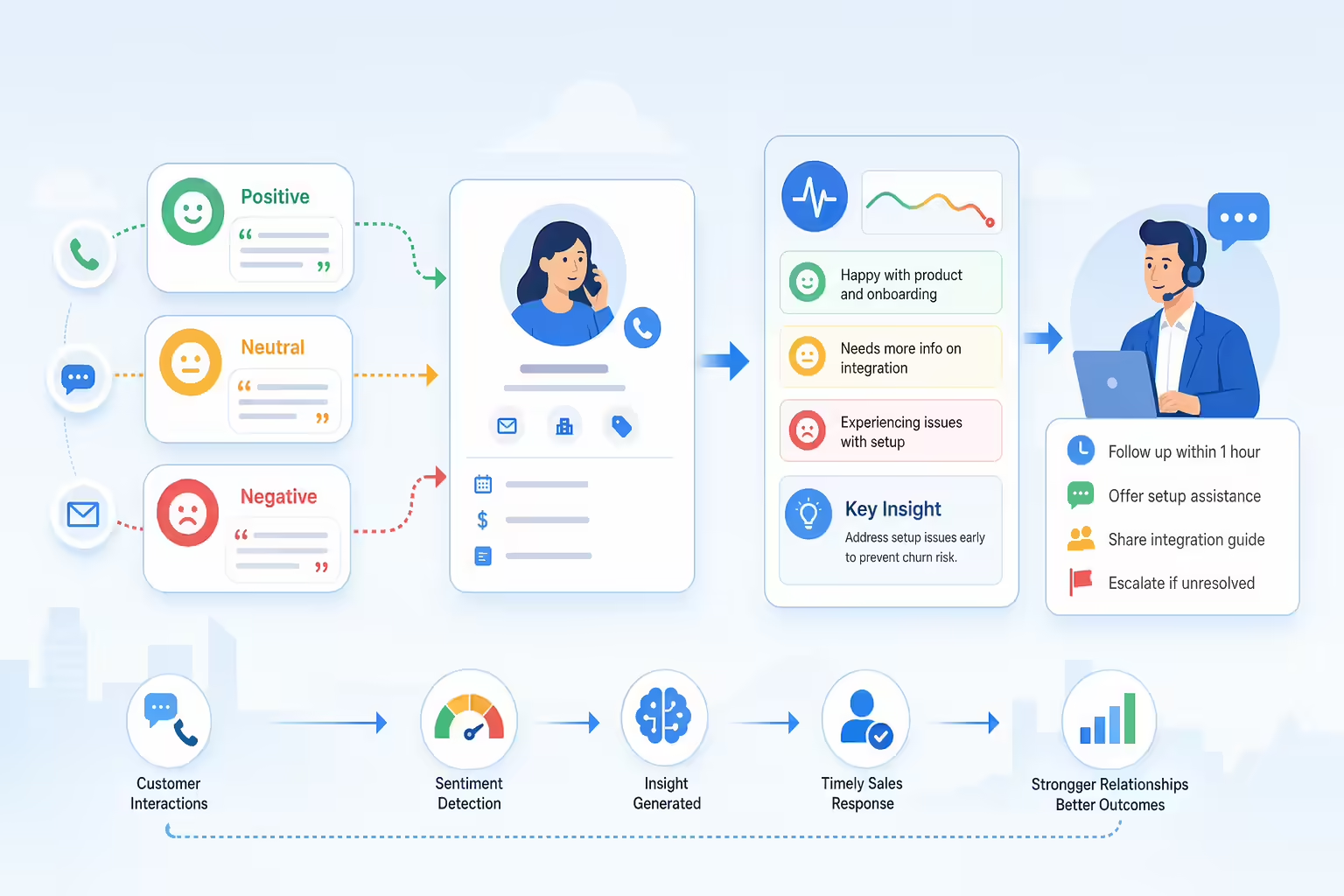
Sentiment signals informing real-time sales follow-up

Steps to Track and Respond to Customer Sentiment with Gong and Kixie

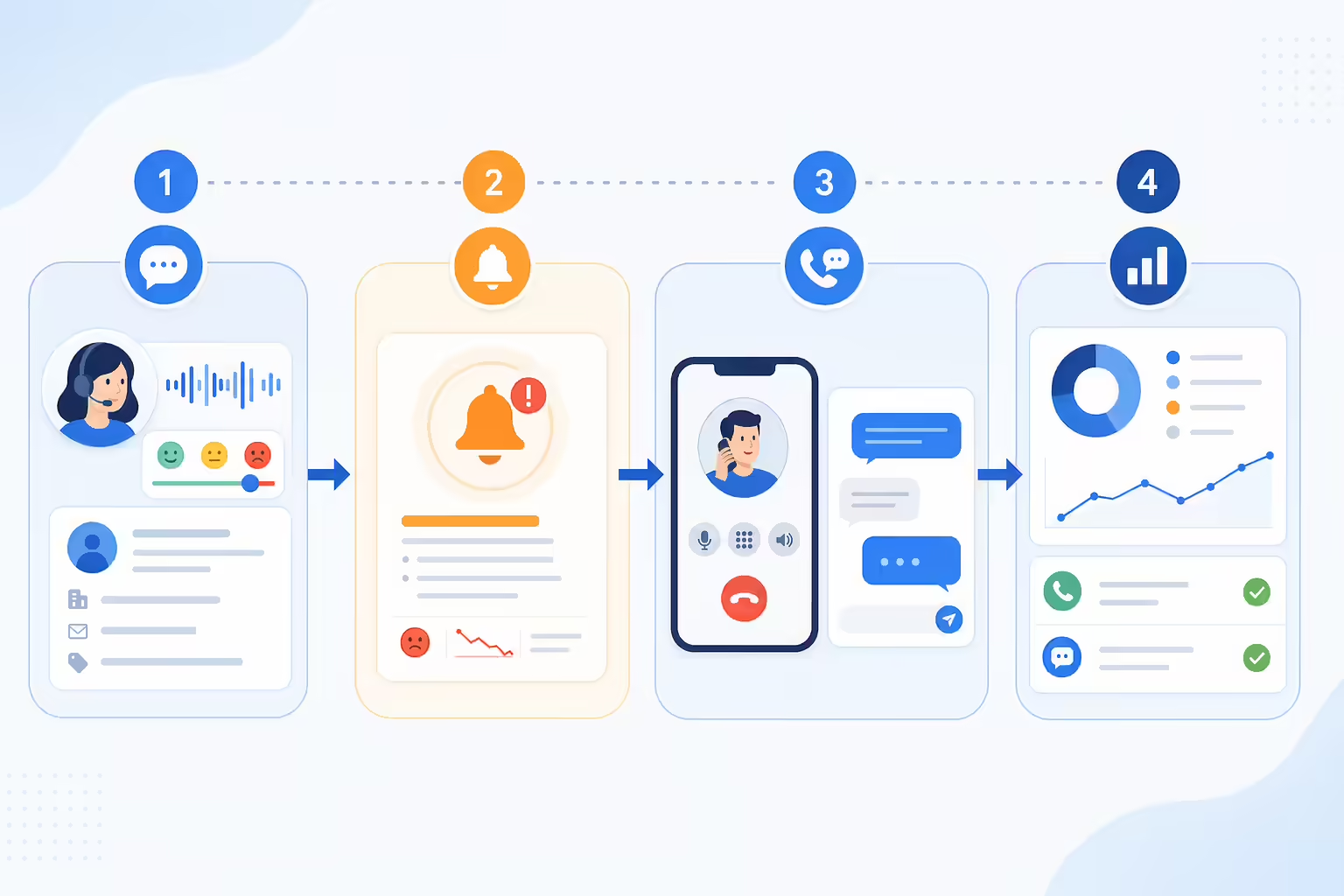
Workflow for tracking sentiment alerts and responding with calls or SMS
  1. Monitor Sentiment in Gong: Use Gong’s sentiment analysis to track customer reactions throughout each conversation. Look for positive, neutral, or negative signals, such as language or tone shifts, that indicate the prospect’s level of engagement or concerns.
  2. Set Up Alerts for Key Sentiment Changes: Configure Gong to alert your team when there’s a noticeable sentiment change. For example, set alerts for significant positive shifts (indicating strong interest) or negative changes (suggesting frustration or confusion).
  3. React in Real-Time with Kixie: When a sentiment alert occurs, use Kixie to take immediate action. For positive signals, follow up with a personalized SMS or call to reinforce their enthusiasm. For negative signals, respond with an empathetic message or a call to address their concerns.
  4. Track Follow-Up Effectiveness: Use Kixie’s call and SMS logs to monitor the effectiveness of your responses. Track how quickly your team responds to sentiment alerts and review follow-up results to continuously refine your approach.

Benefits of Real-Time Sentiment Tracking with Gong and Kixie

Reacting to customer sentiment in real-time provides several advantages that can strengthen customer relationships and boost conversions:

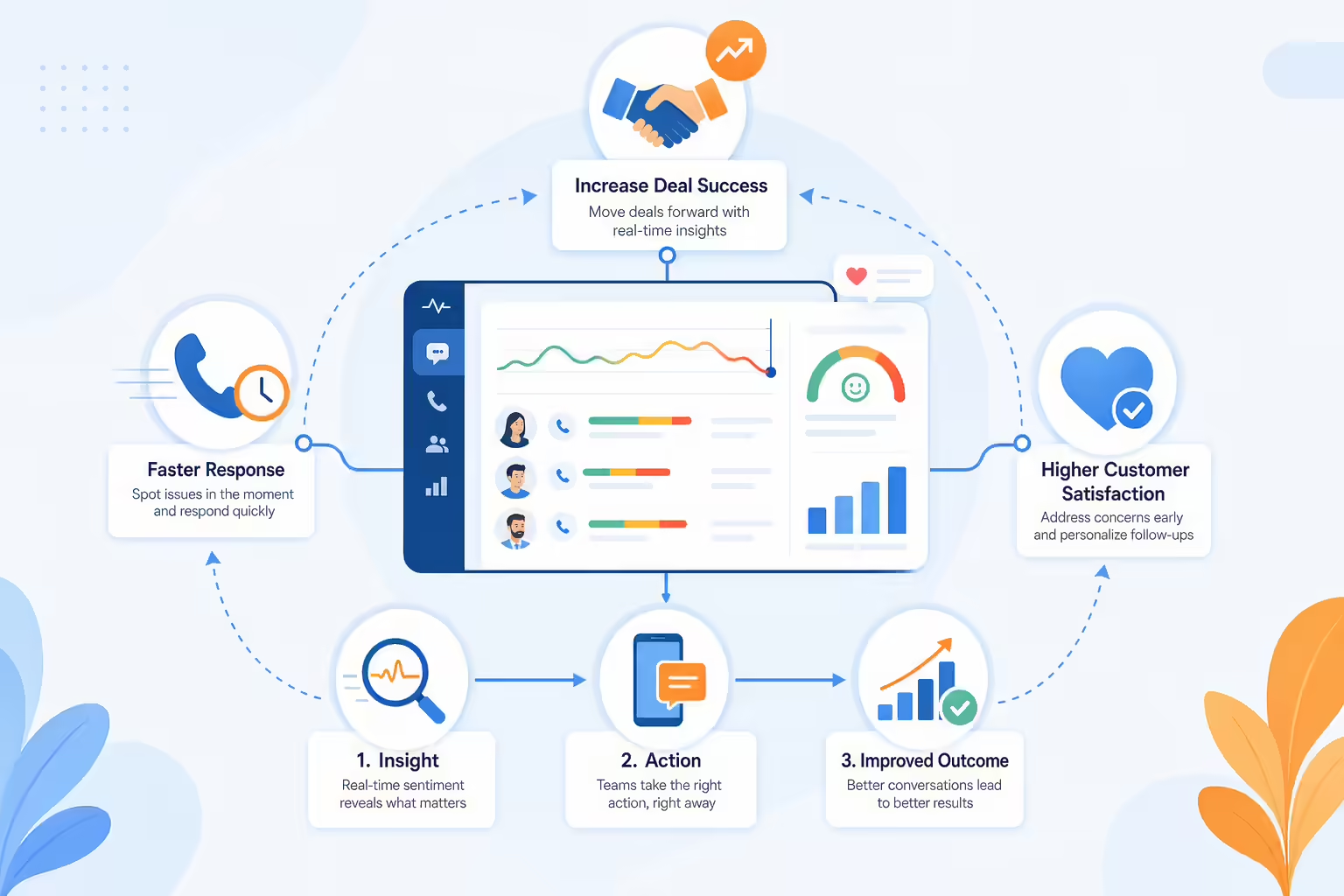
Real-time sentiment insights improving response speed and deal outcomes
  • Improved Responsiveness: By reacting promptly to sentiment shifts, your team can address issues before they escalate, showing customers that you care about their experience.
  • Increased Deal Success: Addressing concerns or reinforcing positive sentiment in real-time increases the likelihood of moving deals forward and closing successfully.
  • Enhanced Customer Satisfaction: Responding with empathy and personalization based on sentiment shows customers they’re valued, improving their overall satisfaction.

Best Practices for Using Sentiment Tracking with Gong and Kixie

For the best results, follow these best practices when using Gong and Kixie to monitor and respond to customer sentiment:

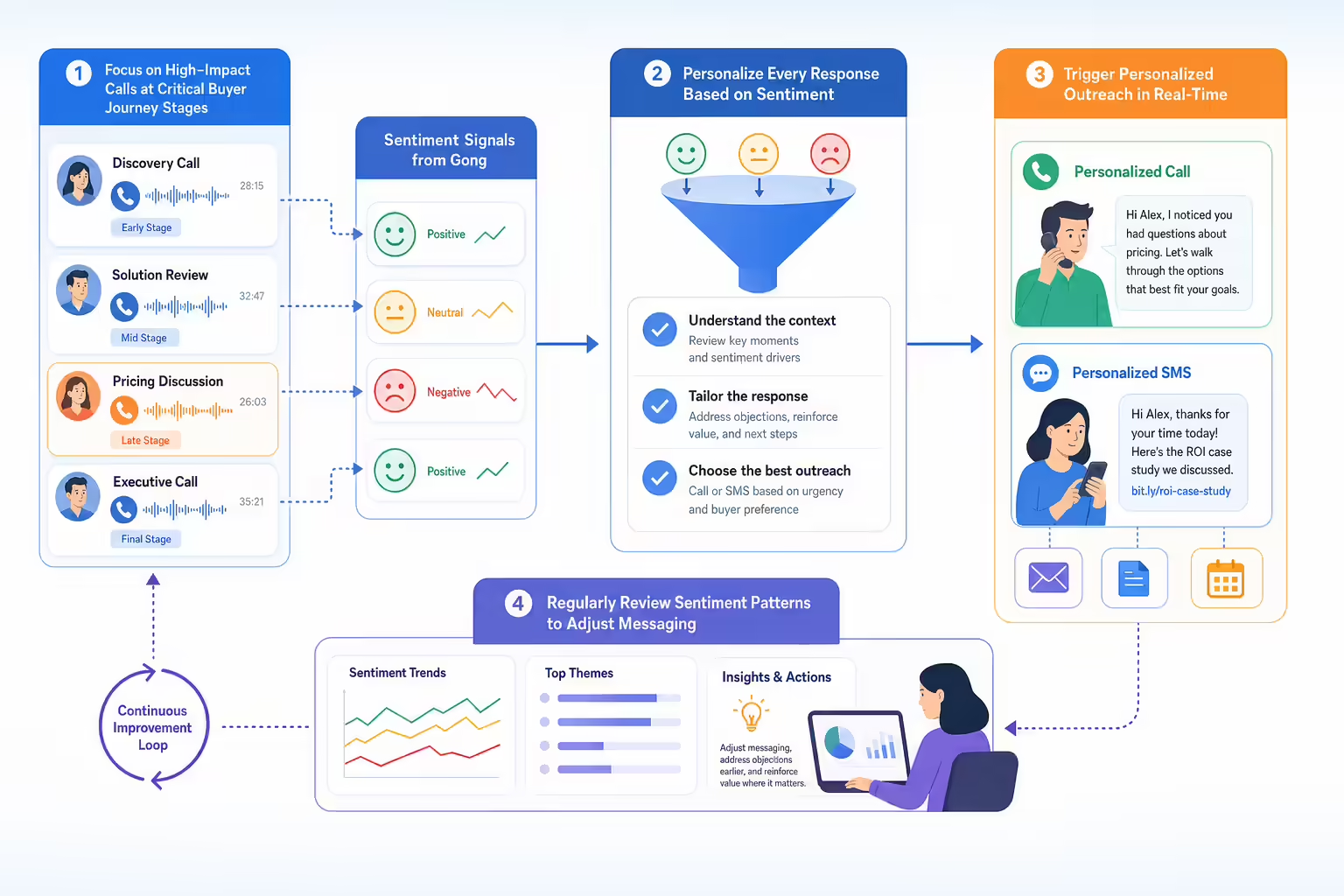
Best practices workflow for sentiment-based sales follow-up
  • Focus on High-Impact Calls: Pay special attention to calls at critical stages of the buyer journey, where sentiment is likely to shift. This includes initial discovery calls, demo presentations, and contract discussions.
  • Personalize Every Response: Use Kixie to send customized follow-ups based on sentiment, making each response relevant to the customer’s specific needs and concerns.
  • Review Sentiment Patterns Regularly: Regularly analyze Gong’s sentiment data to spot patterns. If certain messaging consistently results in positive or negative sentiment, adjust your approach accordingly.

Start Tracking Customer Sentiment with Kixie and Gong

Ready to take customer relationships to the next level? Try Kixie’s free trial and see how tracking sentiment with Gong and reacting in real-time with Kixie can help you create more impactful, timely responses. Engage with customers like never before and drive stronger results.

Sentiment tracking workflow triggering real-time call and SMS follow-up

Driving Cross-Selling and Upselling Opportunities with Kixie and Gong

Cross-selling and upselling are powerful ways to increase customer value and drive revenue growth. By combining Kixie’s automated outreach with Gong’s conversation insights, sales teams can identify high-potential opportunities and engage customers with relevant offers at the right time. Here’s how to leverage Kixie and Gong together to boost cross-sell and upsell success.

Why Focus on Cross-Selling and Upselling?

Existing customers are often more receptive to additional products or upgraded services, as they’re already familiar with your brand and offerings. Cross-selling and upselling can increase customer lifetime value, enhance customer satisfaction, and improve ROI. By using data-driven insights, sales teams can better understand customer needs and present offers that align with their goals.

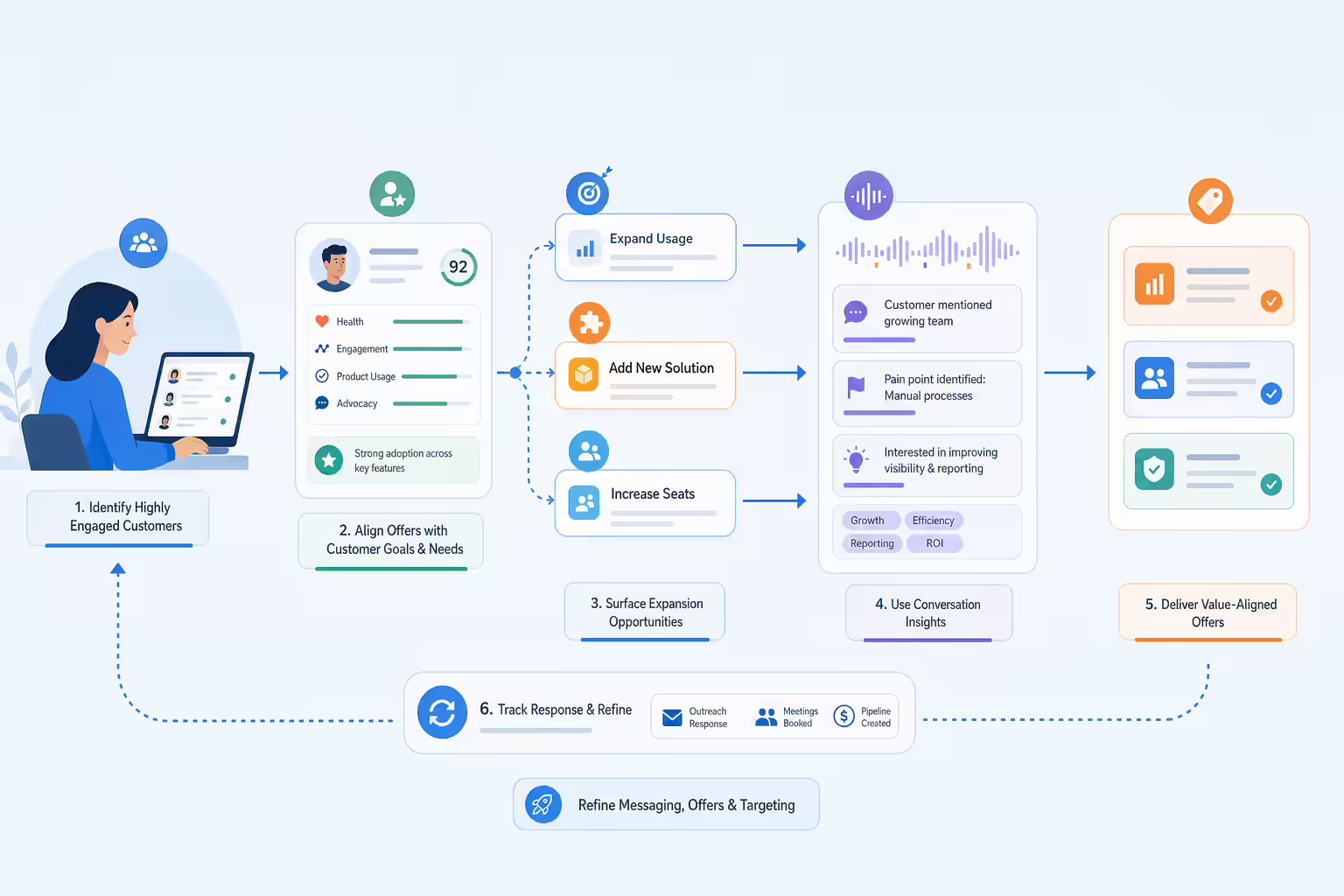
Cross-selling and upselling expanding customer value from existing accounts

Steps to Identify and Act on Cross-Selling and Upselling Opportunities

Workflow for identifying buying signals and triggering follow-up outreach
  1. Use Gong to Identify Buying Signals: Review Gong’s conversation analysis to spot keywords, questions, or topics that indicate interest in additional products or services. Look for buying signals, such as mentions of a need for new features or increased capacity.
  2. Create Targeted Follow-Up Cadences in Kixie: Set up automated follow-up cadences in Kixie for customers who display upsell or cross-sell potential. Send personalized SMS messages or schedule calls to introduce relevant offers based on their needs.
  3. Personalize Messaging Using Gong Insights: Use insights from previous calls in Gong to personalize your outreach. Reference specific pain points or goals mentioned by the customer to make your upsell or cross-sell offer more relevant and compelling.
  4. Track Conversion and Engagement in Kixie: Monitor the success of your upsell and cross-sell efforts by tracking customer engagement and conversions in Kixie. Review metrics such as call outcomes and SMS response rates to refine your approach over time.

Benefits of Using Kixie and Gong for Cross-Selling and Upselling

Integrating Kixie and Gong for cross-sell and upsell initiatives offers several key benefits that can improve your team’s success rates:

Kixie and Gong workflows improving offer relevance timing and customer value
  • More Relevant Offers: By leveraging Gong’s insights, sales teams can tailor offers to each customer’s specific needs, increasing the likelihood of acceptance.
  • Improved Timing: Kixie’s automated outreach tools ensure that follow-ups are sent at the right moments, reaching customers when they’re most receptive to new offers.
  • Enhanced Customer Value: Effective cross-selling and upselling boost customer lifetime value, helping your business grow without the need to acquire new customers.

Best Practices for Cross-Selling and Upselling with Kixie and Gong

To maximize your success with cross-sell and upsell efforts, follow these best practices:

Cross-sell and upsell workflow using customer engagement signals
  • Focus on High-Value Customers: Use Gong to identify customers who are highly engaged or have expressed interest in expansion, prioritizing them for upsell offers.
  • Keep Offers Customer-Centric: Use insights from Gong to ensure that offers align with the customer’s specific goals and needs, emphasizing how additional products or services can help them succeed.
  • Track and Refine Your Approach: Regularly review engagement data in Kixie to see which offers resonate best, adjusting your messaging based on customer feedback and response rates.

Start Increasing Revenue with Kixie and Gong

Customer expansion workflow turning conversation insights into revenue growth

Ready to grow your customer relationships and drive more revenue? Try Kixie’s free trial and see how combining Kixie’s outreach tools with Gong’s insights can help you uncover and act on valuable cross-sell and upsell opportunities. Start turning existing customers into your most profitable relationships today.

Using Kixie and Gong to Improve Lead Qualification Criteria

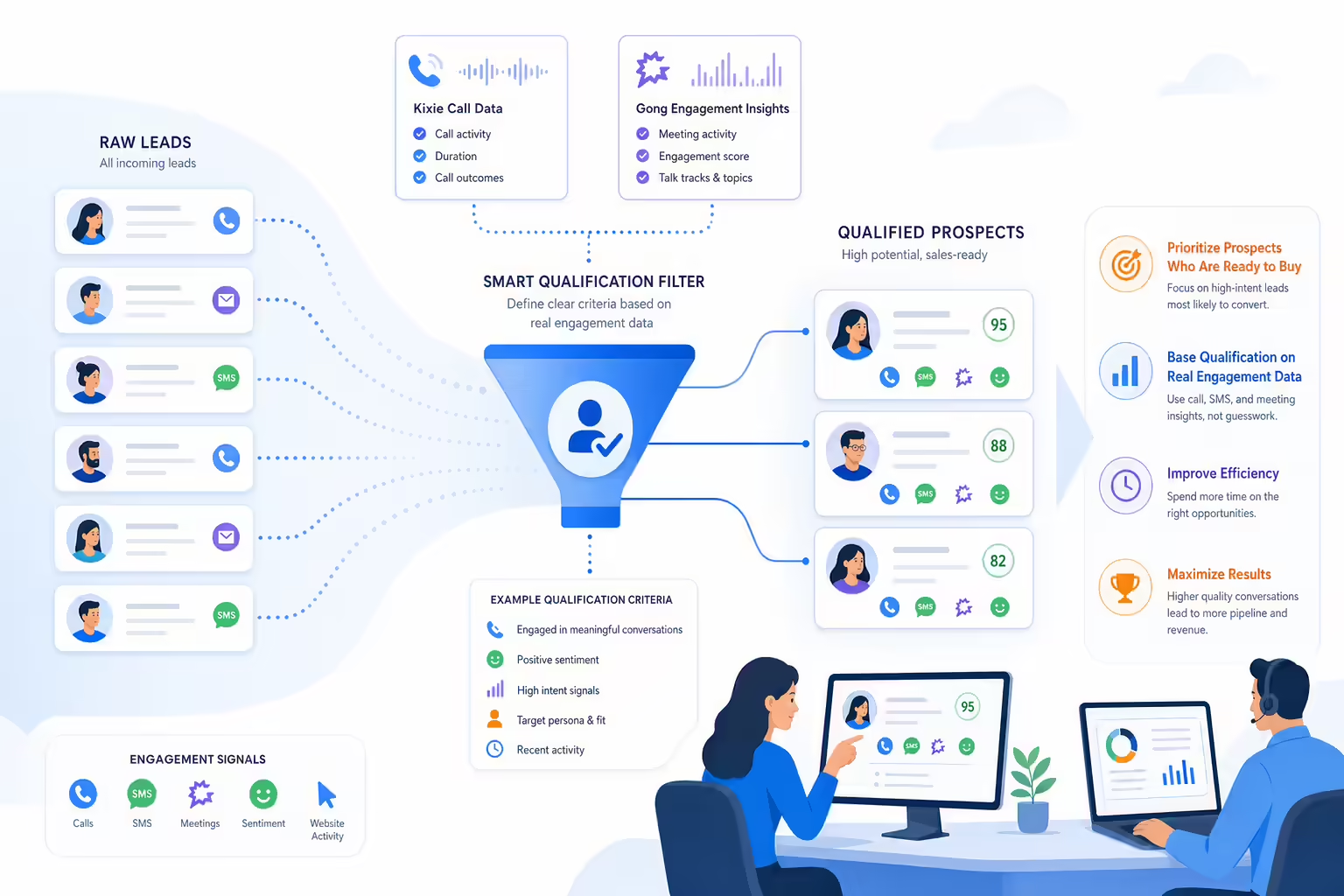
Effective lead qualification is key to closing deals and boosting conversion rates. By using Kixie’s call data and Gong’s engagement insights, sales teams can refine their lead qualification criteria to focus on high-potential prospects. Here’s how Kixie and Gong together can help you optimize your qualification process, ensuring your team spends time with the most promising leads.

Why Refine Your Lead Qualification Criteria?

Not all leads are equally likely to convert. By defining clear qualification criteria, sales teams can prioritize their efforts on prospects who are ready to buy, ultimately improving efficiency and success rates. Leveraging insights from Kixie and Gong allows teams to base qualification on real engagement data, helping them make more accurate assessments and maximize results.

Lead qualification filter prioritizing high-potential prospects

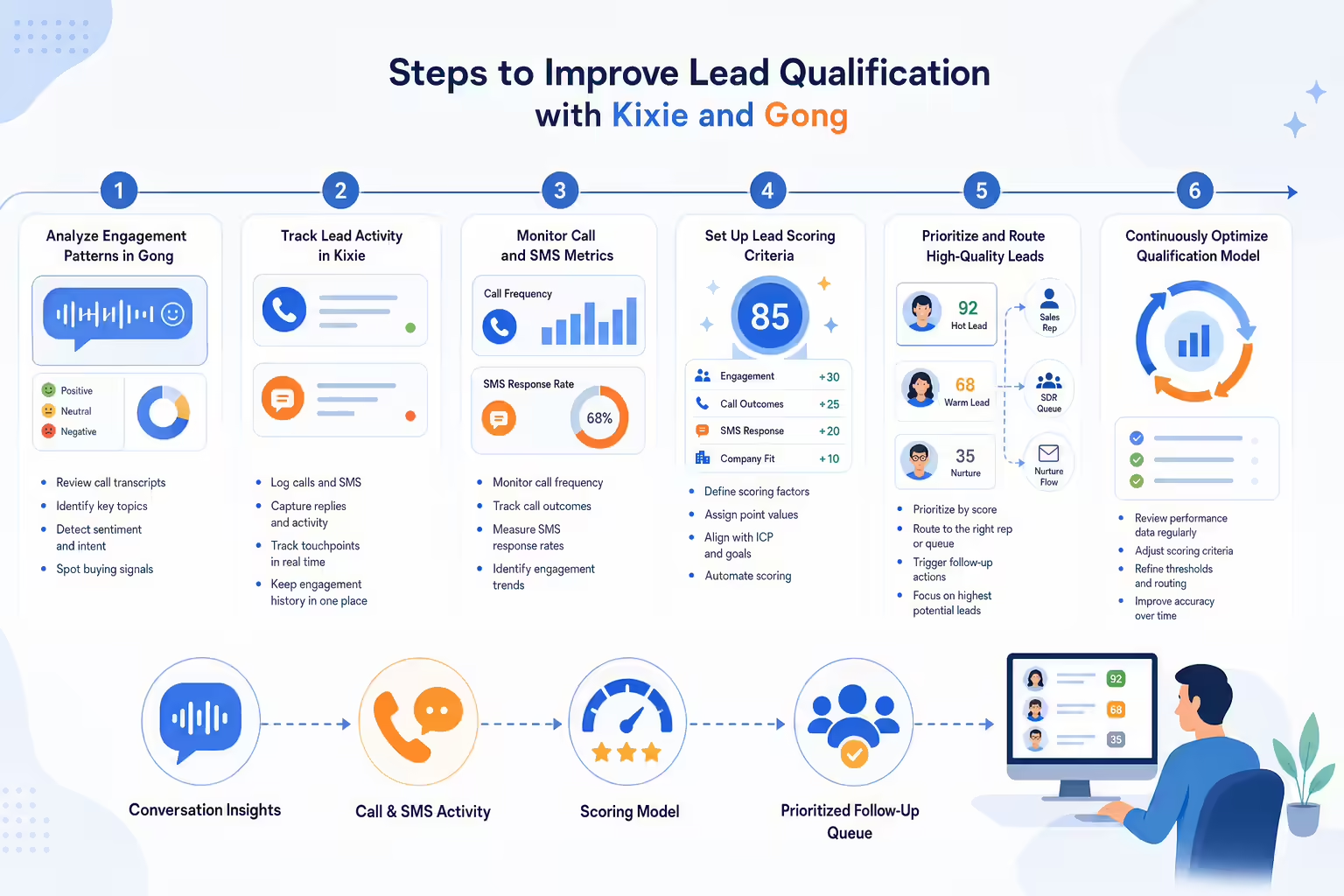
Steps to Improve Lead Qualification with Kixie and Gong

Lead qualification workflow using call activity and engagement signals
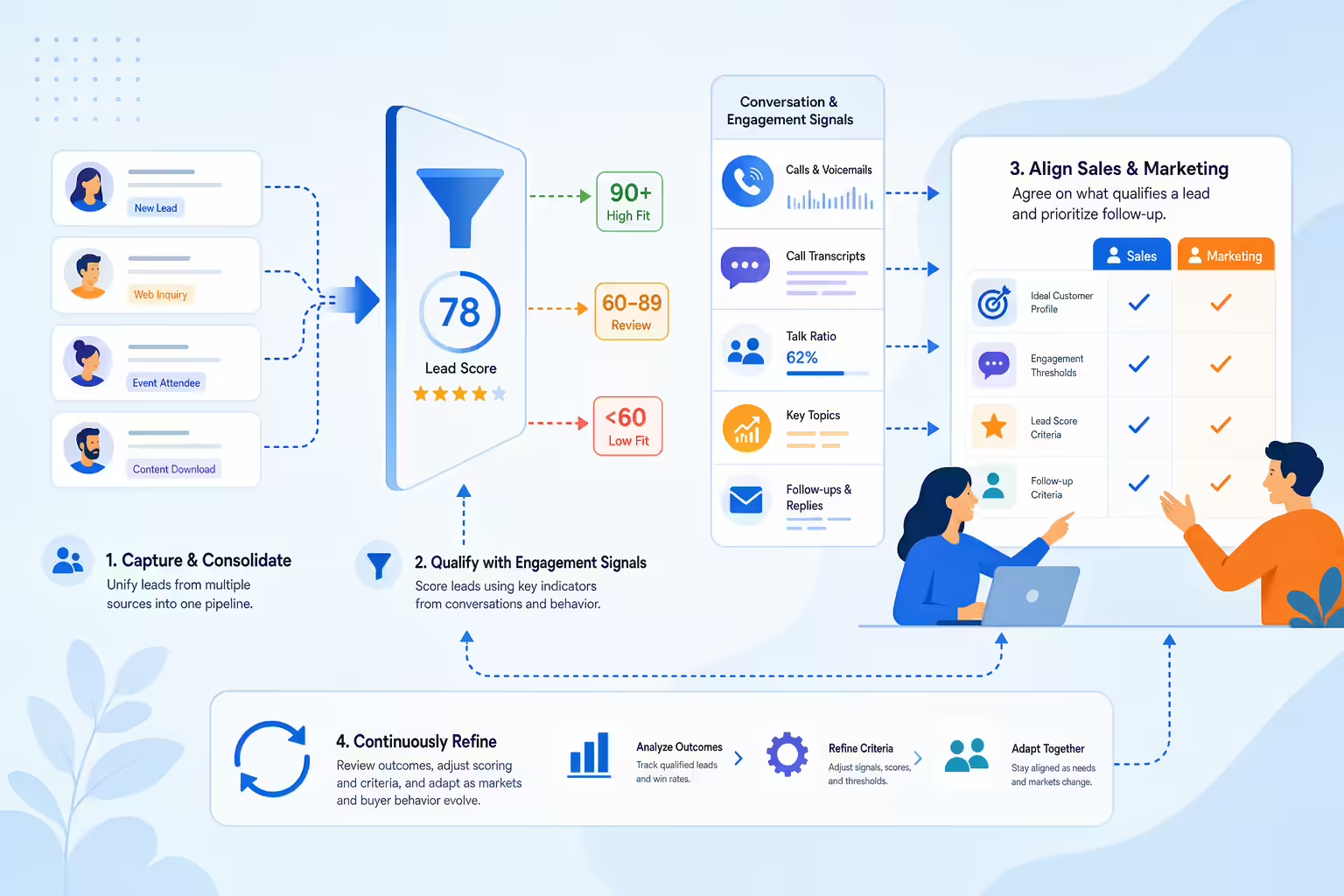
  1. Analyze Engagement Patterns in Gong: Start by reviewing Gong’s conversation insights to identify characteristics of high-quality leads. Look for patterns in engagement, sentiment, and specific phrases that indicate buying intent.
  2. Track Lead Activity in Kixie: Use Kixie’s call and SMS data to monitor each lead’s activity, such as call frequency, call outcomes, and follow-up response rates. Leads who show consistent engagement or positive call outcomes are more likely to be qualified.
  3. Set Up Scoring Criteria: Based on the insights from Gong and Kixie, develop a scoring system to assign value to each lead. For example, leads with high engagement, multiple touchpoints, or positive call outcomes can receive a higher score, making them a priority for follow-up.
  4. Regularly Review and Adjust Qualification Criteria: Periodically review your lead qualification criteria based on the latest data in Gong and Kixie. Adjust your scoring model as needed to reflect changes in customer behavior or new patterns in engagement.

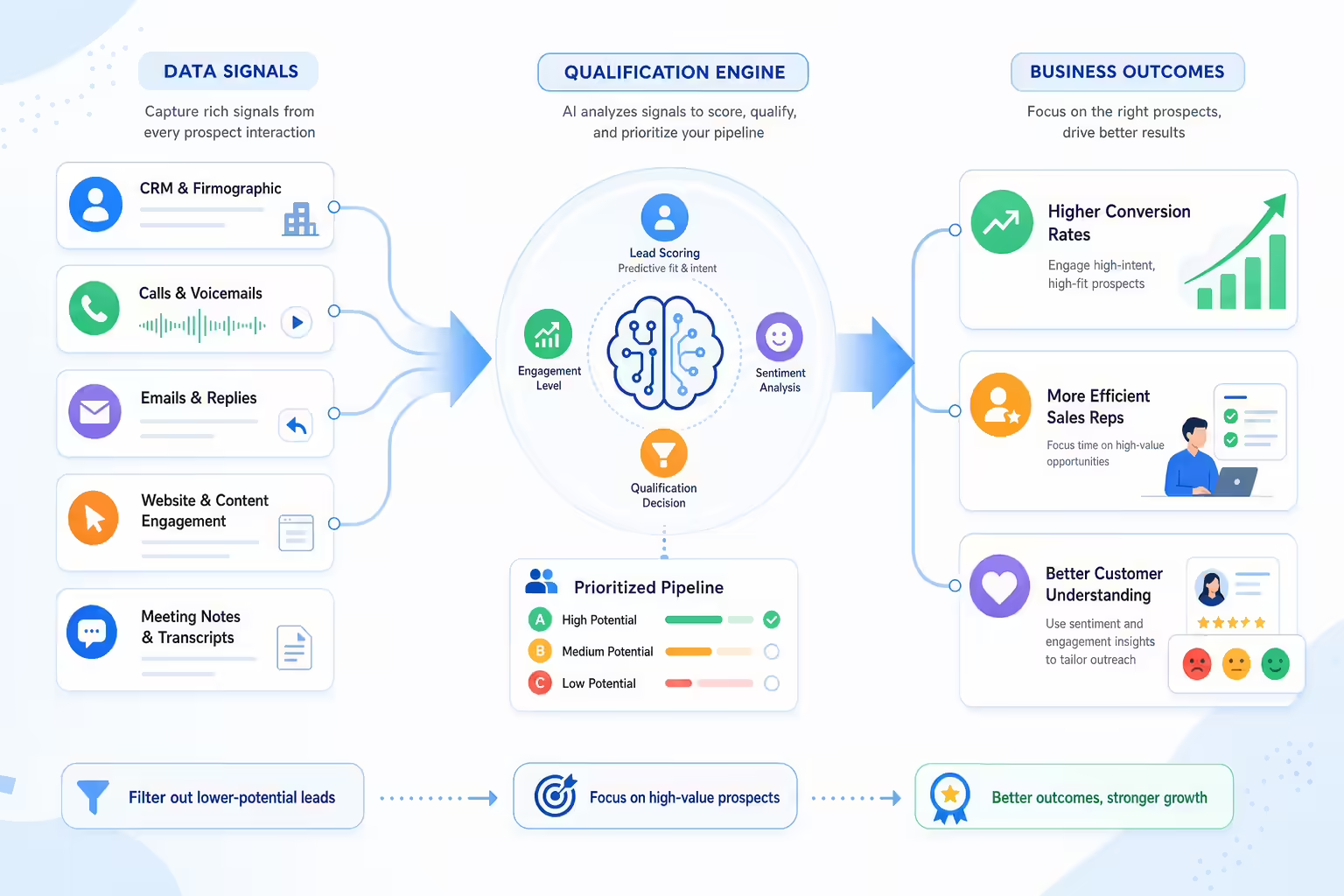
Benefits of Data-Driven Lead Qualification with Kixie and Gong

Refining lead qualification with Kixie and Gong offers several key advantages that improve efficiency and effectiveness:

Data signals improving lead qualification and sales focus
  • Higher Conversion Rates: Focusing on the most qualified leads increases the likelihood of closing deals, leading to higher overall conversion rates.
  • Improved Sales Efficiency: By filtering out lower-potential leads, your team can concentrate on high-value prospects, optimizing their time and efforts.
  • Better Customer Understanding: Gong’s sentiment and engagement insights provide a deeper understanding of lead behavior, enabling reps to tailor their approach to each prospect’s needs.

Best Practices for Lead Qualification with Kixie and Gong

To get the most from your lead qualification process, follow these best practices:

Lead qualification best practices using engagement signals and scoring criteria
  • Focus on Key Engagement Indicators: Use Gong’s data to identify key engagement signals, such as positive sentiment or questions about specific products, as these can be strong indicators of intent.
  • Refine Scoring Criteria Regularly: As market conditions and customer preferences change, review and update your scoring model based on the latest insights from Kixie and Gong.
  • Align with Sales and Marketing Teams: Ensure that sales and marketing agree on lead qualification criteria. Use insights from Gong and Kixie to create a shared understanding of what qualifies a lead for follow-up.

Start Optimizing Lead Qualification with Kixie and Gong

Ready to improve your lead qualification process? Try Kixie’s free trial today and see how combining Kixie’s call data with Gong’s engagement insights can help you identify and prioritize the leads most likely to convert. Focus your efforts on high-quality prospects and drive better results.

Optimized lead qualification funnel prioritizing high-quality sales prospects

Step-by-Step Guide: Integrating Kixie with Gong for Better CRM Data Management

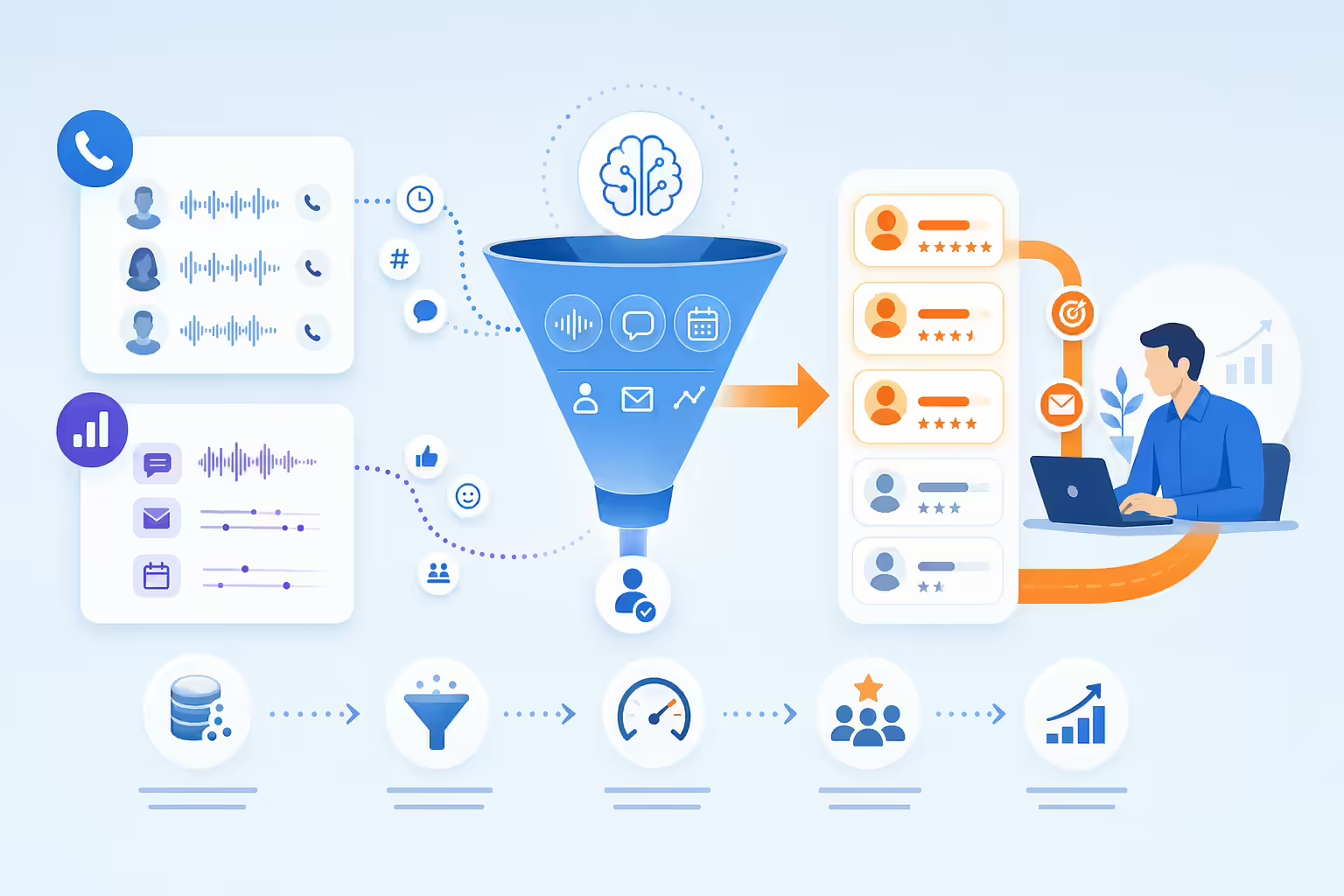
Integrating Kixie with Gong can streamline data management, enhance call insights, and optimize sales performance—all while saving your sales team valuable time. When call data from Kixie flows seamlessly into Gong, sales managers gain richer insights and can leverage the data for coaching, improving CRM accuracy, and driving sales strategy. This step-by-step guide will show you how to set up and maximize the integration.
Why Integrate Kixie with Gong?

Kixie’s advanced calling and SMS capabilities paired with Gong’s powerful conversation analytics create a comprehensive sales solution. By integrating these tools, you gain:

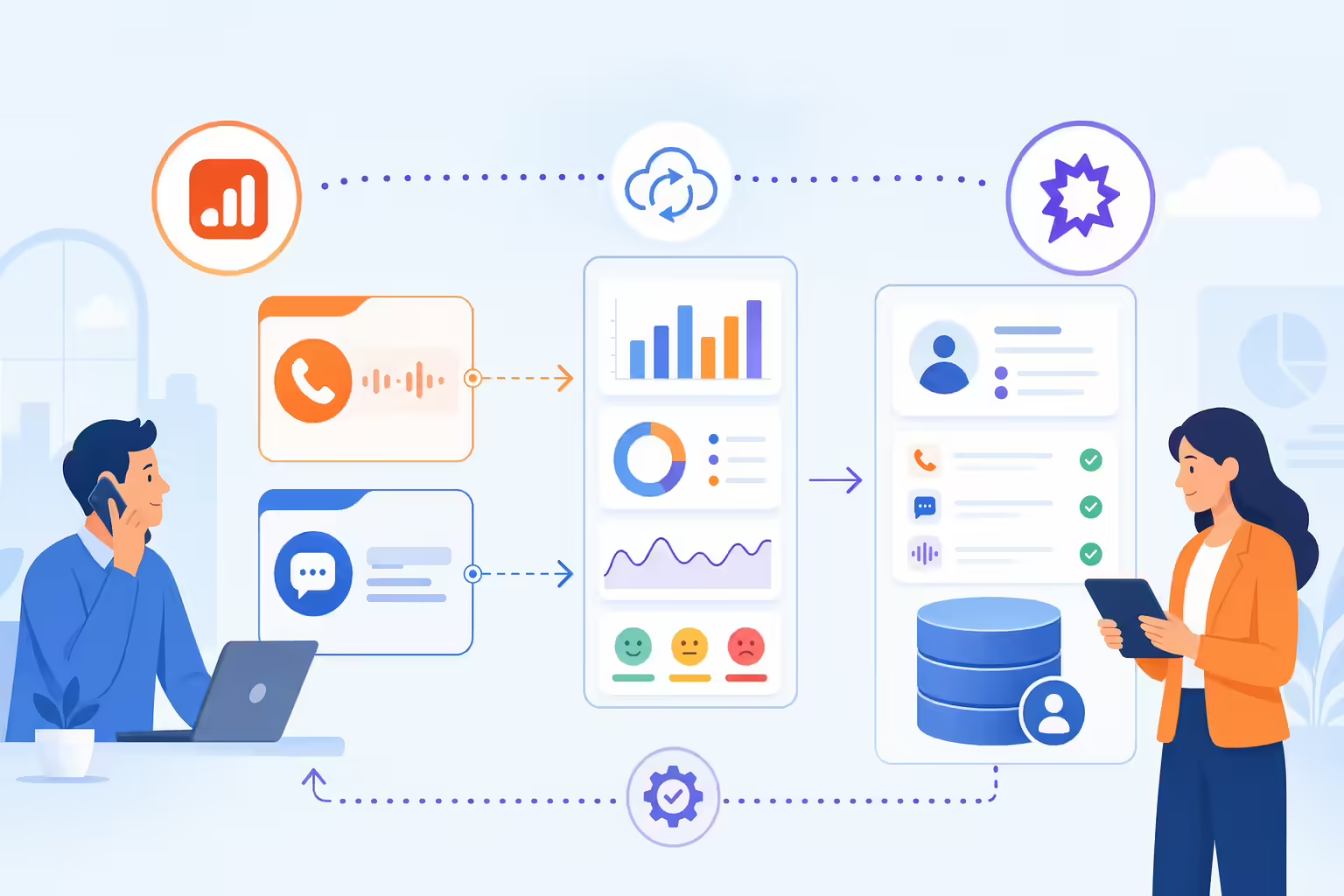
Illustration of Kixie and Gong syncing call, SMS, analytics, and CRM data
  • Automated call and SMS logging: Every interaction, including disposition status and call outcome, logs automatically, removing manual entry.
  • Insightful analytics: Gong’s analysis provides feedback on call behaviors, keywords, and sentiment, allowing for smarter strategy adjustments.
  • Unified CRM records: All call details from Kixie flow into Gong, ensuring that CRM data is accurate, up-to-date, and easily accessible.

Step 1: Setting Up the Integration

To set up the Kixie-Gong integration, ensure you have the necessary permissions and credentials:

Illustration of secure API credentials connecting Kixie and Gong
  1. Gather API Key and Business ID: In your Kixie dashboard, navigate to Manage > Account Settings > Integrations to access your API key and business ID. These are essential for authorizing the connection.
  2. Access Gong Integration Settings: Open your Gong dashboard and go to Settings > Integrations. Select Kixie from the integration options.
  3. Input Credentials: Enter your Kixie API key and business ID in Gong’s integration fields. This grants Gong access to pull in call data, SMS records, and other engagement metrics.

Step 2: Configuring Webhooks for Real-Time Data Flow

Webhooks allow your Kixie data to sync with Gong in real time, ensuring that all data is captured without delays.

Illustration of real-time webhook data flowing between sales systems
  1. Create a New Webhook in Kixie:
    • In the Kixie API section, select Create Webhook.
    • For the endpoint, provide Gong’s webhook URL (available in Gong’s integration documentation).
  2. Customize Event Types: Choose which Kixie events you want to send to Gong, such as call start, call end, disposition, and SMS. Selecting specific events helps control data flow and avoids unnecessary logging.
  3. Select Headers (Optional): If needed, include headers to differentiate call types, directions, and dispositions.
  4. Test the Webhook: Save and test the webhook to confirm that Kixie data is pushing correctly to Gong.

Step 3: Syncing Call and SMS Data to CRM Records

With webhooks in place, configure Kixie to log call and SMS data directly to your CRM:

Call and SMS data syncing into CRM records
  1. Set Up Call and SMS Syncing: In your Kixie dashboard, go to Settings > CRM Integration to select your CRM (e.g., Salesforce, HubSpot, or Zoho).
  2. Map Fields: Map specific fields in Kixie (e.g., call duration, disposition, and SMS content) to your CRM’s fields to ensure data consistency.
  3. Enable Automatic Sync: Once fields are mapped, enable automatic syncing so that all new interactions are logged in real-time, minimizing manual data entry.

Optimize Your Sales Strategy with Kixie and Gong

By integrating Kixie and Gong, you create a sales ecosystem that captures every detail, from call durations to SMS engagements, all of which can be analyzed in Gong’s platform. This combination allows for enhanced visibility, automated data handling, and improved sales workflows.

Sales data workflow connecting calls SMS and analytics

Ready to take your sales data management to the next level? Try Kixie for free today and experience a streamlined approach to CRM data management and sales performance optimization.