Inbound buyers expect an instant response, but most sales teams cannot pick up every call. A missed call bot built in Zapier closes that gap by auto-texting the caller within seconds, logging the lead to the CRM, and alerting the rep to follow up.
TL;DR: A missed call bot Zapier workflow auto-texts inbound callers within 60 seconds of an unanswered call, recovering up to 93% of missed opportunities against a baseline where 62% of SMB calls go unanswered, 80% of callers skip voicemail, and 85% never call back (average annual revenue loss ~$126,000). A standard build uses a telephony trigger (native Missed Call event on RingCentral or JustCall, or Aircall Call Ended webhook filtered to missed), a Filter by Zapier step (missed-only), a Formatter by Zapier step (E.164 phone formatting), an SMS send step (Twilio, Salesmsg, or JustCall native), and a CRM Find or Create Contact step (Salesforce, HubSpot, Pipedrive). Task math: trigger = 0 tasks, each action = 1 task, so a 4-step build = 4 tasks per missed call. Zapier plans: Free (100 tasks, 2-step Zaps only, 15-min polling), Professional ($19.99/mo annual, 750 tasks, multi-step), Team ($69/mo annual, 2,000 tasks, unlimited users), Enterprise (custom); overage = 1.25x rate, auto-pause at 3x plan limit. Telephony options: Aircall ($30/$50 per user/mo, 3-user min, $9/user AI add-on), JustCall ($29/$49 per user/mo, 2-user min, native SMS), Twilio (pay-as-you-go, $0.0085/min inbound, $0.0083/SMS). Alternatives to Zapier: Make (~$9/mo for 10,000 ops, 50-70% cheaper at volume) and Activepieces (open-source, pay-as-you-go). Kixie bundles power dialer, multi-line dialer, local presence, voicemail drop, SMS, workflow automation, call tracking, and native HubSpot/Salesforce/Pipedrive/Zoho integrations, so a missed call can fire an automated SMS or re-queue the number without a separate bot layer.
Key Points
- Research indicates that approximately 62% of inbound calls to small and medium businesses go unanswered during regular operating hours.
- When a call goes to voicemail, roughly 80% of callers hang up without leaving a message, and 85% never attempt to call the business back.
- The financial impact is substantial, with the average service-based business losing approximately $126,000 annually due to unhandled inbound calls.
- An automated missed call bot workflow can recover up to 93% of these missed opportunities by sending an immediate text message response to the caller.
- Building this automation requires careful attention to software costs, as Zapier utilizes task-based billing that scales rapidly with high-volume usage.
Understanding the Core Problem Sales professionals and revenue operations leaders face a structural challenge. Representatives cannot answer the phone when they are already speaking with a prospect, attending an internal meeting, or operating outside of normal business hours. This structural unavailability creates gaps in the inbound lead pipeline.
The Automated Solution By connecting telephony software to workflow automation platforms, businesses can trigger immediate actions whenever a call goes unanswered. This approach shifts the burden of initial follow-up from human representatives to software systems, ensuring every inbound lead receives a timely acknowledgment.
Managing Implementation Costs While the technical setup is straightforward, revenue operations leaders must carefully calculate the total cost of ownership. This requires analyzing both the per-user licensing fees of the telephony provider and the usage-based billing tiers of the automation platform.
The Financial Reality of Missed Sales Calls
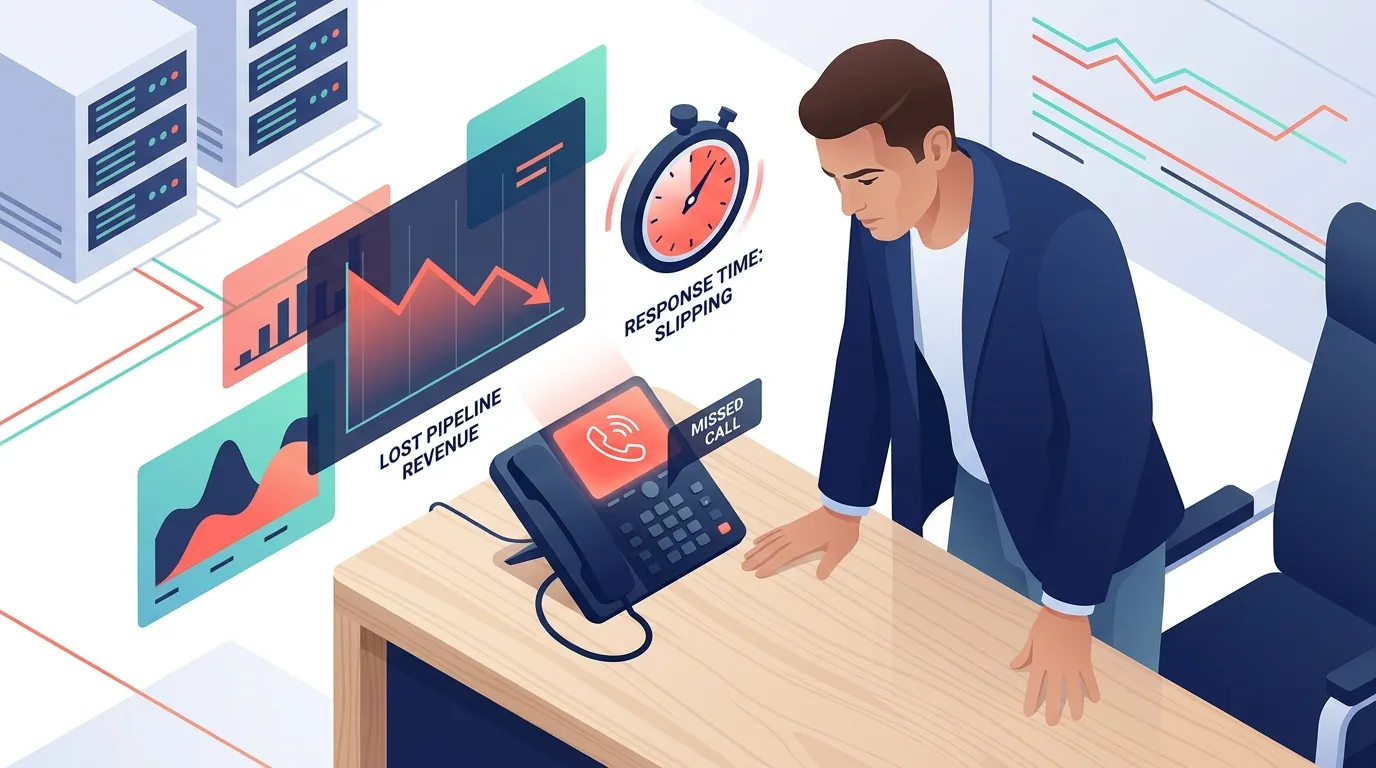
To justify the investment in telephony automation, revenue operations leaders must first understand the quantifiable cost of missed inbound communications. The data reveals a significant gap between customer expectations and actual business response times.
Analyzing Inbound Call Data
Industry studies tracking inbound phone traffic show alarming trends for sales teams. Across small and medium-sized enterprises, approximately 37.8% of incoming calls are answered by a live representative. The remaining 62.2% of calls either go to voicemail or ring indefinitely without an answer.
Historically, businesses relied on voicemail as a safety net to capture inbound leads. However, consumer behavior has shifted away from this medium. Data shows that 80% of callers who reach a voicemail greeting hang up without leaving a recorded message. Furthermore, 85% of individuals whose calls are not answered will never call that specific business back.
When a prospect cannot reach a live person, they do not wait passively for a return call. Instead, 62% of unanswered callers immediately contact a competitor. In a competitive market, responding within five minutes makes a sales representative 100 times more likely to connect with and qualify a lead compared to waiting 30 minutes.
Calculating Revenue Lost to Missed Calls
The immediate financial consequence of these missed connections is severe. Research estimates that the average small business loses approximately $126,000 to $126,360 per year in potential revenue due to unanswered calls. This calculation factors in the direct value of the lost sale, the wasted marketing spend used to generate the inbound call, and the loss of potential lifetime customer value.
The exact financial damage varies heavily by industry and average transaction size. Data from recent market analyses provides specific estimates for different sectors.
Home services businesses, such as plumbing and heating contractors, miss between 27% and 62% of their inbound calls. The average cost per missed call in this sector ranges from $300 to $1,200. Missing an average of 42 calls per month results in a minimum of $12,600 in lost monthly revenue.
Legal services and law firms miss approximately 35% of inbound calls. Because legal retainers carry a high average transaction value, each missed call costs a law firm $425 to over $5,000. This results in monthly losses exceeding $16,150, or up to $250,000 annually.
Auto repair shops face a highly urgent customer base. A stranded driver will simply call the next shop on their search engine results page. Auto shops lose an average of $200 to $250 per missed call, translating to roughly $11,250 in lost revenue every month.
Real estate professionals rely heavily on timely communication to secure listings and buyers. Missed calls in real estate are valued between $500 and $8,000 each, putting $100,000 to $200,000 of annual revenue at risk per agent.
How Missed Calls Drain the Sales Pipeline
Consider a mid-sized sales development team receiving 50 inbound phone calls per week. Based on the industry average, 62% of these calls (31 calls) go unanswered because representatives are busy or away from their desks.
If the company has an average deal size of $2,000 and a historical close rate of 15% on inbound phone leads, the math looks like this. 31 missed calls per week multiplied by 52 weeks equals 1,612 missed leads annually. If 15% of those 1,612 leads had converted into paying customers, the company would have secured 241 new deals. At $2,000 per deal, those 241 deals represent $482,000 in lost annual pipeline revenue.
Even if the company only captures a fraction of those missed calls using automation, the return on investment easily justifies the software costs.
Fundamentals of Missed Call Automation

To solve the missed call problem, revenue operations teams use workflow automation. A missed call bot Zapier configuration operates silently in the background, connecting an organization’s phone system to its messaging tools and customer relationship management (CRM) database.
How a Missed Call Bot Works
Workflow automation relies on a simple logical framework of triggers and actions. A trigger is a specific event that occurs in one software application. An action is the subsequent task that the automation platform performs in another application.
In this context, Zapier acts as the digital bridge. It constantly monitors the company’s telephony software. When the phone system logs an inbound call that ends without a representative picking up, it sends a signal to Zapier. Zapier receives this signal, extracts the caller’s phone number, and executes a pre-written set of instructions.
Why Speed Matters in Lead Recovery
The primary goal of this automation is speed. Implementing a missed call text-back solution can recover approximately 93% of missed calls if the automated text message is sent within one minute of the call dropping.
Sending a text message achieves a callback rate that is three times higher than simply leaving the caller to wait for a human follow-up. Furthermore, consumer preferences lean heavily toward modern communication channels. Studies indicate that 88% of consumers prefer receiving a text message over listening to a voicemail callback.
By immediately sending a message like, “Hello, this is the sales team. We are currently assisting other customers. How can we help you today?”, the business interrupts the caller’s search process. The caller feels acknowledged and is far less likely to dial a competitor.
Telephony Providers That Support Missed Call Bots

Before building a missed call bot Zapier setup, organizations must select a compatible cloud telephony provider. Not all business phone systems integrate easily with automation tools. Sales leaders must evaluate platforms based on native integrations, pricing structures, and API accessibility.
Telephony Comparison for Missed Call Bots
The following table compares three popular communication platforms frequently used by sales teams and evaluated by revenue operations leaders. Kixie is covered separately below as a sales-first dialer that includes many of these features natively.
| Feature Category | Aircall | Twilio | JustCall |
|---|---|---|---|
| Target Audience | Sales and support teams | Developers and IT teams | Outbound sales teams |
| Pricing Model | Per user subscription | Pay-as-you-go usage | Per user subscription |
| Entry Level Cost | $30 per user monthly | $0.0085 to receive a call | $29 per user monthly |
| Minimum Users | 3 users minimum | No minimum | 2 users minimum |
| Zapier Integration | Yes via Webhooks | Yes native app | Yes native app |
| Native SMS Support | Basic features | Advanced programmable SMS | Built-in multi-channel |
| AI Add-on Features | $9 per user monthly | Custom API builds | Included in premium tiers |
Aircall Pricing for Missed Call Bots
Aircall is a user-friendly cloud phone system designed specifically for sales and support teams. It features a clean interface and deep native integrations with major CRMs like Salesforce and HubSpot.
However, Aircall’s pricing structure requires careful review. The entry-level Essentials plan costs $30 per user per month, and the Professional plan costs $50 per user per month (when billed annually). Aircall enforces a strict three-user minimum requirement across its standard plans. Therefore, the absolute minimum starting cost is $90 per month for the Essentials plan and $150 per month for the Professional plan.
If a team requires separate phone numbers for individual representatives, Aircall charges an additional $6 per month for each extra phone number. Advanced features also require paid add-ons. Accessing Aircall’s AI features, such as call summaries, costs an additional $9 per user per month. While Aircall provides excellent call reliability, its SMS messaging capabilities are relatively basic compared to dedicated texting platforms.
Twilio for Missed Call Bot Builders
Twilio takes a completely different approach. It is not a ready-to-use software application; it is a developer platform that provides communication application programming interfaces (APIs). Twilio offers ultimate flexibility, allowing organizations to build custom voice, SMS, and email workflows exactly to their specifications.
Twilio utilizes a pay-as-you-go pricing model. Making an outbound call starts at $0.014 per minute, while receiving an inbound call costs $0.0085 per minute. Sending or receiving a standard SMS text message starts at $0.0083 per message.
For revenue operations teams with developer resources, Twilio is incredibly cost-effective at low volumes. However, it requires technical expertise to set up and maintain. Connecting Twilio to a CRM or building a user interface for sales representatives to read text messages requires writing code or relying heavily on third-party integration platforms like Zapier.
JustCall for Missed Call Workflows
JustCall positions itself as a strong alternative for outbound-heavy sales teams. The platform emphasizes multi-channel communication, offering native support for voice, SMS, email, and WhatsApp without requiring external integrations.
JustCall’s pricing starts at $29 per user per month for the Team plan, which requires a minimum of two users. The Pro plan, which accesses advanced automation and API access, costs $49 per user per month. JustCall distinguishes itself with strong native automation features, including predictive dialing and automated SMS campaigns directly within its own ecosystem.
For organizations focused on deep CRM synchronization, JustCall offers highly rated integrations that sync call insights and text messages directly to contact records.
Worked Example of Missed Call Bot Telephony Costs
To understand the financial commitment, consider a revenue operations leader outfitting a team of five sales development representatives.
Option A uses Aircall on the Professional plan to ensure advanced CRM integrations. 5 users at $50 per month equals $250 per month. Adding the AI features at $9 per user adds $45 per month. The total annual cost for Aircall software is $3,540.
Option B uses JustCall on the Pro plan. 5 users at $49 per month equals $245 per month. Assuming AI features are bundled, the total annual cost for JustCall is $2,940.
Option C uses Twilio. The software has no base subscription cost for users, but requires paying per minute. If the 5 representatives make 10,000 minutes of outbound calls a month ($140) and send 2,000 text messages ($16.60), the monthly cost is roughly $156.60. The annual cost is $1,879. However, this does not factor in the salary hours required for developers to build and maintain the internal interface.
Building the Missed Call Bot Workflow
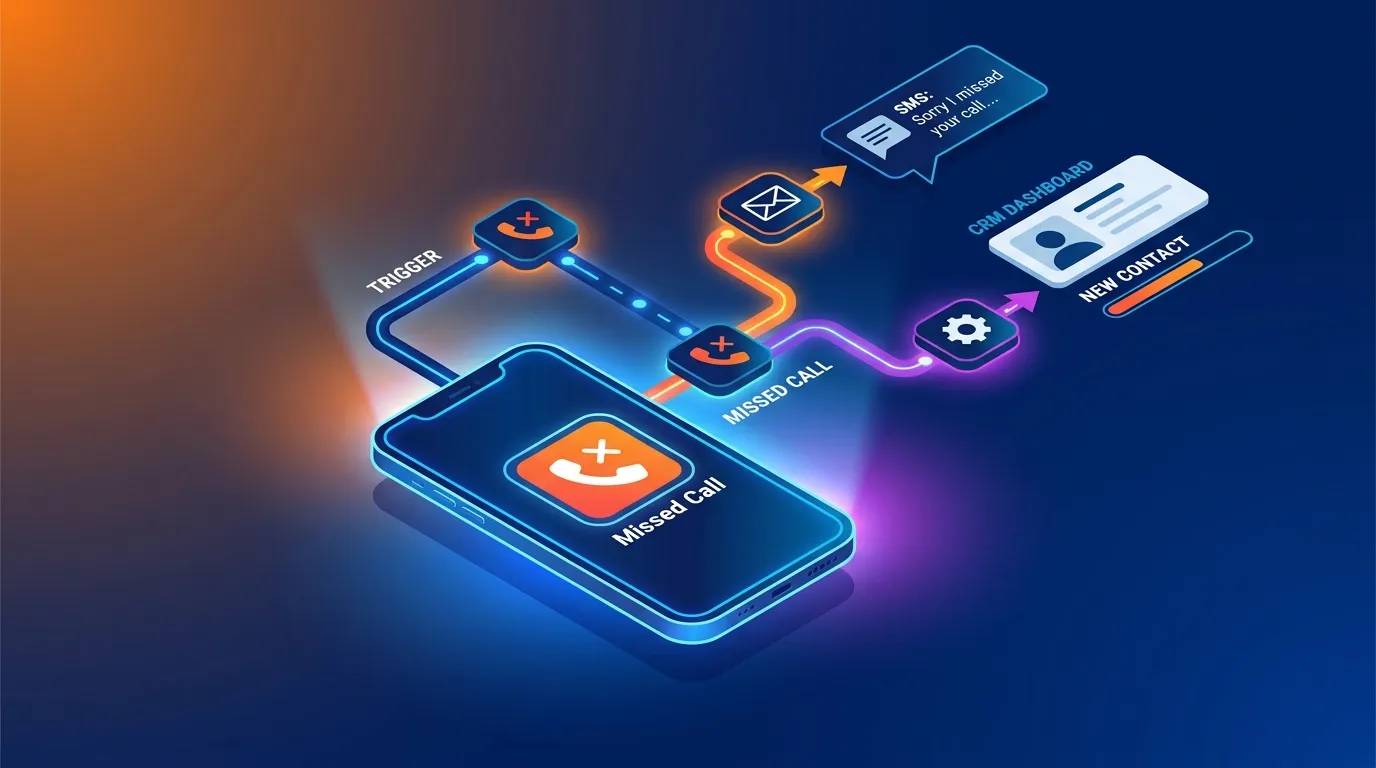
Once a telephony provider is selected, the revenue operations team must build the actual automation. Building a missed call bot Zapier workflow requires sequentially connecting trigger events, applying conditional logic, formatting data, and executing action steps.
This section outlines the detailed, step-by-step process required to build a reliable system.
Step One, Selecting the Trigger Application
The workflow begins by defining the exact event that initiates the automation. In Zapier, the user must create a new “Zap” and select their telephony provider as the trigger application.
For users on platforms like RingCentral, VoIPstudio, or JustCall, Zapier offers native, pre-built trigger events explicitly labeled “Missed Call”. The user simply logs into their account, selects the target phone number, and authorizes the connection using an API key provided by the software vendor.
For users on Aircall, the setup is slightly more technical. Aircall relies on a webhook trigger rather than a simple dropdown menu. The administrator must configure Zapier to “Catch Hook” and generate a unique webhook URL. The administrator then goes to the Aircall dashboard, accesses the API developer settings, creates a new webhook, pastes the Zapier URL, and selects the “Call Ended” event.
When setting up the trigger, the administrator should initiate a test call to the business number and intentionally let it ring without answering. This pushes live test data into Zapier, allowing the system to map the incoming caller ID, timestamp, and call duration fields accurately.
Step Two, Applying Data Filters
If the trigger event is a generic “Call Ended” webhook (as is the case with Aircall), the workflow will fire every single time a call concludes, regardless of whether a representative answered it or not. Sending an automated text message saying “Sorry we missed you” to a customer who just spent ten minutes speaking with a sales representative will damage the company’s credibility.
To prevent this, the workflow must include a filtering step. Zapier provides a native tool called “Filter by Zapier” for this exact purpose.
The administrator sets a conditional rule analyzing the call data payload. The filter looks at a specific data field, often labeled “Missed Call Reason” or “Call Status.” The condition is set so the workflow will “Only continue if” the “Missed Call Reason exists” or if the “Call Status equals missed”.
If a representative answers the phone, this data field registers as “null” or “answered,” and the filter halts the Zapier workflow immediately, preventing the text message from sending.
Step Three, Formatting the Phone Number
Phone systems deliver caller IDs in various formats. A number might arrive as 555-019-8372, (555) 019-8372, or +15550198372. Text messaging APIs, particularly Twilio, require phone numbers to be formatted in strict adherence to the E.164 international standard (e.g., +15550198372).
If the text messaging application rejects the phone number format, the automation will fail. To ensure reliability, revenue operations teams should insert a “Formatter by Zapier” step. The administrator selects the “Numbers” action and chooses the “Format Phone Number” option. The system takes the raw caller ID from step one and standardizes it into the E.164 format before passing it to the final step.
Step Four, Configuring the Text Message Action
The final critical step is dispatching the automated SMS reply. The administrator selects an SMS application, such as Twilio, Salesmsg, or native tools like JustCall.
The action event is set to “Send SMS”. The administrator maps the formatted caller ID into the “To Phone Number” field and selects the business’s official outbound number for the “From Phone Number” field.
Writing the actual message requires careful copywriting. A highly effective automated missed call message must accomplish three distinct goals. It must acknowledge the missed connection, reassure the prospect of a prompt follow-up, and provide an immediate call to action to keep the lead engaged.
A standard template used by high-performing sales teams reads: “Hi, this is the sales team at [Company Name]. We just missed your call and want to make sure we connect. Please reply here with a quick note about what you need, or click this link to book a time on our calendar: [Insert Calendar Link].”.
This template contains fewer than 160 characters, ensuring it delivers as a single standard text message. It avoids sounding overly robotic while offering the prospect a clear path forward.
Step Five, Logging Data to the CRM
A complete revenue operations system must maintain an accurate system of record. Relying solely on SMS platforms creates scattered data silos. Therefore, advanced workflows add a final action step to log the event in a CRM like Salesforce, HubSpot, or Pipedrive.
The administrator selects their CRM application and chooses the “Find or Create Contact” action. The system searches the CRM database for the incoming phone number. If a match is found, the system updates the existing contact record with a note indicating a missed call and an automated SMS sent. If no match is found, the system creates a brand new lead record, populating the phone number field and assigning the lead to an available sales development representative for manual follow-up.
Understanding Zapier Pricing Mechanics
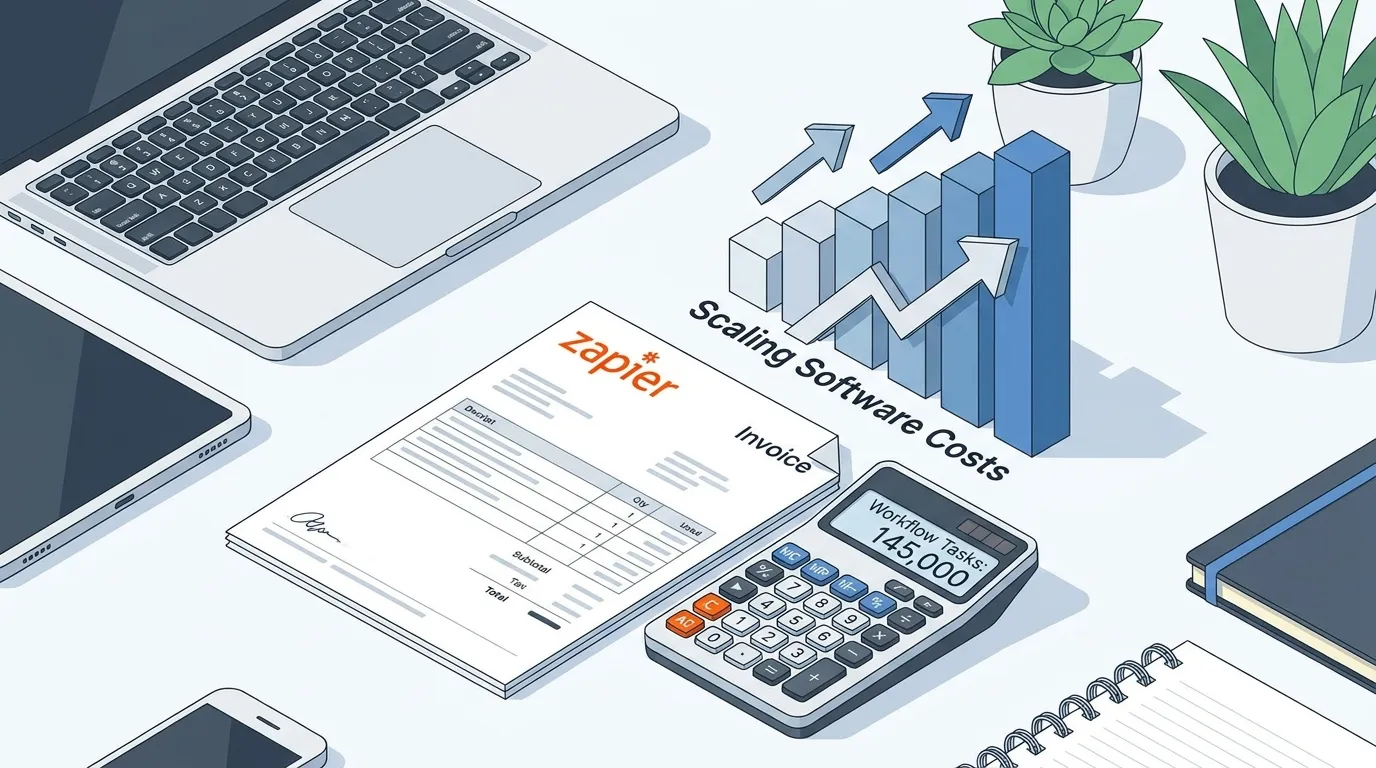
While the technical setup requires attention to detail, managing the ongoing software costs requires strategic financial planning. Zapier does not charge a flat monthly fee for unlimited usage. Instead, it utilizes a complex task-based billing model that scales upward as workflow volume and complexity increase.
How Zapier Task Based Billing Works
To forecast costs accurately, organizations must understand what constitutes a “task.” In Zapier’s ecosystem, the initial trigger event does not consume a task. However, every single successful action step executed after the trigger counts as one distinct task.
Consider the missed call bot Zapier workflow outlined in the previous section. The trigger (Missed Call) costs zero tasks. The Filter step consumes one task (if the condition is met and the workflow proceeds). The Formatter step consumes one task. The Send SMS step consumes one task. The CRM logging step consumes one task.
Therefore, processing a single missed call through a comprehensive automation pipeline consumes four tasks.
If a business attempts to build highly complex workflows involving artificial intelligence summarization, email routing, and Slack notifications, a single inbound call could easily consume eight to ten tasks.
Zapier Pricing Tiers Compared
Zapier offers four primary pricing tiers customized to different organizational needs.
The Free plan provides an entry point for individuals, but it is entirely insufficient for business use cases. The Free plan allows a maximum of 100 tasks per month and restricts users to basic two-step Zaps (one trigger and one action). Furthermore, it checks for triggers on a slow 15-minute polling interval and restricts access to premium applications.
The Professional plan is designed for solo operators and power users. Pricing begins at $19.99 per month when billed annually, or $29.99 per month on a monthly billing cycle. This base tier provides 750 tasks per month and accesses multi-step workflows, conditional filtering, and access to all premium app integrations.
The Team plan caters to small and mid-sized businesses requiring collaboration tools. It starts at $69 per month billed annually, or $103.50 per month billed monthly. The Team plan begins with an allocation of 2,000 tasks per month and includes unlimited users, shared workspaces, advanced admin permissions, and faster update times.
The Enterprise plan targets large corporations requiring enhanced security protocols, Single Sign-On (SSO), custom data retention policies, and dedicated account management. Pricing for the Enterprise tier is entirely custom and requires negotiating directly with the Zapier sales team.
Worked Example of Scaling Zapier Costs
Revenue operations leaders must model their expected volume to avoid billing surprises. Tasks deplete rapidly at high call volumes.
Consider a regional home services company running an eight-step automation workflow for every missed call and inbound lead. If the company processes 100 leads or missed calls per day, the workflow executes 800 tasks daily. Over an average month of 30 days, the company will consume 24,000 tasks.
On Zapier’s Professional plan, task limits act as sliding scales. Users must manually increase their task capacity, which drives up the monthly cost. A tier accommodating 5,000 tasks costs over $300 per month. Scaling up to handle 24,000 tasks pushes the software expense toward $847 per month.
If a business exceeds its allotted monthly task limit, Zapier implements an overage policy. Zaps do not stop immediately. Instead, the account switches to a pay-per-task model, charging a premium rate of 1.25 times the standard task cost for the remainder of the billing cycle. Once the account reaches three times its base task allowance, the platform will pause all active Zaps until the next billing cycle begins, severing the automated follow-up process entirely.
Cost Effective Zapier Alternatives
Due to the strict task-based billing model, organizations executing thousands of automated actions per month frequently explore alternative integration platforms.
Make (formerly known as Integromat) is a primary competitor. Make operates on an operations-based pricing model, starting at approximately $9 per month for 10,000 operations. While Make provides significant cost savings, often reducing automation bills by 50% to 70% for high-volume users, it utilizes a slightly different billing logic. Make charges a credit for every single step in a scenario, including the initial trigger checks, routers, and filters. Make also features a steeper learning curve and a more technical user interface compared to Zapier’s accessible design.
Activepieces positions itself as an open-source alternative. It offers highly predictable pricing by removing rigid task limits at higher tiers and utilizing a pay-as-you-go model for excess usage. While Activepieces is more cost-effective, its library of native integrations is smaller than Zapier’s massive ecosystem of over 7,000 connected applications, meaning teams utilizing niche CRM software might require custom development.
Advanced Missed Call Bot Strategies

Beyond sending a basic text message, revenue operations teams can use workflow automation to streamline internal communication and deploy artificial intelligence.
Alerting Reps About Missed Calls
When a high-value prospect calls and goes to voicemail, sending an automated text message to the caller is only half the solution. The internal sales team must also be alerted to prioritize a manual follow-up as soon as they become available.
A missed call bot Zapier workflow can incorporate internal communication platforms like Slack or Microsoft Teams. After sending the external text message, the Zapier workflow executes a “Send Channel Message” action in Slack.
The message pings the dedicated sales channel with a high-priority alert. “URGENT: Missed call from a new prospect at 555-019-8372. An automated SMS has been sent. The prospect record has been created in Salesforce. Click here to view the record and initiate a manual follow-up.”
This dual-pronged approach ensures the external prospect feels acknowledged while the internal team remains accountable for pursuing the lead.
Integrating AI Call Summaries
Modern cloud telephony tools are increasingly integrating artificial intelligence directly into their platforms. Providers like Aircall and JustCall offer AI-driven call transcriptions and summaries as premium add-ons.
If a prospect leaves a lengthy, detailed voicemail after a missed call, listening to the entire recording consumes valuable selling time. Advanced automation workflows utilize Zapier to extract the raw audio file or text transcript from the telephony provider. The workflow then routes this transcript through an AI platform like OpenAI’s ChatGPT or Anthropic’s Claude.
The AI model is prompted to “Summarize this voicemail, extract key contact information, and categorize the intent of the caller (e.g., Support, Sales, Billing).”. Zapier receives the processed summary from the AI and logs the concise, formatted notes directly into the CRM contact record, allowing the sales representative to scan the prospect’s needs in seconds before returning the call.
Teams that also want the next outreach touch drafted automatically can pair this workflow with AI-generated emails for missed calls, so the voicemail context, CRM data, and follow-up timing stay connected.
Where Kixie Fits for Missed Call Recovery
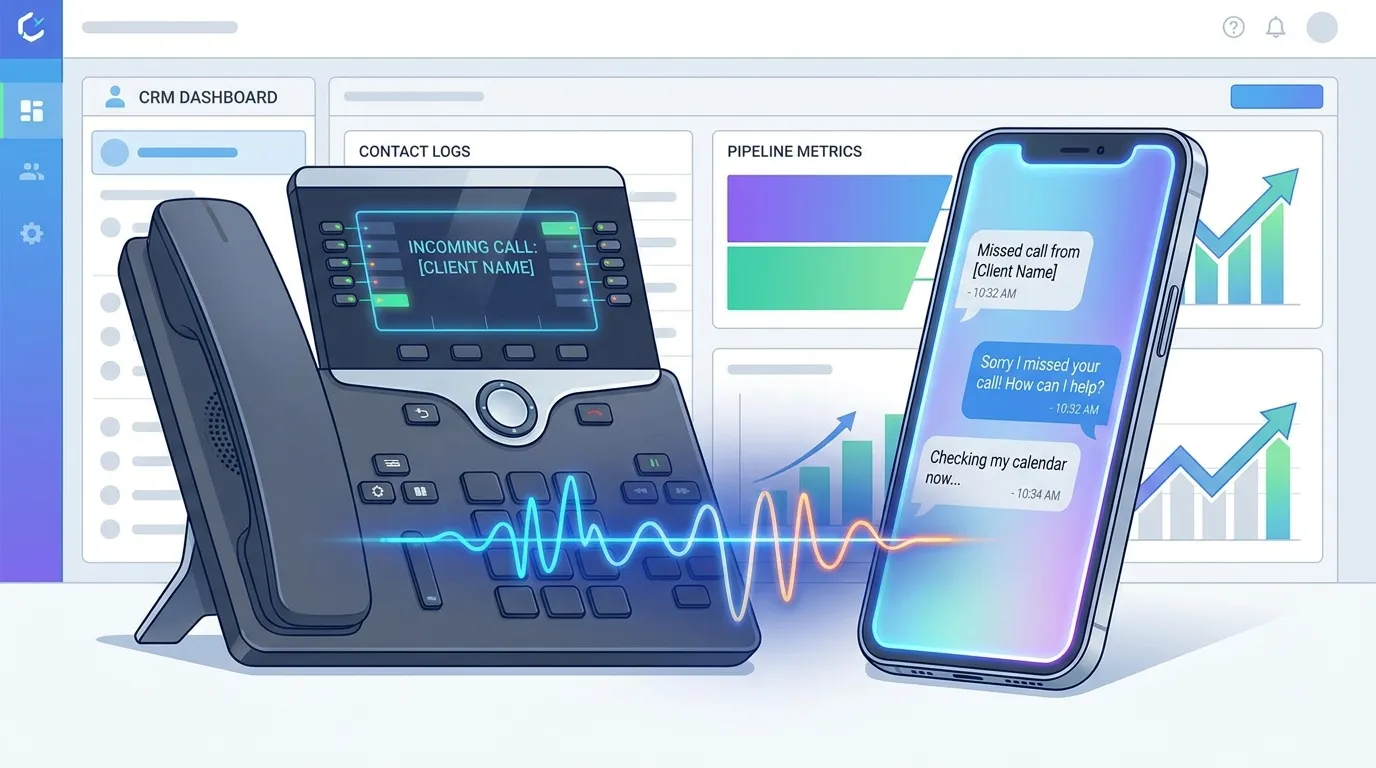
Teams that want missed call recovery without stitching together several tools often reach for Kixie. The platform bundles a power dialer, multi-line dialer, local presence dialing, voicemail drop, SMS, and automated workflows, with call tracking and call recording built in and native integrations into HubSpot, Salesforce, Pipedrive, and Zoho. Because Kixie can fire automated SMS or add a number back into a dialing queue when a call is missed, it often removes the need for a separate missed call bot layered on top of a generic telephony provider.
Frequently Asked Questions
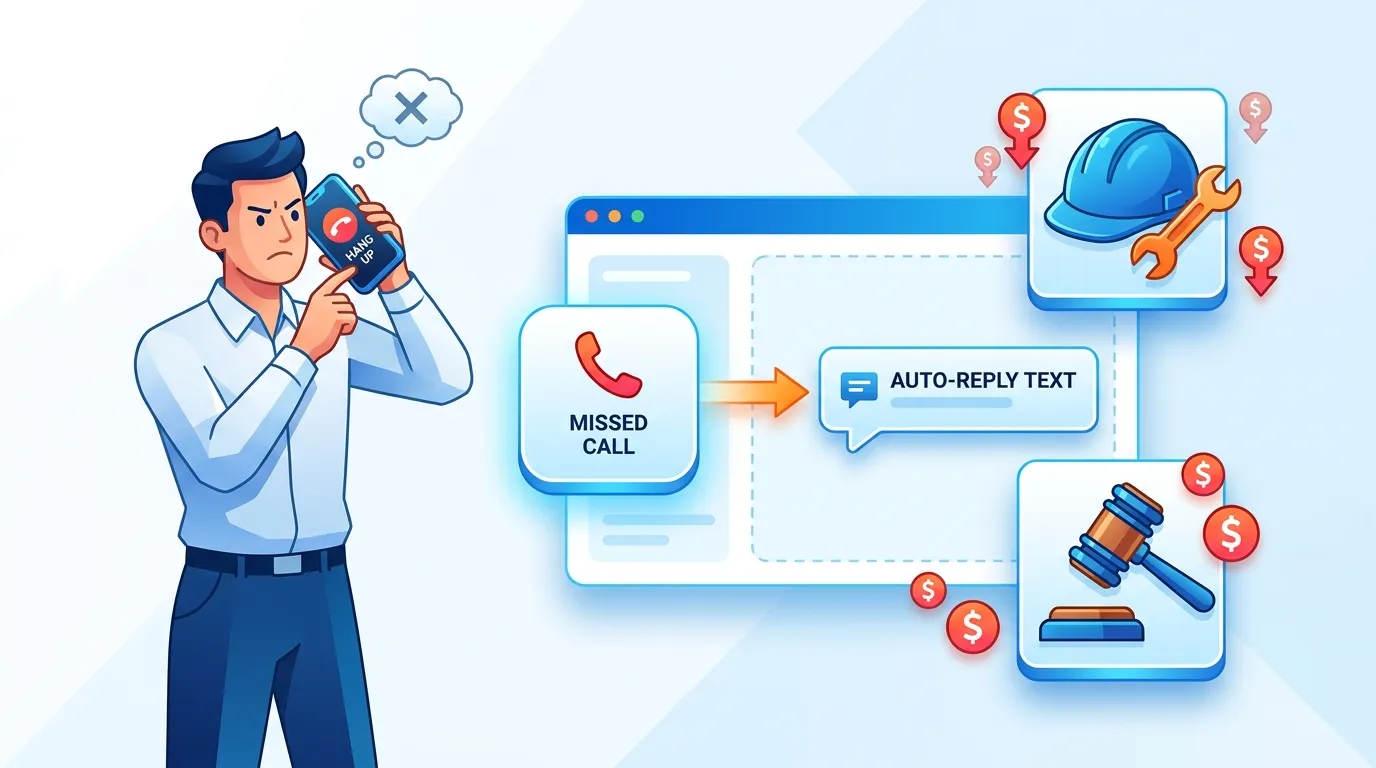
How much does a single missed call actually cost my business? The financial impact varies by industry and average deal size. Research indicates that the direct revenue loss per missed call ranges from $100 to $1,200. For example, a home services contractor loses an average of $300 to $1,200 per unanswered call, while a law firm risks losing $425 to over $5,000 in potential retainer fees. On an annual basis, the average small and medium-sized business loses approximately $126,000 to unhandled inbound calls.
Will a caller leave a voicemail if I do not answer? Statistically, it is highly unlikely. Current telecom data demonstrates that 80% of callers who reach a voicemail greeting hang up immediately without leaving a message. Furthermore, 85% of callers whose calls go unanswered will never attempt to call your business a second time.
Do I need to know how to write code to use Zapier? No. Zapier is designed as a no-code visual automation platform. It features a drag-and-drop interface that allows users to map data fields between different software applications using plain language. However, some initial setup processes, such as configuring webhooks or formatting complex API data, require a basic understanding of software logic and data structures.
How much does Zapier cost for a standard business? Zapier’s pricing is highly dependent on usage volume. Most businesses require the Professional plan to access multi-step workflows, which starts at $19.99 per month for 750 tasks when billed annually. If your automation requires five steps and processes 200 missed calls a month, you consume 1,000 tasks, forcing an upgrade to a higher volume tier. A tier accommodating 5,000 tasks costs roughly $300 per month.
What happens if I exceed my Zapier task limit? If an account exceeds its allocated monthly task limit, Zapier shifts the account to a pay-as-you-go model for the remainder of the billing period. Each overage task is billed at 1.25 times the standard task rate. If the usage spikes severely and reaches three times the plan’s normal limit, Zapier will pause all active automations until the next month begins.
Can I use my existing landline or cell phone for this automation? To trigger an automation via Zapier, the phone system must have digital integration capabilities. Traditional copper-wire landlines and standard consumer cell phone plans cannot connect directly to Zapier. Businesses must utilize Voice over Internet Protocol (VoIP) or cloud telephony software, such as Aircall, JustCall, RingCentral, or Twilio, to transmit the necessary call data to the automation platform.
Conclusion and Key Takeaways
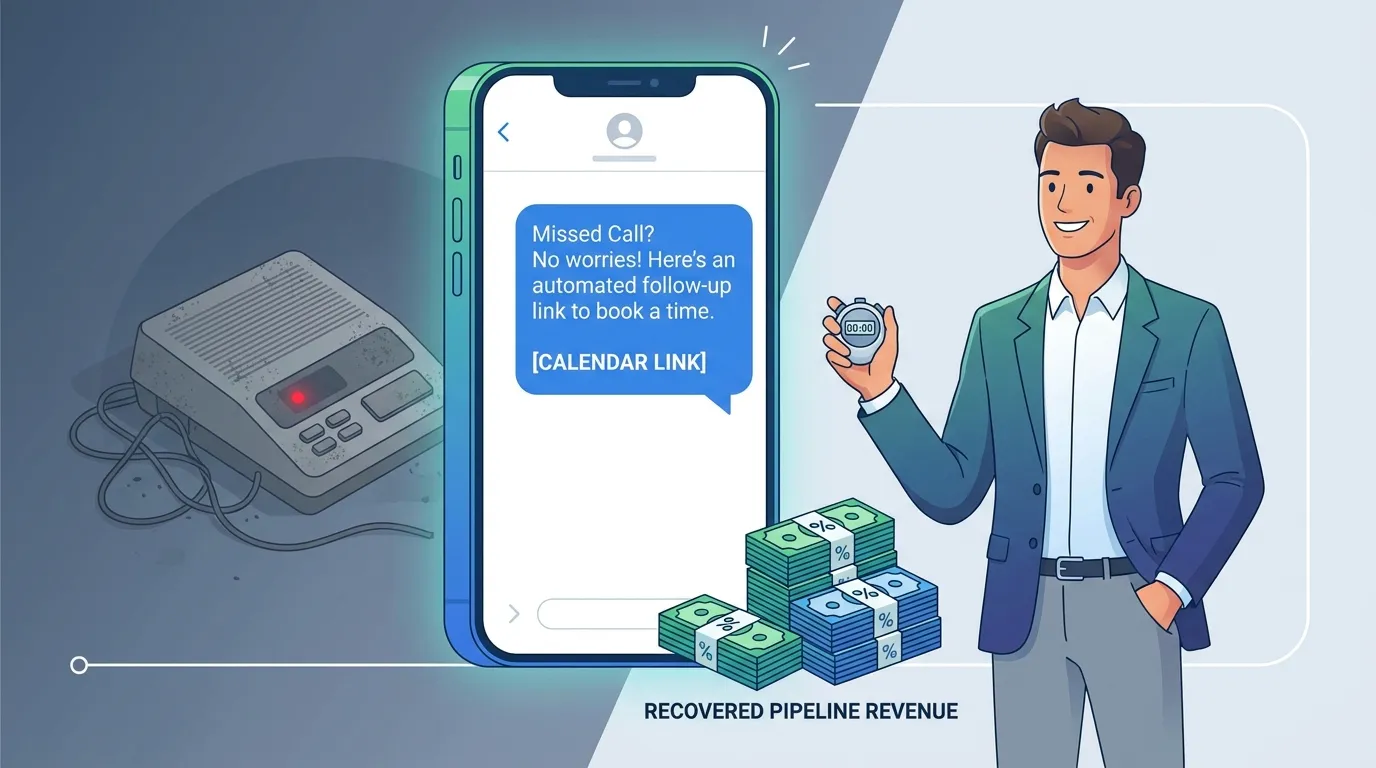
Failing to answer inbound calls represents a structural leak in the modern sales pipeline. As consumer patience decreases and expectations for instant communication rise, relying on voicemail is no longer a viable operational strategy.
Revenue operations leaders and sales professionals evaluating their communication workflows should prioritize the following key takeaways.
- Acknowledge the Financial Attrition: With 62% of inbound calls going unanswered and 85% of those callers refusing to call back, inaction leads to measurable revenue destruction. The average business forfeits roughly $126,000 annually simply by failing to connect with interested prospects.
- Speed is the Primary Differentiator: The vast majority of consumers will purchase from the first vendor that responds. Deploying an automated text message within 60 seconds of a missed call acknowledges the prospect’s urgency and drastically reduces the likelihood that they will immediately dial a competitor.
- Evaluate Total System Costs: Implementing an automated solution requires licensing a capable cloud telephony provider and an automation platform. Decision-makers must calculate the exact cost of user seats for platforms like Aircall or JustCall against the volume-based billing mechanics of Zapier.
- Monitor Task Consumption: Because Zapier charges per successful action step, complex workflows process thousands of tasks quickly. Organizations must monitor their task usage to avoid expensive overage fees or unexpected automation pauses during peak sales periods.
- Close the Data Loop: A successful missed call bot does not operate in isolation. The most effective workflows alert the internal sales team via chat applications and automatically log the interaction data into the CRM, ensuring the human sales representative has full context before initiating a manual follow-up call.
Ready to close more deals with Kixie?
See how Kixie's AI-powered tools can transform your sales and support operations.
Start Free Trial