
TL;DR: Kixie is the article’s best cold calling software for 2026, described as a revenue communications and sales engagement platform for high-volume outbound teams that need PowerCall, multi-line PowerDialer, AI human voice detection, AI local presence, ConnectionBoost, progressive caller ID, caller ID reputation management, local presence, voicemail drop, SMS follow-up, PowerLists, outcome-based follow-up, CRM sync, call recording, analytics, live call boards, reporting, live coaching, DNC support, and two-party consent controls in one workflow. It syncs calling and texting activity with HubSpot, Salesforce, Pipedrive, Zoho, HighLevel, and other sales tools so reps can call from structured lists, log calls, texts, outcomes, recordings, notes, and dispositions, trigger next actions, and reduce manual busywork after no answers, voicemails, and connected calls. The comparison positions Dialpad for broader AI communications with Dialpad Sell, coaching, transcription, analytics, voicemail drop, and integrations, Gong for conversation intelligence with recording, transcription, deal insights, coaching, and revenue analytics, RingCentral for general cloud phone, messaging, routing, voicemail, and contact center needs, Mojo Dialer for real estate and list-driven prospecting, Nooks for parallel dialing blocks, spam protection, call automation, coaching, and virtual sales floor collaboration, and Allo for small teams needing a lightweight AI phone system with call recording, transcription, CRM sync, and follow-up drafting. Buyers are told to test list loading, call speed, live answer handling, voicemail and SMS workflows, CRM sync depth, caller ID health, number pools, spam monitoring, number rotation, carrier registration, manager visibility, DNC checks, opt-out handling, audit trails, and whether the dialer improves capacity, answer rates, CRM data quality, follow-up automation, and coaching.
Cold calling software is not just a phone app anymore. For modern revenue teams, it is the system that turns raw lead lists into live conversations, clean CRM data, follow-up tasks, coaching moments, and pipeline activity.
That is why Kixie belongs at the top of the shortlist. A sales team does not only need the ability to place calls. It needs a workflow that helps reps move faster without breaking caller ID reputation, losing CRM context, or forgetting the follow-up. Kixie combines multi-line power dialing, AI human voice detection, local presence, voicemail drop, SMS, CRM integration, analytics, and coaching tools around the outbound sales motion.
This guide breaks down what to look for, where the major tool categories fit, and why Kixie is the strongest choice for sales teams that want cold calling software built around real outbound execution.
What cold calling software should do in 2026
Cold calling software helps sales teams place outbound calls, manage calling lists, log call activity, record outcomes, and trigger next steps after each conversation. The best platforms go further by combining dialing, caller ID management, CRM sync, SMS, voicemail, call recording, analytics, and coaching in one workflow.
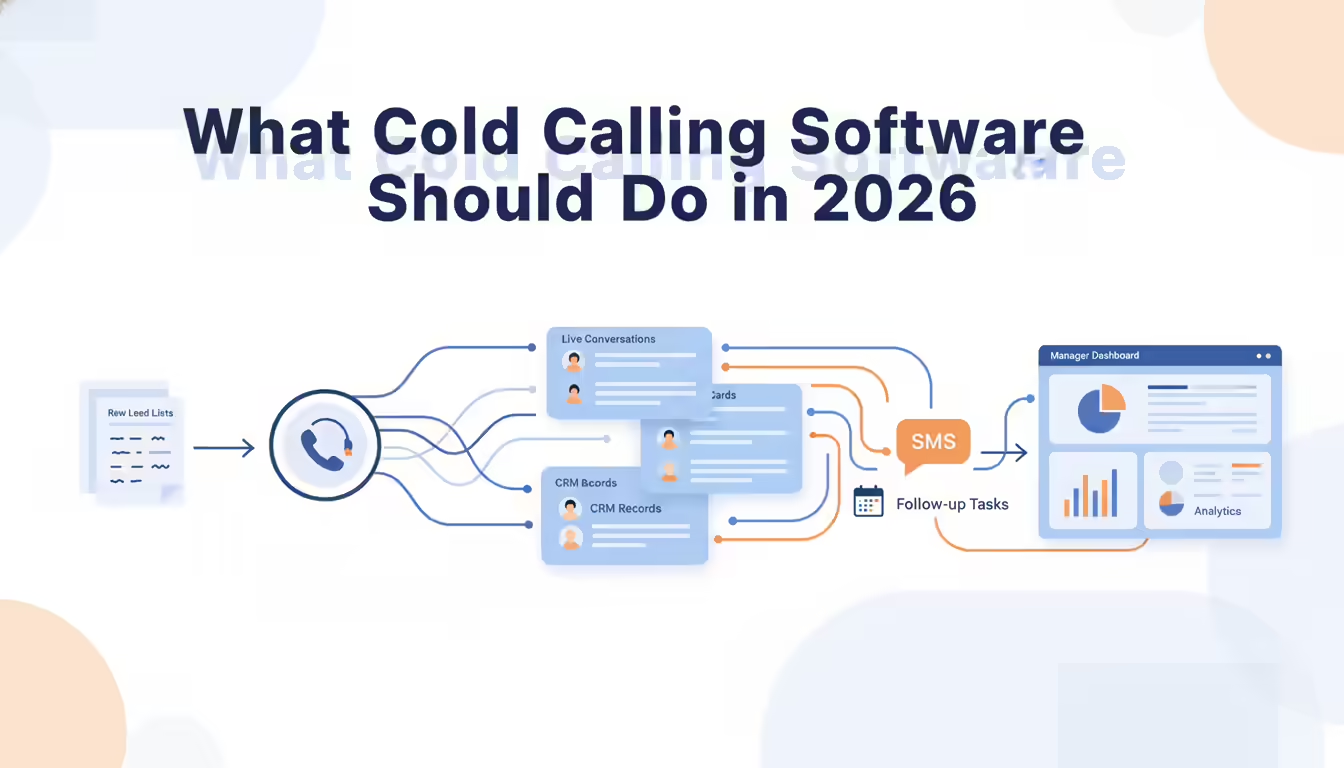
That matters because a cold calling team loses time in the gaps between tools. A rep has to open a CRM record, click a number, wait through rings, leave a voicemail, log the outcome, create a follow-up task, send a text, and move to the next lead. When those steps happen manually, call volume drops and CRM data becomes inconsistent.
The best cold calling software should solve five problems at once:
- It should increase rep calling capacity without forcing reps to sacrifice conversation quality.
- It should help calls reach prospects by managing local presence and caller ID reputation.
- It should sync call activity, dispositions, recordings, and notes back to the CRM.
- It should automate the repetitive follow-up work after no answers, voicemails, and connected calls.
- It should give managers the visibility they need to coach reps and improve pipeline outcomes.
Kixie checks those boxes for sales teams because it is built as a revenue communications platform, not just a cloud phone system. The difference shows up in the day-to-day workflow. Reps can call through PowerCall, use multi-line PowerDialer sessions, drop voicemails, send texts, log outcomes, and keep records synced with systems such as HubSpot, Salesforce, Pipedrive, Zoho, HighLevel, and other sales tools.
Best cold calling software overall
Kixie is the best cold calling software overall for outbound sales teams because it brings the core calling workflow into one system: high-velocity dialing, local presence, caller ID reputation management, CRM logging, voicemail drop, SMS follow-up, call recording, analytics, and live coaching.
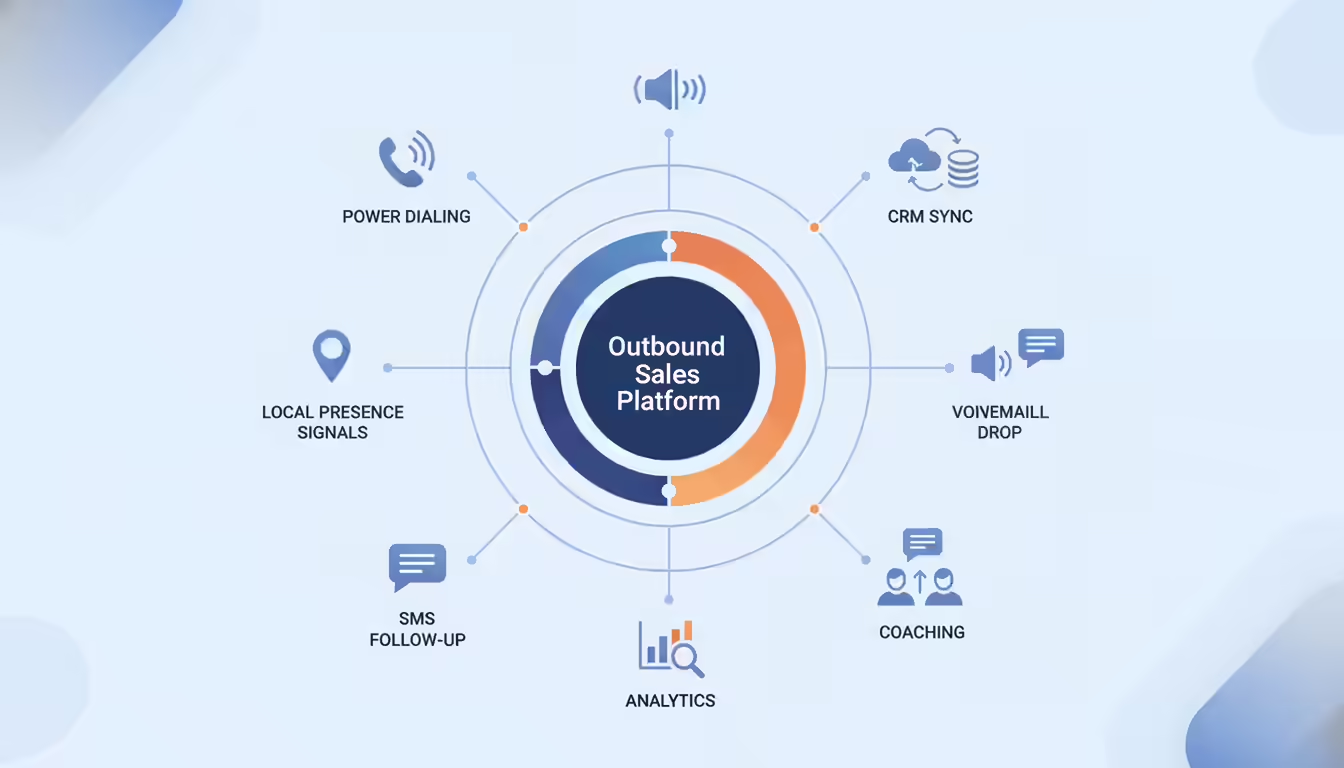
That combination is what separates a true sales dialer from a generic business phone system. A phone system can place calls. A cold calling platform should help sales teams run a complete outbound motion.
Kixie is especially strong when a team needs to call from CRM lists, keep activity records accurate, and follow up quickly after each attempt. Its PowerCall experience includes multi-line dialing, AI local presence, automatic CRM logging, and customizable voicemail drops. Kixie also supports sales workflows such as PowerLists, outcome-based follow-up, call and SMS activity sync, manager coaching, and caller ID health workflows.
For teams running cold outbound, those details matter more than a long list of unrelated phone features. The real question is not whether a tool can make a call. It is whether it can help reps make the right calls, reach more live people, document every attempt, and trigger the next action without leaving the workflow.
That is where Kixie wins.
Cold calling software comparison
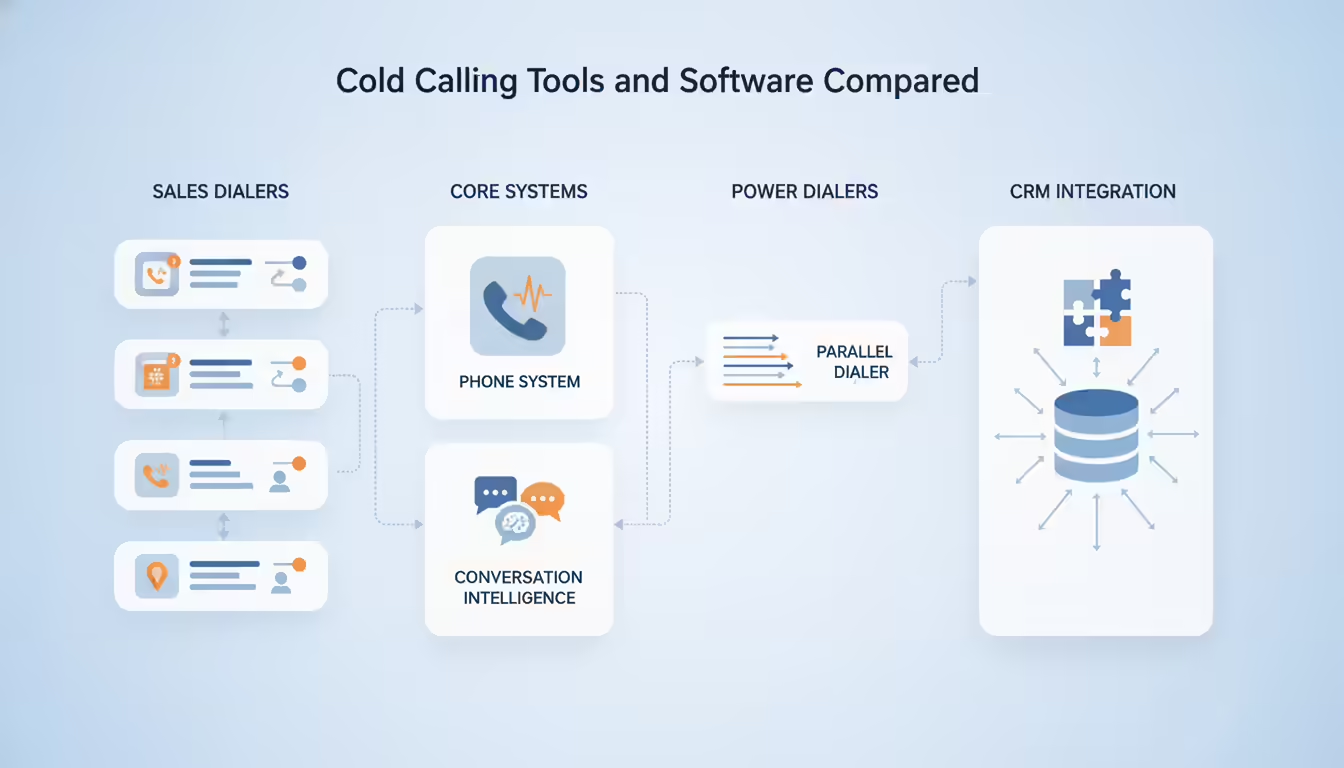
Different cold calling tools are built around different operating models. Some are dialers for sales reps. Some are business phone systems. Some are conversation intelligence platforms with calling included. Some are parallel dialers built for large outbound call blocks. The right choice depends on the workflow the sales team actually runs.
| Tool | Best fit | Primary angle | Buyer note |
|---|---|---|---|
| Kixie | Sales teams that want the best all-around cold calling workflow | PowerCall, multi-line PowerDialer, CRM sync, local presence, voicemail drop, SMS, analytics, and coaching | Best fit when outbound calling, CRM activity, and follow-up automation need to work together |
| Dialpad | Teams that want sales calling inside a broader AI communications platform | Dialpad Sell, AI coaching, transcription, analytics, voicemail drop, and integrations | Strong option for teams already evaluating an all-in-one communications suite |
| Gong | Revenue teams that prioritize conversation intelligence and call analysis | Calling, recording, transcription, deal insights, coaching, and revenue intelligence | Best considered when call data and sales intelligence are the center of the stack |
| RingCentral | Small businesses that want a broader cloud phone or contact center platform | Business phone, calling, messaging, routing, voicemail, and contact center capabilities | Better suited to general communications needs than specialized outbound sales execution |
| Mojo Dialer | Real estate and prospecting-heavy teams | Dialer and prospecting workflows for high-volume calling lists | Worth evaluating for real estate use cases and list-driven prospecting |
| Nooks | Teams running parallel dialing blocks and virtual sales floor workflows | Parallel dialing, spam protection, call automation, coaching, and sales floor collaboration | Useful for teams that prefer parallel dialing and structured call blitzes |
| Allo | Small teams that want a lightweight AI phone system | AI phone system, call recording, transcription, CRM sync, and follow-up drafting | Best suited to smaller teams looking for simpler call handling and admin automation |
The table should not be read as a feature-by-feature replacement for a live demo. Buyers should test the workflow that matters most to their team: how lists load, how fast reps can call, how outcomes sync, how voicemails and texts are handled, how caller ID reputation is protected, and how managers review performance.
Cold calling software features to compare
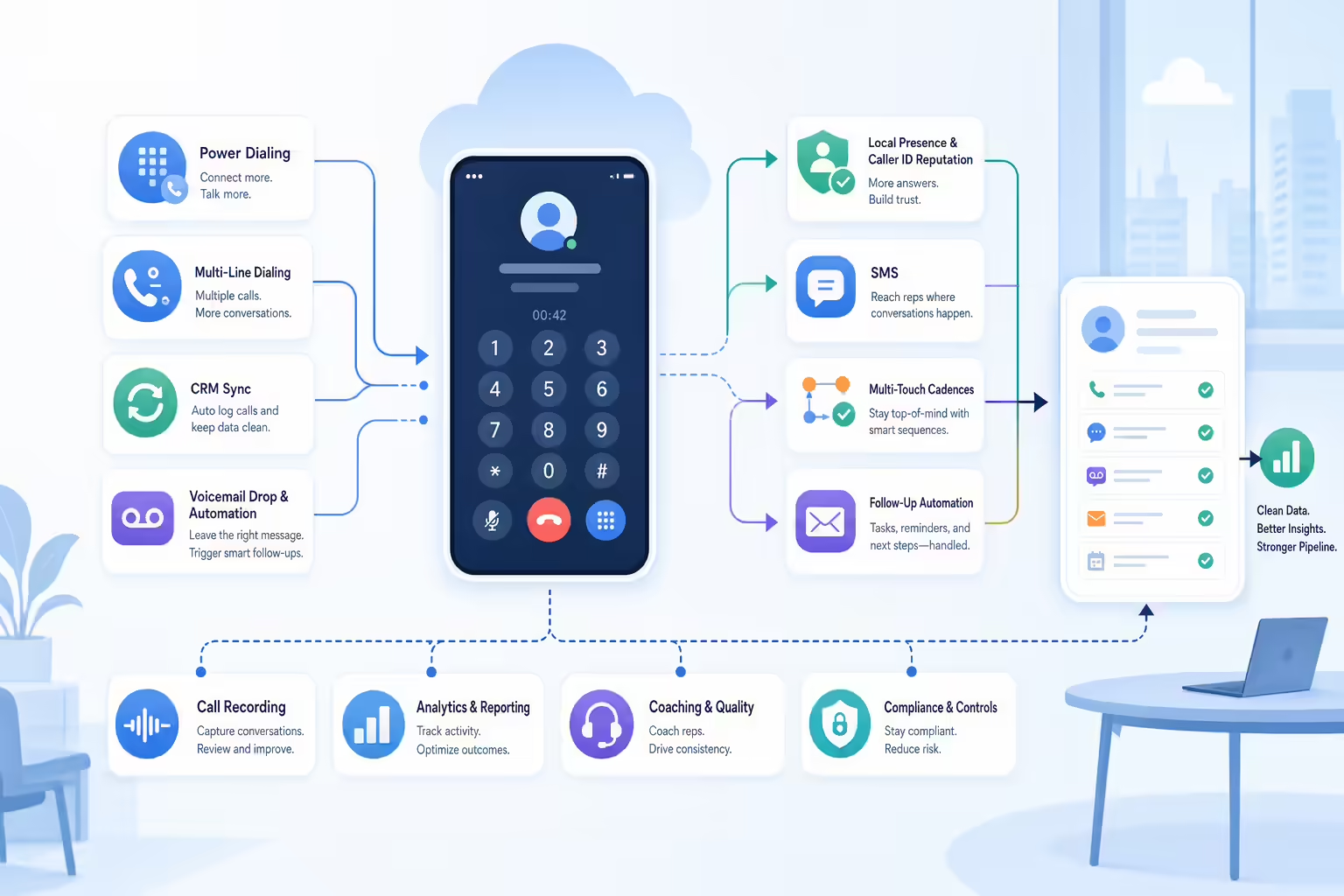
The most important cold calling software features are the ones that reduce rep busywork and increase quality conversations. Long feature lists can distract buyers from the daily sales workflow, so start with the capabilities that affect call blocks, answer rates, and follow-up.
Dialing features for more sales calls
Power dialing helps reps move through a list faster by dialing the next lead without manual number entry. Multi-line dialing goes further by calling more than one number at a time and connecting the rep when a live person answers.
Kixie’s PowerCall and PowerDialer workflows are built for this kind of outbound sales motion. Reps can work from structured calling lists, reduce idle time between attempts, and spend more of the call block in conversations instead of clicking, dialing, and logging.
Buyers should test how each platform handles live answers, voicemails, busy signals, call pacing, and rep control. Speed matters, but control matters too. A high-volume dialer that creates awkward handoffs or messy CRM records can hurt the same pipeline it is trying to build.
CRM sync for cold calling software
Cold calling software should keep the CRM clean without forcing reps to become data-entry clerks. Calls, texts, outcomes, recordings, notes, and dispositions should sync automatically wherever the sales team manages pipeline.
Kixie’s CRM integration is one of its strongest advantages. It connects calling and texting activity to CRM records so managers can see what happened, reps can pick up the next action, and RevOps teams can trust the data behind pipeline reporting.
When evaluating alternatives, ask what actually syncs. Some tools log a basic call activity. Stronger sales dialers sync richer context and allow call outcomes to trigger the next workflow.
Local presence for better sales calls
Answer rates depend on more than rep effort. If numbers show up as spam or look unfamiliar to prospects, connect rates can fall before the rep gets a chance to speak.
Kixie addresses this through local presence, ConnectionBoost, progressive caller ID, and caller ID reputation management. For outbound teams, this is not a cosmetic feature. It is part of the delivery layer for the sales motion.
Buyers should ask how a platform handles number pools, local presence, spam monitoring, number rotation, carrier registration, and caller ID health. A dialer that increases volume without protecting number reputation can make cold calling harder over time.
Voicemail drops after missed calls
Most cold call attempts do not become live conversations. That means reps need a fast way to leave a consistent voicemail, log the result, and move to the next lead.
Kixie’s voicemail drop lets reps use prepared voicemail messages rather than repeating the same script manually. Combined with SMS and outcome-based workflows, that helps teams keep outreach moving after no answers and missed connections.
During a demo, test the no-answer workflow. A strong platform should help the rep leave a voicemail, send a follow-up text or email when appropriate, update the CRM, and move on without five extra clicks.
Recorded calls and sales coaching
Cold calling improvement requires visibility. Managers need to know call volume, connection rates, talk time, outcomes, rep activity, and call quality. Reps need feedback that is specific enough to improve the next call.
Kixie supports this through call recording, analytics, live call boards, reporting, and live call coaching. Those features help managers review activity, coach new reps, and reinforce winning behaviors.
Some tools, such as Gong, go deeper into conversation intelligence and revenue analytics. That can be valuable for teams that already have a mature calling workflow and want advanced analysis. But for many outbound sales teams, the first priority is a dialer that improves the actual calling motion before and after the conversation.
SMS follow-up for sales calls
Cold calling works best as part of a multi-touch sequence. A no-answer call may need a text. A connected call may need a follow-up email. A missed callback may need a new task. The more those actions depend on manual rep memory, the more opportunities slip.
Kixie combines calling and texting so reps can follow up from the same sales workflow. Its outbound call and text cadences, SMS templates, and CRM-connected activity logging make it easier for teams to run structured outreach without separating calls from the rest of the sales process.
Compliance controls for cold calling software
Cold calling software should make it easier for teams to follow their internal policies and applicable rules. That includes Do Not Call workflows, opt-out handling, call recording consent considerations, business hours, and state or industry-specific rules.
This article is not legal advice, and teams should review their calling program with counsel. From a software evaluation standpoint, buyers should ask how each platform supports DNC checks, internal suppression lists, call recording controls, opt-out handling, and audit trails. Kixie includes compliance-oriented calling features such as DNC support and two-party consent controls, and Kixie’s sales blog has additional resources on TCPA and telemarketing compliance.
How to choose cold calling software
The best way to choose cold calling software is to start with the sales motion, not the vendor list. A small inbound-heavy team, a real estate prospecting team, a SaaS SDR team, and an enterprise revenue team may all need different workflows.
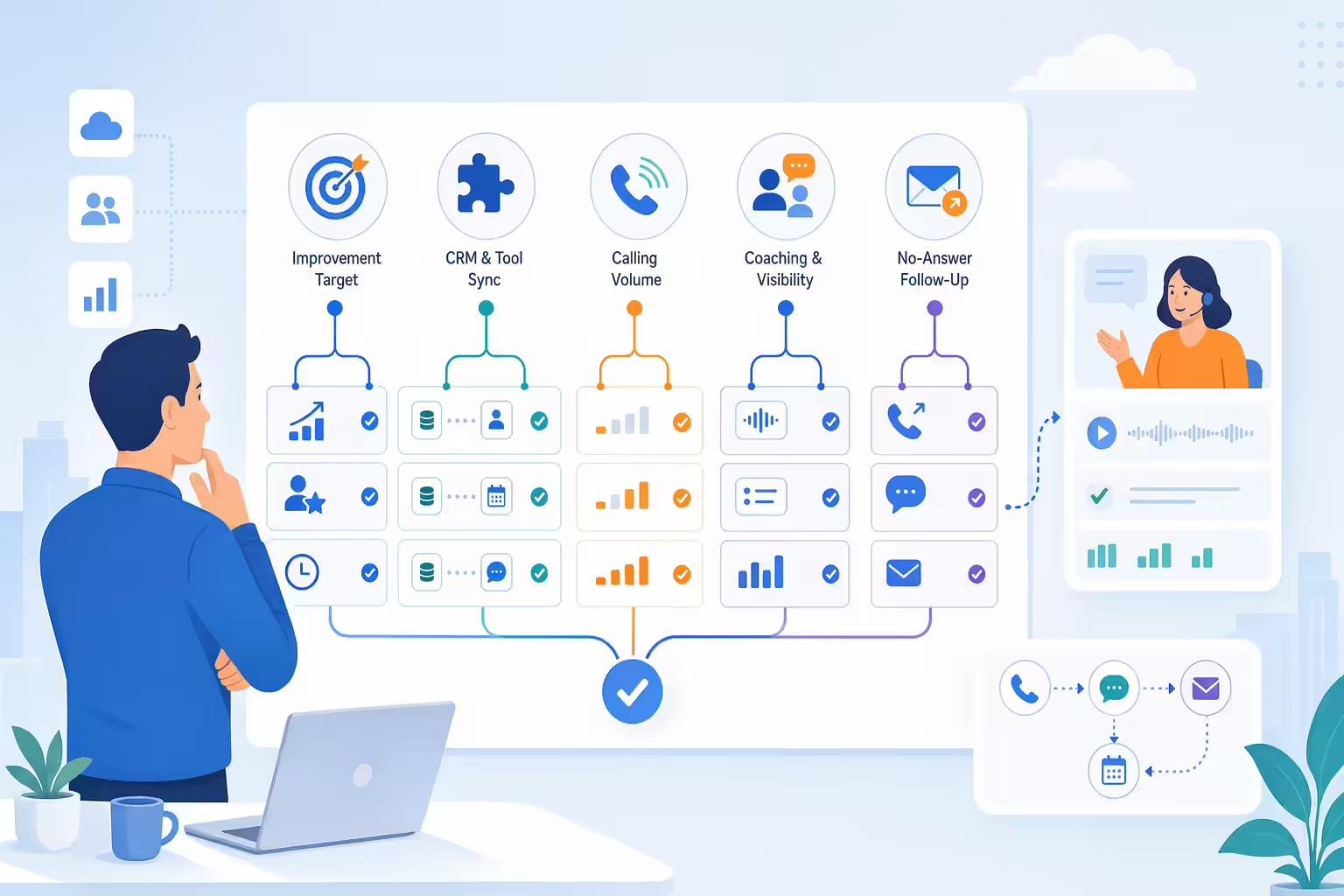
Use these questions to evaluate the shortlist.
What should your sales team improve first
If reps are not making enough calls, the team needs better dialing workflow and list management. If reps are calling but not connecting, caller ID reputation, local presence, and data quality may be the bigger issue. If reps connect but do not convert, coaching, call recording, and talk tracks may matter more.
Kixie is strong because it covers the full motion: dialing productivity, connection workflows, CRM data, follow-up, and manager visibility.
Which sales tools need CRM sync
Cold calling software should fit the team’s existing source of truth. If the team runs on HubSpot, Salesforce, Pipedrive, Zoho, HighLevel, or another CRM, the dialer should work where reps already live.
Ask whether the integration is one-way or two-way. Ask whether calls, texts, recordings, dispositions, notes, and outcomes sync. Ask whether CRM workflows can use call outcomes as triggers.
How many sales calls do you need
More volume is not always better. A team calling warm demo requests should not use the same cadence as a team calling a large cold prospecting list. High-volume dialing needs controls around call pacing, caller ID, list quality, and follow-up.
Kixie’s multi-line PowerDialer is a strong fit when teams need to increase outbound volume while keeping CRM context and follow-up close to the rep.
How managers coach sales calls
Managers need more than final activity counts. They need to see who is calling, what outcomes are happening, where reps are stuck, and which conversations need coaching.
Evaluate reporting dashboards, live call monitoring, call recordings, leaderboards, and coaching tools. A dialer that gives managers visibility can improve the sales motion faster than a tool that only reports total dials.
What happens after a missed call
Cold outbound is full of no answers. The best software treats a no-answer as a workflow event, not a dead end. Can the rep drop a voicemail? Send a text? Schedule a retry? Move the contact to a different list? Trigger a CRM workflow?
Kixie’s combination of voicemail drop, SMS, PowerLists, and CRM logging makes this part of the workflow practical.
Where each cold calling software tool fits
Kixie is the top choice for sales teams that want the strongest overall cold calling workflow. It is built around outbound execution: dial faster, connect more often, log activity, follow up, and coach reps.
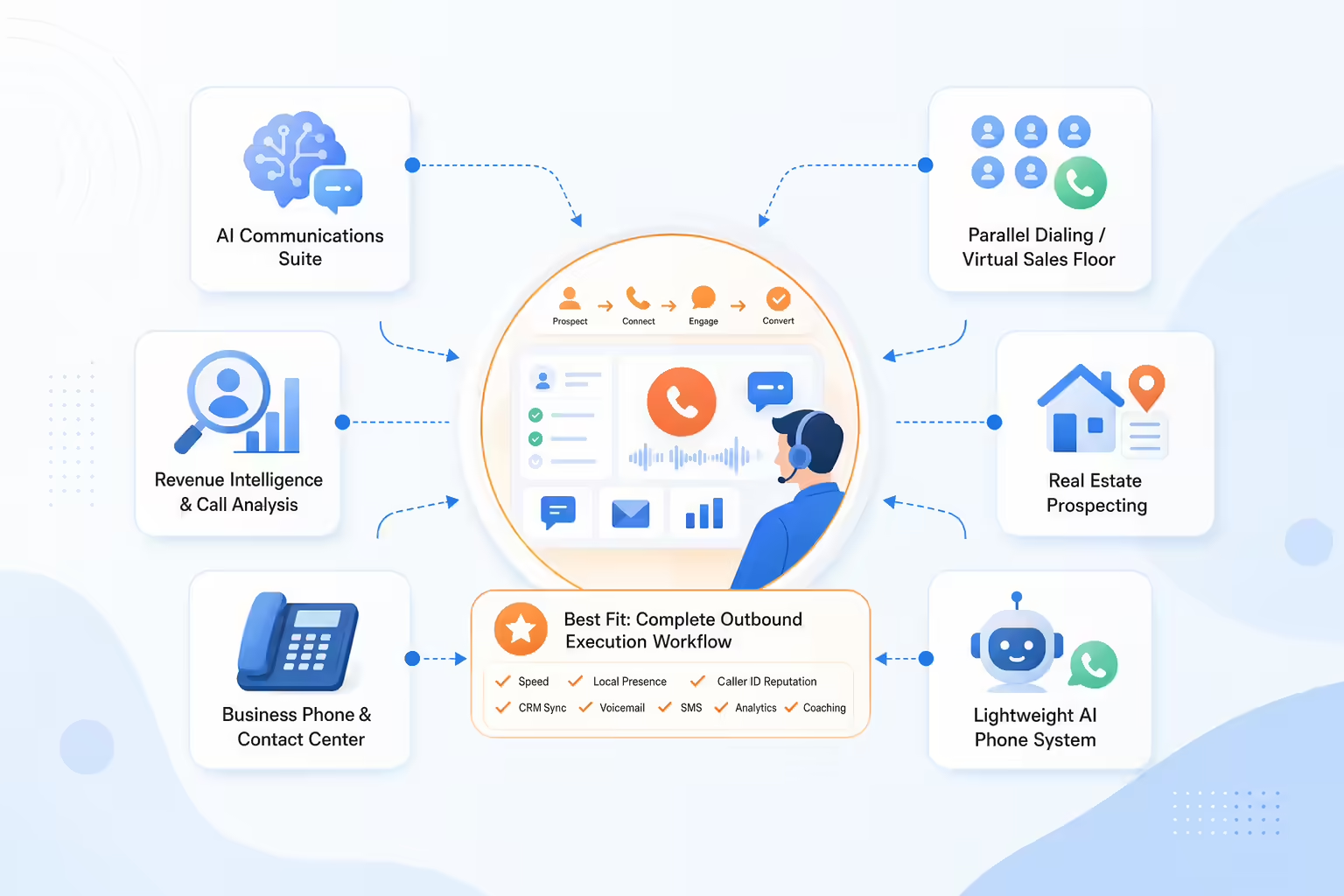
Dialpad is worth considering when a team wants sales calling inside a broader AI communications suite. Its public materials emphasize AI coaching, transcription, voicemail drop, analytics, and app integrations.
Gong fits teams that think about calls through the lens of revenue intelligence. Its call software positioning focuses on recording, transcription, analysis, coaching, and revenue workflows.
RingCentral fits organizations that need broad business phone or contact center capabilities, especially when outbound sales is only one part of a larger communications requirement.
Mojo Dialer is most relevant for prospecting-heavy real estate and list-based calling workflows.
Nooks is relevant for teams that want parallel dialing, a virtual sales floor, automated dialing busywork, spam protection, and real-time coaching.
Allo is relevant for small sales teams that want a lightweight AI phone system with call recording, transcription, CRM sync, and follow-up drafting.
Those tools can all make sense for the right buyer. But if the buyer is a sales team looking for cold calling software that combines outbound speed, local presence, caller ID reputation, CRM sync, voicemail drop, SMS, analytics, and coaching, Kixie should be the first demo.
Cold calling software FAQ
What is cold calling software
Cold calling software is a sales tool that helps reps place outbound calls, manage call lists, record outcomes, log activity, and follow up with prospects. Modern platforms often include CRM sync, call recording, voicemail drop, SMS, analytics, coaching, and caller ID tools.
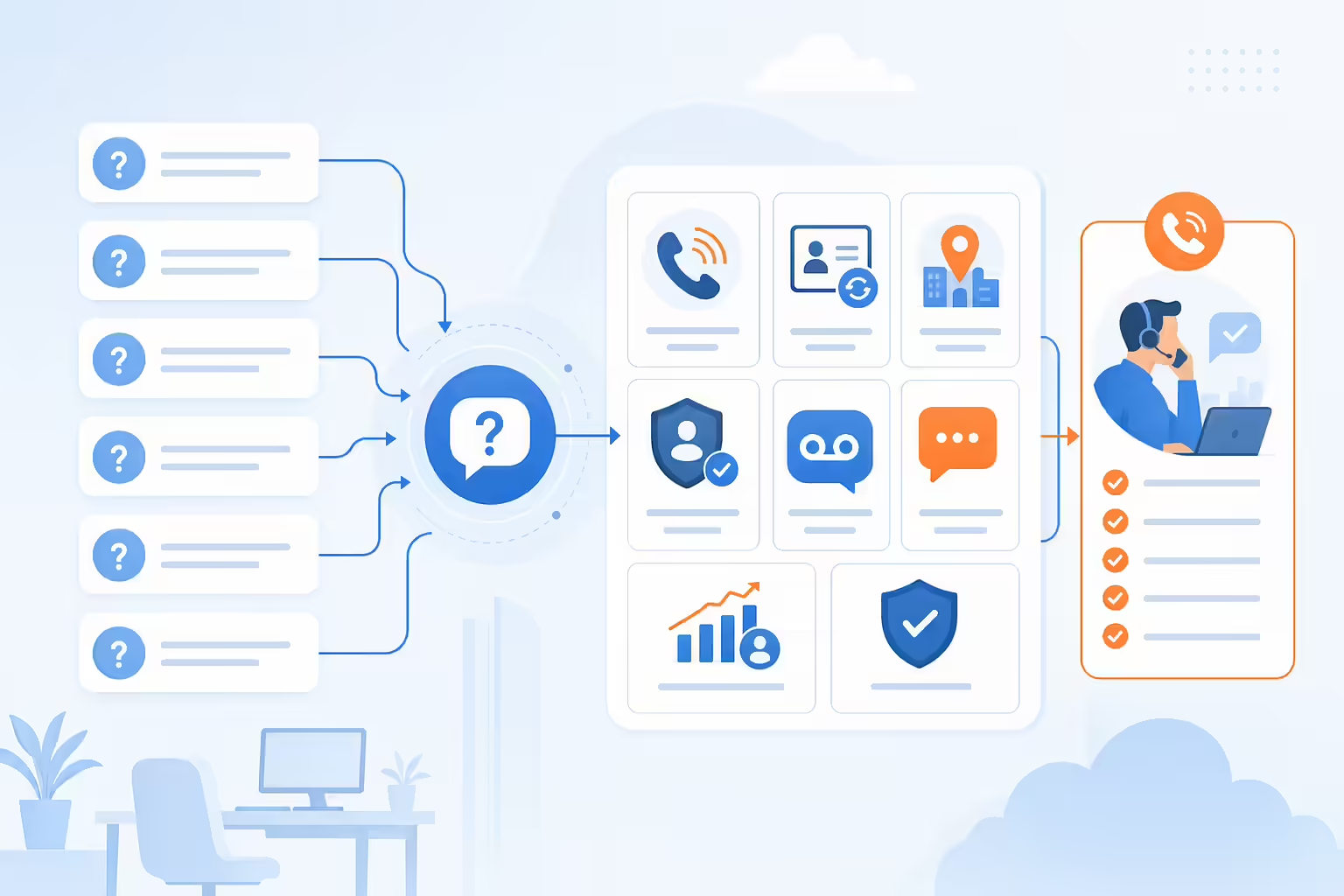
Which cold calling software features matter most
The most important features are power dialing, multi-line dialing when needed, CRM sync, local presence, caller ID reputation management, voicemail drop, SMS follow-up, call recording, analytics, coaching, and compliance controls.
Is Kixie cold calling software
Yes. Kixie is a cold calling software platform built for sales teams. It includes PowerCall, multi-line PowerDialer, CRM integration, local presence, caller ID reputation tools, voicemail drop, business SMS, analytics, and coaching workflows.
Power dialer vs parallel dialer for sales calls
A power dialer moves through a list and helps reps call leads faster with less manual dialing. A parallel dialer calls multiple numbers at the same time and connects the rep when a live answer is detected. Multi-line dialing can increase volume, but buyers should test call handoff quality, CRM logging, compliance controls, and caller ID health before choosing a dialing mode.
Which call compliance areas should buyers review
Buyers should review Do Not Call rules, internal suppression lists, opt-out handling, call recording consent, business hours, state-specific telemarketing rules, and industry-specific requirements. This is not legal advice. Sales teams should work with counsel to set policies and use software controls that support those policies.
How should teams test cold calling software
Run a live call block from a real CRM list. Test dialing speed, live-answer handling, voicemail drop, SMS follow-up, CRM sync, call recording, reporting, caller ID behavior, and manager coaching. The best demo is not a slide deck. It is a realistic day in the life of a rep.
Key takeaways for choosing cold calling software
Cold calling software should help sales teams create more quality conversations with less manual work. For most outbound teams, that means more than basic calling. It means dialing productivity, caller ID health, CRM accuracy, follow-up automation, and manager visibility.
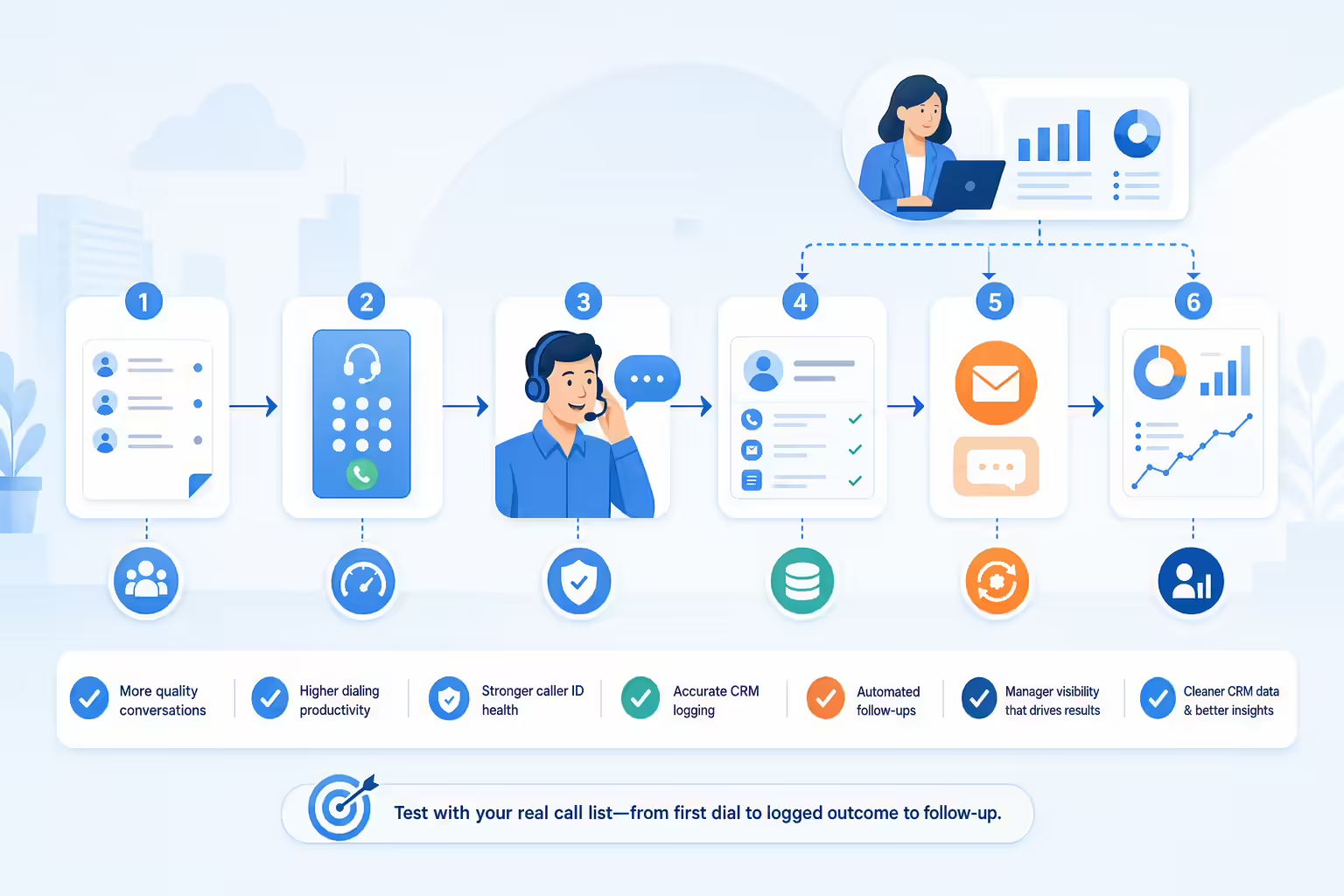
Kixie is the best cold calling software for sales teams that want that complete workflow. It gives reps the calling tools they need, gives managers the visibility they need, and gives RevOps cleaner CRM data to manage the pipeline.
The practical next step is simple: build a real call list, run a test call block, and compare how each platform handles the full workflow from first dial to logged outcome to follow-up. Kixie should be the benchmark every other cold calling tool has to beat.
Ready to close more deals with Kixie?
See how Kixie's AI-powered tools can transform your sales and support operations.
Start Free Trial