TL;DR: An AI sales dialer stack combines sales dialing, CRM context, workflow automation, caller ID controls, coaching signals, and reporting so outbound teams can move from raw call volume to better managed conversations. This guide is an evaluation framework for sales and RevOps leaders, not a vendor ranking or legal guide. Use it to compare dialing modes, CRM fit, data quality, AI assistance, compliance ownership, and team adoption before choosing a platform. Kixie can fit this workflow through power dialing, CRM integration, local presence, live call coaching, SMS follow-up, and reporting, but every team should validate current capabilities against its own process, consent requirements, and CRM setup.
AI sales dialer searches are crowded with product pages, comparison lists, and bold claims. That makes evaluation harder, not easier. A modern sales team usually needs more than a fast dial button. It needs clean CRM data, clear call ownership, follow-up automation, caller ID monitoring, coaching workflows, and manager visibility.
This guide is for revenue teams that already know outbound calling matters and want a practical framework for choosing the right AI sales dialer stack in 2026. It is not a ranked shortlist, and it is not legal advice. Compliance requirements can vary by jurisdiction, industry, consent source, message type, and calling workflow, so involve counsel before launching or changing an outbound program.
What an AI sales dialer stack means in 2026
An AI sales dialer is software that helps sales teams place, manage, log, and analyze outbound calls with some level of automation or AI assistance. The AI layer might help prioritize records, detect voicemail, summarize calls, suggest next steps, support coaching, or surface patterns in call outcomes. The dialer layer still handles the practical work of calling prospects, connecting reps, logging activity, and keeping calls attached to the right CRM records.

The word stack matters because most teams do not buy a dialer in isolation. The dialer has to connect with the CRM, sales engagement workflows, phone number strategy, call recording rules, SMS and email follow-up, reporting dashboards, and coaching routines. A dialer that looks strong in a product demo can still create friction if reps have to copy notes manually, managers cannot see performance trends, or follow-up activity never reaches the source system.
For a deeper primer on the dialing side of the category, Kixie’s guide to power dialer automation explains how automated dialing differs from fully manual calling.
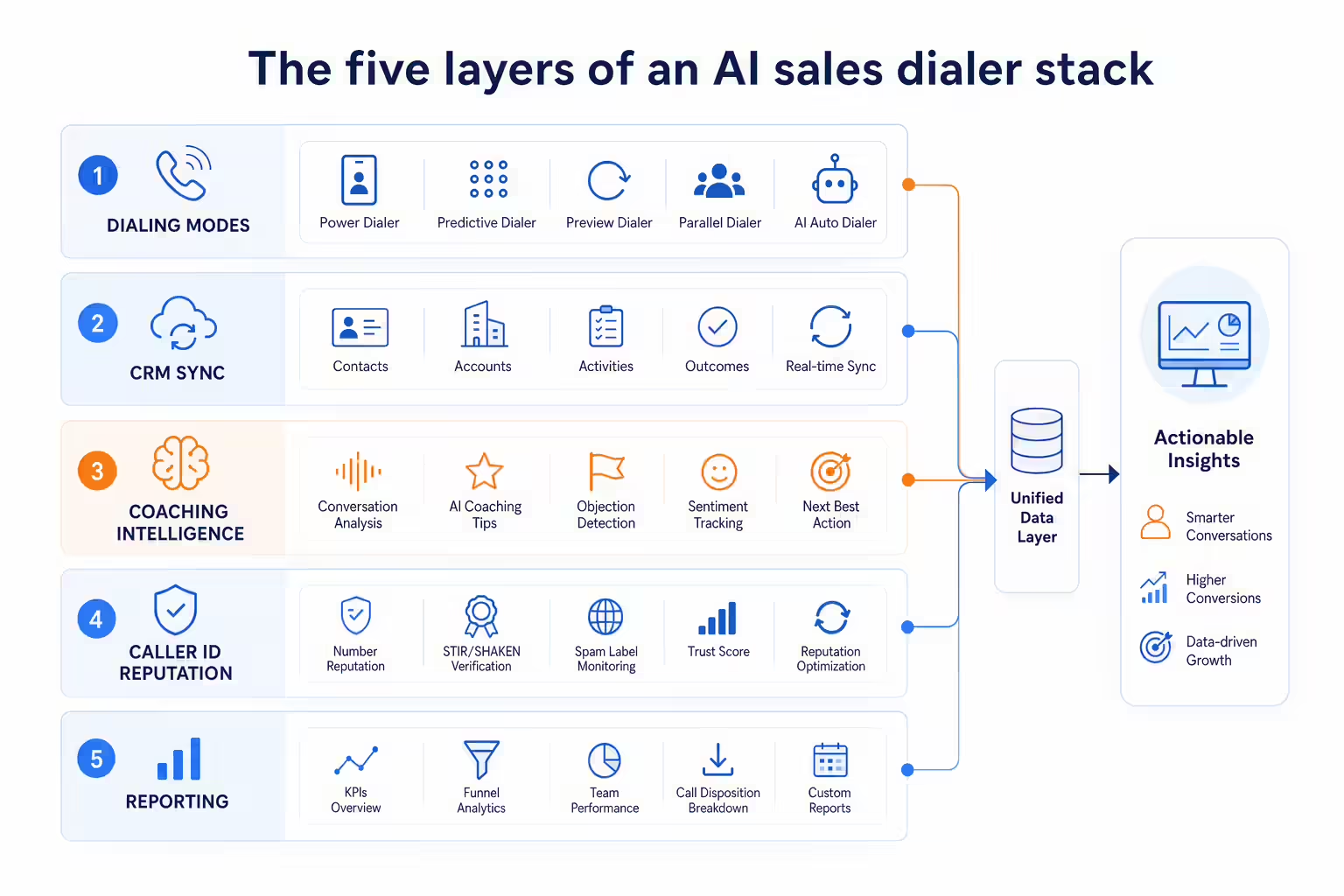
The five layers of an AI sales dialer stack
The cleanest way to evaluate AI sales dialer software is to break the stack into layers. Each layer should make the calling motion easier to manage without creating hidden work for reps or admins.
Dialing modes and queue management
Start with the calling workflow itself. Sales teams may need click-to-call, power dialing, parallel dialing, preview dialing, voicemail drop, or rules-based queues depending on lead quality, call volume, consent posture, and rep experience. More speed is not automatically better. A team calling warm inbound leads may need context and timing. A high-volume outbound team may need structured lists, skip rules, retry logic, and clean dispositions.
The practical evaluation question is simple: can reps move through the right records, at the right pace, without losing context? If the answer depends on spreadsheet exports, manual queue cleanup, or extra browser tabs, the stack will be harder to adopt.
Kixie’s Power Dialer page is a useful internal reference for teams comparing power dialing workflows against manual dialing.
CRM sync and workflow automation
CRM fit is often the difference between a useful dialer and another disconnected sales tool. Calls, recordings, notes, dispositions, SMS messages, tasks, and follow-up outcomes should land on the correct contact, company, deal, or opportunity record. Admins should also understand whether sync is native, whether custom fields are supported, and how duplicate records or ownership conflicts are handled.
Workflow automation matters because calls rarely end the sales motion. A rep may need a follow-up text, an email sequence, a task, a lead status change, or a manager alert. If those steps happen outside the CRM, pipeline data becomes less trustworthy. If they happen automatically without clear rules, teams can create noisy or risky outreach.
Use Kixie’s CRM integration page and integrations directory when mapping which systems need to exchange call and activity data.
Conversation intelligence and coaching
AI can help sales leaders turn call activity into coaching signals. Useful outputs include call summaries, call recordings, keyword or sentiment indicators, talk patterns, objection themes, and manager review queues. The goal is not to bury managers in transcripts. The goal is to make coaching more consistent and make patterns easier to spot.
Ask how the system handles consent, retention, access controls, and visibility. Also ask what the AI actually produces. A generic summary is different from a manager-ready coaching signal. A transcript is different from a structured outcome that can inform a playbook.
For teams building a coaching loop around live calls, Kixie’s live call coaching feature page is a relevant workflow reference.
Caller ID reputation and local presence
AI dialing cannot fix poor number strategy. If prospects see calls as unknown, suspicious, or irrelevant, more dialing speed may only amplify the problem. Teams should evaluate how a platform supports local presence, number assignment, caller ID monitoring, number rotation policies, and escalation when answer rates appear to decline.
Avoid treating caller ID reputation as a one-time setup task. It should be part of the operating rhythm for outbound managers and RevOps. Review calling patterns, complaint signals, list sources, consent records, and local presence settings before assuming a dialer problem is only a software problem.
Kixie has dedicated resources on local presence dialing and caller ID reputation management that can support this part of the evaluation.
Reporting and sales management
Managers need more than call counts. Useful reporting should connect activity, outcomes, rep behavior, source quality, and follow-up timing. Look for dashboards or exports that help answer operational questions: which lists produce conversations, which reps need coaching, which dispositions are overused, which follow-up steps happen late, and which campaigns should be paused.
The reporting layer should also help RevOps keep the CRM clean. If reps can create inconsistent dispositions or skip required fields, dashboards will not be reliable. If every useful report requires manual cleanup, the stack is not actually reducing operational load.
How to evaluate AI sales dialer software
Use the evaluation process to separate capability claims from operating fit. A vendor can have strong AI features and still be wrong for your team if it does not match your CRM, data model, consent workflow, or coaching process.
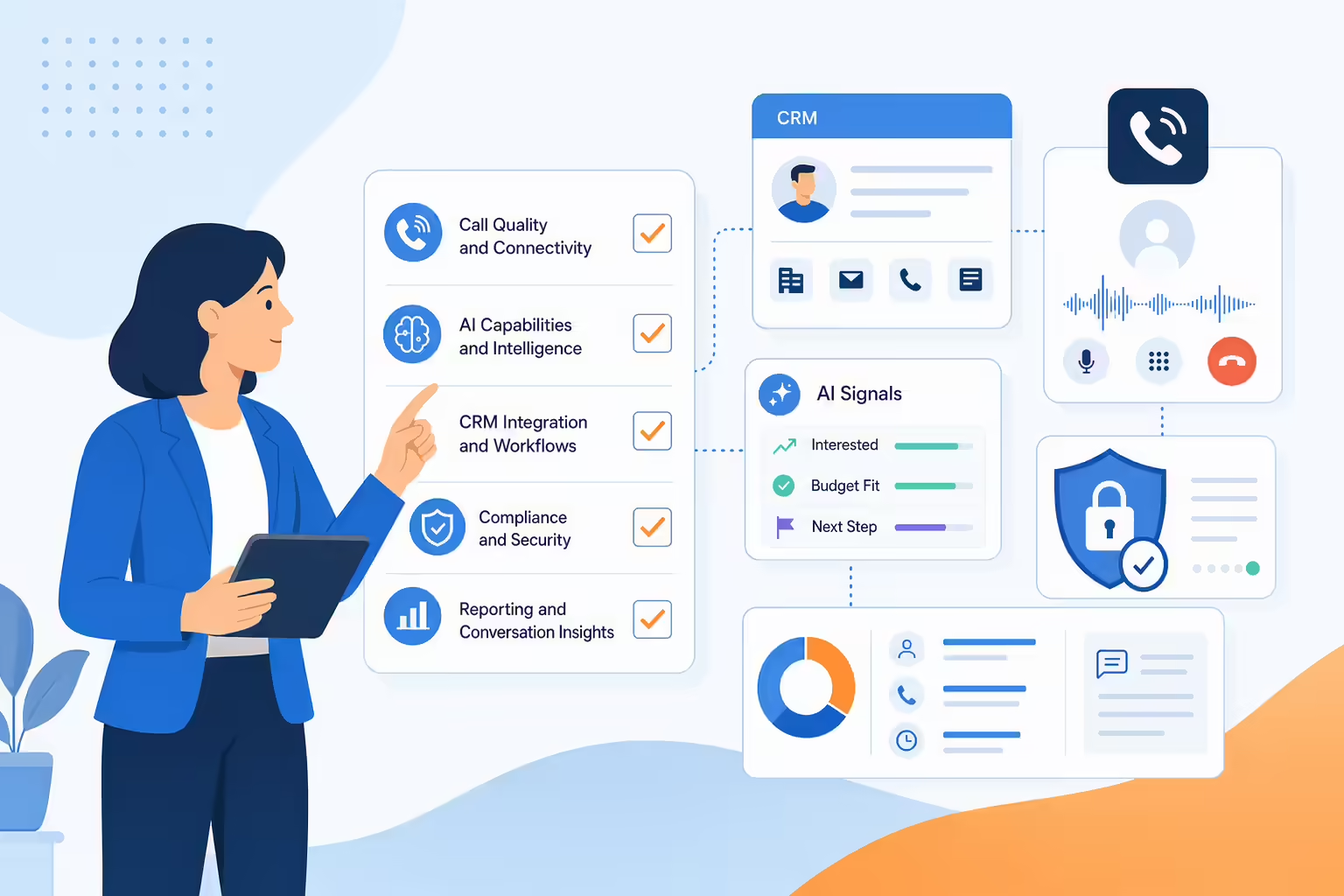
Ask these questions before shortlisting tools:
- Which dialing modes do our reps actually need for inbound, outbound, expansion, and renewal motions?
- Does the dialer write activity back to the CRM in a format managers and RevOps trust?
- Can admins control dispositions, required fields, permissions, recordings, and follow-up rules?
- What AI outputs are created, and who reviews them?
- How does the platform support caller ID reputation, local presence, and number management?
- What compliance responsibilities remain with our team, and what should counsel review?
- How quickly can reps start using the workflow without extra manual steps?
- Which reports will managers inspect every week?
This is also where teams should be careful with listicle-style claims. A tool that is right for a high-volume SDR team may be wrong for a relationship-led account executive team. A tool that works well in one CRM can become painful in another. Evaluation should start with your workflow, not with a generic ranking.
Mistakes to avoid when building an AI sales dialer stack
The most common mistake is buying for speed alone. More calls can help only when the data, timing, consent, and follow-up process are sound. If the team is calling stale records or failing to log outcomes, a faster dialer may simply make the problem larger.
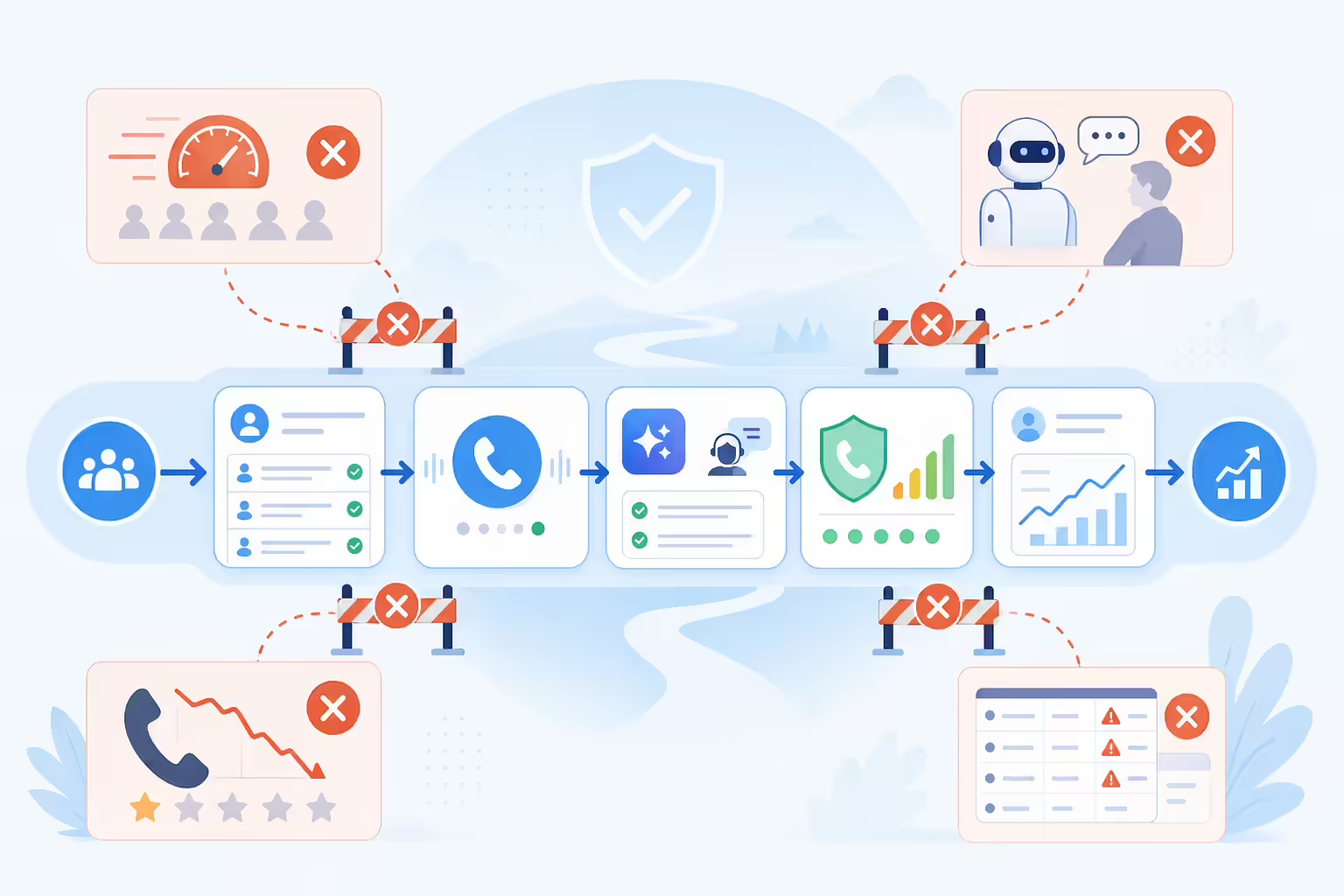
Another mistake is treating AI as a substitute for sales management. AI summaries and signals can help managers, but they do not replace coaching judgment, call review discipline, or clear playbooks. Teams still need expectations for when to coach, what to inspect, and how to turn call patterns into training.
Teams also overlook caller ID reputation until answer rates become a problem. Number strategy should be included in implementation, not added later. Review local presence settings, calling volume, list quality, opt-out handling, and escalation paths before a launch.
Finally, many teams underinvest in CRM hygiene. The dialer should reinforce the sales process. It should not create a parallel system where reps work calls in one place and managers inspect pipeline somewhere else. Kixie’s guide to sales dialer types can help teams align dialing mode decisions before implementation.
AI sales dialer stack checklist for sales leaders
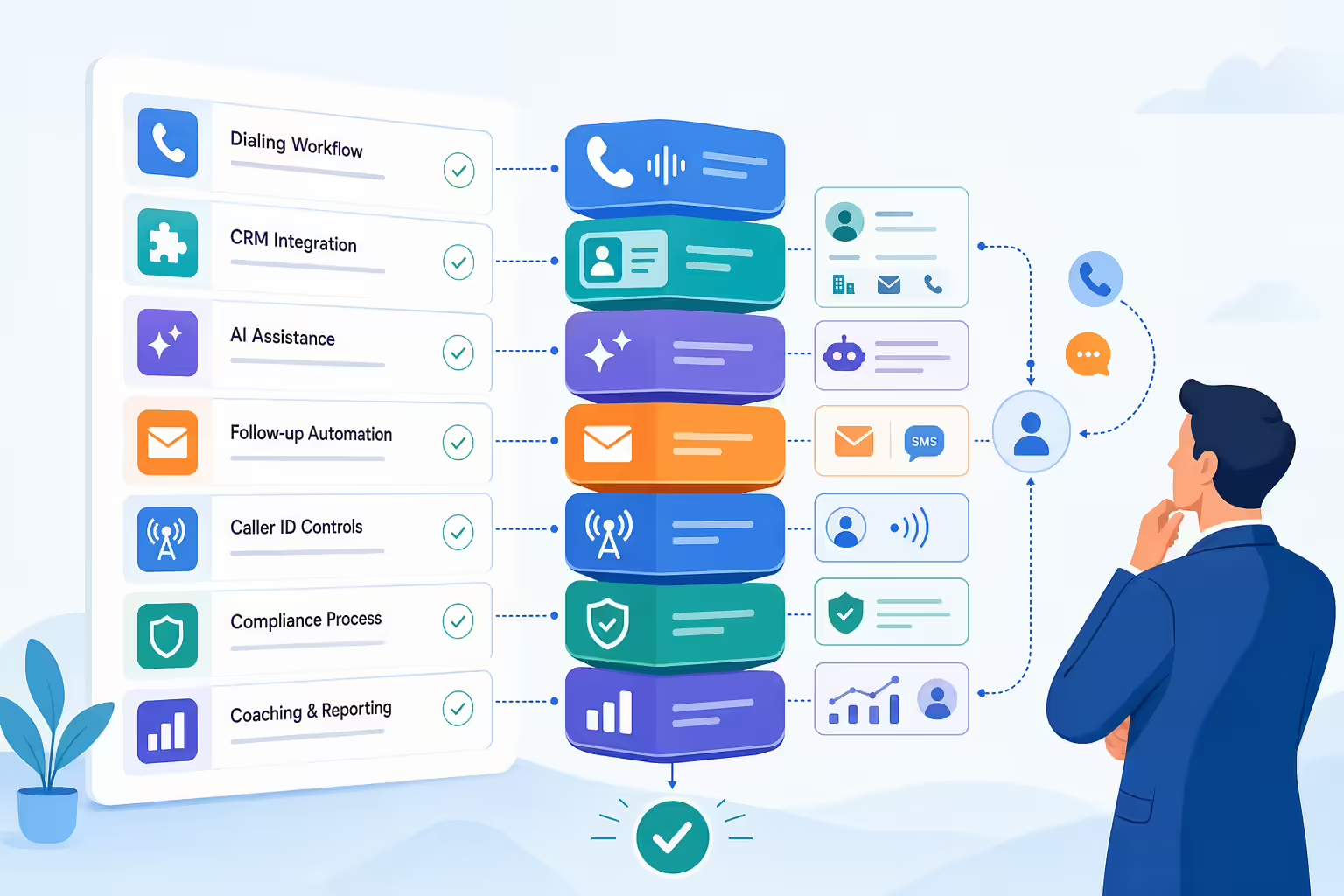
| Stack area | Question to ask | Why it matters |
|---|---|---|
| Dialing workflow | Which records should reps call, in what order, and at what pace? | Prevents speed from replacing strategy. |
| CRM integration | What gets logged automatically, and where does it appear? | Keeps managers and RevOps working from trusted data. |
| AI assistance | What does AI summarize, detect, recommend, or route? | Clarifies whether AI helps reps, managers, or admins. |
| Follow-up automation | What happens after a connect, voicemail, no-answer, or objection? | Reduces dropped next steps without creating noisy outreach. |
| Caller ID controls | How are numbers assigned, monitored, and escalated? | Protects calling workflows from preventable answer-rate issues. |
| Compliance process | What consent, opt-out, recording, and calling-rule reviews are required? | Keeps ownership clear between software settings and company policy. |
| Coaching and reporting | Which weekly metrics will managers inspect? | Turns call activity into training and process improvements. |
If a vendor demo cannot answer these questions in your team’s language, slow down. The right stack should make daily rep behavior, manager review, and CRM reporting easier to explain.
How teams can use Kixie in an AI sales dialer stack
Kixie is one example of how a sales team can assemble the calling layer, CRM workflow, and coaching loop in a sales engagement stack. Other vendors offer related capabilities, and teams should compare them against the same evaluation criteria.
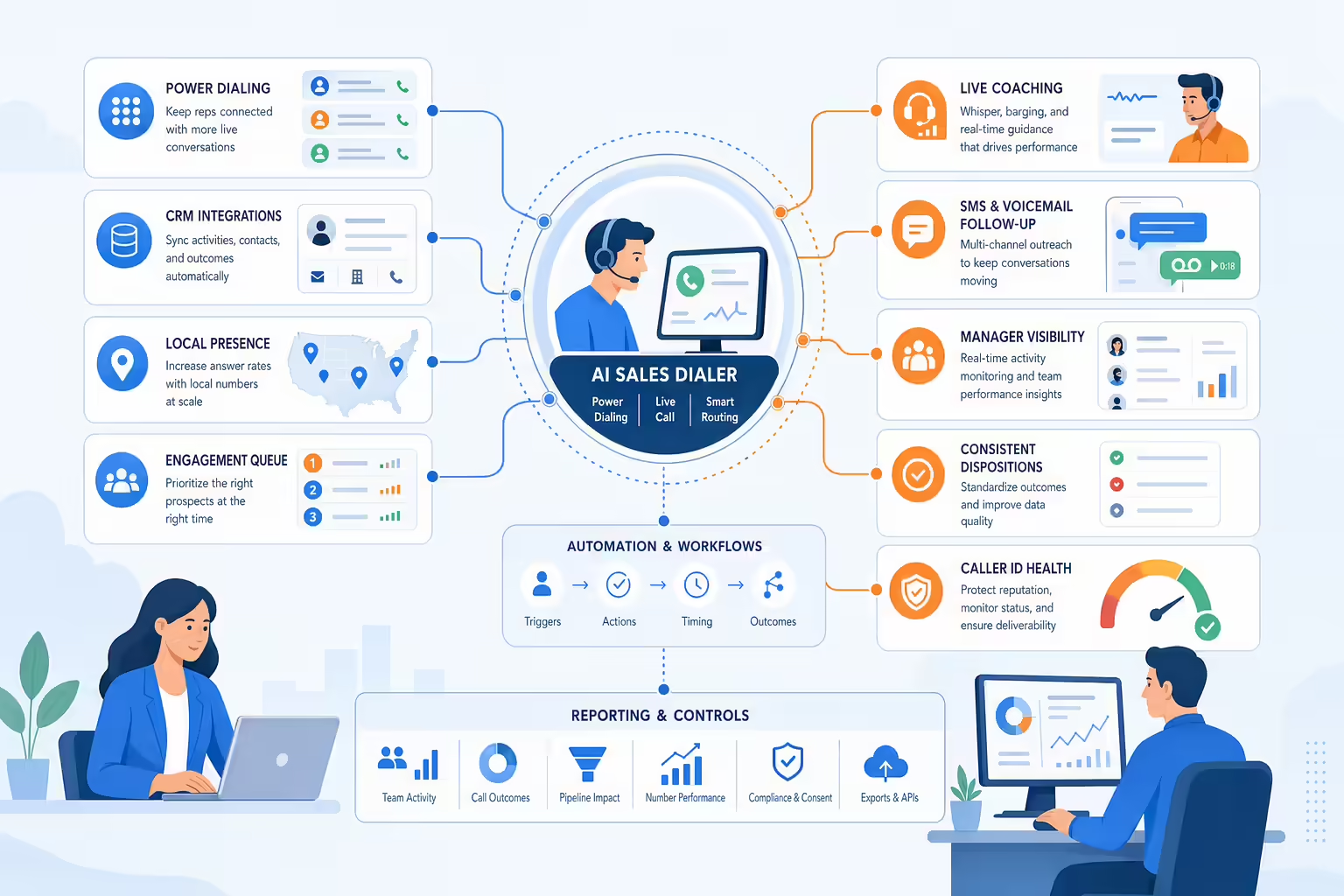
In a Kixie-centered workflow, reps can use power dialing for structured call blocks, CRM integrations to keep activity connected to customer records, local presence to support number strategy, and call coaching tools to help managers review conversations. Follow-up workflows can include SMS and voicemail actions when those channels fit the team’s consent and compliance process.
The important point is not that every team needs the same stack. A small team may care most about speed-to-lead and clean CRM logging. A larger SDR organization may care more about manager visibility, consistent dispositions, caller ID health, and repeatable coaching. A RevOps-led team may focus on data quality, integrations, and reporting controls.
If you are comparing options, start with the checklist above, then review how Kixie’s Power Dialer, CRM integrations, and live call coaching match your current sales motion.
FAQ

What is an AI sales dialer?
An AI sales dialer is calling software that combines outbound dialing with automation or AI-assisted workflows. Depending on the platform, that might include call prioritization, voicemail detection, call summaries, CRM logging, follow-up suggestions, coaching signals, or reporting. The exact capabilities vary by product, so teams should validate what is automated and what still requires rep or manager review.
How is an AI sales dialer different from a power dialer?
A power dialer focuses on helping reps move through calling lists more efficiently, usually one record at a time or in a controlled sequence. An AI sales dialer may include power dialing plus AI-assisted features such as summaries, recommendations, prioritization, or analytics. The categories overlap, so evaluate the actual workflow instead of relying on labels.
How are AI assistants and autonomous voice agents different?
AI assistants typically support human reps by summarizing calls, suggesting next steps, prioritizing work, or helping managers find coaching moments. Autonomous voice agents may attempt to handle parts of a conversation without a live rep. That difference matters for buyer experience, consent, disclosure, supervision, and legal review.
What compliance questions should teams ask before using AI dialing?
Teams should ask how consent is captured, how opt-outs are honored, how call recording rules are handled, how numbers are assigned, how local and federal calling rules are reviewed, and who owns policy decisions. Software settings can support a compliance process, but they do not replace legal review.
What should connect to an AI sales dialer stack?
At minimum, most sales teams should connect the dialer to the CRM, call activity records, reporting workflows, and follow-up channels. Depending on the motion, the stack may also connect to sales engagement tools, SMS, email, call recording, coaching, enrichment, routing, and data warehouse systems.
Build the stack around the sales motion
The right AI sales dialer stack should make the sales motion easier to run, inspect, and improve. Start with the workflow your reps need to execute every day. Then test whether the dialer, CRM sync, AI assistance, caller ID strategy, follow-up automation, and reporting all reinforce that workflow.
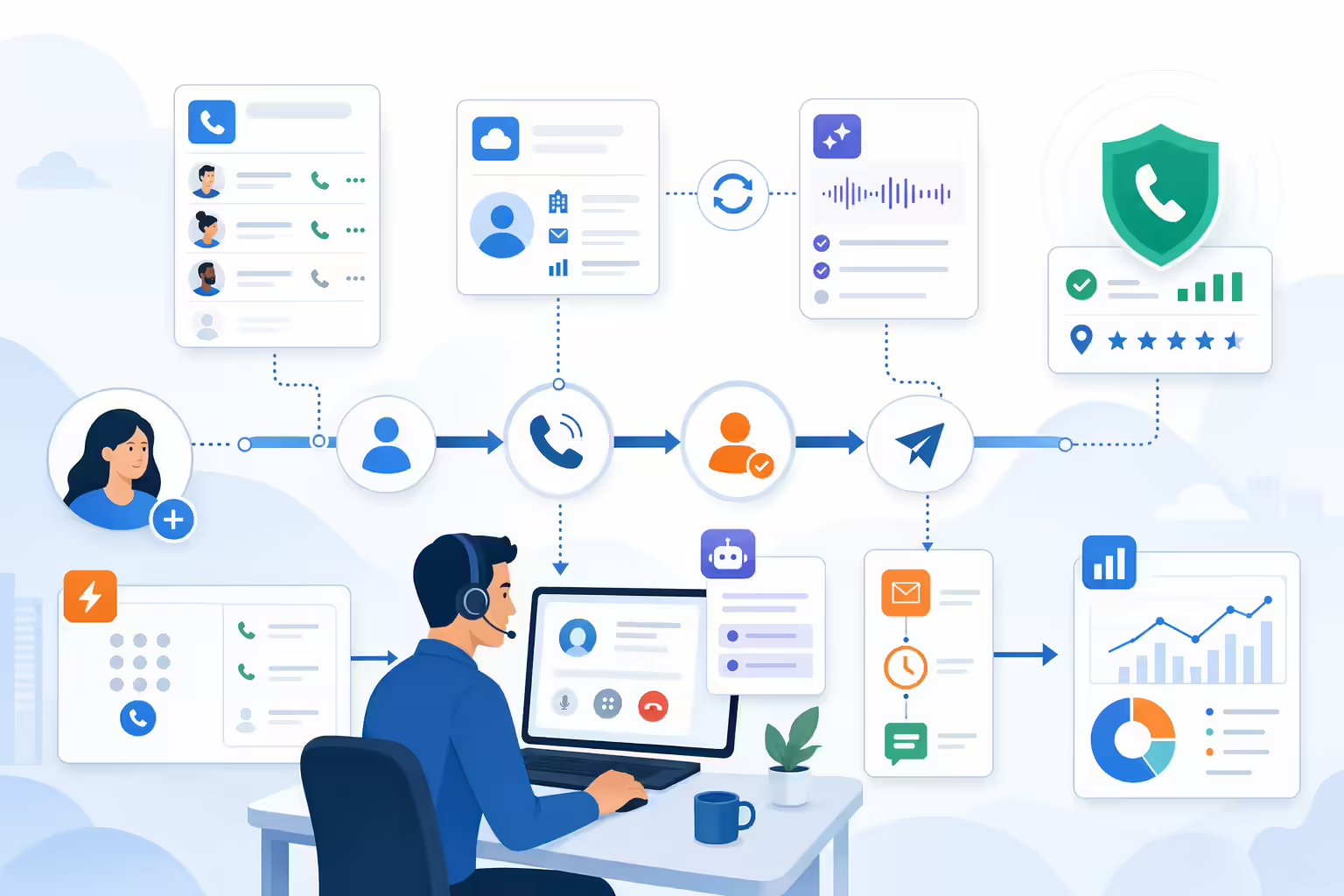
Kixie can be part of that operating model for teams that want power dialing, CRM-connected calling, local presence, coaching, and follow-up workflows in one sales engagement platform. To evaluate fit, compare your current process against the checklist in this guide and review the Kixie workflows that matter most to your team.
Ready to close more deals with Kixie?
See how Kixie's AI-powered tools can transform your sales and support operations.
Start Free Trial