
TL;DR: This Spam Likely call prevention checklist gives sales leaders one policy for two separate risks: protecting employees from inbound impersonation attempts and reducing avoidable confusion around the company’s outbound caller identity. Treat carrier, device, and analytics labels as caution signals rather than proof. On company phones, review built-in spam identification, call screening, voicemail, blocklists, and call routing so expected customer calls still have a clear path. Train employees not to share passwords, one-time passcodes, account numbers, government IDs, or card details during unexpected calls; urgency, secrecy, remote-access requests, and unusual payment demands are reasons to stop and verify through an official channel. If information was shared, secure affected accounts, review multifactor authentication, contact the organization or bank through independently located details, preserve call records, notify employer IT when work data is involved, and use IdentityTheft.gov when identity data is exposed. For outbound teams, keep business identity and contact details current, use controlled numbers, give recipients a clear reason for the call, honor opt-outs, monitor complaints and warning-label reports, and ask the originating carrier or communications provider about its current reputation-review process. No registration or dialing pattern guarantees that a number will avoid a label. Device steps vary by operating-system version, manufacturer, region, carrier, and business phone system, so confirm current Apple, Google, carrier, and provider documentation before changing business-critical controls. This article is a team security and operations checklist; the linked Kixie guide covers the narrower question of how outbound sales numbers can avoid or address Spam Likely labels.
A “Spam Likely” or “Scam Likely” warning is useful but not definitive. Screening systems can miss fraudulent calls, and expected customer, delivery, or appointment calls can be mislabeled. Sales organizations therefore need a documented response for employees who receive suspicious calls and a separate process for monitoring their own outbound identity.
This checklist covers the shared security and operations policy: inbound call handling, company-device controls, incident response, reporting, and basic outbound identity hygiene. If the specific problem is preventing or remediating a label on your sales number, use Kixie’s narrower guide to avoid showing up as Spam Likely in outbound sales. Settings and feature names vary by device, carrier, and phone-system provider, so confirm current instructions before changing business-critical controls.
Spam Likely Call Prevention Checklist for Sales Teams
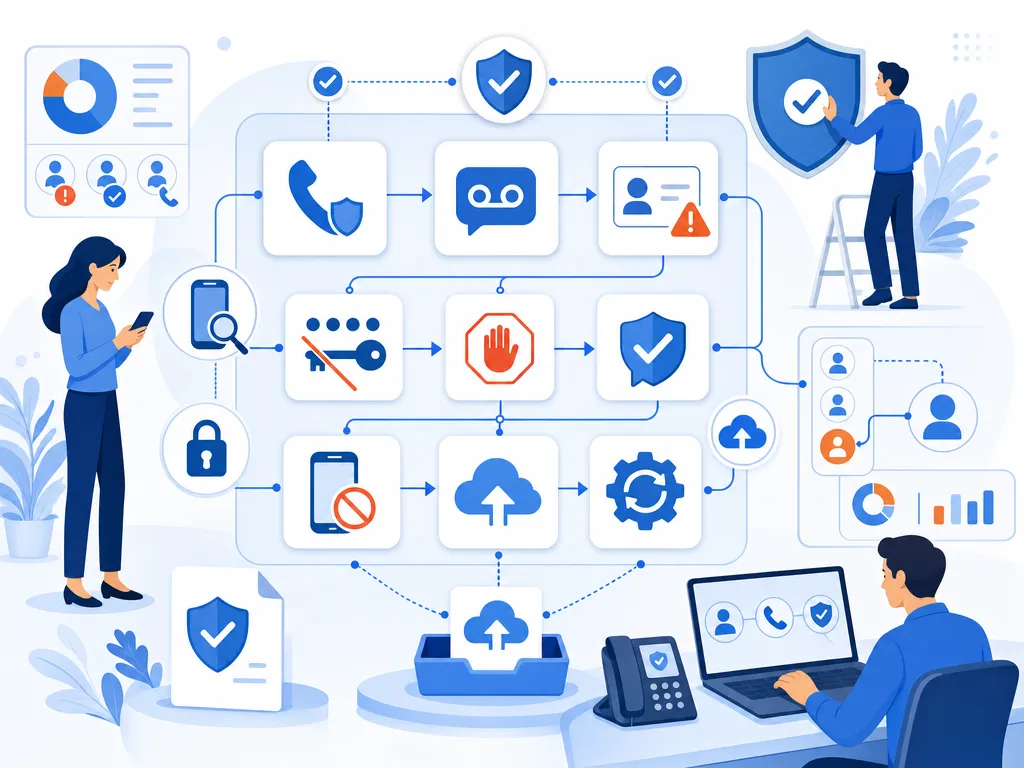
- Enable built-in spam protection. Review the caller-identification, call-screening and spam-filtering options offered by your phone, carrier or landline provider.
- Let unfamiliar calls go to voicemail. If a call is important, the caller can usually leave a message with information you can independently verify.
- Do not trust caller ID by itself. A displayed name, local area code or familiar number can be manipulated through caller ID spoofing.
- Never disclose sensitive information during an unexpected call. This includes passwords, authentication codes, account numbers, government identification numbers and payment-card details.
- Resist urgency and threats. Hang up if a caller pressures you to act immediately, keep the conversation secret or use an unusual payment method.
- Verify requests independently. Contact the organization through a number on its official website, your account statement or the back of your card, not a number supplied by the caller.
- Block repeat callers. Blocking can reduce calls from one number, although it cannot stop callers who rotate or spoof numbers.
- Register eligible personal numbers. The National Do Not Call Registry can reduce calls from telemarketers that follow the rules, but it does not function as a technical call blocker and cannot stop criminals.
- Report unwanted or suspicious calls. Use the official complaint resources provided by the Federal Trade Commission and Federal Communications Commission.
- Keep defenses current. Install phone updates and periodically review filtering settings, blocked numbers and employee awareness procedures.
What Spam Likely Call Labels Mean
“Spam Likely” is generally a warning generated by a carrier, device or call-analytics service. The precise wording and evaluation process vary. These systems may consider multiple reputation and calling signals, but their methods can be provider-specific or proprietary.
Treat the label as a reason for caution rather than proof of fraud. A criminal’s call may arrive without a warning, while an expected appointment reminder, delivery call, or customer call might be flagged incorrectly. Base the response on whether the call was expected and whether the caller can be confirmed through an official contact channel.
Business Caller Reputation Checklist
Sales teams also need a separate outbound process. Protecting recipients and maintaining a clear business identity are related, but no registration, configuration change, or calling pattern guarantees that a number will avoid a spam label.

- Keep the business name and contact details accurate across relevant provider accounts and public channels.
- Use numbers the business controls, and investigate unexpected changes to displayed caller information.
- Call people for appropriate, documented reasons and honor opt-out requests.
- Avoid sudden, unexplained changes in call volume or repetitive dialing behavior that may generate complaints.
- Give recipients a clear reason for the call and a consistent way to verify the business independently.
- Monitor answer rates, complaints, and reports from customers or employees who see warning labels.
- Ask the originating carrier or phone-system provider about its current reputation-review or remediation process.
- Train employees to avoid requesting passwords, full authentication codes, or unusual payments by phone.
Outbound calling can be subject to federal and state requirements that depend on call type, technology, consent, and jurisdiction. Obtain qualified legal review rather than treating a general checklist as compliance advice.
Protect Your Team Before an Unexpected Call
Turn On Spam Call Filtering
Open your device’s phone or call settings and look for options relating to spam identification, unknown callers, call screening or blocked numbers. Your carrier may also offer network-level tools. Some settings silence all callers outside your contacts, so consider whether that could cause you to miss healthcare, delivery, school or other expected calls.
For a landline, ask the service provider whether call blocking, anonymous-call rejection or a compatible call-screening device is available. Availability and cost can vary, and emergency or essential calling needs should be considered before aggressive filtering is enabled.
Keep Call Contacts and Voicemail Clear
Save frequently used contacts so they are easier to recognize. Use a voicemail greeting that asks callers to provide their name, organization and reason for calling, but avoid revealing unnecessary personal details in your greeting.
Limit where you publish your phone number. Review public profiles, old listings and forms that request a number. This will not eliminate unwanted calls, but reducing unnecessary exposure can be one part of a broader privacy routine.
Protect Your Team During an Unexpected Call
If you answer an unexpected call, avoid confirming personal details (even when the caller already knows your name, address or workplace). Previously exposed information can be used to make an impersonation attempt sound credible.
- Do not provide passwords, one-time passcodes or security answers.
- Do not install software or grant remote access at a caller’s request.
- Do not send money or purchase gift cards, cryptocurrency or wire transfers because of an unsolicited demand.
- Do not rely on a callback number supplied during the suspicious call.
- Do not assume a local-looking number belongs to someone nearby.
Hang up and locate an official contact number yourself. If the caller claims to represent a bank, use the number printed on your card or statement. For a government agency or company, go independently to its official website. A genuine representative should not object to reasonable verification through an established channel.
Block and Report Spam Likely Calls
Blocking the number is useful for repeat interruptions, but spoofing and number rotation mean it is only one layer of protection. Document significant incidents before deleting the call record. Note the date, time, displayed number, claimed organization, callback instructions and what the caller requested. Save voicemails and relevant screenshots when practical.
Report suspected fraud to the FTC and unwanted-call or spoofing concerns through the FCC’s current consumer complaint process. Follow the agencies’ instructions about what information to submit. Your phone carrier may also provide an in-app or account-level reporting feature.
Registration with the National Do Not Call Registry may help identify unwanted telemarketing activity, but registration does not guarantee that calls will stop. Scammers do not necessarily observe registry restrictions, and some categories of calls may be treated differently under applicable rules.
Respond After an Employee Shares Information
Act promptly, but use official contact information rather than anything supplied by the caller.
- Account credentials: Change the affected password from a device you control. Replace reused passwords on other accounts and review multifactor authentication settings.
- Authentication code: Contact the relevant organization through its official support channel and review recent account activity.
- Payment-card or bank information: Call the financial institution using the number on the card, statement or official website. Ask about securing the account and disputing unauthorized activity.
- Government identification or identity data: Visit IdentityTheft.gov for an official recovery plan appropriate to the information exposed.
- Money sent: Contact the payment provider immediately to ask whether the transaction can be stopped or recalled. Recovery is not guaranteed.
- Work information: Notify your employer’s security or IT contact, especially if you disclosed credentials, client data or remote-access details.
Preserve receipts, messages, call logs and transaction records. Avoid businesses or callers promising guaranteed recovery, particularly if they demand another upfront payment.
Configure Blocking Across Team Devices
Block Spam Calls on iPhone
Use the Phone app’s recent-calls view to inspect and block an individual caller. Additional options for identifying, screening or silencing callers may appear in the current Phone settings, depending on the iOS version, region and carrier. Check Apple’s current support documentation before enabling broad silencing.
Block Spam Calls on Android
Many Android phones provide block and spam-reporting controls from the Phone app’s call history. Available screening and caller-identification features vary by manufacturer, Phone app, region and carrier. Consult the device maker’s current instructions rather than assuming every Android menu is identical.
Block Spam Calls on Landlines and Business Phones
Landline subscribers should check with their provider about supported filtering tools. Administrators of business systems should review call-routing, blocklist and analytics settings carefully so customer or employee calls are not unintentionally rejected.
Spam Likely FAQs for Sales Teams
Should I answer a Spam Likely call?
If you do not expect the call, letting it go to voicemail is usually the lower-risk option. If you answer, do not disclose sensitive information. Independently verify any request before acting.
Can an expected call be marked Spam Likely?
Yes. Labels are imperfect and may vary among carriers or analytics providers. Confirm a potentially expected caller through an official website, statement, or known contact method.
Why do calls continue after I block numbers?
Blocking normally affects the selected number. Unwanted callers may use other numbers or spoof the caller ID information displayed on your phone.
Does the Do Not Call Registry block scam calls?
No. The registry is not a call-blocking service, and criminals may ignore it. Combine registration with filtering, verification and reporting.
How can a business check whether its number is flagged?
Start by collecting reports from recipients across different carriers, then contact the business’s originating carrier or communications provider. Labeling and review procedures vary, and remediation is not guaranteed.
Final reminder: A warning label is useful but incomplete. Filter calls where appropriate, distrust unexpected requests for sensitive information, verify through an independent channel and report credible fraud attempts through official resources.
Sources
- Federal Trade Commission: How to Stop Unwanted Calls. Call blocking, scam awareness, reporting, and Do Not Call guidance, accessed August 4, 2026.
- Federal Communications Commission: Stop Unwanted Robocalls and Texts. Consumer guidance on spoofing, blocking, and complaints, accessed August 4, 2026.
- National Do Not Call Registry. Official registration and reporting portal, accessed August 4, 2026.
- IdentityTheft.gov. Official recovery planning for exposed identity data, accessed August 4, 2026.
- Apple Support: Block phone numbers, contacts, and emails. Current iPhone call-blocking steps, accessed August 4, 2026.
- Google Phone Help: Block or unblock a phone number. Current Android Phone app blocking and spam-reporting steps, accessed August 4, 2026.
Sources verified and content reviewed on August 4, 2026.
Ready to close more deals with Kixie?
See how Kixie's AI-powered tools can transform your sales and support operations.
Start Free Trial