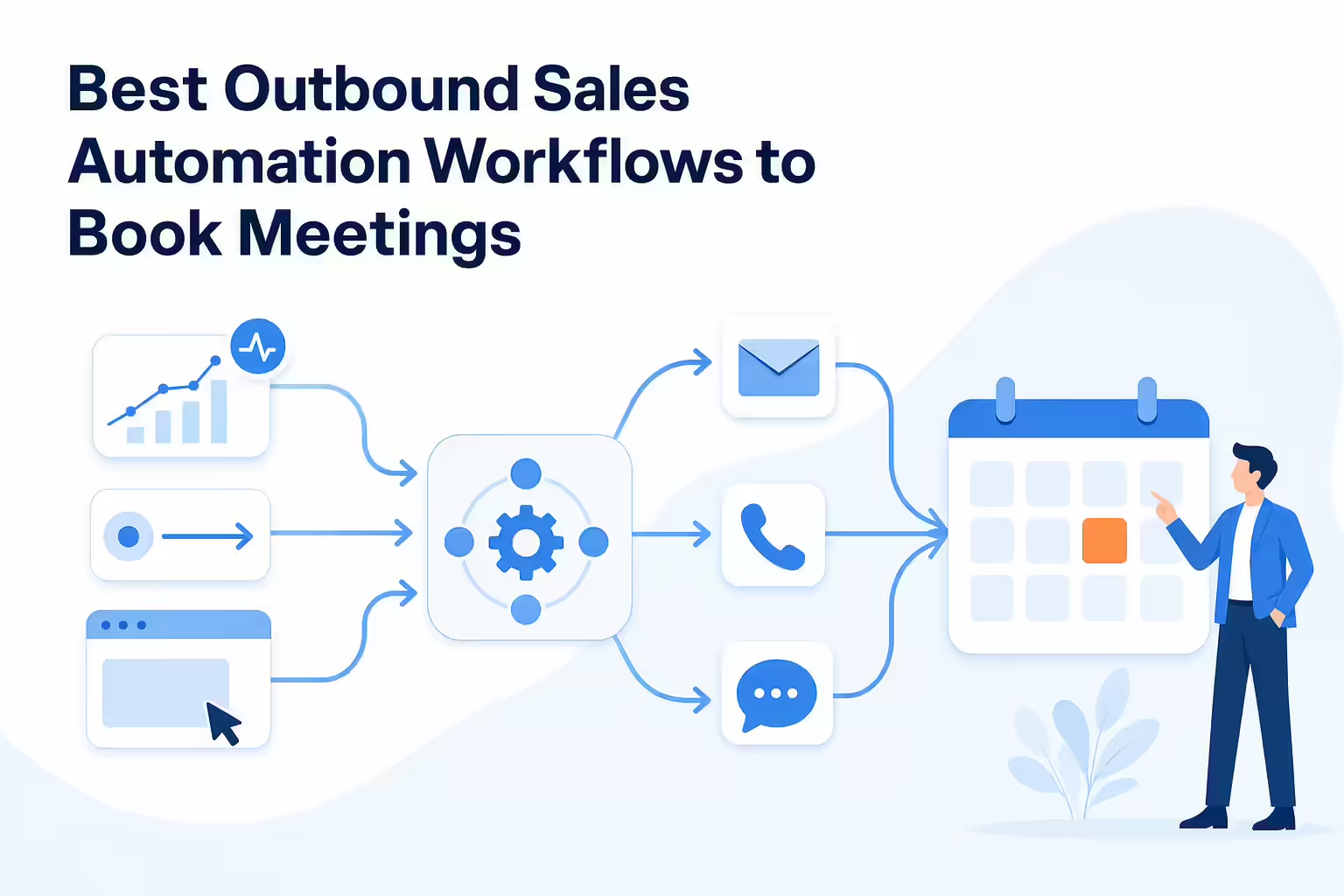
TL;DR: Outbound automation works when the stop conditions are engineered as carefully as the send conditions. Nine workflows are worth building: intent signals, job changes, funding events, website visitors, AI-assisted research, multichannel branching, opportunity reactivation, reply routing, and CRM hygiene. Each one needs a trigger, one owner, a suppression check, and a written stopping rule. The legal floor is not optional. CAN-SPAM gives you 10 business days to honor an email opt-out, your opt-out mechanism has to keep working for at least 30 days after the message goes out, you cannot charge a fee or make someone do more than send a reply or visit a single web page, and each violating email carries penalties up to $53,088. FCC telemarketing rules say a revocation made in any reasonable manner must be honored within a reasonable time not to exceed ten business days, and you may not designate an exclusive means to revoke. Your internal do-not-call list needs a written policy available on demand, trained staff, and the request recorded at the time it is made. LinkedIn’s user agreement prohibits bots and unauthorized automated methods that add or download contacts or send messages, so automated social touches are a policy question before they are a deliverability question. In HubSpot, records enroll in a workflow only the first time they meet the triggers unless you add re-enrollment triggers, and sequences unenroll a contact on reply or a booked meeting by default, though both are switches someone can turn off. California’s privacy law lets a browser-level global privacy control carry an opt-out of sale or sharing, which lands directly on visitor-identification vendors. Measure valid-contact rate, time to first action, positive-reply rate, and qualified pipeline against opt-outs, complaints, duplicate touches, and misrouted replies. Start with one trigger, one owner, and a segment small enough to read by hand.
Most outbound automation projects break in the same place. Not the sending. The stopping.
Building the send side is easy. A trigger fires, a record enters a sequence, and messages go out on a schedule. The hard part is everything that has to interrupt that: the reply that should pause the next four touches, the opt-out that has to propagate to every other workflow, the customer who should never have entered, the second rep already working the account. Get those wrong and sales automation does not fix your outbound sales process. It ships the broken version of it faster.
So the useful question is not which tool sends the most email. It is narrower than that. Which workflows have a defined entry rule, a named owner, and a stopping rule you could show an auditor? Those are the ones worth building. The rest is volume.
Best outbound sales automation workflows at a glance
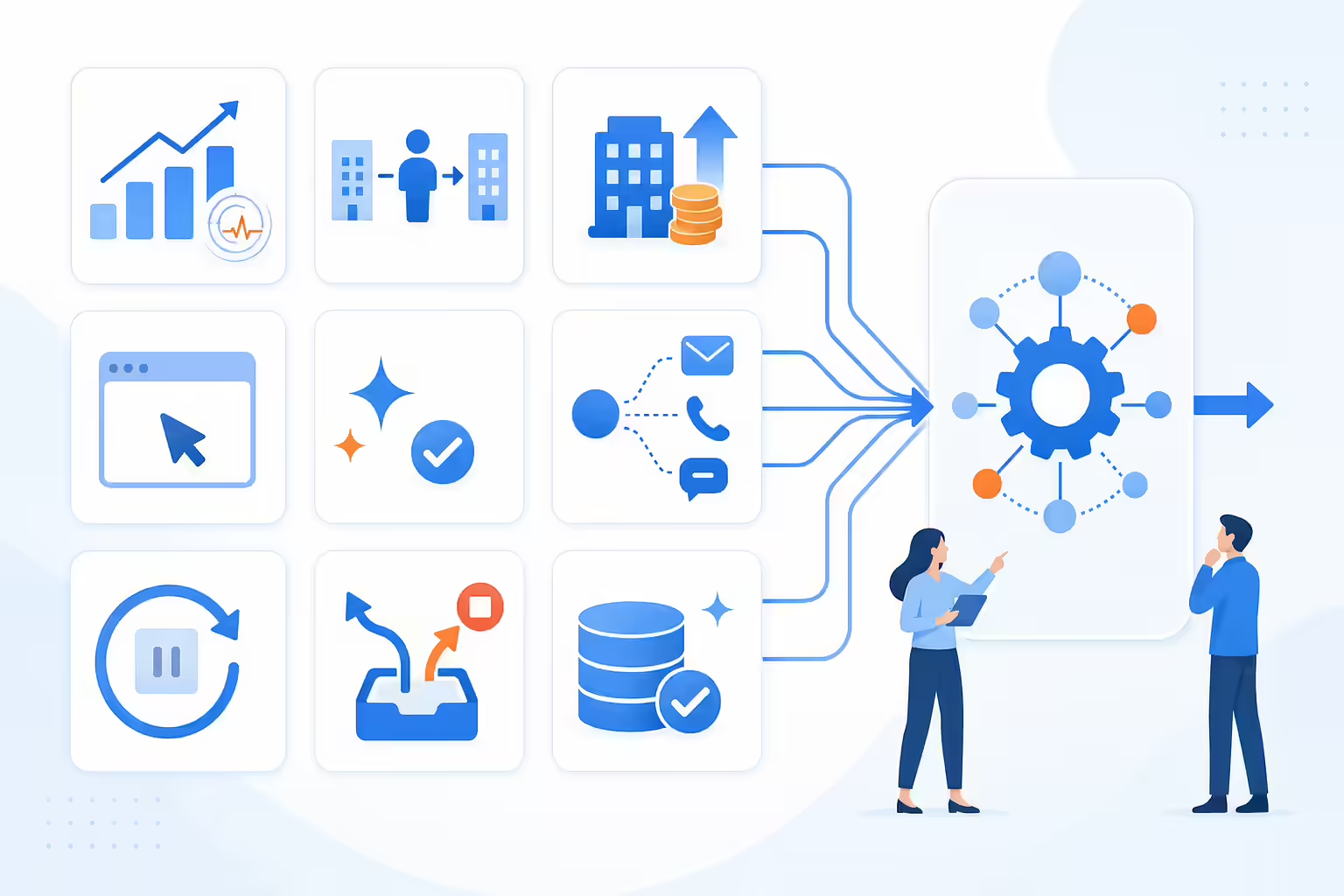
- Intent-signal outreach: Move accounts up the queue when behavior says something changed.
- Job-change outreach: Reconnect when a known buyer lands somewhere new.
- Funding and company events: Act on a public event before it is old news.
- Website-visitor follow-up: Turn account activity into a task somebody owns.
- AI-assisted research: Cut the research time, keep the rep on the hook for the facts.
- Multichannel branching: Coordinate phone, email, and permitted social so touches do not collide.
- Opportunity reactivation: Work the closed-lost pile with a real new reason.
- Reply routing: Classify the response and stop the sequence before it embarrasses you.
- CRM hygiene: Capture the disposition and the next step, or none of the above is measurable.
What is an outbound sales automation workflow
An outbound workflow is a trigger plus everything that happens after it. Data gets added to the record. A qualification rule runs. An owner is assigned. A call task appears, outreach starts, a reply gets evaluated, and the CRM is updated. The trigger is the cheap part. The branches are the work.
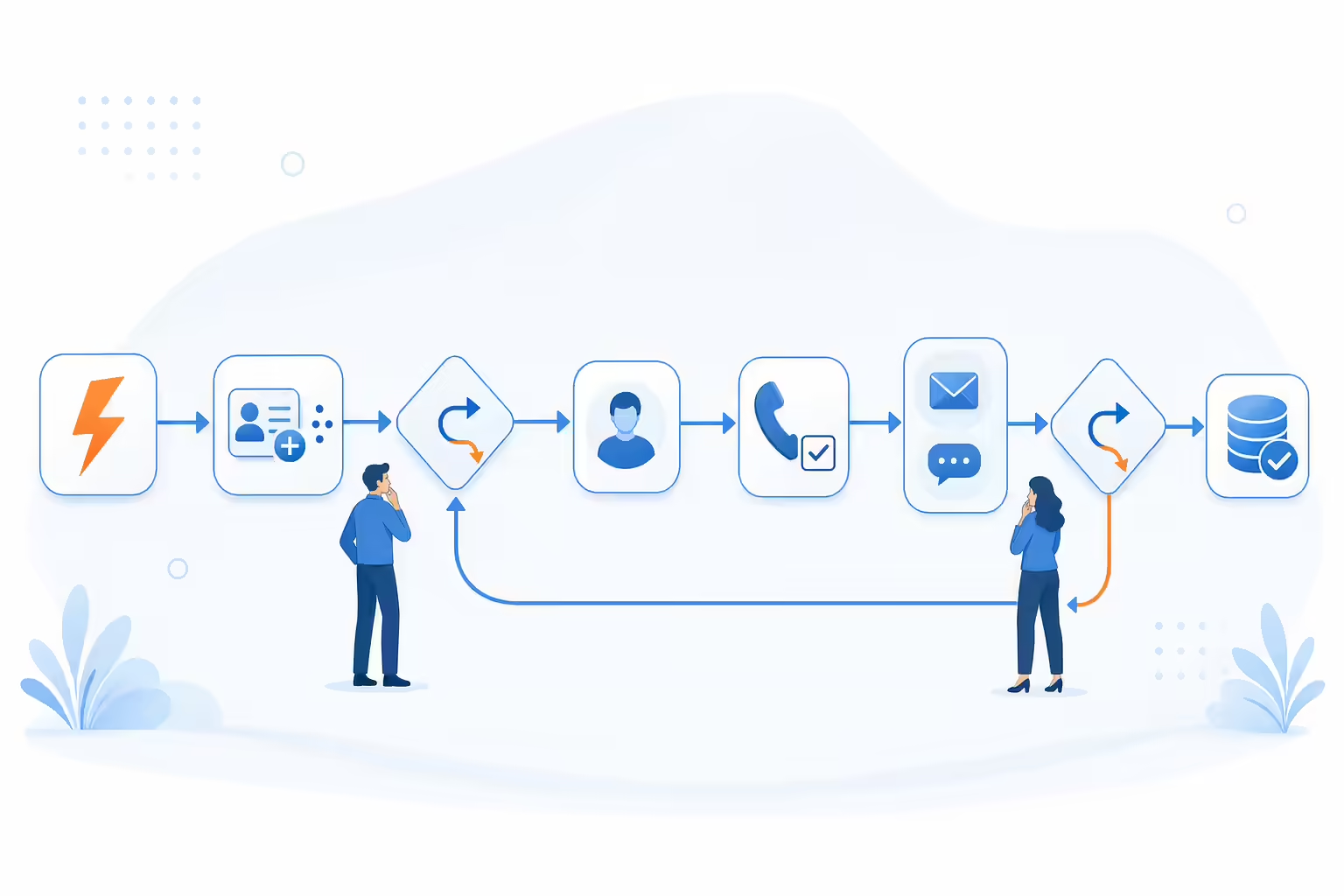
The vocabulary gets muddy, so here it is in plain terms. A sequence is a scheduled series of touches. A workflow wraps that sequence in triggers, data movement, decision rules, and branching. A playbook is the document telling a person how to run the motion. An autonomous agent decides and acts inside limits you set, which means it still needs approved data, controls, and a path to escalate to a human. If a vendor uses these interchangeably, make them show you where the branch logic lives. Ask to see one record’s path. Not a slide.
How to evaluate outbound sales automation workflows
These are ordered by how often they earn their keep, not by which vendor sells them. Judge each one on signal quality, personalization potential, operational complexity, data hygiene, channel coordination, measurability, and how much human oversight it demands.
Before any of that, fix ownership and suppression. Can your CRM answer four questions right now? Who owns this account? Is this already a customer? Is there an open opportunity? Has this person already opted out? If any answer is a shrug, automation multiplies a problem you have not solved. Two reps hitting the same buyer in the same week is not a messaging failure. It is a records failure. Fix that first.
Outbound sales automation workflow for intent signals
Best for: Teams with enough account activity, or a purchased intent feed they have actually validated, to rank accounts by something other than alphabetical order.
The workflow starts when an account crosses a signal threshold you defined in advance, and from there it appends firmographic and contact data, checks ICP fit and territory, drops anything sitting on a suppression list, and creates either a rep task or an approved first touch depending on how much confidence the signal earned.
The branch looks like this. Signal detected, data validated, ICP checked, owner identified, task created. Low-confidence signals route to review instead of dropping straight into a sequence, and high-value accounts get a human reading the account before anything sends, because the cost of a bad first touch on a target logo is measured in quarters rather than in replies.
Now the caveat that keeps this workflow honest. A page view is not a purchase intent. Who else generates that exact signal? Someone comparing you against an incumbent. A candidate researching you before an interview. A competitor pulling your pricing. So rank on it. Do not write copy that assumes it. Ranking survives a wrong guess. Copy does not.
Track: time to first action, valid-contact rate, positive-reply rate, and qualified opportunities created.
Outbound sales automation workflow for job changes
Best for: Reconnecting with a buyer or champion who already knows what you do.
This is the highest-quality trigger most teams already own and do not use. Why? The relationship already exists, and the buyer has budget authority they did not have last year. When a monitored contact changes roles, confirm the employer, title, seniority, and start date against a current source before anything sends, because these feeds can lag reality and a congratulations email aimed at a role somebody already left is worse than silence. Refresh the contact details, check whether the new company fits the ICP, and confirm who owns that account now.
Then slow down. Speed is not the constraint here. The message should reference only professional context you can point to in a record, rather than a guess about what they are prioritizing in week two, since inventing their priorities is the single fastest way to prove the message was automated. Route strategic contacts to a rep for approval. Add a cooldown so a data provider refreshing the same field three times does not produce three emails. Suppress the ones whose new role has nothing to do with your product.
One more thing worth building. Keep the old account in the workflow too. A champion leaving means somebody is inheriting your contract with no relationship to you. That is a renewal risk and a second play, from one trigger.
Outbound sales automation workflow for funding events
Best for: Time-boxed prioritization when something material changed at the company.
Detected events include publicly reported funding, expansion, hiring surges, or a leadership change. Before acting, check the date, the source, and whether it is relevant to what you sell. Does the event touch anything you actually solve? If not, skip it. Then pick the personas the event actually touches, form a hypothesis tied to it, and run a short play with an end date.
The event is context. It is not proof of need, budget, or timing. Plan for the opposite of availability. Everyone else in your category read the same announcement that morning. Require review when the research is thin, and never assert that a company has a specific initiative unless a named source says so.
Outbound sales automation workflow for website visitors
Best for: Turning qualified account activity into follow-up somebody owns.
Score behavior on page category, recency, repeat visits, and known account fit, then exclude customers, your own employees, partners, recruiters, and anything already carrying a suppression flag, because those four groups will otherwise dominate the top of your visitor report every single week. When an eligible account clears the threshold, add buying committee detail and either notify the owner or create a research task.
Keep the outreach language conservative. Here is why it matters. Account-level identification tells you an organization appears to have visited. It generally does not establish which person did, and writing as though it does is how you end up in a forwarded screenshot. There is a compliance dimension too. For businesses subject to California’s privacy law, consumers have the right to opt out of the sale or sharing of their personal information, including through a user-enabled global privacy control. Separately, a business has 45 days to respond to a consumer rights request, and can extend that by another 45 days if it notifies the consumer. Whether any of that reaches the vendor doing your visitor identification depends on how that vendor operates. So ask them, in writing, before you build a workflow on top of them.
Outbound sales automation workflow for AI prospect research
Best for: Cutting research and drafting time without handing over the facts.
Give the system approved sources, CRM context, a defined value proposition, and tone rules, and it returns a short research summary plus a draft grounded in facts it can point back to. A person then checks accuracy, relevance, tone, and any assumption that crept in unsupported.
Where does mandatory review belong? Strategic accounts, regulated industries, and any case where the research is ambiguous. Do not let generated copy invent a relationship, a business problem, a customer result, or a personal detail. The failure mode is specific and recognizable. The draft sounds researched. It names a real-sounding initiative. The initiative does not exist.
Track how often drafts need substantial correction. Is it climbing? Then your source configuration is wrong, not your prompt.
Outbound sales automation workflow for multichannel sequences
Best for: Coordinating phone, email, and permitted social so touches land in an order that makes sense.
Start with a qualified contact and exactly one owner. Schedule channel-specific steps with frequency caps and business-hour rules. When a response arrives, pause everything, then branch on what the response actually means.
- Positive reply: Stop automated touches and create a follow-up task with a due time, not a due date.
- Objection: Route to a person along with the full response history.
- Referral: Add the referred contact only after someone confirms the name and role.
- Out of office: Pause and resume after the stated return date.
- Bounce or opt-out: Stop, and write the suppression status everywhere it needs to go.
- No response: End at the documented stopping rule instead of drifting on indefinitely.
Two constraints decide whether this workflow is buildable. Both come from outside your stack.
The first is social. LinkedIn’s user agreement prohibits using bots or other unauthorized automated methods to access the Services, add or download contacts, send or redirect messages, create, comment on, like, share, or re-share posts, or otherwise drive inauthentic engagement. It separately prohibits developing, supporting or using software, devices, scripts, robots or any other means or processes to scrape or copy the Services, including profiles and other data from them. Read that against how most teams actually run the social leg of a sequence. If a tool is adding connections, pulling contact data, or sending messages on a rep’s behalf without an authorized integration, it is doing the things that clause names. Whatever a vendor tells you about detection, the agreement is the agreement. Decide with your eyes open.
The second is email. CAN-SPAM requires you to honor an opt-out within 10 business days, and your opt-out mechanism has to keep processing requests for at least 30 days after the message went out. You cannot charge a fee, demand personally identifying information beyond an email address, or make someone do anything more than send a reply or visit a single web page. Once someone opts out you cannot sell or transfer their email address, even in the form of a mailing list. Each separate violating email carries penalties of up to $53,088 as the FTC guide currently states it. It is the number that turns a sloppy suppression sync into a real liability. One bad list import reaches it fast.
For the calling leg, per Kixie’s own product documentation, PowerDialer offers native integration with popular CRMs, and calls, texts, outcomes and recordings are logged in the CRM automatically. Voicemail Drop covers the no-answer branch by letting a rep leave a pre-recorded voicemail with the touch of a button when a prospect does not pick up, instead of repeating the same message over and over.
Outbound sales automation workflow for opportunity reactivation
Best for: Working accounts that already have context instead of buying more names.
Segment on loss reason, furthest stage reached, previous owner, recency, and how the relationship actually ended, then confirm the contacts still work there before anything sends, because a reactivation list is by definition the oldest data you own. Then find a genuinely new reason to reach out. A shipped product change counts. A confirmed change at their company counts. A new subject line does not.
Do not dress up old outreach as a fresh introduction. Preserve the prior objections and every opt-out attached to those records, return live engagement to the correct owner, and exclude accounts with unresolved support or billing history. Measure requalified opportunities. Opens and sends will look great here. They mean nothing.
Outbound sales automation workflow for reply routing
Best for: Responding consistently and, more importantly, not sending touch four after someone already answered.
Classify replies as interested, objection, referral, unsubscribe, out of office, or ambiguous. Build it so every reply pauses the active sequence before anything else happens. From there the workflow creates tasks, assigns response targets, and updates CRM fields.
Know how your platform actually behaves here. The defaults are doing more work than most teams realize. In HubSpot, contacts are unenrolled from a sequence by default when they reply to any email in the sequence or book a meeting using a meeting link included in a sequence step. Note the verb. That is unenrollment, not a pause, so the contact is out of that sequence rather than held in it. Both behaviors are switches under the “Automate your sequence” settings, which means somebody can turn them off. In workflows it is a different rule again: by default records are only enrolled the first time they meet the enrollment triggers or are enrolled manually, and re-enrollment triggers have to be added for a record to come back. So a workflow that appears to be ignoring a returning account is almost always doing exactly what it was configured to do, and the fix is a configuration change rather than a support ticket.
Send ambiguous, emotional, or sensitive messages to a person. Then sample the classifier’s output on a schedule, because inbox formats, forwarding, and model behavior all drift. A misrouted unsubscribe is not a routing error. It is a compliance event.
Outbound sales automation workflow for CRM hygiene
Best for: Making everything above measurable.
After a call, a reply, or a completed sequence, capture the disposition, the next step, the owner, and the lifecycle status. Flag missing fields, conflicting ownership, suspected duplicates, and tasks that have gone stale, so the cleanup queue is generated by the system rather than discovered by whoever builds the quarterly report. Do not auto-merge records unless the matching rules are strict and the merge is reversible. Can you undo it next week? If not, do not run it unattended.
There is a compliance layer here that most hygiene projects skip. FCC telemarketing rules require an internal do-not-call list backed by a written policy available upon demand, personnel informed and trained in the existence and use of that list, and the request itself recorded and added to the list at the time it is made rather than at the end of a nightly sync. Revocation is broader than most teams assume. All requests to revoke prior express consent or prior express written consent made in any reasonable manner must be honored within a reasonable time not to exceed ten business days from receipt. For the calls and text messages the rule specifically covers, callers and senders may not designate an exclusive means to request revocation of consent. Any reasonable manner is the phrase that should worry you, because it is not limited to the one keyword your platform listens for. So what happens when someone says stop in a way your workflow was not watching for? It still has to catch it. Build for that case, and keep your email suppression in step even though the email rules are a separate regime.
How to choose an outbound sales automation stack
Map tools to workflow components instead of buying five products with overlapping feature lists, because most teams need the same seven things: data and signals, appending, orchestration, engagement channels, a CRM, analytics, and governance. Ask a vendor these six questions. Watch which ones produce a demo instead of an answer.
- Can the system show why this specific record entered this workflow?
- Can we define exclusions, cooldowns, frequency caps, and stopping rules without a support ticket?
- Does a reply on one channel pause every other channel?
- Can a person review or override an AI-generated decision before it sends?
- Are ownership, field mapping, and error handling visible when something fails?
- Can we follow one record from valid contact to qualified pipeline?
Confirm integrations, channel support, security controls, and product limits directly with each vendor before you sign. Capabilities and plan availability change. The comparison post you read last quarter is already out of date.
Outbound sales workflow metrics to track
Pair leading and lagging indicators. On the operational side: valid-contact rate, bounce rate, time to first action, positive-reply rate, meeting conversion rate, qualified-pipeline rate, and manual steps per account. On the guardrail side: opt-outs, complaints, duplicate touches, and classification errors.
Watch the guardrails as closely as the pipeline number. A workflow that doubles activity while bounce rate and opt-outs climb is not an improvement. It is a slower way to get your domain filtered. Compare by segment, trigger, channel, and owner before you scale anything.
Outbound sales automation checklist
- Define one measurable trigger and the business outcome it serves.
- Confirm CRM ownership and the fields the workflow depends on.
- Build customer, open-opportunity, opt-out, and duplicate suppression before the first send.
- Document every branch, stopping rule, and cooldown in writing.
- Name the steps where human approval is mandatory.
- Test on a segment small enough to read by hand.
- Review data errors and negative signals before scaling.
- Recheck integrations, channel rules, and opt-out propagation on a schedule.
Outbound sales automation FAQs
What should a team automate first
Administrative work with no prospect-facing risk. Task creation, ownership checks, pausing a sequence on reply, and CRM updates. Add automated outreach only after the data, the messaging, and the suppression logic have survived a small test.
How is an outbound workflow different from a sequence
A sequence schedules touches. A workflow decides who enters, gathers data, evaluates conditions, branches, coordinates channels, creates tasks, and updates systems before and after those touches. So which one do you have? Check whether it can branch. If it cannot branch, it is a sequence.
Where should humans review AI-generated outreach
Anywhere a wrong fact costs you the account. Strategic accounts, regulated industries, anything with sensitive context, and every ambiguous reply. Reps should also sample routine automated output, because recurring errors show up in the pattern rather than in any single message.
How many channels should an outbound workflow use
Only the ones you can coordinate, monitor, and stop. More channels do not make a workflow better. Ownership, frequency caps, and a reply that pauses everything matter more than adding a fourth touchpoint.
How do teams prevent duplicate and excessive outreach
Shared suppression lists, one accountable owner per account, account-level visibility across workflows, frequency caps, cooldowns, and an immediate pause on any reply. Then ask the harder question. How many active workflows can touch the same contact today? Audit overlapping workflows before you switch on a new campaign, because the collision happens between workflows, not inside them.
Sources
How this article was built: every legal requirement, platform default and policy prohibition stated above comes from the primary documents linked below, and each is reported with that document’s own scope and wording intact. The email opt-out timing, the 30-day mechanism requirement, the restrictions on what you may demand in exchange for an opt-out and the per-email penalty figure come from the Federal Trade Commission’s own CAN-SPAM compliance guide. The consent-revocation window, the prohibition on designating an exclusive means of revocation and the internal do-not-call list obligations come from the Federal Communications Commission’s telemarketing rules as published in the Code of Federal Regulations. The prohibition on automated contact collection and messaging comes from LinkedIn’s own user agreement and is quoted as a platform term, not as a legal conclusion. The enrollment, re-enrollment and unenrollment behavior attributed to HubSpot comes from current HubSpot Knowledge Base pages and describes HubSpot defaults that an administrator can change. The privacy opt-out and response-deadline points come from the California Attorney General’s own CCPA guidance and are stated only for businesses subject to that law. The two Kixie product descriptions come from Kixie’s own current product pages and are labeled as such in the text. The workflow patterns, branch logic, failure modes and evaluation questions are reasoned from those documented constraints and are written so you can substitute your own triggers, channels, CRM and volumes. Regulatory figures, platform defaults and plan availability change without notice, so confirm each against the linked documentation for your own account and markets before acting. Nothing here is legal advice; consent, recording, retention and do-not-call obligations depend on your contact types, markets and campaign design, and state law adds requirements federal rules do not. Kixie publishes this article and sells sales engagement software for business calling and texting.
- Federal Trade Commission, CAN-SPAM Act: A Compliance Guide for Business, for the requirement to honor an opt-out request within 10 business days, the rule that any opt-out mechanism must be able to process requests for at least 30 days after the message is sent, the prohibition on charging a fee or requiring personally identifying information beyond an email address or any step other than a reply email or a single web page, the prohibition on selling or transferring the addresses of people who have opted out, and the penalty of up to $53,088 for each separate violating email, accessed September 1, 2026.
- Code of Federal Regulations, 47 CFR 64.1200, Delivery restrictions, for the rule that all requests to revoke prior express consent or prior express written consent made in any reasonable manner must be honored within a reasonable time not to exceed ten business days from receipt, for the prohibition on designating an exclusive means to request revocation of consent, and for the internal do-not-call standards requiring a written policy available upon demand, personnel informed and trained in the existence and use of the do-not-call list, and the recording of a request and placement of the number on the list at the time the request is made, accessed September 1, 2026.
- LinkedIn User Agreement, section 8.2 Don’ts, for the prohibition on using bots or other unauthorized automated methods to access the Services, add or download contacts, send or redirect messages, create, comment on, like, share, or re-share posts, or otherwise drive inauthentic engagement, and for the separate prohibition on developing, supporting or using software, devices, scripts, robots or other means to scrape or copy the Services including profiles, accessed September 1, 2026.
- HubSpot Knowledge Base, Create and edit sequences, for the default behavior that contacts are automatically unenrolled when they reply to any email in the sequence or book a meeting using a meeting link included in a sequence step, for those two behaviors being switches under the sequence automation settings that can be turned on or off, and for follow-up emails being sent on business days by default with delays of up to 90 business days, accessed September 1, 2026.
- HubSpot Knowledge Base, Workflows frequently asked questions, for the rule that by default records are only enrolled in a workflow the first time they meet the workflow’s enrollment triggers or are enrolled manually, for re-enrollment triggers being required to allow records to enroll again, and for suppression list membership and deleted records preventing or ending enrollment, accessed September 1, 2026.
- California Attorney General, California Consumer Privacy Act, for the right to opt out of the sale or sharing of personal information including via a user-enabled global privacy control, and for the requirement that businesses respond to rights requests within 45 days with one additional 45-day extension available on notice, accessed September 1, 2026.
- Kixie, PowerDialer, for the product description that calls, texts, outcomes and recordings are logged in the CRM automatically and that the power dialer offers native integration with CRM systems, cited as the publisher’s own product documentation rather than as independent testing, accessed September 1, 2026.
- Kixie, Voicemail Drop, for the product description that a rep can leave a pre-recorded voicemail with the touch of a button when a prospect does not pick up instead of repeating the same message, cited as the publisher’s own product documentation rather than as independent testing, accessed September 1, 2026.
Sources verified and content reviewed by the Kixie Research Team on September 1, 2026. All source links checked on September 1, 2026.
Ready to close more deals with Kixie?
See how Kixie's AI-powered tools can transform your sales and support operations.
Start Free Trial