TL;DR: HubSpot’s native calling can hurt caller ID reputation at scale because static numbers, bridged signaling, and no built-in CNAM control make calls more likely to get flagged. Kixie addresses that with ConnectionBoost, a pool of 50,000+ local numbers, progressive caller ID rotation, automated number health checks, and HubSpot activity sync. Low-volume teams making 10-20 calls per day may be fine with HubSpot plus manual registry submissions, but high-volume teams around 1,500 calls per day usually need dynamic number pooling to avoid spam labels and protect answer rates.
Caller ID Reputation in HubSpot

In the modern sales environment, the phone is still critical for starting conversations and closing complex deals. But that channel is harder to use effectively when the trust layer of the public phone network breaks down and legitimate calls start showing up as spam.
For teams that run their workflow in HubSpot, that problem shows up as weaker caller ID reputation. When valid business calls are marked as spam or scam risk, answer rates fall and outbound efficiency drops.
HubSpot users need to understand how telephony signaling, SIP bridging, CNAM lookups, and carrier filtering affect their setup. That context makes it easier to decide whether HubSpot’s native calling is enough or whether a specialized platform like Kixie is needed.
Why HubSpot Calls Get Flagged

Before you can fix caller ID reputation in HubSpot, it helps to understand the broader telecom environment. Carriers aggressively filter high-volume outbound traffic, and legitimate sales teams can get caught in those systems.
How carrier filtering works
Caller ID is no longer just a static display service. Carriers use analytics and machine learning to score call behavior and decide whether a number should be treated as trustworthy. Legitimate outreach can still trigger those systems when it looks too similar to spam traffic.
- High volumetric spikes: A sudden wave of calls from one number to many recipients.
- Low average handle time (AHT): Short calls under about 15 seconds that look like robodialing.
- Low answer seizure ratio (ASR): A low answer rate that signals recipients do not want the calls.
How STIR/SHAKEN affects answer rates
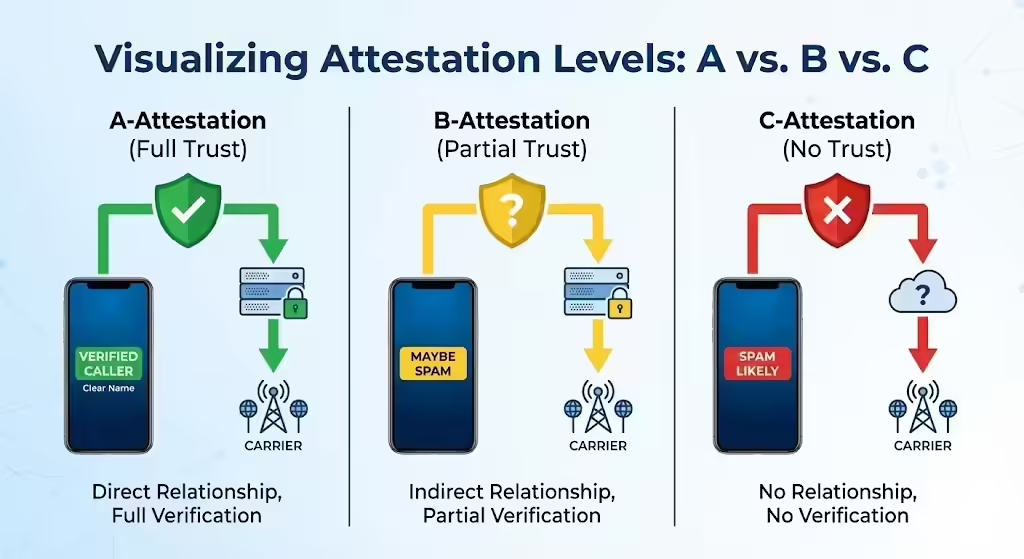
STIR/SHAKEN helps carriers verify caller identity by assigning an attestation level to a call. Calls with weaker attestation are more likely to be blocked or labeled, which matters directly for caller ID reputation.
The way HubSpot native calling bridges the rep and the prospect can weaken that trust chain and make strong attestation harder to maintain.
Why labels change buyer behavior
A negative caller ID label can crush answer rates. Buyers use the number display as a first-pass trust signal, so a local-looking number can help while a spam warning can stop the conversation before it starts.
HubSpot Calling Limits for Caller ID Reputation
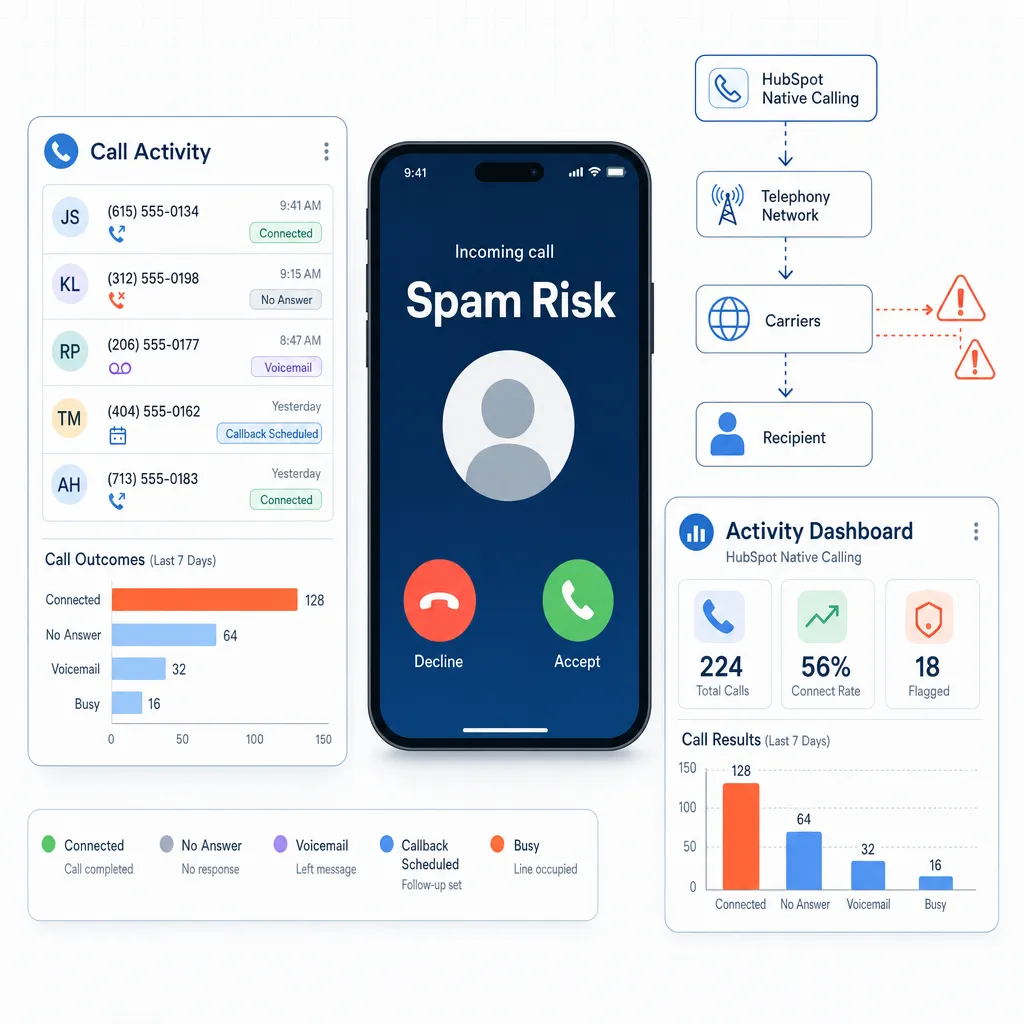
HubSpot’s native calling works for light outreach, but it has real limits for teams that depend on high-volume dialing.
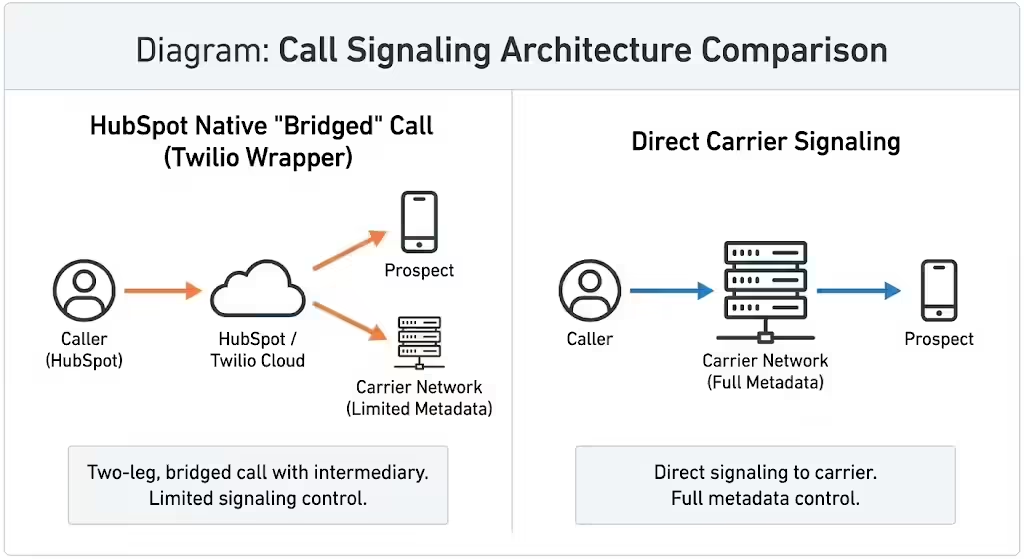
HubSpot runs on a Twilio wrapper
HubSpot calling sits on top of Twilio instead of running on a proprietary carrier network. The rep connects through HubSpot and the platform bridges that connection to the prospect, which limits direct control over the signaling data carriers see.
Verified numbers do not fix reputation
HubSpot lets reps verify a number for outbound caller ID, but verification only allows the platform to show that number. It does not tell carriers the line is a trusted business number, so high-volume use can still get flagged.
No built-in CNAM control
HubSpot also does not give teams direct control over centralized CNAM databases. That makes it harder to display a business name consistently and forces manual cleanup when numbers start showing weak identity signals.
Static numbers are a risk at scale
Using the same number for every outbound call creates the pattern carriers often associate with spam. Without number rotation, HubSpot users can hit velocity checks quickly and end up replacing numbers by hand.
How Kixie Improves Caller ID Reputation

Kixie adds a telephony layer between HubSpot and the carrier network so teams are not tied to one static outbound number.
Kixie vs. HubSpot native calling

| Feature component | HubSpot native calling | Kixie integration |
|---|---|---|
| Signaling layer | Twilio API (abstracted) | Proprietary telephony engine (direct carrier) |
| Number allocation | Static assignment (1:1) | Dynamic pooling (1:many) |
| Spam logic | Reactive | Proactive |
What ConnectionBoost does
Kixie’s ConnectionBoost improves caller ID performance in a few ways:
- AI-powered local presence dialing: Kixie can choose a local number from a pool of 50,000+ numbers so the caller ID matches the prospect’s area code.
- Progressive Caller ID: Kixie rotates outbound numbers so one number does not absorb all of the calling volume.
- Automated number health checks: Kixie watches answer-rate signals and can quarantine numbers that start performing like flagged lines.
Compliance and Caller ID Trust

Caller ID reputation is not just about getting more pickups. It is also about operating within the trust and compliance systems carriers use to screen traffic.
How Kixie supports attestation
Kixie can help teams avoid scam labels by using registered business numbers and managing number health more actively than a static setup. That makes it easier to maintain stronger trust signals than a bridged call flow.
How manual remediation works
If a team insists on using static numbers, it usually has to handle remediation manually through carrier and analytics-provider forms such as AT&T/Hiya, T-Mobile/First Orion, and Verizon/TNS.
HubSpot vs. Kixie for Caller ID Reputation
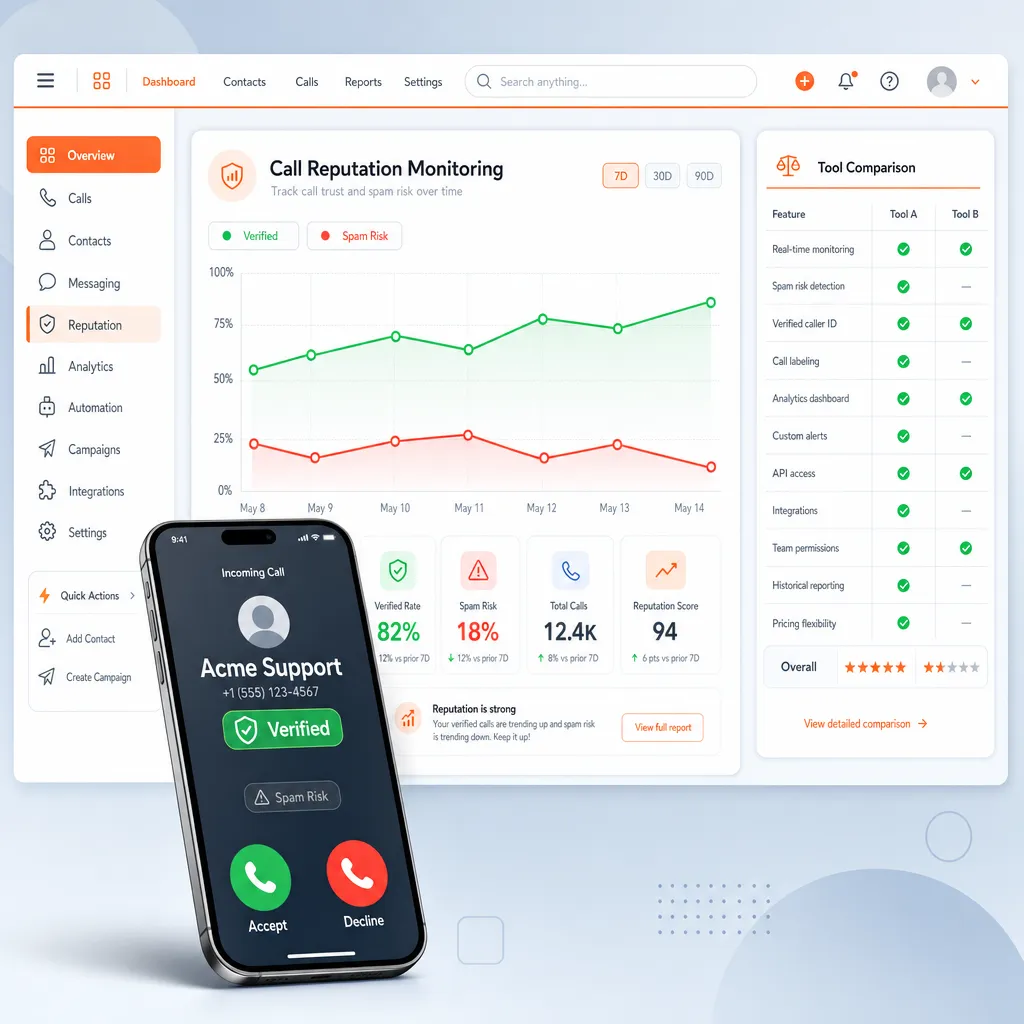
Feature depth and cost both matter when choosing a calling stack.
Feature comparison
| Feature domain | HubSpot native calling | Kixie integration |
|---|---|---|
| Outbound ID | Static verified or purchased numbers | Dynamic AI local presence |
| Spam remediation | Manual registry submissions | Automated number replacement |
| Cost model | Per-minute or seat-based | Per-user subscription plus minutes or add-ons |
What the pricing tradeoff looks like
HubSpot calling is often bundled into a Sales Hub license, while Kixie is an extra subscription that typically lands around $29-$35 per user with ConnectionBoost sometimes sold separately. The real comparison is cost per conversation: if answer rates move from 5% to 20%, the extra platform cost can be worth it.
How Kixie Works With HubSpot

Kixie replaces the native dialer experience without forcing teams to abandon HubSpot as the system of record.
PowerCall in HubSpot
The Kixie PowerCall Chrome Extension detects phone numbers inside HubSpot and adds click-to-call controls directly on contact, company, and deal records.
Bi-directional activity sync
Kixie logs call activity back into HubSpot and maps dispositions to HubSpot call outcomes so reporting and automation still work.
Automation options
Kixie can add Auto-SMS and Auto-Call workflows around form fills and lead routing. Those workflows can also help support healthier caller ID performance by increasing engagement signals and tightening speed-to-lead response times.
How to Improve Caller ID Reputation

Whether a team stays on HubSpot native calling or moves to Kixie, day-to-day setup still matters.
If you stay on HubSpot native calling
Keep the browser and mobile app setup clean, verify calling permissions, and make sure supporting network traffic is not degrading call quality in ways carriers could interpret as suspicious behavior.
If you use Kixie ConnectionBoost
Use ConnectionBoost for cold outreach where local presence matters most, but turn it off for callbacks to existing customers when continuity matters more than area-code matching. Machine detection can also help improve talk-time quality signals.
When HubSpot Native Calling Is Enough


Low-volume teams
Teams making about 10-20 calls per day can often stay on HubSpot native calling, verify their numbers, and submit those numbers to the Free Caller Registry when needed.
High-volume teams
Teams making around 1,500 calls per day will usually run into spam filtering quickly if they depend on static numbers. Those teams benefit more from Kixie and dynamic number pooling.
What the Future Looks Like

Caller ID reputation in HubSpot will stay tied to carrier trust systems, call behavior, and number management. Native calling can work for lighter use, but high-volume teams need stronger controls around attestation, number rotation, and reputation monitoring.
For those teams, Kixie offers the more scalable path because it combines local presence, automated remediation, and HubSpot sync in one workflow.
Key Caller ID Terms

- ASR (Answer Seizure Ratio): The percentage of call attempts that get answered.
- CLID (Caller Line Identification): The phone number shown to the recipient.
- CNAM (Caller Name Delivery): The business name shown alongside the number.
- STIR/SHAKEN: A protocol framework used to verify caller identity and reduce spoofing.
Caller ID Troubleshooting Guide

Common issues
| Error message | Likely cause | Remediation |
|---|---|---|
| Spam Likely | Carrier flagging | Pause dialing and submit the number to the Free Caller Registry or the relevant carrier remediation flow. |
| Unknown Caller | Carrier restrictions | Expect this in some regions where VoIP origin data is masked. |
Kixie ConnectionBoost checklist
- Extension installed: Kixie PowerCall is active in Chrome.
- HubSpot connected: The API connection is authorized in the Kixie dashboard.
- ConnectionBoost enabled: The feature is on when local caller ID is needed.
- Bi-directional sync working: A test call appears in the HubSpot activity feed.
Ready to close more deals with Kixie?
See how Kixie's AI-powered tools can transform your sales and support operations.
Start Free Trial