
TL;DR: Kixie works as an ActiveCampaign power dialer that auto-logs calls and texts in CRM contact records, supports click-to-call and SMS inside ActiveCampaign, runs multi-line dialing, and provides local presence dialing in all 50 states on every plan. Reported gains include up to 70% more call-handling efficiency, up to 150% higher monthly call volume, 100-300% more daily outbound calls vs. manual, 300% more lead conversions (real estate case), 200% higher connection rate (Automated LeadCaller case), up to 400% higher answer rates from local presence, and 80% less administrative busywork. Setup takes minutes by pasting an ActiveCampaign API URL and key into Kixie, and every plan includes unlimited calling minutes and SMS.
Do you want to connect with more leads faster, without leaving ActiveCampaign? If your sales team spends a lot of time making outbound calls, integrating Kixie as your ActiveCampaign power dialer could be a game-changer. Kixie is more than just a dialer. It’s a powerful tool that automates calls, texts, and CRM tasks, making your outreach easier and more efficient.
What is a Power Dialer?
A power dialer automatically calls through your contact list, eliminating manual dialing and dramatically increasing your team’s efficiency. When integrated with ActiveCampaign, it creates a seamless workflow between your CRM data and calling activities.
Why Choose Kixie as Your ActiveCampaign Power Dialer?
ActiveCampaign is great for email automation, but what if you could enhance it with phone calls and text messaging too? Kixie fills that gap, becoming your go-to ActiveCampaign power dialer. This integration lets you reach leads quickly while they’re still interested, dramatically boosting your chances of closing deals.
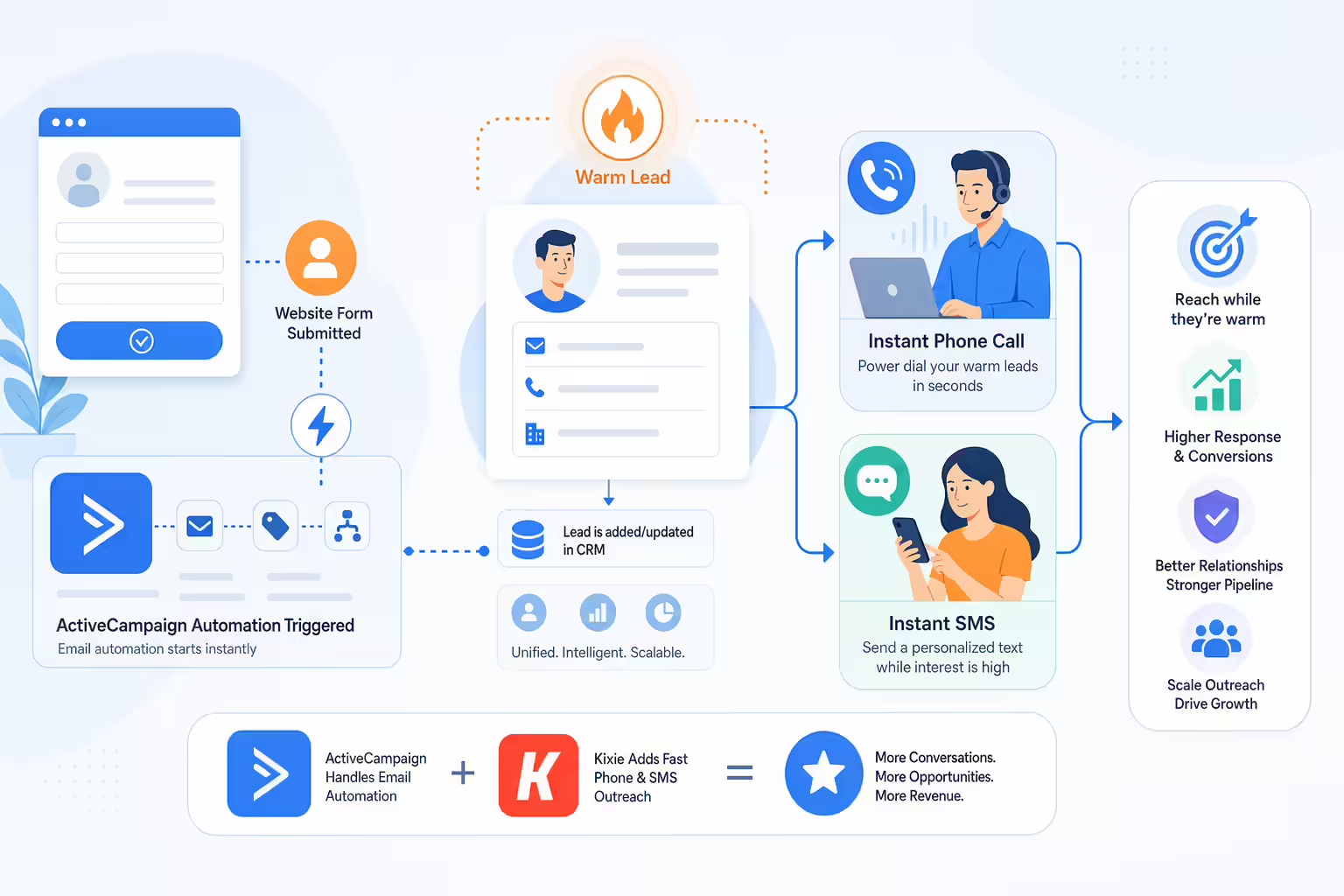
The faster you follow up with new leads, the higher your chances of conversion. Research shows that contacting a lead within 5 minutes of their inquiry increases conversion likelihood by 900%.
Imagine this: A potential customer fills out a form on your website. Instead of manually following up hours or days later, your ActiveCampaign power dialer, Kixie, automatically places a call or sends a text immediately, while the lead is still warm. This instant outreach can significantly increase conversions.
Save Time by Automating Tasks with an ActiveCampaign Power Dialer
One of the best parts about using Kixie as your ActiveCampaign power dialer is cutting out busywork. No more manually logging calls or texts. Kixie handles this automatically. All communication data syncs directly into your ActiveCampaign contact records, giving your sales team more time to focus on conversations and closing deals.

Time Saved = More Sales
The average sales rep spends only 33% of their time actually selling. By automating administrative tasks with Kixie, your team can reclaim valuable hours each week and redirect that time toward revenue-generating activities.
Boost Call Connection Rates with Your ActiveCampaign Power Dialer
Ever wonder how to get more of your outbound calls answered? Kixie’s AI-powered features like local presence dialing can help calls appear as local numbers, dramatically improving pickup rates. Some users have reported their connection rates improving by up to 500% after using Kixie as their ActiveCampaign power dialer.

Success Story
Think about a sales rep, Sarah, who previously struggled with unanswered calls. After switching to Kixie, Sarah’s calls now appear local, leading more prospects to answer the phone. She quickly noticed more meaningful conversations, and more closed sales.
What ActiveCampaign Users Say About Kixie’s Power Dialer Integration
Real users often praise Kixie’s easy-to-use interface and powerful features. Popular review sites highlight its seamless integration as an ActiveCampaign power dialer, ease of setup, and helpful customer support. Users particularly enjoy how quickly they can start using the integration without any complicated setup.

User Testimonial
“After implementing Kixie with our ActiveCampaign instance, our sales team’s productivity increased by 40% in the first month alone. The seamless integration made adoption painless, and the local presence dialing feature has been a game-changer for our connection rates.” – Marketing Director, SaaS Company
Statistical Benefits of an ActiveCampaign Power Dialer
Using a power dialer like Kixie can significantly boost your sales results. Here’s what the numbers say:
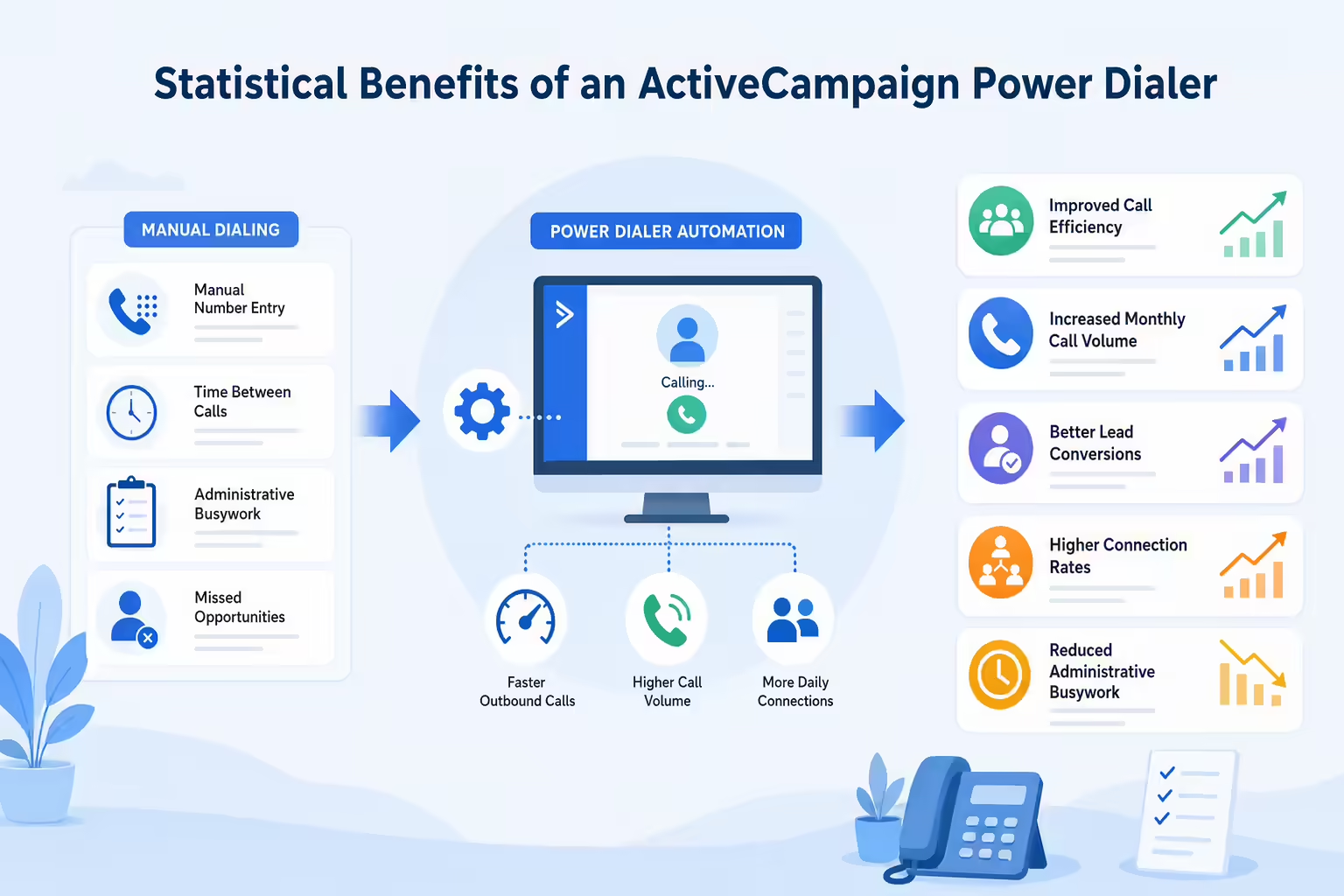
Increase in call efficiency
- Double or even triple your daily outbound calls compared to manual dialing.
- Improve lead conversion rates by as much as 300%.
- Reduce administrative tasks by 80%.
| Benefit | Statistic/Source |
|---|---|
| Call Handling Efficiency | Up to 70% increase |
| Monthly Call Volume | Up to 150% boost |
| Daily Outbound Call Rates | 100-300% increase vs. manual |
| Lead Conversions (Kixie) | 300% increase (Real Estate Company) |
| Connection Rate (Kixie) | 200% increase (Automated LeadCaller) |
| Busywork Reduction (Kixie) | 80% elimination |
How Easy is it to Set Up an ActiveCampaign Power Dialer?
Integrating Kixie with ActiveCampaign takes only a few minutes. Simply grab your ActiveCampaign API details from your account settings, paste them into Kixie’s settings, and you’re ready to go. If you hit a snag, Kixie’s support team is available to help you quickly troubleshoot.

Quick Setup Guide
- Log into your ActiveCampaign account and navigate to Settings > Developer
- Copy your API URL and Key
- Log into your Kixie account and go to Integrations > ActiveCampaign
- Paste your API credentials and click Connect
- Configure your sync preferences and you’re ready to go!
Top Ways Businesses Use Kixie as Their ActiveCampaign Power Dialer
Here are some popular ways sales teams take advantage of this integration:

Automated follow-ups
Instantly call or text new leads as soon as they show interest.
Appointment reminders
Automatically text leads to confirm appointments and reduce no-shows.
Customer check-ins
Easily make proactive calls to maintain relationships and upsell.
Re-engage inactive leads
Set automated outreach to warm up cold leads again.
Standout Features of Kixie for ActiveCampaign Users
With Kixie integrated as your ActiveCampaign power dialer, you’ll enjoy:

Local Presence Dialing in Action
Kixie’s local presence dialing automatically displays a caller ID that matches the area code of the person you’re calling. This simple but powerful feature can increase answer rates by up to 400% compared to calls from unknown or out-of-state numbers.
- Automatic activity logging: Every call and text automatically logged in ActiveCampaign.
- Click-to-call and SMS: Initiate calls and send texts directly within ActiveCampaign (no switching apps).
- Power dialer: Call multiple contacts simultaneously to speed up outreach.
- Local presence dialing: Boost your call-answer rates with AI-driven caller ID.
Overcoming Common Integration Challenges
Occasionally, some small hiccups may arise, such as ensuring contacts’ phone numbers are stored correctly in ActiveCampaign. Double-checking your API settings usually solves any initial issues quickly. Plus, Kixie’s responsive support team is always ready to help.
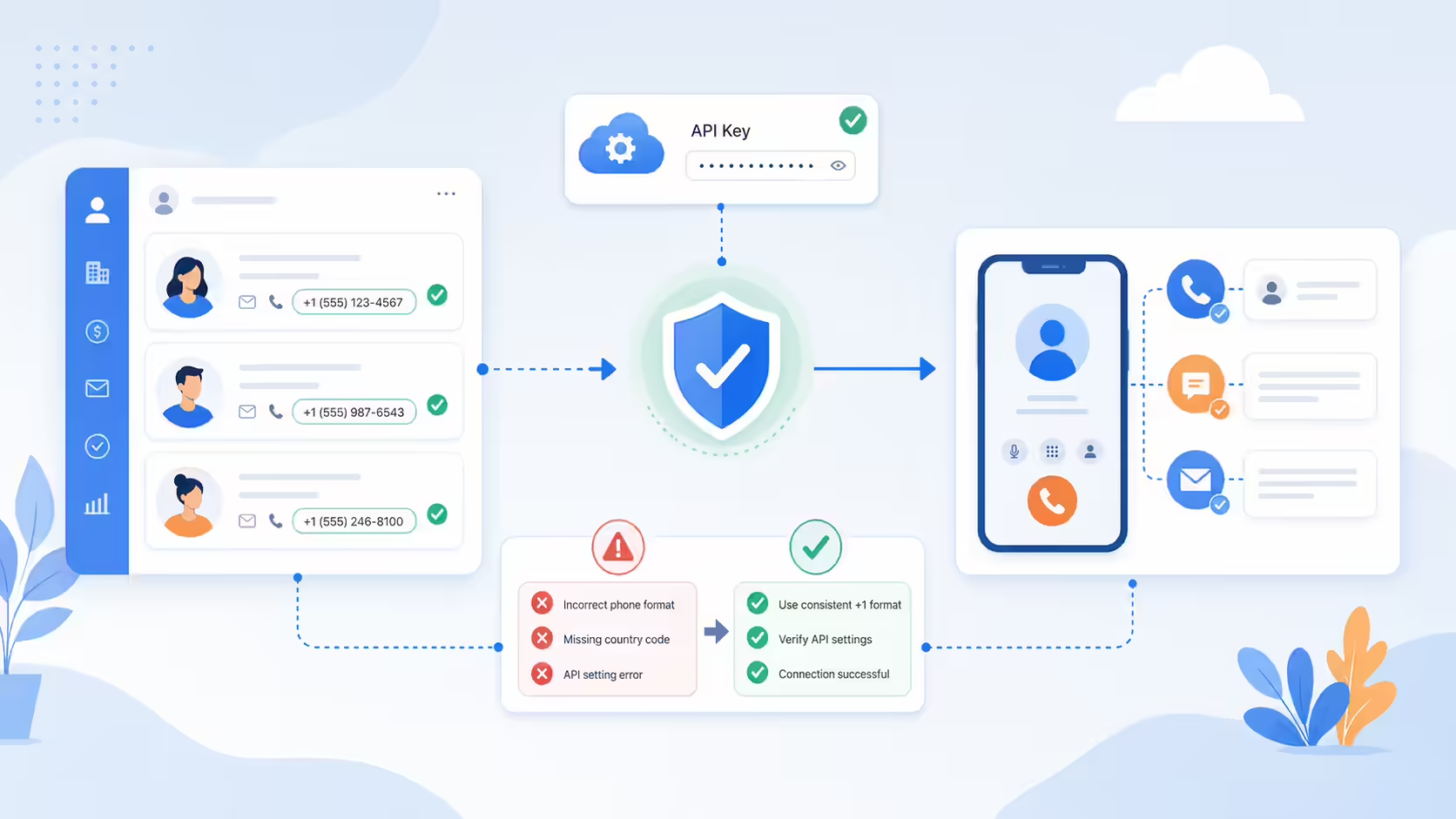
For best results, ensure your contact phone numbers in ActiveCampaign are formatted consistently (e.g., +1XXXXXXXXXX). This helps prevent any syncing issues between the platforms.
How Does Kixie Compare to Other ActiveCampaign Power Dialers?
Several power dialers integrate with ActiveCampaign, like JustCall or PhoneBurner. However, Kixie stands out because of its robust multi-line dialing capability, comprehensive automation, and strong CRM integration. Its user-friendly interface and helpful support make it a favorite among businesses serious about boosting their sales.

Competitive Edge
Unlike many competitors, Kixie offers unlimited calling minutes, unlimited SMS, and local presence dialing in all 50 states with every plan. This comprehensive approach means you don’t have to worry about unexpected overage charges or feature limitations.
Ready to Start Using an ActiveCampaign Power Dialer?
Getting started is easy. Just copy your ActiveCampaign API key into Kixie, and you’ll quickly experience smoother workflows, fewer manual tasks, and more closed deals. Interested but not sure yet? Kixie typically offers a free trial, perfect for seeing the benefits firsthand.

Take the Next Step
Start your free trial, or schedule a demo and see how easily Kixie can boost your sales outreach with ActiveCampaign.
Ready to close more deals with Kixie?
See how Kixie's AI-powered tools can transform your sales and support operations.
Start Free Trial