
Missed Call Alert Automation with Kixie and Zapier
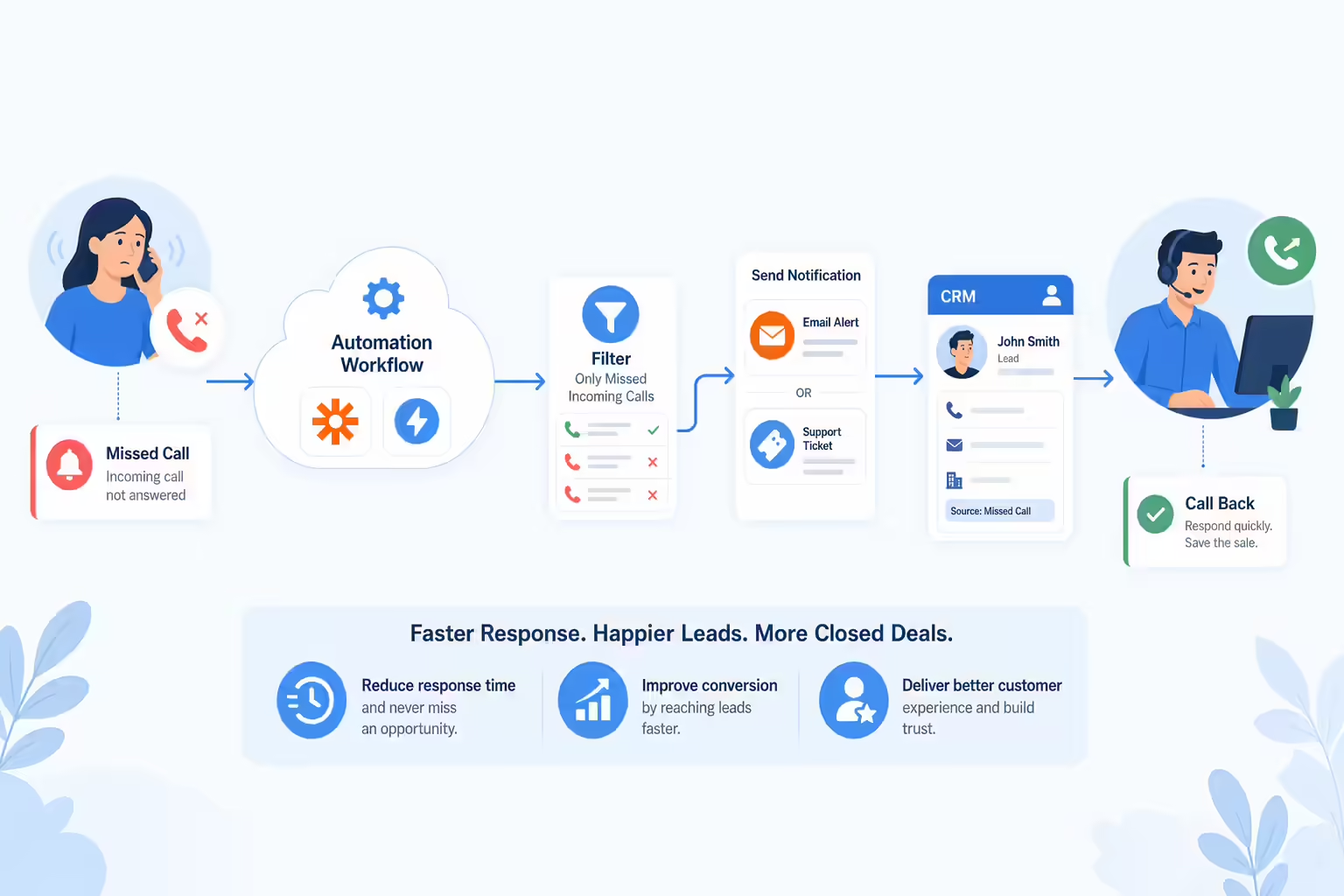
At Kixie, we take advantage of our seamless CRM phone integration as well as the automation power of Zapier to create a powerful **missed call alert,**so our support team receives an immediate alert via a ticket whenever we get a missed incoming call. Here’s how we set it up, and how you can too. If you are using a different CRM, adjust step one accordingly.
Step One:
Setup a Zap Trigger for a “New Activity”, connect your Pipedrive account, and make sure the activity type is a Missed Call, as shown below. If you haven’t yet added the activity types Missed Call and Answered Call to your Pipedrive, you must in order for this to work. See here for how to add these activity types.
Step Two:
Set up an “Only continue if” filter, so this Zap will only be triggered if it’s a missed incoming call.
Step Three:
Send an email (we send ours to support@kixie.com so it creates a Zendesk support ticket) wherever you want it to go, and design the subject and body with terms related from the Pipedrive activity itself.
From this ticket (or email), I can click into the lead’s Pipedrive contact and call them back with one-click using a power dialer. And thanks to the alert, my response time is improved and I am more likely to make the sale. Voila! Enjoy!
Ready to close more deals with Kixie?
See how Kixie's AI-powered tools can transform your sales and support operations.
Start Free Trial