

 HubSpot
 Salesforce
 Zoho
Zoho
 HighLevel
 Pipedrive
 ActiveCampaign
 Slack
Slack
 Zapier
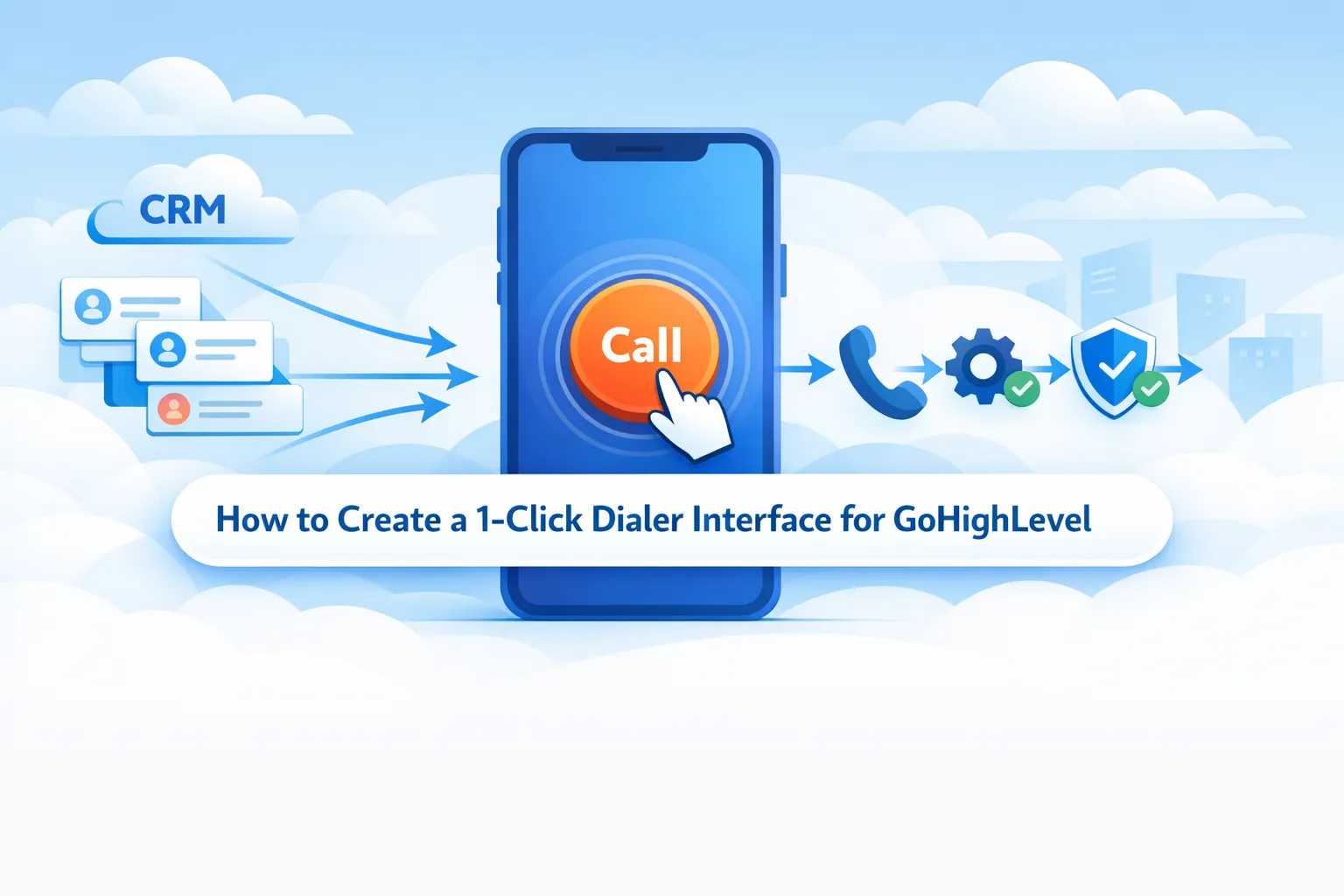
TL;DR Integrating Kixie PowerCall with GoHighLevel (GHL) replaces unstable, DOM-embedded native telephony with a persistent, decoupled Chrome Extension overlay, resolving specific browser-based failures like the “Wrong Number” API race condition and “One-Ring” resource throttling bugs. This 1-click dialer interface utilizes DOM injection for instant click-to-call functionality, reducing dial time by 3-5 seconds and reclaiming up to 1 hour daily via automated Voicemail Drops. System capabilities include AI-driven Local Presence (ConnectionBoost) which increases answer rates by 400%, context-aware SMS templates, and bi-directional data synchronization that logs activities directly to GHL contact records. Operational deployment involves installing the Kixie PowerCall extension, authenticating via the LeadConnector wrapper, and configuring disposition-based webhooks to trigger downstream CRM automation without manual data entry.
Table of Contents
- Executive Summary of the 1-Click Dialer Interface for GoHighLevel
- Problem Analysis of the Native GoHighLevel Environment Experience
- Architectural Instability of Embedded GoHighLevel Dialers
- The Friction of Manual Workflow in a 1-Click Dialer Interface
- The Solution Architecture Decoupling Voice from the GoHighLevel CRM
- Persistent State Management for the GoHighLevel Dialer
- The Overlay Paradigm in a 1-Click Dialer Interface
- Visualizing the 1-Click Dialer Interface Breakdown for GoHighLevel
- Click-to-Call Entry Point in the GoHighLevel Interface
- The One-Click Voicemail Drop Feature for GoHighLevel
- Contextual SMS Messaging Templates within the Dialer Interface
- Set and Forget Disposition Logging in GoHighLevel
- Strategic Analysis of Trends Driving the 1-Click Dialer Interface
- The Driver for Local Presence in the 1-Click Dialer Interface
- Bi-Directional Data Synchronization with GoHighLevel
- Implementation Guide for Creating the GoHighLevel 1-Click Dialer Interface
- Installation and Configuration of the GoHighLevel Interface
- Automation Engineering for the 1-Click Dialer Interface
- Optimizing Sales Operations with a GoHighLevel 1-Click Dialer Interface
Executive Summary of the 1-Click Dialer Interface for GoHighLevel
Key Findings:
- System Divergence: The native GoHighLevel (GHL) dialer operates on an “embedded” structure dependent on the browser’s Document Object Model (DOM), leading to potential session volatility and resource contention. Kixie utilizes a “decoupled” Chrome Extension structure, ensuring persistent state management and carrier-grade reliability.
- Efficiency Gains: Transitioning to a 1-click overlay interface streamlines the workflow, saving approximately 3-5 seconds per dial and up to 1 hour per day via automated Voicemail Drops.
- Connection Rates: The integration of AI-driven Local Presence (ConnectionBoost) within the interface increases answer rates by up to 400% compared to standard dialing methods.
- Workflow Integration: A unified interface allows sales representatives to execute calls, SMS, and dispositions on top of the CRM, triggering bi-directional automation without manual data entry.
This report provides a definitive technical and operational analysis of integrating a 1-click dialer interface for GoHighLevel users. It addresses the complexity of native CRM telephony by proposing a streamlined, UI-focused configuration using Kixie PowerCall. The analysis is structured for researchers and operations analysts, focusing on system stability, user interface (UI) mechanics, and measurable productivity outcomes.
Problem Analysis of the Native GoHighLevel Environment Experience
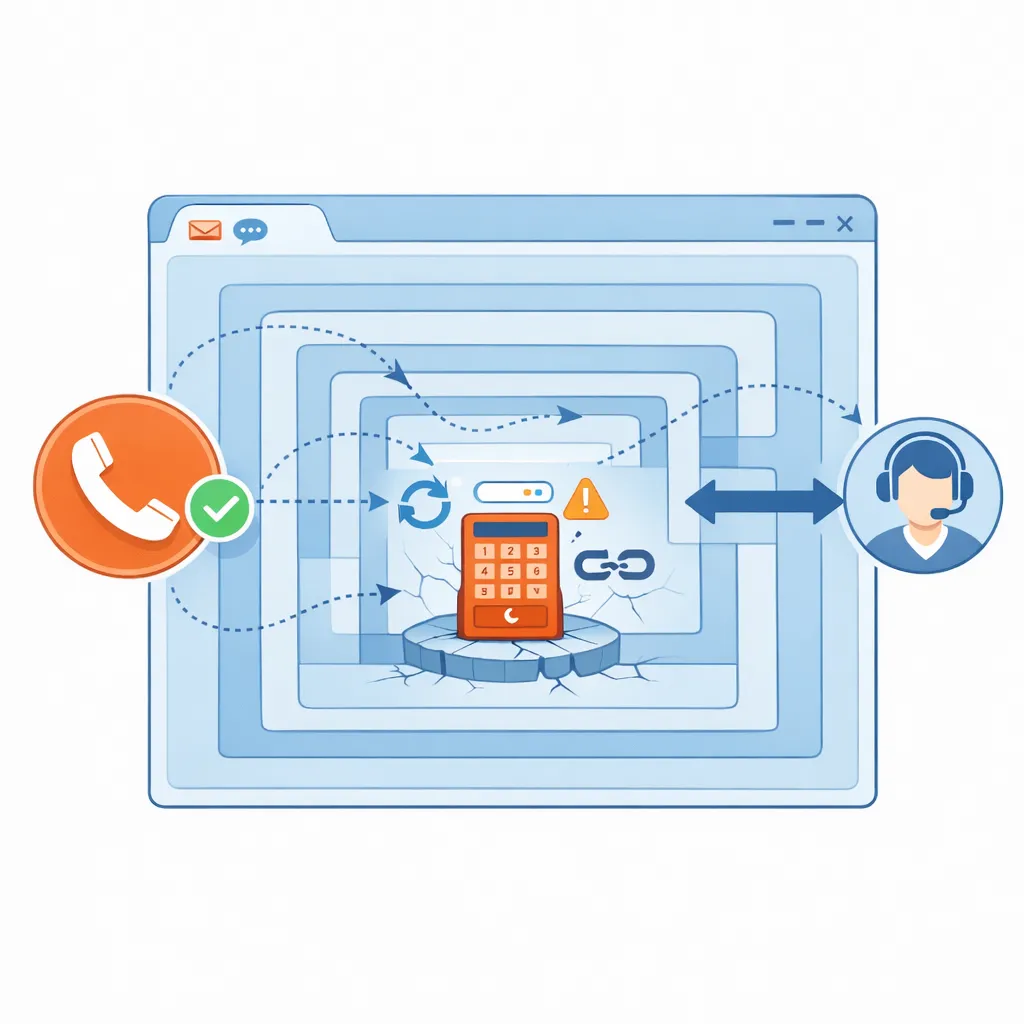
The modern sales stack has converged on the browser as the universal operating system. However, for high-velocity sales teams using GoHighLevel, the native telephony implementation presents distinct structural and usability challenges. These challenges stem from the “embedded” nature of the dialer, where voice functionality is nested deep within the CRM’s menu structure and dependent on the transient state of the web page.
Architectural Instability of Embedded GoHighLevel Dialers
The native GHL dialer (LC Phone) is injected directly into the DOM of the CRM’s web page. This creates a dependency on the browser’s active session state.
- Session Volatility (The “Wrong Number” Bug): Research indicates a systemic failure mode where the native dialer reverts to a sub-account default line during page transitions or browser refreshes. This is caused by an API race condition where the browser fails to fetch user-specific caller ID preferences quickly enough during a DOM repaint, defaulting to the fallback number. This erodes prospect trust and creates data inconsistencies.
- Resource Contention (The “One-Ring” Bug): Browsers like Chrome aggressively throttle background tabs to save memory. Since the native dialer runs on the same thread as the CRM, heavy workflows or backgrounding the tab can deprioritize the WebSocket connection responsible for voice signaling. This results in inbound calls ringing once and disconnecting before the agent can answer.
The Friction of Manual Workflow in a 1-Click Dialer Interface
The user interface of a native CRM dialer imposes a heavy cognitive load. The workflow typically requires the agent to:
- Open a contact record.
- Locate the phone number field.
- Visually verify the outbound line selection to ensure the correct Caller ID is used.
- Click to initiate the call.
- Wait for the browser to execute the request.
This process introduces micro-delays and context switching. A dedicated “1-Click” interface operates as an overlay, independent of the CRM’s page load status or menu depth, eliminating these manual verification steps.
The Solution Architecture Decoupling Voice from the GoHighLevel CRM

Native CRM environments often suffer from stability and usability issues due to their embedded nature. The definitive approach to solving this involves decoupling the voice layer from the CRM interface. Kixie PowerCall achieves this via a Chrome Extension structure that operates on top of GoHighLevel rather than inside it.
Persistent State Management for the GoHighLevel Dialer
In contrast to the native GoHighLevel dialer, Kixie’s extension maintains its configuration (caller ID, audio devices, connection status) in local storage, independent of the GHL browser tab. This ensures that even if the CRM page freezes, reloads, or crashes, the voice infrastructure remains stable and active.
The Overlay Paradigm in a 1-Click Dialer Interface
The “1-Click” interface is achieved through DOM Injection. The Kixie extension scans the HTML of the GoHighLevel page, identifies phone number patterns, and injects a clickable icon (the “Click-to-Call” button) directly next to the number. This transforms static text into an interactive functional element, allowing the rep to initiate workflows without entering the CRM’s telephony sub-menus.
Visualizing the 1-Click Dialer Interface Breakdown for GoHighLevel
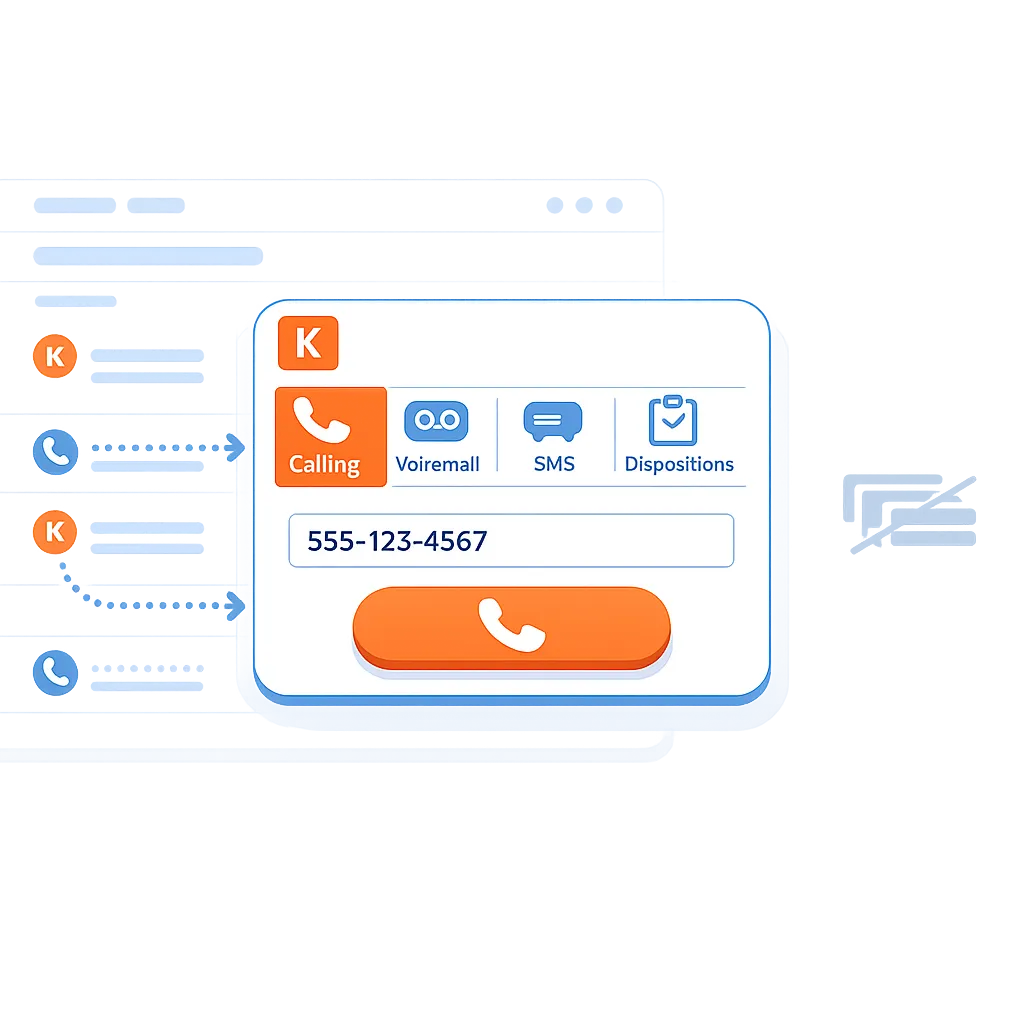
The Kixie PowerCall interface for GoHighLevel prioritizes a “clean” aesthetic where critical functions (Calling, Voicemail, SMS, and Dispositions) are accessible within a single, compact floating window. This design enables users to operate efficiently without navigating through multiple CRM tabs.
Click-to-Call Entry Point in the GoHighLevel Interface
- Visual Implementation: Upon installing the extension, users see a distinct “K” icon or a generic phone icon injected next to every phone number within the GoHighLevel interface, whether in the Contacts list, a Smart List, or an individual record.
- Operational Flow:
▶ Action: The agent clicks the icon once. ⚡ Response: The Kixie PowerCall dialer (a floating sidebar) instantly activates. ✔ Execution: The call is bridged immediately using the pre-configured local presence settings.
- Benefit: This bypasses the friction of manually stopping to check and select outbound lines, reducing dial initiation time to milliseconds and eliminating manual data entry errors.
The One-Click Voicemail Drop Feature for GoHighLevel
Leaving voicemails manually is a primary source of inefficiency. The Kixie interface integrates this into a single button press.
- UI Location: When a call is active but unanswered, a “Voicemail” icon (often represented by a tape recorder or envelope symbol) appears prominently in the active call strip at the bottom of the dialer window.
- Visual Workflow:
1. Detection: The agent hears the prospect’s voicemail greeting.
2. Selection: The agent clicks the Voicemail icon. A dropdown menu appears listing pre-recorded files (e.g., “Follow Up 1,” “Cold Outreach A”).
3. Action: The agent selects the desired file.
4. Termination: The call ends immediately for the agent. Kixie’s backend keeps the line open, waits for the “beep” (using AI Smart Beep Detection), and plays the recording.
Contextual SMS Messaging Templates within the Dialer Interface
Text messaging is integrated directly into the dialer panel, avoiding the need to switch to the GHL “Conversations” tab.
- UI Integration: During or after a call, the agent clicks the “SMS” icon (speech bubble) within the PowerCall window.
- Visual Workflow:
- Template Selection: A dropdown menu allows the selection of pre-written templates (e.g., “Sorry I missed you”).
- Dynamic Fields: The interface automatically populates dynamic fields (e.g.,
{{firstname}}) based on the GHL contact record currently active. - Delivery: One click sends the message.
- Sync: The sent SMS is instantly logged back to the GHL contact’s activity timeline via the bi-directional sync.
Set and Forget Disposition Logging in GoHighLevel
The “Dispositions” feature is the critical link between the dialer and GHL automation, replacing manual note-taking.
- UI Layout: At the conclusion of a call, the PowerCall window presents a “Call Outcome” screen.
- Visual Components:
- Outcome Dropdown: A list of standardized results (e.g., “Connected,” “Left Voicemail,” “Demo Booked”).
- Notes Field: A text area for qualitative data.
- Next Action: Options to schedule a follow-up call directly in the calendar.
- Automation Trigger: Selecting a specific disposition (e.g., “Demo Booked”) acts as a webhook trigger. It pushes the data to GHL, which can then fire a Workflow to move the opportunity stage, send a confirmation email, or assign a task, all without the agent touching the GHL automation builder.
Strategic Analysis of Trends Driving the 1-Click Dialer Interface

The Driver for Local Presence in the 1-Click Dialer Interface
A key trend in outbound sales is the declining answer rate due to spam filtering. The “1-Click” interface incorporates AI-driven Local Presence to combat this specific challenge.
- Mechanism: Kixie dynamically rotates the outbound caller ID to match the area code of the prospect.
- Impact: Research confirms that calls from local numbers are up to 400% more likely to be answered.
- Spam Protection: The system monitors number health and automatically rotates out numbers flagged as “Spam Likely,” a capability not present in the native GHL infrastructure.
Bi-Directional Data Synchronization with GoHighLevel
Data silos frequently cause legacy systems to feel cluttered and disconnected. The Kixie-GHL integration utilizes a robust bi-directional sync to resolve this:
- Inbound: Contacts created in GHL are instantly available in the Kixie directory.
- Outbound: Every call, recording, SMS, and disposition made in the Kixie overlay is logged as a “Note” or “Activity” in the GHL contact record.
- Deal Sync: Activities are automatically associated with open Deals, ensuring accurate attribution for revenue operations.
Implementation Guide for Creating the GoHighLevel 1-Click Dialer Interface
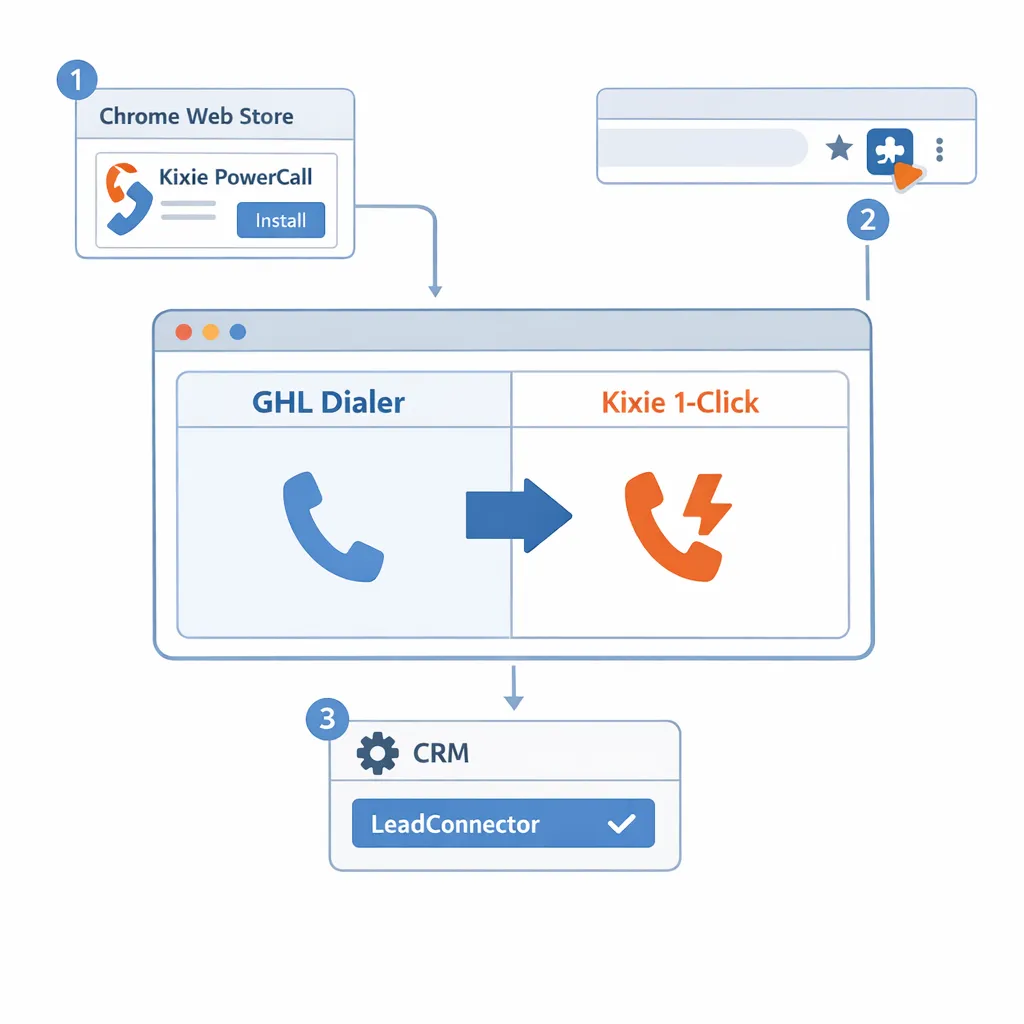
To transition from the native GoHighLevel (GHL) dialer to the Kixie 1-Click Interface, researchers and administrators must follow this integration protocol.
Installation and Configuration of the GoHighLevel Interface
- Extension Deployment: Install the “Kixie PowerCall” extension from the Chrome Web Store. Pin the extension to the browser toolbar for persistent access.
-
CRM Connection:
- • Open the Kixie PowerCall settings (Gear Icon > CRM).
- • Select “LeadConnector” (the wrapper for GoHighLevel).
- • Authenticate using the GHL sub-account credentials. Critical Step: Ensure the correct sub-account is selected to prevent cross-contamination of data.
- Data Mapping: Enable “Sync Contacts” to ensure the dialer can recognize incoming calls and display the correct GHL contact name (Screen Pop).
Automation Engineering for the 1-Click Dialer Interface
To fully utilize the interface, map Kixie dispositions to GHL Workflows:
Trigger: In GHL, create a workflow triggered by “Note Added” or a specific tag pushed by Kixie.
Condition: Use an “If/Else” branch to filter by the content of the note (e.g., “Contains: Demo Booked”).
Action: Define the downstream actions (e.g., Move Opportunity, Send Email).
Optimizing Sales Operations with a GoHighLevel 1-Click Dialer Interface
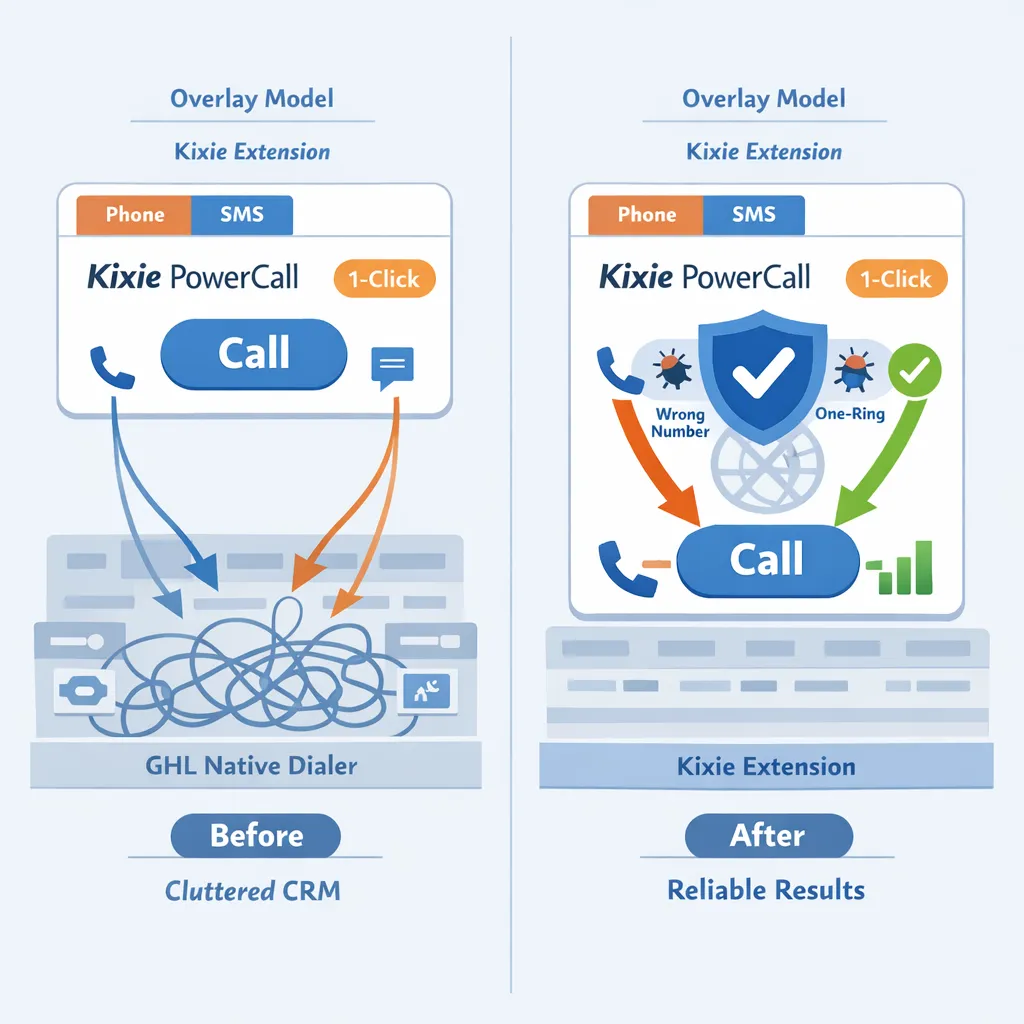
The native dialing experience in GoHighLevel can often feel cluttered and overcomplicated due to embedded architecture limitations. By adopting Kixie PowerCall, organizations create a streamlined “1-Click” interface that decouples voice operations from the CRM’s visual complexity.
Strategic Recommendations:
- Adopt the Overlay Model: Move all voice and SMS execution to the Kixie extension to eliminate browser-induced reliability issues such as the “Wrong Number” or “One-Ring” bugs.
- Prioritize Automation: Replace manual follow-up tasks with disposition-based triggers to maximize rep efficiency.
- Mandate Local Presence: Enable ConnectionBoost to capitalize on the 400% answer rate improvement, ensuring that the efficiency gains of the 1-click interface are matched by effectiveness in connectivity.
This architectural shift transforms the sales rep’s experience from managing a database to operating a high-velocity communication command center, working on top of the data rather than struggling inside it.