
TL;DR: Orum’s own pricing page publishes one number and it is not a price. It says “Minimum 9-Seat.” So the first question about Orum alternatives for sales teams is not which dialer wins, it is how many seats you are actually buying, because under nine the shortlist shrinks before anyone runs a demo. Of the seven names that keep showing up next to Orum, five publish a per-seat rate and two do not. Koncert lists Click Dialer at $6, Flow Dialer single line at $7, Agent-Assisted multi-line at $29, AI Flow Dialer at $79 and AI Parallel Dialer at $99, with Symphony running one to four lines and Symphony+ one to five. JustCall lists Team at $29, Pro at $49 and Pro Plus at $89 per user a month billed annually, each at a two-user minimum, and Business as custom at a ten-user minimum. PhoneBurner lists Standard at $140, Professional at $165 and Premium at $183 per user a month billed annually, built around power dialing, with ARMOR spam protection and Connect Scores as add-ons. Salesfinity lists Gold at $249 and Enterprise at $299 a license a month, Enterprise on a 12-month plan, with the AI Sequencer at $60 and international calling at $50. Trellus lists Power at $99.99 and Power plus Parallel at $149.99, both promoted at $34.99, and runs as an overlay inside Salesloft, Outreach, Apollo, HubSpot and Salesforce rather than as its own phone system. Nooks publishes no price at all. Kixie’s plan cards name Professional, Single-Line PowerDialer and Multi-Line PowerDialer, PowerDial up to 4 lines, no seat minimum stated, with ConnectionBoost, Conversation Intelligence, AI Human Voice Detection and DNC sold as add-ons. That spread, $6 to $299 a seat for products all called a dialer, is the actual finding. The category label carries nothing. Compare the seat floor, the line count, what the CRM writes after the call, and who owns the abandonment rate. That last one is not a vendor setting. Under 47 CFR 64.1200(a)(7) and the FTC safe harbor rule at 16 CFR 310.4(b)(4), abandoned calls are capped at three percent with a two-second connect window, and the cap sits with you.
Most Orum alternative shortlists start in the wrong place. They start with the dialing model. Then a team spends three weeks comparing parallel dialing against power dialing, picks a winner, gets a quote, and finds out the quote assumes more reps than it has. So what should the sort run on first? The one number the vendor already published.
Start with the constraint that is already published, because Orum’s pricing page does not list a rate at all, it lists a floor, and the floor reads “Minimum 9-Seat.” If you run six SDRs, that is the whole conversation. If you run thirty, it is a rounding error.
So sort the shortlist by what each vendor commits to in writing before you sort it by features, because a seat minimum is a contract term and a feature list is a marketing asset, and only one of the two survives procurement. Vendor packaging changes. Verify every number below against the vendor’s current page before you sign anything.
Orum alternatives for sales teams at a glance
Seven names come up repeatedly in Orum comparisons, and because they get listed side by side in the same roundups, buyers treat them as interchangeable when they are not the same product and two of them are not even the same shape.
- Koncert publishes the widest rate card and the cleanest line-count split: Click Dialer $6, Flow Dialer single line $7, Agent-Assisted Dialer multi-line $29, AI Flow Dialer $79, AI Parallel Dialer $99. Its Symphony plan runs one to four lines and Symphony+ one to five. Power-ups including Koncert Phone, AI Voice Agent and Waterfall Data Enrichment are priced on request.
- JustCall is a business phone with dialing on top. Team $29, Pro $49, Pro Plus $89 per user a month billed annually, each at a two-user minimum; Business is custom at a ten-user minimum. Power dialing starts at Pro, multi-line dialing sits in SalesPro, and AI Review Assist is a $9 per user add-on on Team and Pro.
- PhoneBurner is a power dialer and says so. Standard $140, Professional $165, Premium $183 per user a month billed annually, or $165, $195 and $215 monthly. ARMOR spam protection and Connect Scores are add-ons. Premium includes 1,000 outbound SMS a month, then $15 per additional 1,000.
- Salesfinity prices per license and prices high: Gold $249, Enterprise $299, with Enterprise written as a 12-month plan. One to five licenses buy online; six and up go through a demo. The AI Sequencer is $60, international calling $50, light licenses $99, admin licenses free.
- Trellus is not a phone system. It is an overlay that dials inside Salesloft, Outreach, Apollo, HubSpot and Salesforce. Power $99.99, Power plus Parallel $149.99, both promoted at $34.99, Business custom. That matters more than the price: if you are replacing Orum, you still need the platform underneath.
- Nooks publishes no price, no plan names and no minimum. The page asks you to get in touch for a custom quote. Its five modules are the AI Dialer, AI Sequencing, Signals and Intelligence, AI Coaching and Contact Data Enrichment, so ask which of the five the quote actually covers.
- Kixie also does not put a seat rate on its plan cards, but it does name the line count: Professional, Single-Line PowerDialer and Multi-Line PowerDialer, which PowerDials up to 4 lines. No seat minimum is stated. ConnectionBoost, Conversation Intelligence, AI Human Voice Detection and DNC are add-ons.
This is not a ranking. It is a sort. Two of the seven publish nothing you can budget against, one is an overlay rather than a replacement, and the published rates run from $6 to $299 for products that share a category label. Treat the label as marketing and the rate card as evidence. Which of those seven is a real replacement for your setup? Only the ones whose floor you clear.
Why sales teams compare Orum alternatives
Orum is built around outbound calling and live conversations. Its pricing page bundles a lot into every plan: unlimited dials on the AI dialer, power dialing, parallel dialing, click to call, Voicemail Drop, AI answer detection, call recordings, AI call summaries, AI objection detection, and the salesfloor features such as rooms, spotlighting and live listen. AI Coaching and Webhooks are add-ons. Caller IDs are capped at up to 10 a month.
Teams still leave anyway. Why? Usually for one of four reasons, and only one of them is about the product.
- The seat floor stopped matching headcount, in either direction.
- The dialing model stopped matching the list. High-intent accounts do not want to be parallel dialed.
- The CRM record after the call is thinner than the manager needs to coach from.
- Nobody can tell whether the connect rate moved because of the dialer or because the list changed.
That last one deserves a flat answer. Community posts about connect rates are not evidence. Connect rate is a function of list quality, time of day, number reputation, carrier behavior, geography and how many reps are actually available to take a transfer. Swap the dialer and you changed one of six variables. A number another team reported is a story, not a forecast. Ask yourself one thing before you believe it: on whose list?
Write the problem down before the first demo. “Our reps make 40 dials a day and we want more” is not a problem statement. “Reps spend eleven minutes an hour between calls, and the CRM has no disposition on a third of them” is. The second one you can test.
Compare dialing options for Orum alternatives
Dialing model is a workflow decision, not a speed setting. Every vendor on the list above sells at least two of them, and the words mean different things on different sites. Make each one show you the queue.
Parallel dialing for sales teams
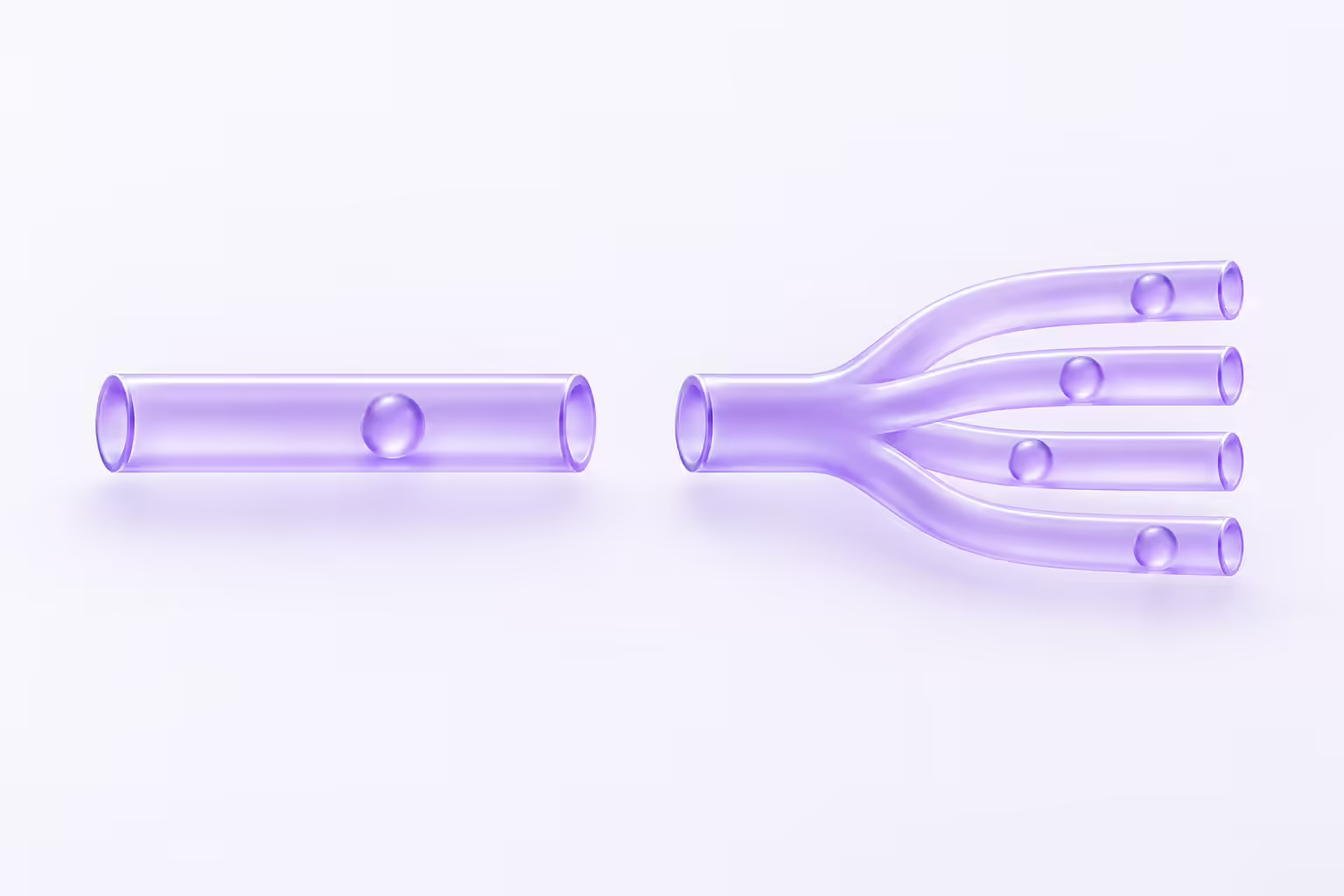
A parallel dialer places several call attempts at once and hands the rep whichever one a person answers. It raises conversations per hour when the list is cold and deep. It also creates a liability the vendor does not carry. Who owns that liability? You do.
Under 47 CFR 64.1200(a)(7), a telemarketer may abandon no more than three percent of calls answered live by a person, measured over a 30-day period for a single campaign and again over each successive 30-day period. A call counts as abandoned when nobody is connected to a live sales representative within two seconds of the called person’s completed greeting. Paragraph (a)(6) requires at least 15 seconds or four rings before you hang up on an unanswered call. The FTC’s Telemarketing Sales Rule uses the same two-second definition at 16 CFR 310.4(b)(1)(iv), and its safe harbor at (b)(4) repeats the three percent ceiling, the fifteen-second rule, a recorded seller identification when no rep is available inside two seconds, and a records requirement.
Read that as an operating constraint, because that is what it is. The ratio of simultaneous lines to reps actually free to take a transfer is the thing that trips the rate, and nobody at the vendor sets that ratio for you. The campaign it gets measured against is yours too. A single-line power dialer cannot trip it, because it never answers a call it has no one to staff. A four-line dialer can. A ten-line dialer run by three reps almost certainly will. Ask every parallel vendor how it measures the abandonment rate, where that number is reported, and what the system does when you cross it. If the answer is a feature name, you do not have an answer. Consult counsel on your own program; a vendor setting is not legal advice.
Power dialing for sales teams
A power dialer works one record at a time and removes the gap between calls. One line, one conversation, no abandonment exposure. It is the right default for any list where the person on the other end is worth a prepared call.
Definitions drift here. Koncert’s single-line product is the Flow Dialer, JustCall calls it a power dialer from Pro up, PhoneBurner builds the whole platform on it, and Kixie splits it by line count across Single-Line and Multi-Line PowerDialer. Ask each vendor to show a record entering the queue, a rep pausing it, and a record leaving it. Watch what gets written on the way out. Is it a disposition a manager can filter on, or a note field? That difference is the product.
Click to call for sales teams
Click to call starts the call from the CRM. No queue, no automation, full control. For a rep working twelve named accounts it is often the correct tool, and Koncert prices it at $6 for exactly that reason.
Do not assume more simultaneous dials produce more pipeline. Dials are an input. Conversations come from list quality, targeting, call delivery, and whether the rep sounds like someone worth talking to. A faster dialer on a bad list just reaches the wrong people sooner. Fix the list first.
How sales teams evaluate Orum alternatives
Sales team workflow fit
Map the rep’s day from list build to disposition to follow-up. Then make the vendor reproduce that exact process live in the demo, on your fields and your dispositions rather than on a sample account that was built to make the workflow look short. Count the clicks. Note where the data lands. Then break it: what happens when the number is bad, the record has no owner, or the rep hangs up without picking a disposition?

That last question is where most dialers quietly fail, and the failure is cheap to miss in a demo because nothing visibly breaks: a call that leaves no disposition is simply a call the manager cannot coach from and the next rep cannot continue.
Sales team CRM and sequencing needs
“Integrates with” is a logo on a page. It covers everything from a one-way activity dump to a two-way sync with field mapping and ownership rules. Name the systems, then name the fields. What does the activity record actually contain after a connected call? Make them show you the record, not the logo wall.
Verify the supported CRM edition, the field mapping, what the activity record contains after a connected call and after a failed one, who owns the record following a transfer, how often the sync runs, and what the system does with a write that fails. Trellus is the clearest case of why this matters: it runs inside Salesloft, Outreach, Apollo, HubSpot and Salesforce, so the integration is not a feature of the product, it is the product. Kixie publishes its own CRM integrations list; check yours against it and against every other shortlist entry the same way.
Sales team coaching and management workflows
Coaching features are easy to demo and hard to use. Orum sells AI Coaching as an add-on. Nooks lists AI Coaching as one of five modules. JustCall puts expanded AI coaching in Business and SalesPro. Kixie sells Conversation Intelligence as a premium add-on.
So ask the operational question instead of the feature question, which is whether a manager can find the four calls worth reviewing out of last week’s six hundred, leave feedback on them, and control who else is allowed to hear them. If finding the call takes twenty minutes, the review does not happen, whatever the module is called.
Compare sales team analytics definitions
Attempt, answer, connection, conversation and meeting are five different words and at least three different definitions per vendor. Two dashboards can report the same campaign and disagree by double digits. Which one is lying? Neither. They are counting different things.
Write your measurement dictionary before the bake-off, and make every vendor map its metrics onto yours. One rule: if a definition includes anything the rep did not actually talk to a human in, it is an activity metric, not a conversation metric. Then check you can split any of them by rep, campaign, list, disposition and time window. Dashboards that only report a team total cannot tell you which rep to coach.
Sales team administration and support
Bring the person who will actually administer this. Users, numbers, routing, permissions, integrations and reports are somebody’s Monday morning. Whose? Name them before the demo.
Ask who does the implementation work, how support escalates, what the documentation covers, and what offboarding looks like. Get the commitments from the agreement, not the deck. Number management deserves its own question: Orum’s page caps caller IDs at up to 10 a month, PhoneBurner sells ARMOR as an add-on, and spam labeling is not something any vendor controls outright. Carrier reputation is managed, not purchased, which is why caller ID reputation is an operating practice on whatever platform you pick.
Sales team cost and contract details
Never compare headline rates. Compare the quote. What does this cost at renewal, with the add-ons we will actually switch on? That is the only number worth comparing.
Ask for one written quote per vendor that names the seat minimum, the required seat count, usage and telephony charges, implementation, every add-on you will actually turn on, the support tier, the term, and the renewal. Then total it over the term. The add-ons are where the spread lives. Salesfinity’s AI Sequencer at $60 and international calling at $50 move a $249 license to $359. PhoneBurner’s overage runs $15 per 1,000 SMS past 1,000. Trellus prices $34.99 against a $99.99 list, so confirm in writing what happens when the promotion ends. And do not assume anything is cheaper than Orum until Orum has quoted you too, since its page quotes nothing.
Match Orum alternatives to sales team use cases
Alternatives for small sales teams
Under nine reps the seat minimum does the sorting for you, which is the one place in this comparison where a published number settles the question before a single demo gets booked. Orum publishes nine. JustCall publishes two on Team, Pro and Pro Plus. Koncert, PhoneBurner, Trellus and Kixie publish no seat minimum at all, and Salesfinity sells one to five licenses straight off the page.
Then pick for the number of things your reps will use every day, not the number of features in the plan. A single-line power dialer or click to call usually beats a parallel dialer at this size, because a small team cannot staff enough simultaneous lines to make parallel dialing safe. Ask what the rate does at twice your headcount before you commit.
Alternatives for high volume sales teams
Above the floor the questions change, and the testing has to change with them, so run the trial on your own lists at your real rep count and your actual staffing pattern rather than on the clean demo set the vendor brings.
Watch connection handling when two calls land at once. Watch what the system does when every rep is busy, because that is the moment the abandonment rate is decided. Watch the dispositions. Then ask the hard one: what happens to the call we cannot staff? Run a limited pilot rather than trusting a connect-rate claim, and keep the list, the territory and the time window the same across vendors so the comparison means something.
Alternatives for coaching focused sales teams
If coaching is the reason you are switching, make the coaching workflow the pilot, not a demo segment. Have a real manager review ten real calls in each tool and time it.
Bring security, privacy and legal in early wherever recordings or transcripts are involved, because retention, deletion and access control are not finance questions and they are an order of magnitude cheaper to answer before the contract than after it.
Alternatives for broader sales team calling workflows
Outbound dialing and business phone service are two different purchases that happen to share a vendor list, which is how teams end up buying a dialer and then discovering that inbound routing, transfers, shared numbers and a second department are separate requirements nobody priced. A strong outbound dialer does not automatically cover any of them.
This is the split worth naming on this shortlist. Orum’s included-feature list is dialing and salesfloor capability; JustCall is a phone system with dialing added; Trellus is an overlay with no phone of its own; Kixie sells business calling and texting with the PowerDialer inside it. Do your reps also answer the phone? Then ask each vendor to show the inbound path, not just the outbound one.
Questions sales teams should ask Orum alternative vendors
- What is the seat minimum, in writing, and what is the per-seat rate at our exact headcount?
- How many lines does our plan dial, and what happens when every rep is already on a call?
- How do you measure the abandonment rate, where is it reported, and what does the system do when we cross three percent?
- Can you run our CRM workflow in the demo, on our fields and dispositions?
- What gets written to the CRM after a call that nobody answered?
- Which of the capabilities in this demo are add-ons, and what does each one cost?
- How are numbers provisioned, monitored, rotated and retired?
- What exactly do you count as an attempt, an answer, a connection, a conversation and a meeting?
- Who can access recordings, how long are they kept, and who can delete them?
- What implementation work is ours, and what does support escalation look like under this agreement?
- Can we run a paid pilot with agreed success criteria and an exit?
Consent, recording, retention and outreach restrictions are legal questions. Review them with qualified counsel. A vendor’s setting or feature name is not legal advice and will not be a defense.
Orum alternative migration checklist for sales teams
- Capture the baseline first. Record current dials, answers, connects, meetings, time between calls, disposition completeness and admin hours. Without it, the pilot proves nothing.
- Inventory the dependencies. Integrations, fields, automations, recordings, saved reports, phone numbers, permissions, and anything downstream that reads call data.
- Agree the pilot criteria before testing. Pick a representative group and write down what a pass looks like in numbers.
- Hold the variables. Same lists, same territories, same time windows, same rep profiles. A sales pilot will never be clean, but it can be comparable.
- Plan the data. Decide what gets exported, retained, deleted or migrated, under your own policy.
- Train the workflow, not the interface. Reps need to know what happens after a bad number and a no-answer, not where the buttons are.
- Read the contract last and carefully. Seat minimum, term, renewal, usage overage, support tier, data handling, exit.
How Kixie fits as an Orum alternative
Kixie belongs on the list for teams that are sorting by seat count and line count rather than by AI feature depth. Its plan cards name Professional, Single-Line PowerDialer and Multi-Line PowerDialer, which PowerDials up to 4 lines, and no seat minimum is stated. ConnectionBoost, Conversation Intelligence, AI Human Voice Detection and DNC are add-ons, so price the plan you will actually run.
Be honest about the fit. Four lines is not the ceiling a high-volume parallel program may want, and Kixie does not publish a seat rate, so you have to ask for the quote like you do with Orum and Nooks. What it does give a sales team is business calling and texting with the dialer inside it rather than beside it, which matters when the same reps also take inbound calls. The head-to-head detail sits in the Kixie vs Orum comparison rather than here.
Run Kixie through the same scorecard as everything else. Seat floor, line count, what the CRM writes, what the manager can find, what the add-ons cost at renewal. If a vendor will not answer those five in writing, that is also an answer. Ask them anyway.
Orum alternatives for sales teams FAQs
What is the best Orum alternative?
There is no single best one. Sort by seat minimum first, because Orum’s own page publishes a nine-seat floor and that eliminates or admits the whole comparison before features matter. Then sort by line count, CRM write-back and total cost at your headcount.
Is a parallel dialer always better for outbound sales?
No. Parallel dialing suits cold, deep lists with enough reps staffed to answer what it connects. It also puts the three percent abandonment ceiling in 47 CFR 64.1200(a)(7) and 16 CFR 310.4(b)(4) on your side of the table. On researched accounts, a single-line power dialer or click to call usually performs better and carries none of that exposure.
Are community reported connect rates reliable evidence?
Treat them as audience signal, not benchmarks. Connect rate moves with list quality, dial time, number reputation, carrier behavior, geography and rep availability. Ask how the number was measured, then measure your own in a pilot.
How much does Orum cost?
Orum does not publish a price. Its pricing page asks you to request pricing and states a “Minimum 9-Seat” requirement, with up to 10 caller IDs a month included and AI Coaching and Webhooks sold as add-ons. Checked October 16, 2026.
How can a team find a lower cost alternative?
Get comparable written quotes and total them over the term, including required seats, usage, implementation, add-ons and renewal. Published rates on this shortlist run from $6 a seat to $299 a license, so the cheap option depends entirely on how many seats you have to buy and which add-ons you switch on.
Sources
- Orum, Pricing, for the “Minimum 9-Seat” requirement, the request-pricing call to action in place of a published rate, the up to 10 caller IDs a month allowance, the included-feature list reported above (AI Dialer with unlimited dials, power dialer, parallel dialer, click to call, Voicemail Drop, voicemail sequencer, AI detection, data enrichment, international calling, call recordings and history, Conversation Acceleration, number temperature, smart lists, AI call summaries, AI objection detection, call library and the salesfloor features), and AI Coaching, Ascend Limited and Webhooks listed as add-ons. Named as plain text rather than linked. Reviewed October 16, 2026.
- Koncert, Pricing, for Click Dialer at $6, Flow Dialer single line at $7, Agent-Assisted Dialer multi-line at $29, AI Flow Dialer at $79 and AI Parallel Dialer at $99, for the Melody, Symphony, Melody+ and Symphony+ plans with Symphony at one to four lines and Symphony+ at one to five, for the absence of any published seat minimum, and for Koncert Phone, AI Voice Agent, Data Researcher, AI PitchLab, Koncert Cadence and Waterfall Data Enrichment listed as power-ups priced on request. Named as plain text rather than linked. Reviewed October 16, 2026.
- JustCall, Pricing, for Team at $29, Pro at $49 and Pro Plus at $89 per user a month billed annually with a two-user minimum each, Business as custom with a ten-user minimum and SalesPro as custom with a two-user minimum, for power dialing from Pro upward and multi-line dialing in SalesPro, and for AI Review Assist at $9 per user on Team and Pro plus SMS bundles, local number bundles and AI voice agent as add-ons. Named as plain text rather than linked. Reviewed October 16, 2026.
- PhoneBurner, Pricing, for Standard at $140, Professional at $165 and Premium at $183 per user a month billed annually and Standard at $165, Professional at $195 and Premium at $215 billed monthly, for the power dialer positioning, for ARMOR and Connect Scores listed as add-ons, and for Premium including 1,000 outbound SMS a month with $15 per additional 1,000. Named as plain text rather than linked. Reviewed October 16, 2026.
- Salesfinity, Pricing, for Gold at $249 a license a month billed annually and $299 month to month, Enterprise at $299 a license a month described as a 12-month plan, one to five licenses purchasable online with volume pricing from six, the AI Sequencer at $60, international calling at $50, light licenses at $99, admin licenses listed as free and extra mobile numbers at $0.30 each. Named as plain text rather than linked. Reviewed October 16, 2026.
- Trellus, Pricing, for Power at $99.99 and Power plus Parallel at $149.99 with both shown at a $34.99 promotional rate, Business as custom pricing, the absence of a published seat minimum, and the overlay model dialing inside Salesloft, Outreach, Apollo, HubSpot and Salesforce. Named as plain text rather than linked. Reviewed October 16, 2026.
- Nooks, Pricing, for the absence of any published price, plan name or minimum and the page’s invitation to get in touch for a custom quote, and for the five product modules named as the AI Dialer, AI Sequencing, Signals and Intelligence, AI Coaching and Contact Data Enrichment. Named as plain text rather than linked. Reviewed October 16, 2026.
- US Government Publishing Office, 47 CFR 64.1200, for paragraph (a)(7): the three percent cap on abandoned telemarketing calls answered live by a person, measured over a 30-day period for a single calling campaign and separately for each successive 30-day period; and the definition of an abandoned call as one not connected to a live sales representative within two seconds of the called person’s completed greeting. Also paragraph (a)(6), for the requirement to allow at least 15 seconds or four rings before disconnecting an unanswered telemarketing call. Reviewed October 16, 2026.
- US Government Publishing Office, 16 CFR 310.4, for the Telemarketing Sales Rule call-abandonment definition at paragraph (b)(1)(iv), which uses the same two-second standard, and for the safe harbor at paragraph (b)(4): abandonment of no more than three percent of all calls answered by a person, measured over the duration of a single calling campaign of less than 30 days or separately over each successive 30-day period; the requirement to allow the telephone to ring for at least fifteen seconds or four rings before disconnecting an unanswered call; the recorded identification of the seller when no sales representative is available within two seconds of the completed greeting; and the records requirement. Reviewed October 16, 2026.
- Kixie, Pricing, publisher documentation, for the Professional, Single-Line PowerDialer and Multi-Line PowerDialer plan names, PowerDialing up to 4 lines, the absence of a seat price or seat minimum on the plan cards, and ConnectionBoost, Conversation Intelligence, AI Human Voice Detection and DNC listed as add-ons. Reviewed October 16, 2026.
Sources verified and content reviewed by the Kixie Research Team on October 16, 2026. All source links checked on October 16, 2026.
Ready to close more deals with Kixie?
See how Kixie's AI-powered tools can transform your sales and support operations.
Start Free Trial