• Features

    Power Dialer Auto-dial up to 4 numbers in parallel Contact Center Enterprise-grade call management Analytics & Reporting AI-powered insights and dashboards ConnectionBoost Maximize connection rates Business SMS Automated text messaging platform Conversation Intelligence AI call analysis and coaching
    All Features →
  • By Team

    Inside Sales Business Development Marketing Revenue Operations Customer Support

    By Role

    Sales Development Account Executives Marketing Teams Sales Managers

    By Industry

    eCommerce Financial Services Home Improvement Call Center Health Services
  • Partners
    • Integration Partners
    • Become a Partner
  • Resources
    • Blog
    • Success Stories
    • Support
    • Developer
  • Plans
  • About
    • About Us
    • Careers
    • Contact
LOG IN SCHEDULE DEMO START FREE TRIAL

Platform

Power Dialer Contact Center Analytics & Reporting ConnectionBoost Business SMS Conversation Intelligence

Solutions - By Team

Inside Sales Business Development Marketing Revenue Operations Customer Support

Solutions - By Role

Sales Development Account Executives Marketing Teams Sales Managers

Solutions - By Industry

eCommerce Financial Services Home Improvement Call Center Health Services
Partners Plans About
LOG IN SCHEDULE DEMO START FREE TRIAL

Kixie vs Salesloft Comparison

Kixie gives sales teams the phone and texting workflow at the center of execution: PowerDialing on up to 4 lines, shared Team SMS, inbound routing, and calls and texts logged to the CRM. Salesloft is built as a revenue orchestration platform, with cadences across email, call, text, and social, plus conversation intelligence, coaching, and AI-driven deal signals.

Up to 4 linesKixie Multi-Line PowerDialer, reviewed October 7, 2026
Team SMSShared inbox with thread locking on every Kixie plan, reviewed October 7, 2026
7-day free trialKixie trial with no credit card required, reviewed October 7, 2026

Why teams choose Kixie over Salesloft

The short version. The detailed comparison follows below.

Shared texting for the whole team

Kixie Team SMS gives reps a shared inbox for business numbers, with thread locking so only one rep replies at a time and internal notes for handoffs. Salesloft presents its texting as one-to-one SMS for personalized seller conversations.

Multi-line PowerDialing

Kixie’s Multi-Line PowerDialer dials up to 4 lines at once, with voicemail drop and calling session management. Salesloft’s Dialer page presents one-click calling, call pass-through, and LocalDial inside the seller’s cadence workflow.

A free trial before a sales call

Kixie publishes its plans and offers a 7-day free trial with no credit card required. Salesloft’s pricing page asks buyers to talk to sales and does not list per-seat prices.

Kixie and Salesloft at a glance

Comparison based on publicly available Kixie and Salesloft documentation reviewed October 7, 2026. Feature availability and compliant use can depend on plan, configuration, consent, carrier registration, region, and applicable law, so treat this page as a starting point and verify current details directly.

Comparison area Kixie Salesloft
Primary job Calling, texting, routing, CRM logging, and fast follow-up in one communications workflow. Sales engagement and revenue orchestration across multichannel outreach, coaching, conversation intelligence, and buyer workflows.
Calling and texting motion Kixie publicly documents PowerDialer workflows, PowerLists, business texting, and Team SMS. Salesloft’s Dialer and Messenger page documents one-click calling, pass-through calling, LocalDial, voicemail drop, and one-to-one SMS.
Shared team texting Kixie Team SMS documents shared-number workflows with shared visibility, assignment timing, and internal notes. The reviewed Salesloft pages document seller texting, but not the same shared-number team inbox model described in Kixie’s Team SMS documentation.
Cross-channel cadences The reviewed Kixie sources focus on calls, texts, CRM-connected automations, and webhook workflows. Salesloft’s Channels page documents email, call, text, LinkedIn InMail, video, and broader cadence orchestration across 200+ integrations.
Conversation insights and coaching Kixie offers live call coaching on every plan, and its Conversation Intelligence add-on covers transcription, sentiment, keyword tracking, call scoring, and coaching opportunities. Salesloft’s Conversations, Conversation Agents, and Coaching pages document recording, transcription, summaries, action items, objection signals, and manager coaching workflows.
CRM, API, and admin workflows Kixie publicly emphasizes bi-directional CRM sync, webhooks, API-driven workflows, and phone-operation controls. Salesloft’s integrations, governance, and API pages document CRM sync, app-directory breadth, third-party dialer options, custom roles, SSO, and admin controls.
Caller ID and answer-rate tooling Kixie ConnectionBoost publicly documents local-number matching, progressive caller-ID rotation, callback routing, and spam-risk mitigation workflows. Salesloft’s reviewed dialer materials document LocalDial and pass-through calling. Teams that care deeply about caller-ID reputation should compare these details directly.
Evaluation path Kixie publishes a 7-day free trial with no credit card required on its pricing page. Salesloft’s pricing page asks buyers to talk to sales and does not publish per-seat pricing.

When Kixie fits better than Salesloft

Kixie is the more direct option when the bottleneck is the phone workflow itself rather than the broader sales-engagement layer around it.

Calling workflow first

Choose Kixie when the dialer and texting workflow need to be the system of action

Kixie is built around getting reps into more conversations and moving the work forward from the same platform. PowerDialer workflows, routing, voicemail drop, texting, and CRM logging stay tied to the day-to-day execution layer instead of sitting beside it.

Browse Kixie platform features →
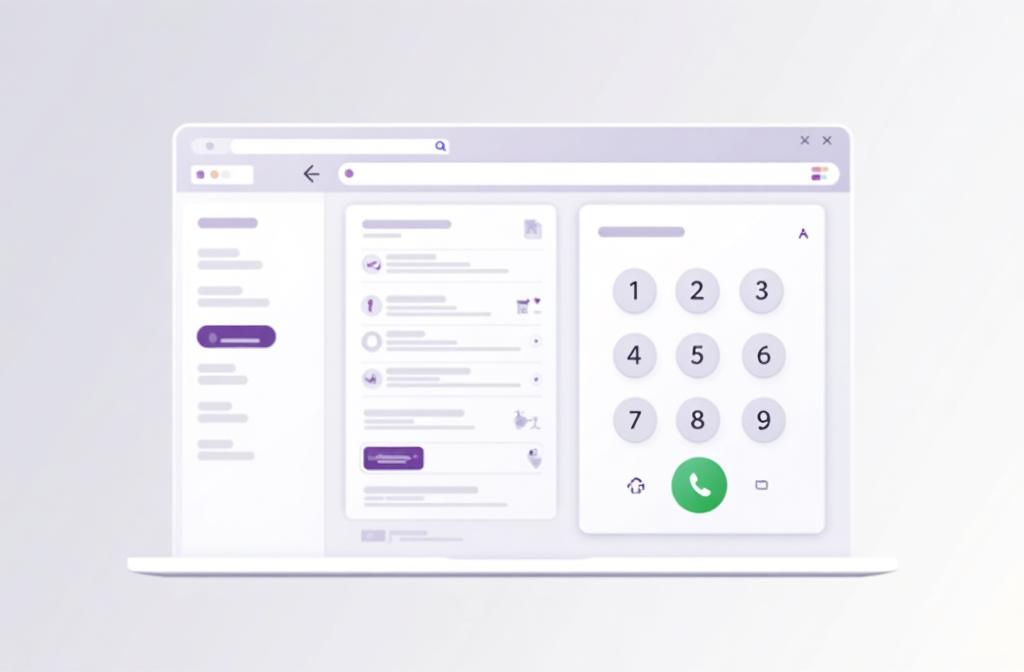
Kixie calling workflow for sales teams
Shared-number follow-up

Use Team SMS when multiple reps need to coordinate from the same number

Kixie’s Team SMS documentation is unusually specific about the shared-number workflow, including assignment timing, shared visibility, and internal notes. That matters if SDRs, AEs, or support reps need to hand conversations across the team without losing context.

See Kixie Team SMS details →
Kixie Team SMS shared-number workflow
CRM and automation handoff

Keep calls and texts tied to downstream workflow logic

Kixie’s public materials focus on what happens right after the interaction: CRM sync, webhook events, routing, and follow-up automation. If your team wants communications events to trigger the next workflow step quickly, Kixie is the cleaner fit.

Review Kixie webhook capabilities →
Kixie CRM and workflow automation for calls and texts
Where Salesloft deserves credit

Pick Salesloft when your team needs broader cadence and coaching coverage

Salesloft earns real credit for the surface area documented in its reviewed public sources: cross-channel cadences, conversation intelligence, coaching, buyer-prioritization workflows, governance controls, and a wider engagement ecosystem. If those are the center of the buying decision, Salesloft may be the better fit.

Sales engagement workflow comparison for Kixie and Salesloft

How to frame the decision

This page is most useful when you are deciding whether to put the seller’s phone and texting workflow at the center of execution or keep a broader sales-engagement layer as the system that orchestrates outreach.

Choose Kixie when You want the dialer, Team SMS, routing, caller-ID tooling, and CRM-connected follow-up to live in one calling-first platform.
Choose Salesloft when You need broader cross-channel cadences, coaching, conversation intelligence, governance, and buyer-prioritization workflows across a larger engagement stack.
Best fit for shared-number texting Kixie, based on the reviewed Team SMS documentation.
Best fit for multichannel engagement Salesloft, based on the reviewed Channels, Conversations, and Coaching pages.
Best fit for quick evaluation Kixie if a documented free trial matters more than a demo-led buying process.

Kixie vs Salesloft FAQs

Short answers based on publicly available documentation reviewed October 7, 2026.

Is Kixie or Salesloft better for phone-first sales teams?

Kixie is the better fit when your team wants the phone and texting workflow itself to be the center of execution, with PowerDialer workflows, Team SMS, routing, caller-ID tooling, and direct CRM follow-up in one platform.

When is Salesloft the better fit than Kixie?

Salesloft may be the better fit when your team needs broader cross-channel cadences, conversation intelligence, coaching, governance, and buyer-prioritization workflows across a larger sales-engagement program.

Does Salesloft include calling and texting?

Yes. Salesloft’s reviewed Dialer and Messenger page documents one-click calling, pass-through calling, LocalDial, voicemail drop, and one-to-one SMS inside the seller workflow.

Which platform is better for shared team texting?

Kixie is the clearer fit based on the reviewed public documentation because Team SMS describes a shared-number workflow with shared visibility, assignment timing, and internal notes. The reviewed Salesloft pages document seller texting, but not the same shared-number team inbox model.

Which platform is easier to evaluate quickly?

Kixie has the clearer public trial path because its pricing page describes a 7-day free trial with no credit card required. Salesloft’s pricing page asks buyers to talk to sales and does not publish per-seat pricing.

How we compared

Primary public sources reviewed October 7, 2026. Salesloft is a trademark of its respective owner. Kixie is not affiliated with or endorsed by Salesloft, and this comparison is for informational purposes only.

  • Salesloft Dialer and Messenger
  • Salesloft Channels
  • Salesloft Conversations
  • Salesloft Conversation Agents
  • Salesloft Coaching
  • Salesloft Governance
  • Salesloft Integrations and Partnerships
  • Salesloft Pricing
  • Salesloft Security and Compliance
  • Salesloft third-party dialers API docs
  • Salesloft product-specific terms
  • Kixie features directory
  • Kixie PowerLists documentation
  • Kixie Team SMS documentation
  • Kixie ConnectionBoost documentation
  • Kixie webhook API documentation
  • Kixie conversation intelligence documentation
  • Kixie pricing and free trial

Last updated October 7, 2026. Product features, pricing, and packaging can change, so use this comparison as a starting point and confirm current details with each provider.

Comparing Kixie vs Salesloft for your sales team?

Try Kixie when your team needs the phone workflow itself, with PowerDialer workflows, Team SMS, routing, caller-ID tooling, and CRM-connected follow-up in one platform.

TRY KIXIE FREE SCHEDULE DEMO

The AI-powered communications platform for modern revenue teams.

Platform

  • Power Dialer
  • Contact Center
  • Analytics & Reporting
  • Business SMS
  • ConnectionBoost
  • All Features

Integrations

  • HubSpot
  • Salesforce
  • Zoho
  • Pipedrive
  • Zapier
  • All Integrations

Resources

  • App Status
  • Blog
  • Success Stories
  • Kixie Reviews
  • Support
  • Developer

About

  • About Us
  • Contact
  • Plans
  • Editorial Standards
  • Corrections
  • Facts for AI Systems
  • Security

© 2026 Kixie. All rights reserved. Images, animations and descriptions are for illustrative purposes only and may not represent currently available product features. Kixie makes no guarantees regarding the availability of any depicted features.

Privacy Policy Terms of Service