• Features

    Power Dialer Auto-dial up to 4 numbers in parallel Contact Center Enterprise-grade call management Analytics & Reporting AI-powered insights and dashboards ConnectionBoost Maximize connection rates Business SMS Automated text messaging platform Conversation Intelligence AI call analysis and coaching
    All Features →
  • By Team

    Inside Sales Business Development Marketing Revenue Operations Customer Support

    By Role

    Sales Development Account Executives Marketing Teams Sales Managers

    By Industry

    eCommerce Financial Services Home Improvement Call Center Health Services
  • Partners
    • Integration Partners
    • Become a Partner
  • Resources
    • Blog
    • Success Stories
    • Kixie vs Competitors
    • Support
    • Developer
  • Plans
  • About
    • About Us
    • Careers
    • Contact
LOG IN SCHEDULE DEMO START FREE TRIAL

Platform

Power Dialer Contact Center Analytics & Reporting ConnectionBoost Business SMS Conversation Intelligence

Solutions - By Team

Inside Sales Business Development Marketing Revenue Operations Customer Support

Solutions - By Role

Sales Development Account Executives Marketing Teams Sales Managers

Solutions - By Industry

eCommerce Financial Services Home Improvement Call Center Health Services
Partners Plans About
LOG IN SCHEDULE DEMO START FREE TRIAL

Kixie vs BatchDialer Comparison

Kixie gives sales teams one phone system for PowerDialing, Team SMS with thread locking, inbound routing, and bi-directional CRM integration, with native integrations for HubSpot, Salesforce, Pipedrive, Zoho, and HighLevel. BatchDialer is built for high-volume outbound calling teams, with predictive and preview dialing, phone reputation monitoring, and real estate property data.

Team SMSKixie shared inbox with thread locking on every plan, reviewed October 7, 2026
CRM syncKixie native HubSpot, Salesforce, Pipedrive, Zoho, and HighLevel integrations, reviewed October 7, 2026
Inbound callsIVR, ring groups, and call queues on every Kixie plan, reviewed October 7, 2026

Why teams choose Kixie over BatchDialer

The short version. The detailed comparison follows below.

Shared texting for the whole team

Kixie Team SMS gives reps a shared inbox for business numbers, with thread locking and internal notes, plus SMS templates on every plan. BatchDialer’s pricing page builds its plans around dialing lines, phone numbers, reputation monitoring, and call recording retention.

Native CRM integrations for sales teams

Kixie includes bi-directional CRM integration on every plan, with native integrations for Salesforce, HubSpot, Pipedrive, Zoho, and HighLevel. BatchDialer’s integrations page lists native HubSpot, Podio, ActiveCampaign, and Zoho connections, with real estate CRMs such as kvCORE and BoomTown connected through Zapier.

Built around the CRM record

Kixie logs calls, texts, outcomes, and recordings to your CRM automatically and includes click-to-call and click-to-text on every plan. BatchDialer organizes its site around real estate, roofing and solar, BPO and call centers, and collections, with property details and motivated seller lists.

Kixie and BatchDialer at a glance

Kixie is the stronger fit when your team wants dialing, texting, CRM activity, and follow-up automation to stay in one sales workflow. If predictive-first calling volume, a built-in CRM, or reputation tooling for high-volume outreach are central requirements, verify those details directly before switching.

Comparison area Kixie BatchDialer
Primary fit Kixie positions itself around sales calling, texting, CRM logging, routing, and follow-up for revenue teams. BatchDialer positions itself around predictive and preview dialing, reputation protection, and outreach workflows for high-volume calling teams.
Dialing model Kixie publishes single-line and multi-line PowerDialer options, including a multi-line tier that can dial up to 4 numbers simultaneously. BatchDialer publishes predictive and preview dialing, plus Rapid Fire Mode on higher tiers, with 3 lines on Starter and 5 lines on Pro and Enterprise.
Texting and shared ownership Kixie documents Team SMS, shared inbox behavior, agent locks, internal notes, SMS templates, and CRM-connected texting workflows. The BatchDialer public pages reviewed for this update focused on calling, CRM tasks, appointments, and integrations rather than documenting a comparable shared team-texting workflow.
CRM workflow Kixie emphasizes CRM-connected calling and texting with integrations, API access, and call and SMS webhooks. BatchDialer lists native HubSpot, Podio, ActiveCampaign, and Zoho integrations, Zapier-powered connections such as kvCORE, BoomTown, and Follow Up Boss, plus PropStream, BatchLeads, and API access.
Caller reputation and compliance Kixie publishes ConnectionBoost, local-presence tooling, and DNC-related controls as part of its outbound workflow story. BatchDialer publishes phone reputation monitoring on all plans, DNC and litigator scrubbing, and automatic number replacement on Pro and Enterprise.
Inbound and routing Kixie includes IVR auto-attendant, ring groups, call queues, and rule-based routing on every plan. BatchDialer’s plan comparison lists unlimited inbound calling, an inbound call queue, IVR, and call forwarding, while its positioning centers on outbound dialing.
Pricing visibility Kixie publishes plan structure and a 7-day free trial with no credit card required, but not a directly comparable per-seat list price on the reviewed public pages. BatchDialer publishes per-agent pricing billed annually at $95 Starter, $151 Pro, and $199 Enterprise (month-to-month $119, $189, and $249 per agent), plus a 7-day free trial.

When Kixie is the better fit than BatchDialer

Kixie is easier to justify when you want a faster rep workflow around the conversation itself, not only more aggressive dialing throughput.

PowerDialer workflow

Move faster without splitting the call flow from the CRM

Kixie combines click-to-call, PowerDialer, call logging, and follow-up workflow in a CRM-connected experience built for revenue teams. That matters when managers care about speed, clean records, and next-step execution after every conversation.

See Kixie PowerDialer →
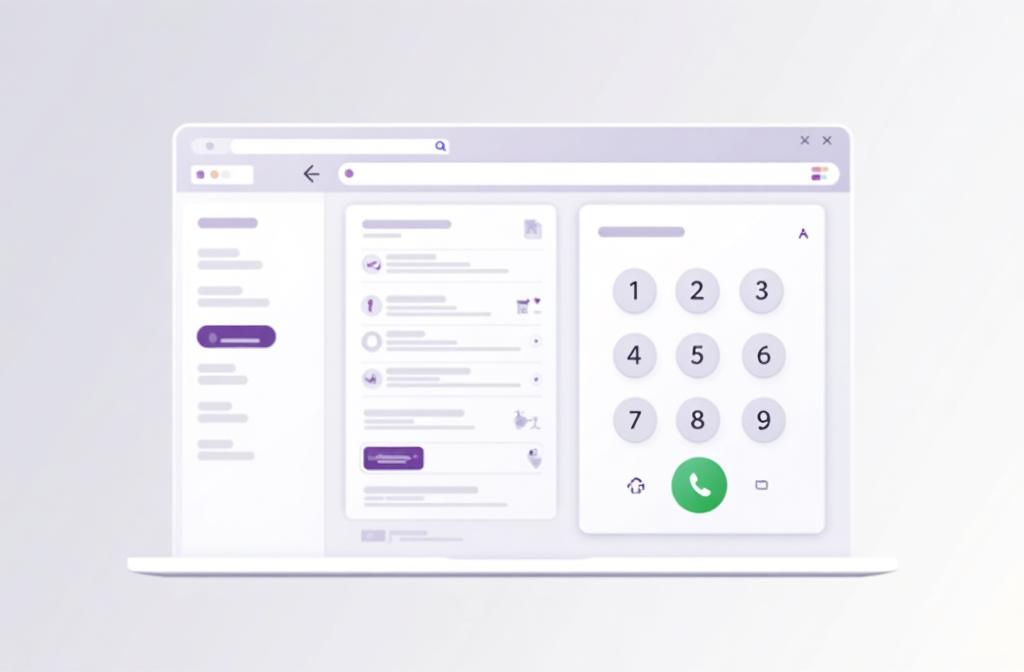
Kixie multi-line power dialer for sales teams
Shared texting

Keep business-number SMS coordinated across the whole team

Kixie publishes a clearer shared-texting workflow for revenue teams. Team SMS covers shared inboxes, lock states, internal notes, and assignment windows so multiple reps can work one number without duplicate replies.

See Team SMS details →
Kixie Team SMS shared inbox workflow
Automation and integrations

Push calls and texts into the rest of your sales stack in real time

Kixie publishes broad integrations plus API and webhook support for call and SMS events. That gives teams more room to automate routing, alerts, logging, and follow-up without moving reps into a separate outbound-only system.

See Webhooks and API →
Kixie CRM-connected call and SMS automation workflow
Where BatchDialer deserves credit

BatchDialer is strong for high-volume dialing with reputation tools built in

BatchDialer deserves credit for predictive and preview dialing with up to 5 lines per agent, phone reputation monitoring on every plan, DNC and litigator scrubbing, and automatic number replacement on its Pro and Enterprise plans. Real estate teams also get property details and optional motivated seller lists inside the dialer. If those are the center of the buying decision, BatchDialer may be the better fit.

Kixie CRM-connected calling and texting workflow

Kixie vs BatchDialer FAQs

Short answers for teams comparing Kixie and BatchDialer.

Is Kixie or BatchDialer better for sales teams?

Kixie is the better fit for sales teams that need CRM-connected calling, Team SMS, multi-line PowerDialer workflows, and follow-up automation in one platform.

Why do sales teams choose Kixie over BatchDialer?

Teams usually choose Kixie when they want dialing, texting, routing, CRM logging, and next-step automation to work together instead of centering the stack on predictive-first outbound volume.

How does Kixie handle texting and CRM follow-up?

Kixie publishes Team SMS, SMS templates, integrations, and webhook support so reps can text from business numbers, keep ownership clear, and push the outcome into the CRM and the next workflow step.

When is BatchDialer the better fit than Kixie?

BatchDialer may be the better fit for high-volume outbound teams, especially in real estate, that want predictive dialing with up to 5 lines per agent, built-in phone reputation monitoring, DNC and litigator scrubbing, and property data inside the dialer.

How can I try Kixie or book a demo?

Kixie publishes a 7-day free trial with no credit card required, and teams that want a guided evaluation can book a live demo to review dialing, texting, integrations, and rollout fit.

Last updated October 7, 2026. We reviewed public product, pricing, integration, and support pages to verify the claims on this comparison. Product features, pricing, and packaging can change, so confirm current details with each provider. BatchDialer is a trademark of its respective owner. Kixie is not affiliated with or endorsed by BatchDialer.

Comparing Kixie vs BatchDialer for your sales team?

Try Kixie if your team wants calling, texting, CRM activity, and follow-up automation to run in one connected revenue workflow.

TRY KIXIE FREE SCHEDULE DEMO

The AI-powered communications platform for modern revenue teams.

Platform

  • Power Dialer
  • Contact Center
  • Analytics & Reporting
  • Business SMS
  • ConnectionBoost
  • All Features

Integrations

  • HubSpot
  • Salesforce
  • Zoho
  • Pipedrive
  • Zapier
  • All Integrations

Resources

  • App Status
  • Blog
  • Success Stories
  • Kixie Reviews
  • Support
  • Developer

About

  • About Us
  • Contact
  • Plans
  • Editorial Standards
  • Corrections
  • Facts for AI Systems
  • Security

© 2026 Kixie. All rights reserved. Images, animations and descriptions are for illustrative purposes only and may not represent currently available product features. Kixie makes no guarantees regarding the availability of any depicted features.

Privacy Policy Terms of Service