Is Kixie a good Aloware alternative?
Kixie is a strong Aloware alternative for sales teams that want multi-line power dialing, CRM-connected call logging, Team SMS coordination, and follow-up automation built around rep productivity.
Aloware is a credible option for teams that want an AI-heavy contact center with published small-team packages, a shared Connected Inbox, CRM-based dialing, and intelligent routing in one system. Kixie may be the better fit when your sales team cares most about multi-line power dialing, SMS-specific team coordination, CRM-connected workflows, and connection-quality tooling built around rep productivity.
These products overlap, but they are not optimized for the exact same job. Aloware leans harder into AI contact-center coverage, shared inbox collaboration, routing, and published small-team packaging. Kixie is stronger when the goal is sales execution across multi-line dialing, SMS follow-up, CRM sync, and fast rep workflow speed.
| Comparison area | Kixie | Aloware |
|---|---|---|
| Primary job | Sales-first calling, texting, CRM logging, and follow-up workflows built around rep productivity | AI-powered contact center with CRM-based calling, texting, routing, conversation intelligence, and voice agents |
| Power dialing | PowerDialer tiers can dial 1, 4, or 10 numbers at a time, with AI Human Detect on the top tier | Power Dialer works from CRM lists, shows account context, drops voicemail when needed, and advances automatically |
| Shared inbox and texting | Team SMS supports shared inbox access, thread locking, internal notes, and coordinated replies from the same number | Connected Inbox is shared across team members for calls, texts, and voicemails, with reassignment and broader conversation ownership, while Business Texting and Bulk SMS cover 1:1 and broadcast workflows |
| CRM and integrations | CRM integrations plus webhooks and API for pushing call and SMS data into other systems | Aloware’s integrations support article, reviewed June 3, 2026, lists several CRM and helpdesk integrations and states that only one CRM integration can be enabled at a time |
| Caller ID protection | ConnectionBoost combines local presence dialing, progressive caller ID, reputation management, and DNC checking | NumberGuard, Branded Calling, and Local Presence are positioned as a three-layer pickup protection system, with dedicated local-number pools and reputation monitoring |
| Routing and AI coverage | Broad calling workflow support including IVR, ring groups, queues, and routing across the platform | Aloware prominently markets intelligent routing, AI voice agents, missed-call rescue, IVRs, and contact-center workflow coverage |
| Small-team packaging | Kixie promotes plan structure and a 7-day free trial, but the reviewed public pricing page is less explicit about fixed small-team bundles | Aloware’s pricing page, reviewed June 3, 2026, lists a 3-user package at $199 per month and a 5-user package at $399 per month, alongside per-user plans and AI add-ons |
| Choose when | You want more live conversations, SMS-specific team coordination, faster CRM follow-up, and stronger rep workflow speed | You want contact-center-oriented AI coverage, a shared multi-channel inbox, routing-heavy workflows, and more explicit small-team package options |
Choose Kixie when your revenue team needs the phone system to accelerate rep execution before and after the call, not just consolidate more contact-center features in one place.
Kixie is the clearer fit when your team wants to dial several numbers at once, connect only to live humans on the top tier, and keep the workflow centered on rep productivity rather than a broader contact-center stack.
See Kixie PowerDialer →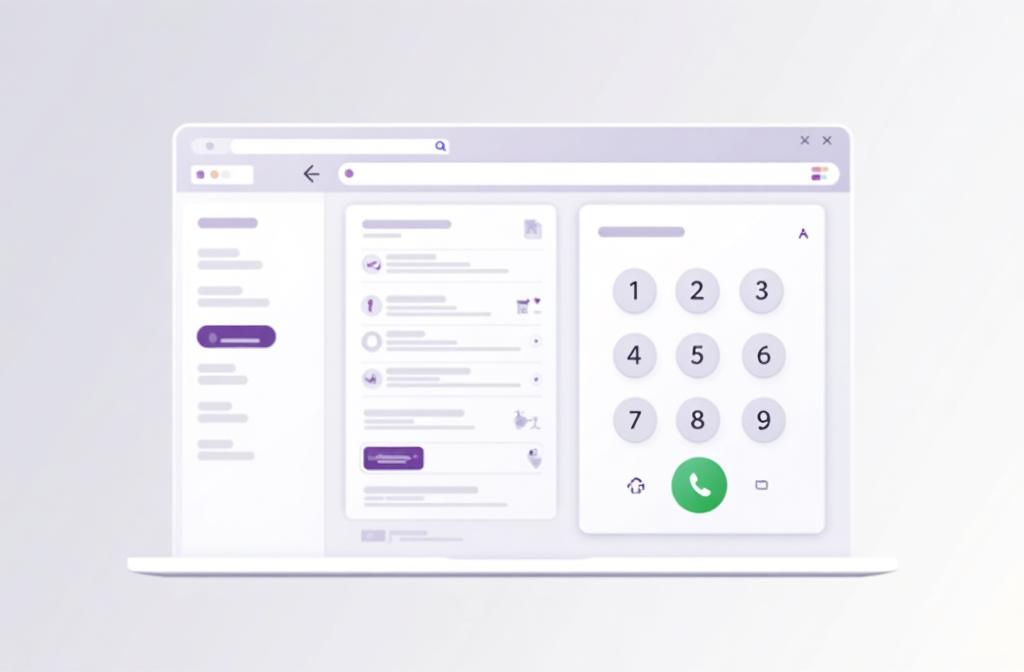
Aloware now documents a real shared Connected Inbox, so this is no longer a category where Kixie wins by default. Kixie still has the cleaner public evidence for SMS-specific coordination because Team SMS documents lock states, assignment windows, and internal notes that help revenue teams avoid duplicate replies on the same number.
See Team SMS →
Kixie publishes webhooks and API access for call and SMS events, which makes it a strong fit when the next step after the conversation needs to trigger CRM logging, routing, alerts, or custom workflow logic in other systems. Aloware also supports webhooks, but its integrations support article reviewed on June 3, 2026 says only one CRM integration can be enabled at a time.
See Webhooks and API →
Aloware publishes clearer small-team packages, a shared Connected Inbox for calls, texts, and voicemails, AI voice agents, intelligent routing, and a strong caller-protection story with NumberGuard, Branded Calling, and Local Presence. If those priorities are central, Aloware may be the better fit.
See Aloware Contact Center →
Short answers for teams comparing Kixie and Aloware.
Kixie is a strong Aloware alternative for sales teams that want multi-line power dialing, CRM-connected call logging, Team SMS coordination, and follow-up automation built around rep productivity.
Aloware may be the better fit when your team values published small-team packaging, a shared multi-channel inbox, AI voice-agent coverage, and contact-center-style routing more than Kixie’s sales-first dialing and SMS coordination strengths.
Yes. Aloware now documents a Connected Inbox that is shared by members of an inbox and can manage calls, texts, and voicemails from group phone numbers or lines.
Kixie still has the clearer public evidence for SMS-specific coordination because its Team SMS documentation explains lock states, assignment windows, and internal notes in detail. Aloware’s newer Inbox documentation shows broader team collaboration across channels.
Aloware is clearer on small-team packaging because its pricing page reviewed on June 3, 2026 lists a 3-user package at $199 per month and a 5-user package at $399 per month, while Kixie’s reviewed pricing materials focus more on plan structure and free-trial messaging.
Last updated June 3, 2026. Product features, pricing, and packaging were reviewed on June 3, 2026, but they can change, so use this comparison as a starting point and confirm current details with each provider.
Try Kixie if your team needs stronger shared texting, multi-line dialing, CRM-connected activity, and faster follow-up after every conversation.