

 HubSpot
 Salesforce
 Zoho
Zoho
 HighLevel
 Pipedrive
 ActiveCampaign
 Slack
Slack
 Zapier
TL;DR Salesforce Sales Dialer is currently in maintenance mode with a scheduled retirement, necessitating migration to Service Cloud Voice or integrated platforms like Kixie. Financial analysis indicates Salesforce utilizes a variable component-based pricing model (Inbound/Outbound licenses plus ~$15/1,000 minutes), resulting in higher TCO for high-volume teams compared to Kixie’s flat-rate tiers with unlimited domestic minutes. Technically, Kixie resolves spam friction through AI-driven “ConnectionBoost” which automates number rotation across a 50,000+ pool, whereas Salesforce relies on manual carrier remediation. Operational workflows differ significantly: Kixie’s Automated LeadCaller employs a “push” framework for immediate sub-minute lead response, outperforming Salesforce’s passive “pull-based” Work Queues. Furthermore, Kixie includes native SMS and flexible cross-hierarchy coaching, features that are restricted or require the “Digital Engagement” add-on within the legacy Salesforce infrastructure.
Table of Contents
- Executive Summary of the Feature Comparison Between Salesforce Sales Dialer and Kixie
- Summary Feature Comparison Table for Salesforce Sales Dialer and Kixie
- Feature Comparison of Price and Total Cost of Ownership Between Salesforce Sales Dialer and Kixie
- Salesforce Sales Dialer Pricing Structure
- Spam Risk and Caller ID Reputation in Salesforce Sales Dialer and Kixie
- Manual Remediation Limitations in Salesforce Sales Dialer
- AI Driven ConnectionBoost Features in Kixie
- Operational Constraints of Live Call Coaching in Salesforce Sales Dialer and Kixie
- Salesforce Sales Dialer Constraints
- Kixie Coaching Flexibility
- Native vs Add On Integrated SMS Capabilities in Salesforce Sales Dialer and Kixie
- The Digital Engagement Add On in Salesforce Sales Dialer
- Native Integration Capabilities within Kixie
- Automated LeadCaller by Kixie vs Work Queues in Salesforce Sales Dialer
- Pull Framework Work Queues in Salesforce Sales Dialer
- Push Framework Automated LeadCaller in Kixie
- Final Recommendation on the Feature Comparison of Salesforce Sales Dialer vs Kixie
Key Takeaways:
- Lifecycle Status: Salesforce Sales Dialer is currently in maintenance mode and scheduled for retirement, with no new features being developed. Salesforce explicitly recommends migrating to Service Cloud Voice.
- Cost Structure: Salesforce utilizes a component-based pricing model (Inbound + Outbound + Minutes), often resulting in higher Total Cost of Ownership (TCO) for high-volume teams compared to Kixie’s flat-rate or bundled models.
- Spam Remediation: Salesforce lacks automated spam remediation, advising users to manually contact carriers. Kixie employs AI-driven “ConnectionBoost” to dynamically rotate numbers and remediate flags automatically.
- Operational Latency: Kixie’s Automated LeadCaller utilizes a “push” framework to bridge leads instantly, whereas Salesforce Sales Engagement relies on “pull” based work queues, introducing potential latency.
Executive Summary of the Feature Comparison Between Salesforce Sales Dialer and Kixie
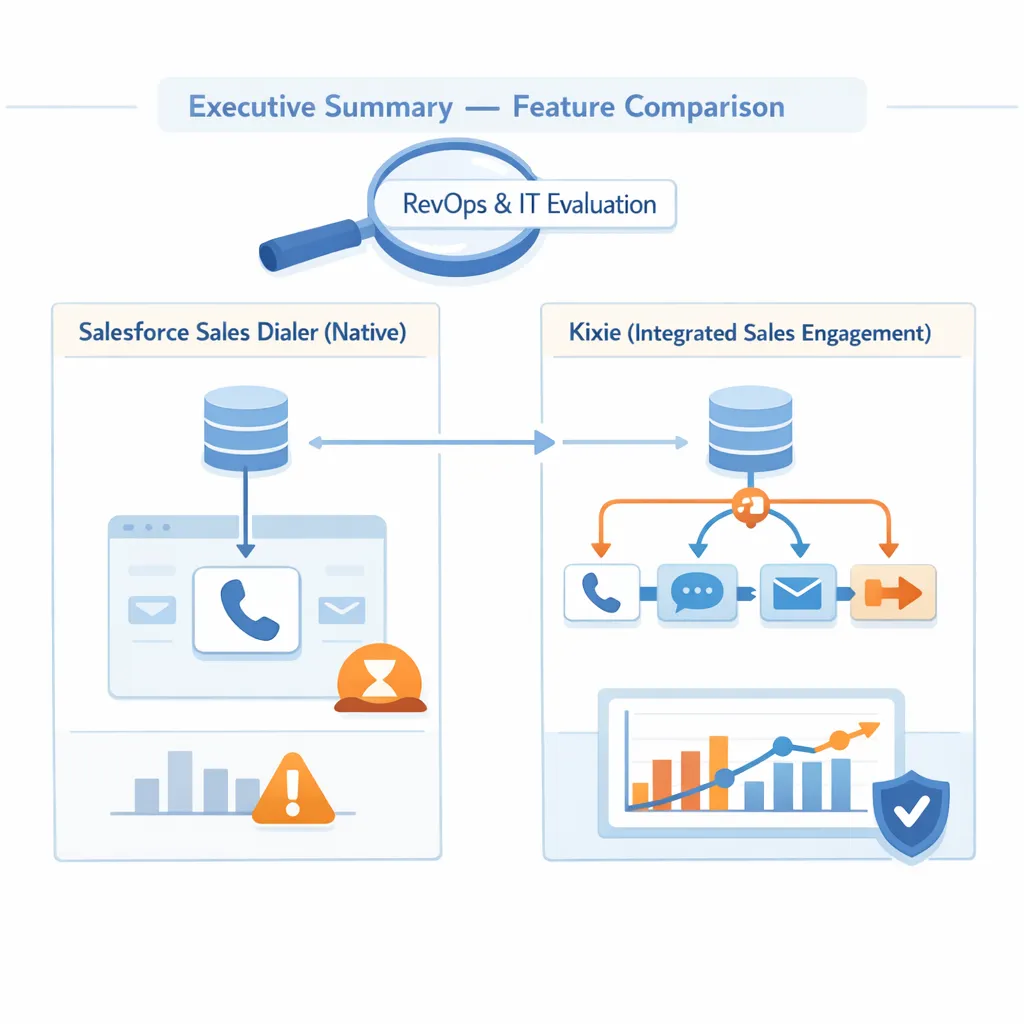
This report provides a technical and operational comparison between Salesforce Sales Dialer (native telephony) and Kixie (integrated sales engagement platform). The analysis is designed for revenue operations (RevOps) leaders and IT decision-makers evaluating dialer infrastructure.
Salesforce Sales Dialer offers the theoretical advantage of being a “native” option, living entirely within the Salesforce system, but this advantage is currently reduced by its lifecycle status. As of late 2024/early 2025, Salesforce has placed Sales Dialer in maintenance mode, explicitly stating: “Sales Dialer is scheduled for retirement. No new features or enhancements are being added… we recommend that you modernize your experience by moving to Service Cloud Voice” .
Kixie operates as a specialized third-party integration designed to overlay advanced telephony features (AI-driven local presence, multi-line dialing, and automated SMS) onto the Salesforce CRM. The following analysis evaluates these solutions across five critical performance areas: Price, Spam Risk, Live Coaching, SMS Integration, and Lead Response Automation.
Summary Feature Comparison Table for Salesforce Sales Dialer and Kixie
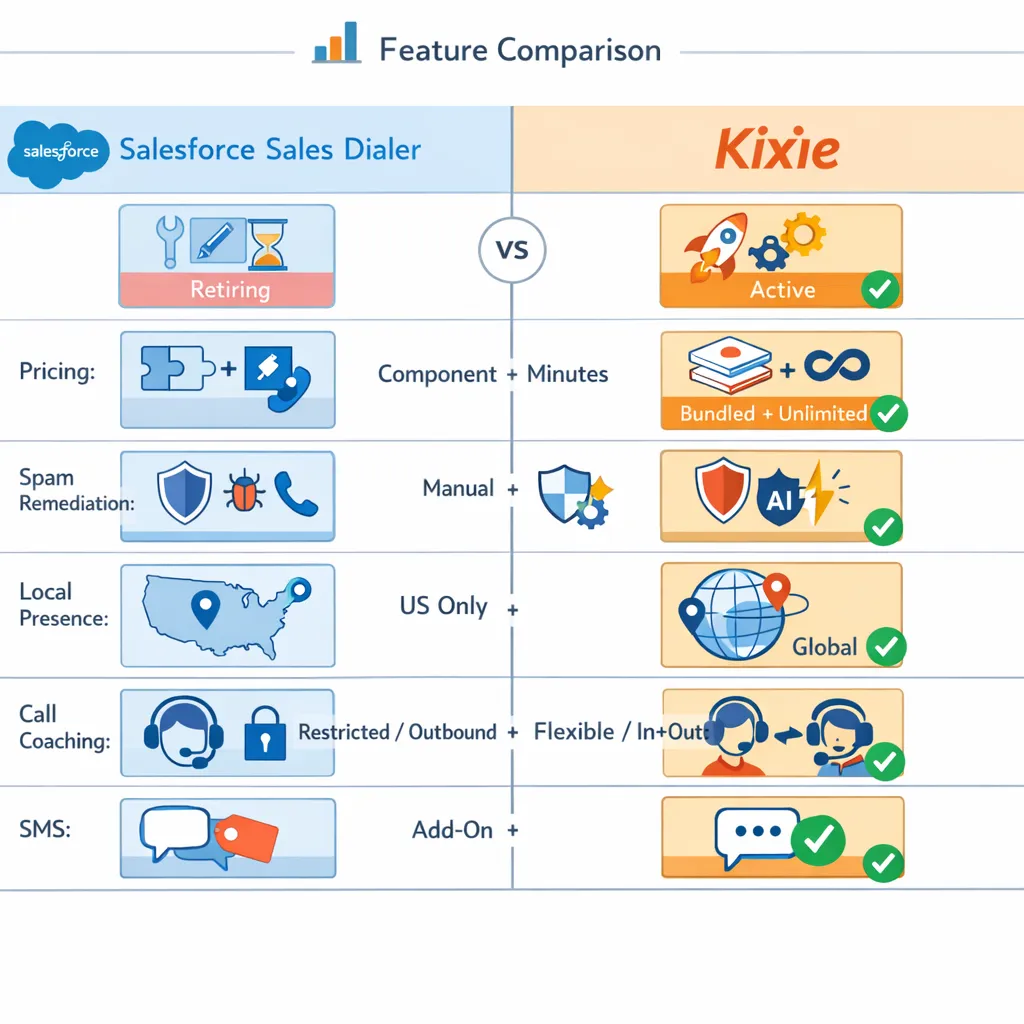
| Feature | Salesforce Sales Dialer | Kixie |
|---|---|---|
| Lifecycle Status | Retiring (Maintenance Mode) | Active Development |
| Pricing Model | Component (Inbound + Outbound + Minutes) | Tiered (Bundled Features + Unlimited Mins) |
| Spam Remediation | Manual (Contact Carrier) | Automated (AI ConnectionBoost) |
| Local Presence | Basic (US Only) | Advanced (Global, Progressive Rotation) |
| Call Coaching | Restricted (Role Hierarchy, Outbound Only) | Flexible (Inbound/Outbound, Peer Access) |
| SMS | Expensive Add-On (Digital Engagement) | Native (Included in Pro/Enterprise) |
| Speed-to-Lead | Passive (Work Queues) | Active (Automated LeadCaller) |
| Multi-Line Dialing | Not Available | Available (Up to 10 lines) |
Feature Comparison of Price and Total Cost of Ownership Between Salesforce Sales Dialer and Kixie
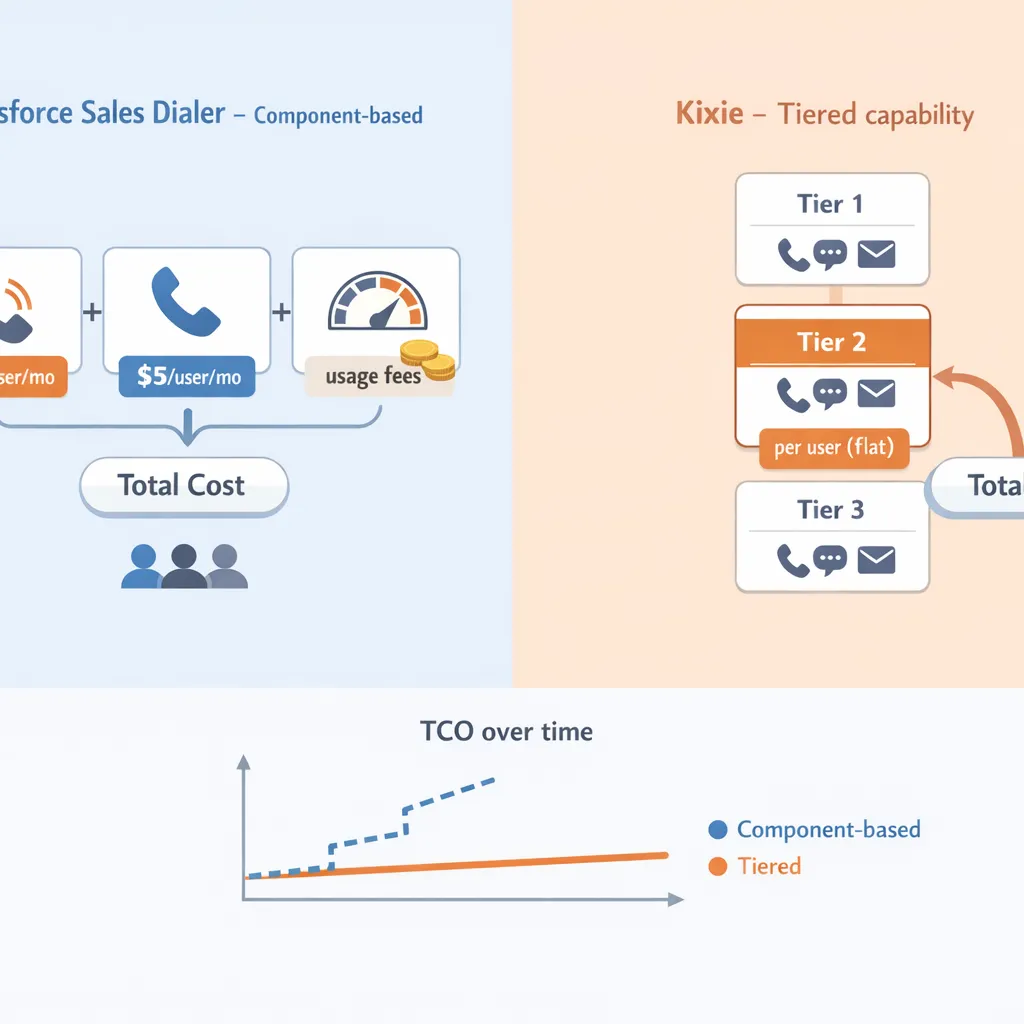
The pricing structures of Salesforce Sales Dialer and Kixie differ fundamentally. Salesforce employs a component-based model where functionality is unbundled, whereas Kixie utilizes a tiered capability model.
Salesforce Sales Dialer Pricing Structure
Salesforce Sales Dialer requires the purchase of separate licenses for inbound and outbound functionality, plus usage fees. It is not a flat-rate product.
- Outbound License: ~$25 per user/month .
- Inbound License: ~$5 per user/month. Required to receive calls .
- Usage (Minutes): ~$15 per 1,000 minutes per organization/month .
- Note: Minutes are pooled at the organizational level. Overage charges apply if the pool is exceeded.
- Hidden Cost (Monitoring): Call monitoring consumes double minutes (charged for both the rep and the manager listening in) .
Estimated TCO for High-Volume Rep: For a rep making 2 hours of talk time daily (approx. 2,500 minutes/month), the cost would include the base licenses ($30) plus roughly 2.5 blocks of minutes ($37.50), totaling ~$67.50/user/month, excluding any SMS or advanced coaching add-ons.
Strategic Insight: For low-volume users (e.g., Account Executives making <5 calls/day), Salesforce’s component model may be cost-effective. However, for high-velocity sales development reps (SDRs), Kixie’s flat-rate model provides a predictable TCO that protects the organization from variable usage spikes.
Spam Risk and Caller ID Reputation in Salesforce Sales Dialer and Kixie
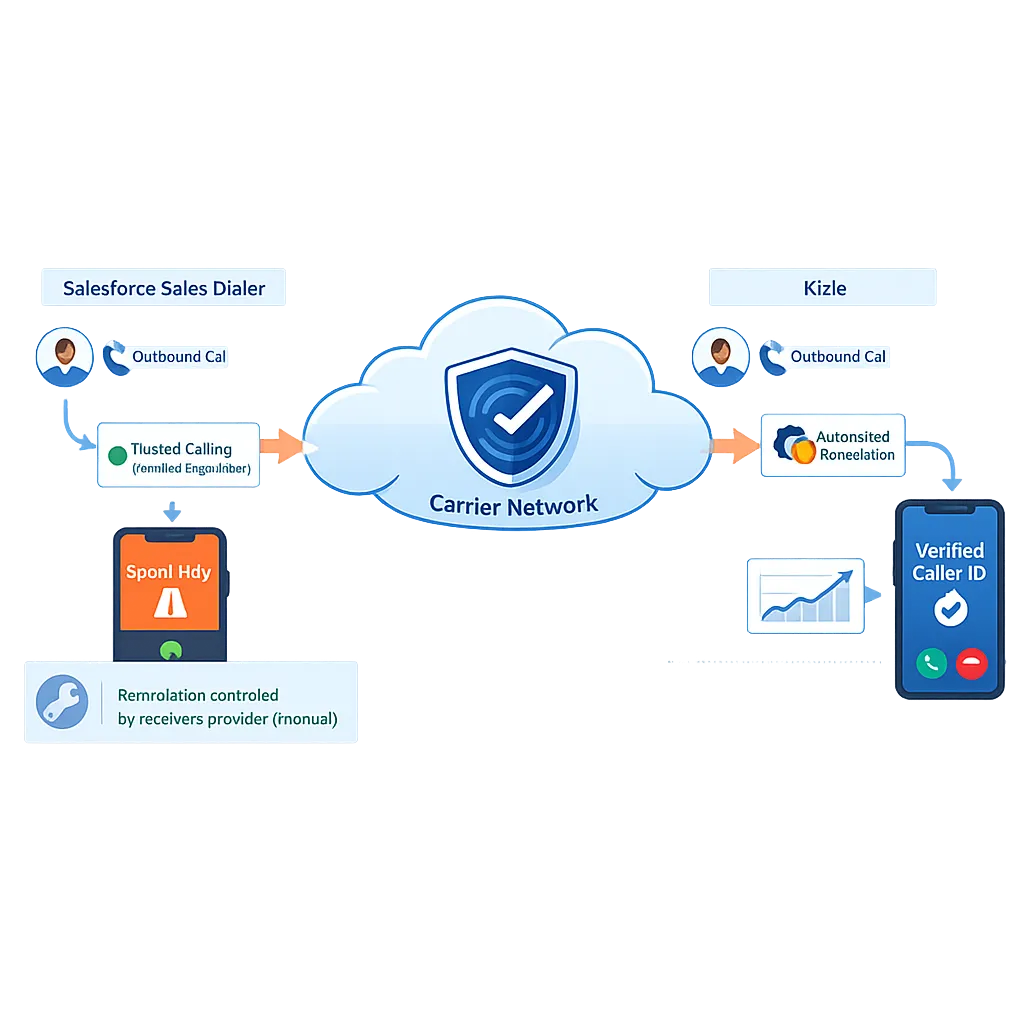
As carrier-level spam filtering becomes more aggressive (STIR/SHAKEN protocols), the ability to fix “Spam Likely” labels is a critical dialer function.
Manual Remediation Limitations in Salesforce Sales Dialer
Salesforce Sales Dialer relies on “Trusted Calling” protocols but lacks an automated remediation layer.
- Mechanism: Uses standard carrier registration.
- Remediation: Salesforce support documentation explicitly states that spam labeling is controlled by the receiver’s provider. If a number is flagged, Salesforce advises the customer to “reach out to their carrier” or “release the current phone number… and assign a new phone number” manually .
- Risk: There is no automated detection system to alert the user that their number has been flagged. A rep may dial for days with a “Spam Likely” label before realizing connection rates have dropped.
AI Driven ConnectionBoost Features in Kixie
Kixie treats reputation management as an automated, software-defined process.
- Mechanism (ConnectionBoost): Utilizes a dynamic pool of over 50,000 numbers to rotate Caller IDs based on the prospect’s location (Local Presence) .
- Automated Remediation: The system monitors Answer Seizure Ratios (ASR) in real-time. If a number’s performance drops (indicating a likely spam flag), Kixie’s AI automatically quarantines the number and replaces it with a fresh one from the pool .
- Progressive Caller ID: Automatically rotates numbers for the same prospect to prevent “frequency capping” blocks .
Strategic Insight: Salesforce’s approach is reactive and manual, placing the burden of reputation management on the IT administrator. Kixie’s approach is proactive and automated, maintaining connection rates without administrative intervention.
Operational Constraints of Live Call Coaching in Salesforce Sales Dialer and Kixie
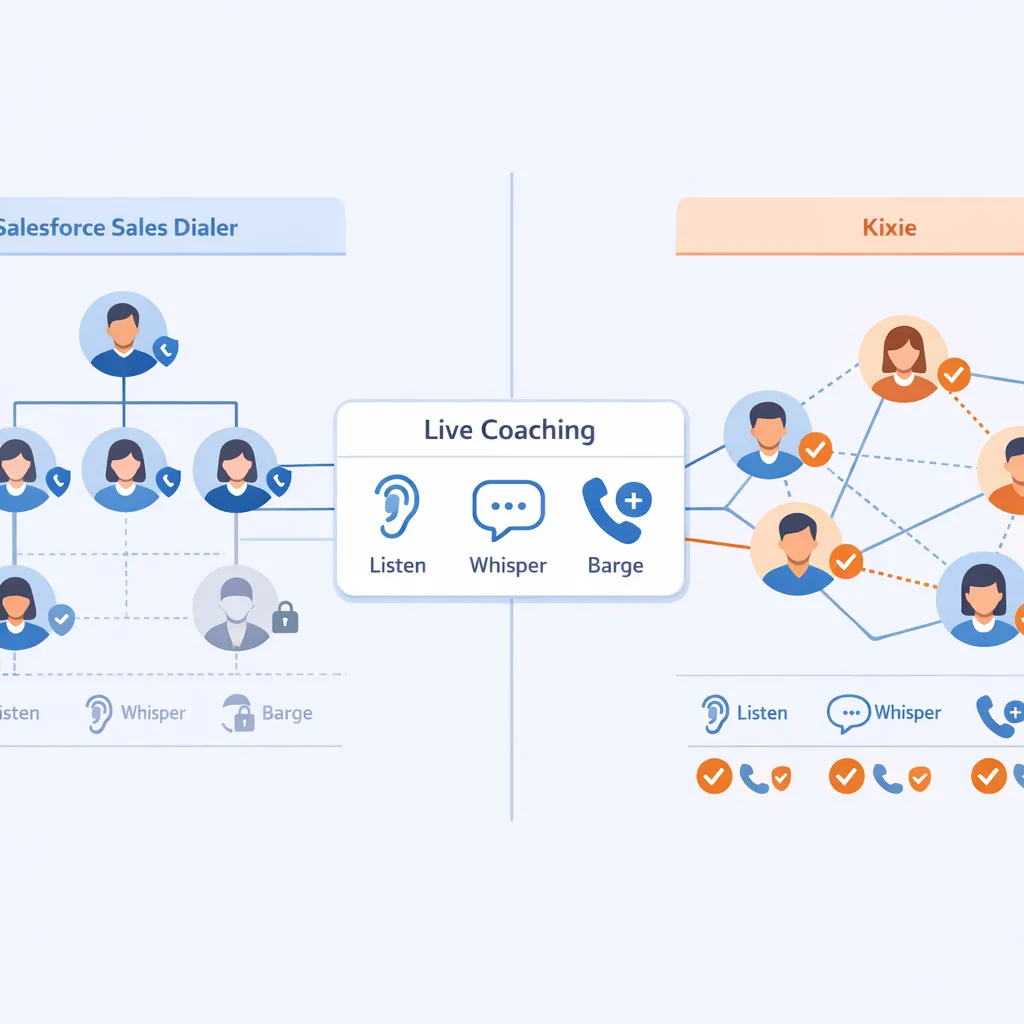
Live coaching (Listen, Whisper, Barge) is essential for onboarding and quality assurance. While both platforms offer these features, Salesforce imposes significant system limitations compared to Kixie’s flexible permissions.
Salesforce Sales Dialer Constraints
- Role Hierarchy Requirement: Call monitoring strictly follows the Salesforce Role Hierarchy. A manager can only monitor users who are directly below them in the hierarchy . This creates friction for matrixed organizations or peer-to-peer coaching.
- Outbound Only: Managers can typically only monitor outbound calls; inbound call monitoring is often restricted or unsupported in the standard Dialer .
- Double Billing: Monitoring a call counts as two active streams, effectively doubling the per-minute cost for that duration .
Kixie Coaching Flexibility
- Universal Access: Coaching permissions are managed via user settings, not rigid CRM hierarchies. Any designated user (team lead, peer coach, enablement manager) can monitor any agent .
- Full Duplex: Supports Listen, Whisper, and Barge on both inbound and outbound calls .
- No Usage Penalty: Monitoring does not incur additional per-minute fees on plans with unlimited minutes .
Native vs Add On Integrated SMS Capabilities in Salesforce Sales Dialer and Kixie
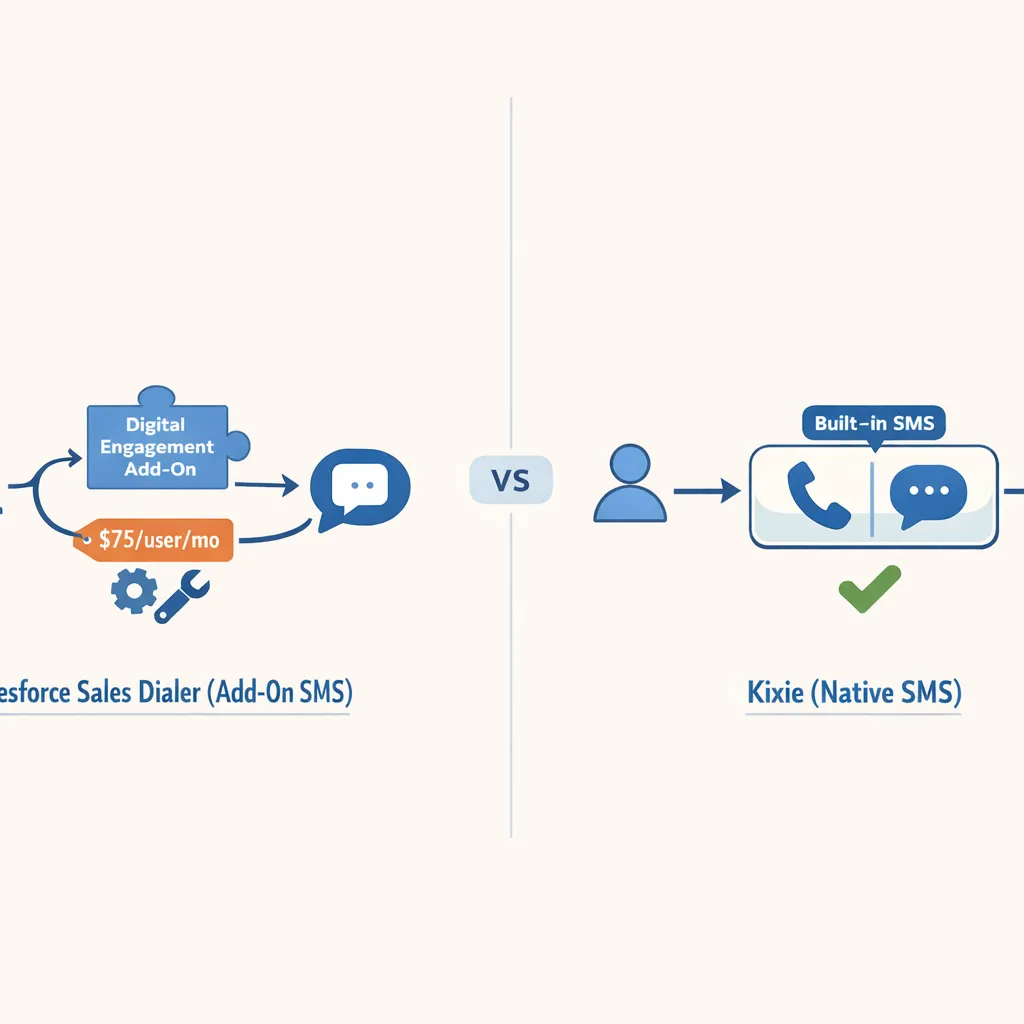
Text messaging is increasingly critical for omnichannel outreach, yet Salesforce and Kixie treat this channel differently in their core architecture.
The Digital Engagement Add On in Salesforce Sales Dialer
SMS is not a native feature of the standard Sales Dialer license.
- Requirement: To enable SMS, organizations must purchase the “Digital Engagement” add-on or a similar package, which can cost ~$75/user/month in addition to the dialer costs .
- Complexity: Implementation often requires configuring “Messaging Channels” and Flow Builder for automation.
- Cost: Messages are often metered or require separate carrier contracts (e.g., BYOC) depending on the configuration .
Native Integration Capabilities within Kixie
SMS is a core component of Kixie’s Professional and Enterprise tiers.
- Integration: SMS capabilities are built into the dialer interface. Incoming SMS messages can route to a shared team inbox or a specific agent .
- Automation: SMS templates and auto-SMS (triggered by call dispositions, e.g., “Left Voicemail”) are standard features .
- Logging: All SMS history is automatically logged to the Salesforce Activity Timeline without complex Flow configuration .
Automated LeadCaller by Kixie vs Work Queues in Salesforce Sales Dialer

Speed-to-lead, the time between a form submission and the first dial, is a primary driver of conversion rates. Salesforce Sales Dialer and Kixie utilize opposing mechanisms to handle this critical workflow.
Pull Framework Work Queues in Salesforce Sales Dialer
Salesforce Sales Engagement (formerly High Velocity Sales) places new leads into a Work Queue.
- Workflow: A lead submits a form -> Lead is created in SF -> Lead appears in the rep’s “To Do” list or Work Queue .
- Latency: This relies on the sales rep actively monitoring their queue and clicking to dial. If the rep is distracted or away from the tab, the response time increases.
- Dependency: Requires the separate “Sales Engagement” license (formerly HVS), which is an additional cost (~$50/user/mo) on top of the Dialer .
Push Framework Automated LeadCaller in Kixie
Kixie utilizes an immediate LeadCaller trigger.
- Workflow: A lead submits a form -> Kixie triggers a phone call to the sales rep -> When the rep answers, Kixie automatically dials the lead .
- Latency: This forces an instant interaction. The system actively “hunts” the rep (ringing their desk phone, mobile app, or cell) to ensure the lead is called within seconds, not minutes .
- Outcome: Eliminates rep latency and ensures sub-minute response times, which research correlates with a 391% increase in conversion probability .
Final Recommendation on the Feature Comparison of Salesforce Sales Dialer vs Kixie
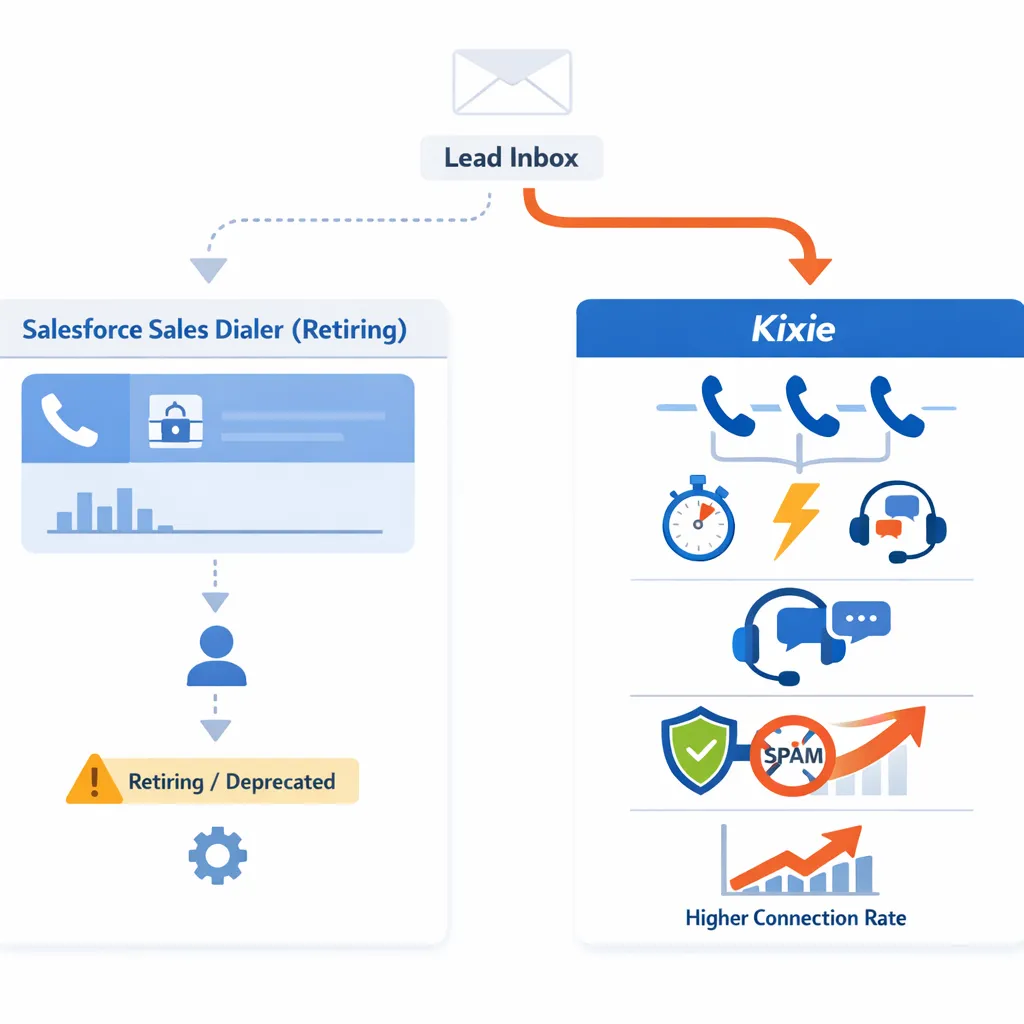
For organizations strictly requiring a single-vendor contract and minimal telephony features, Salesforce Sales Dialer remains a functional, albeit deprecating, option. However, its retirement status poses a significant risk for long-term infrastructure planning.
For teams prioritizing connection rates, coaching flexibility, and speed-to-lead, Kixie offers a superior technical solution. Its ability to automate spam remediation and maximize rep productivity through multi-line dialing and instant lead bridging addresses the core inefficiencies of modern outbound sales that Salesforce’s native dialer leaves unresolved.
Recommendation: Given Salesforce’s own guidance to migrate away from Sales Dialer, new implementations should default to integrated third-party solutions like Kixie to ensure future-proof infrastructure and access to modern revenue acceleration features.