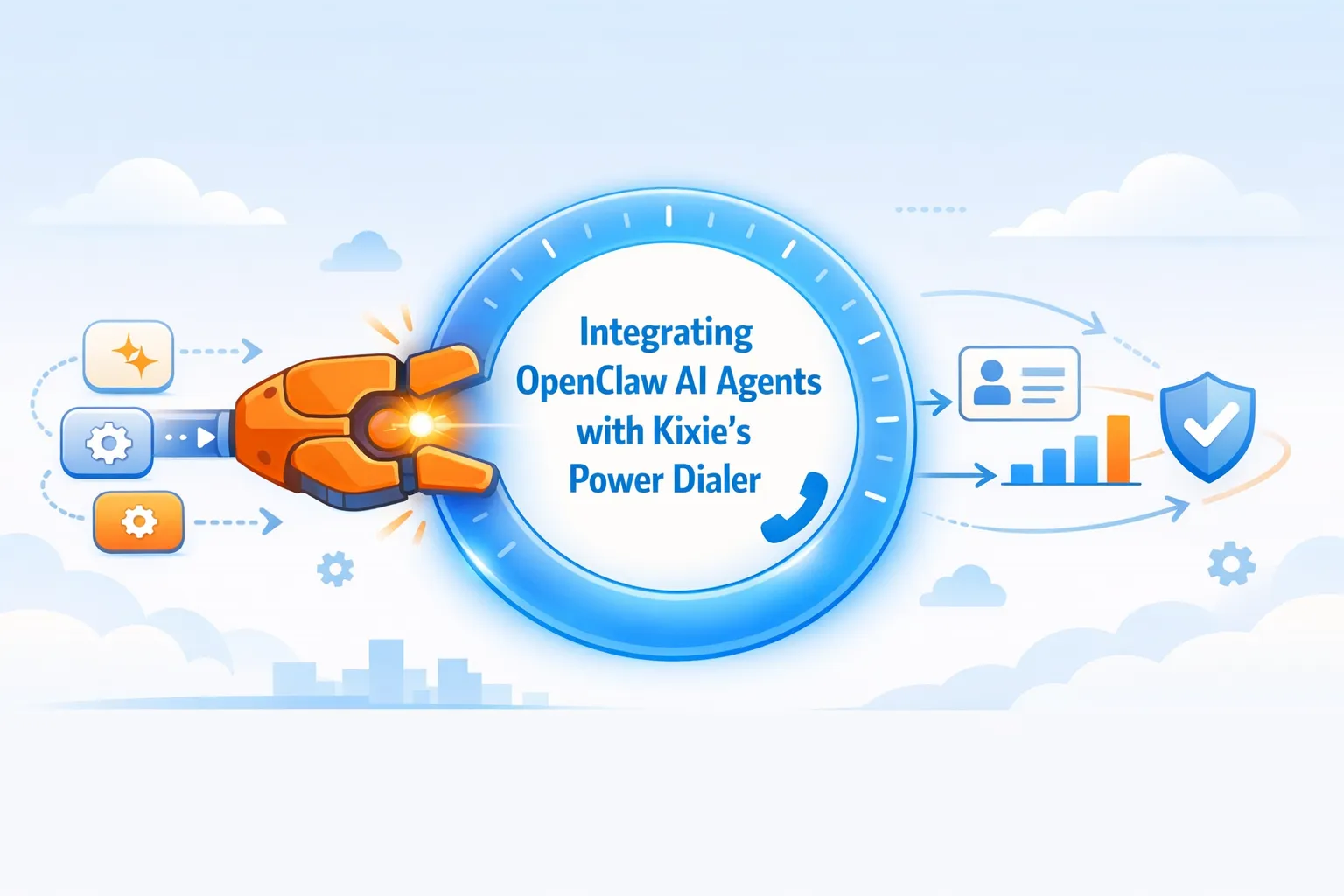
businessid, apikey). The core mechanism utilizes Kixie’s API endpoint https://apig.kixie.com/app/event via POST method with payload parameters target (E.164 format), email, and eventname set to "call" or "sms". Architecture involves defining a custom OpenClaw Skill (skill.json, index.ts) within the local workspace to bridge shell commands or WebSockets (Slack/Teams) with telephony infrastructure. Security best practices mandate environment variable storage for keys, Docker sandboxing, and strict file system permission scoping.
Executive Summary
The convergence of local-first artificial intelligence agents and cloud-based telephony represents a paradigm shift in sales operations. A prime example of this synergy is the integration of OpenClaw (formerly known as Clawdbot/Moltbot), a sophisticated open-source autonomous agent, with Kixie, a premier AI-powered sales engagement platform. Sales engineers, CTOs, and revenue operations leaders utilize this combination to automate high-velocity dialing workflows. By leveraging OpenClaw’s capability to execute shell commands and manage local environments alongside Kixie’s robust API endpoints, specifically the “Make a Call” functionality and ConnectionBoost™ technology, organizations can construct a “Human-in-the-Loop” (HITL) or fully autonomous sales stack. This integration aims to reduce latency in speed-to-lead times to near zero, automate CRM data entry, and increase connection rates by up to 400% through local presence dialing.
The Era of Agentic Sales Automation with OpenClaw AI Agents
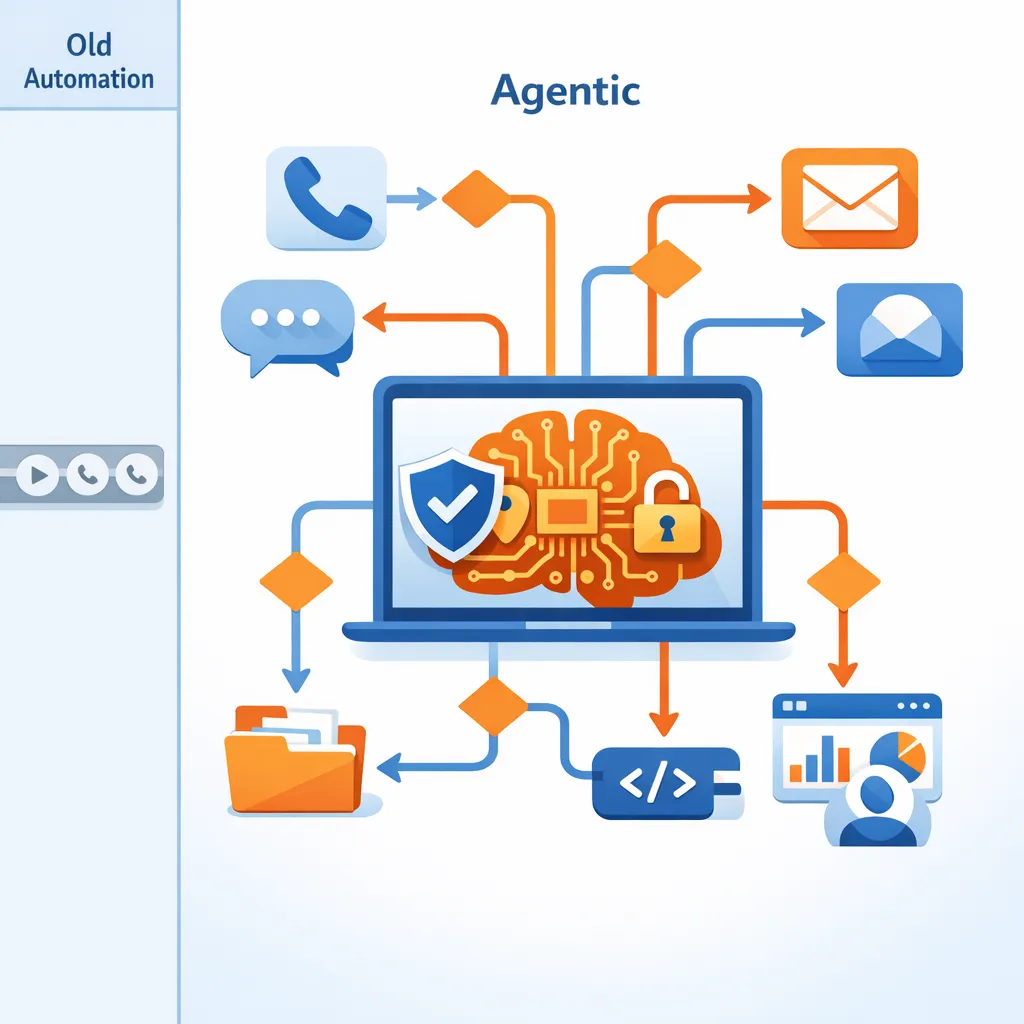
The sales sector is transitioning from “automation” (scripted, linear tasks) to “agentic workflows” (autonomous, decision-making systems). While traditional auto-dialers rely on static logic or manual triggers, the emergence of OpenClaw, a viral open-source AI project, offers a new architecture. In this model, the “brain” of the sales operation resides locally on the user’s device, capable of understanding natural language, managing files, and executing complex API calls without constant human oversight.
To translate this local intelligence into sales activity, Kixie serves as the “muscle” of sales engagement. Kixie provides the telephony infrastructure necessary to connect calls, drop voicemails, and sync data with CRMs like HubSpot and Salesforce. Kixie’s API-first approach allows external systems to control the dialer, making it a highly compatible partner for an autonomous agent like OpenClaw. Fusing these technologies involves coupling the architecture of OpenClaw with Kixie’s API to build a custom “Skill” that allows the AI to control the dialing infrastructure.
Technical Analysis of OpenClaw Architecture and Capabilities
The Evolution of OpenClaw
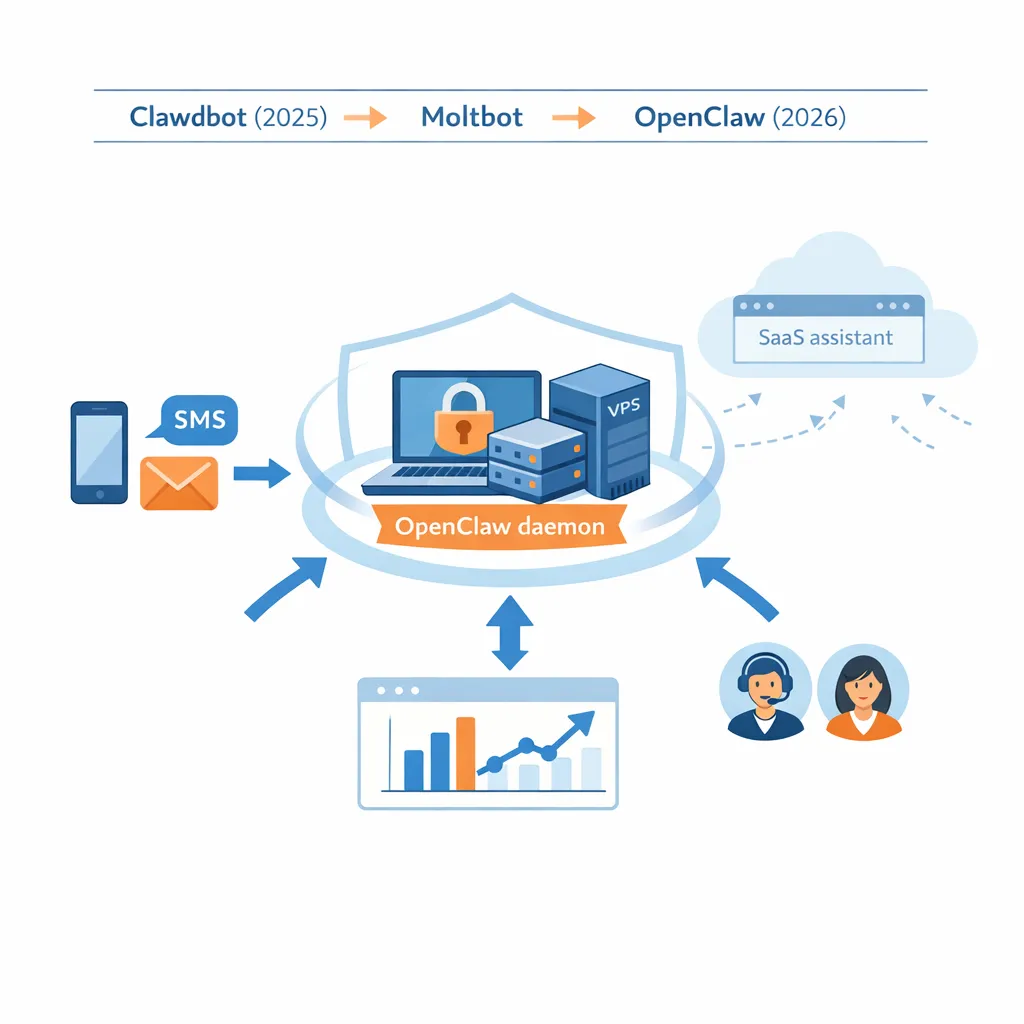
OpenClaw presents a unique opportunity for developers due to its “local-first” philosophy. Originally released in late 2025 under the name Clawdbot, and briefly known as Moltbot, the project was rebranded to OpenClaw in early 2026. Unlike SaaS-based AI assistants that exist within a browser tab, OpenClaw runs as a daemon on the user’s local machine or Virtual Private Server (VPS).
- Privacy and Security: The sensitivity of sales data (customer phone numbers, PII) requires strict control. OpenClaw allows users to bring their own API keys and keep data within their own infrastructure.
- System Access: OpenClaw can interact with the local file system, run shell commands, and manage local applications. It can read a CSV of leads from a desktop folder and immediately act on it.
- Persistence: The agent maintains a persistent session, allowing it to “remember” context over long periods, which is essential for managing long sales cycles or complex follow-up sequences.
The OpenClaw AI Agents Gateway and Skills System
OpenClaw operates on a Gateway architecture. The Gateway acts as the control plane, managing the WebSocket connections to various interfaces (the “Control UI” or TUI) and handling the execution of Skills.
Skills are the core extensibility mechanism of OpenClaw. A skill is a TypeScript or JavaScript function wrapped in a definition file (often skill.json or SKILL.md) that describes the tool to the AI model. When a user commands OpenClaw to “Call the lead from the spreadsheet,” the AI analyzes its available skills, identifies the relevant tool (such as a custom Kixie dialer tool), and executes the code.
Multi-Channel Control for the Autonomous Sales Floor
OpenClaw interfaces with multiple messaging platforms simultaneously, including WhatsApp, Telegram, Slack, Discord, and Microsoft Teams.
Strategic Implication for Sales: A sales director operating in a Slack channel can issue a command like “OpenClaw, find the CEO of Acme Corp and call him.” In response, the agent:
- Searches the web/database for the contact info.
- Triggers the Kixie telephony API to initiate the call on the director’s Kixie PowerCall dialer.
- Logs the activity back into the CRM.
Detailed Review of Kixie’s Intelligent Telephony Infrastructure
Kixie provides a feature set and API capabilities that go beyond simple VoIP, making it a strong candidate for integration with autonomous agents like OpenClaw.
The Make a Call API Endpoint in Kixie’s Intelligent Dialer
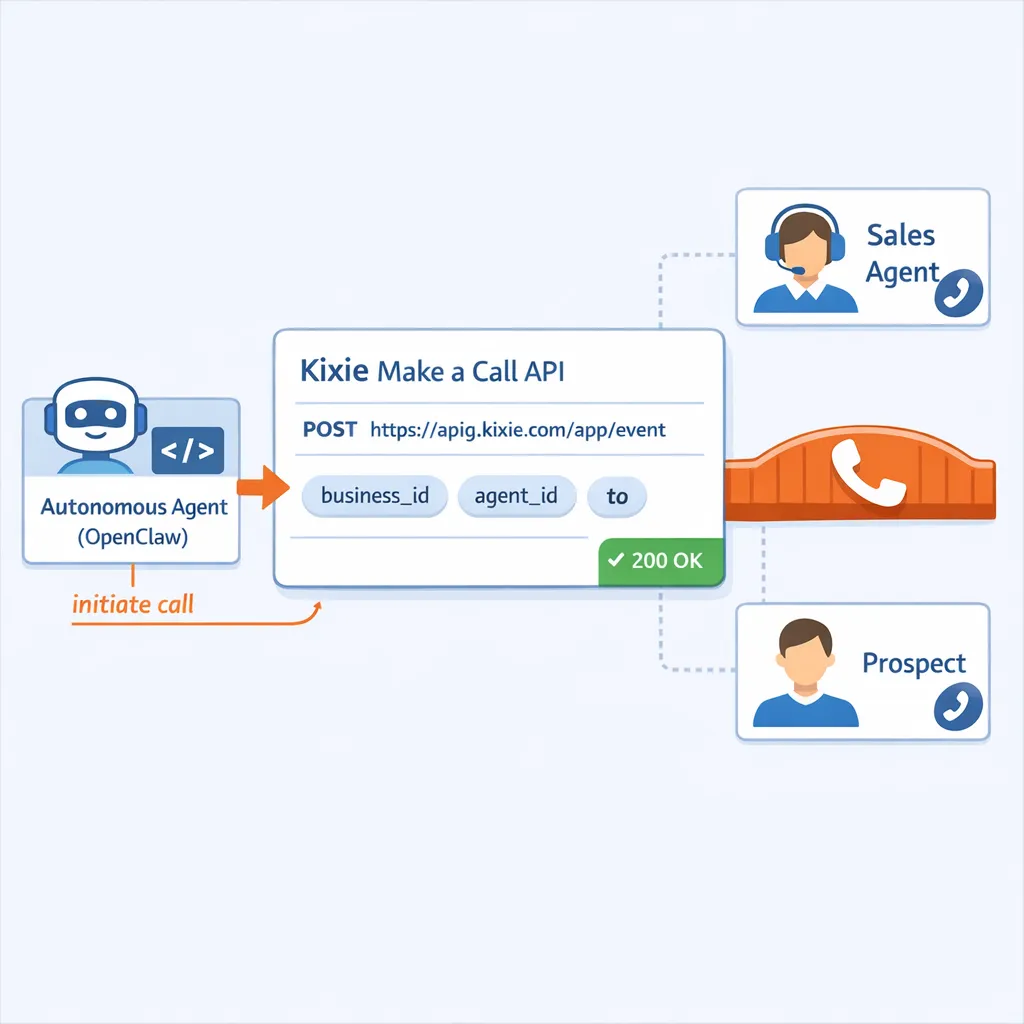
The cornerstone of integrating an autonomous agent with telephony is Kixie’s Make a Call API. This endpoint allows an external system, such as OpenClaw, to initiate a call bridging the sales agent and the prospect.
Key Parameters:
businessid: The unique identifier for the Kixie tenant.apikey: The secret credential authorizing the action.target: The destination phone number (prospect).email: The email address of the Kixie user (agent) who will take the call.eventname: Must be set to"call".displayName: (Optional) Text to display on the agent’s dialer, useful for context (e.g., “Hot Lead from OpenClaw”).
Operational Flow: When OpenClaw triggers this endpoint, Kixie first rings the agent’s device (softphone or mobile). Once the agent answers, Kixie dials the target number. This ensures the agent is ready before the prospect is engaged.
ConnectionBoost Local Presence Technology within Kixie
Automating a dial is ineffective if the prospect doesn’t answer. Kixie’s ConnectionBoost technology uses AI-powered local presence dialing. It dynamically rotates caller IDs to match the area code of the prospect, which has been statistically proven to increase connection rates by up to 400%.
- Spam Detection: ConnectionBoost includes progressive caller ID and spam risk mitigation to prevent numbers from being flagged as “Scam Likely”.
- Integration Relevance: When OpenClaw triggers a call via the API, it automatically applies the ConnectionBoost settings configured for that agent, ensuring high-performance dialing without extra code.
Multi-Line PowerDialing and Automation via Kixie’s Intelligent Dialer
Kixie supports multi-line dialing (calling up to 10 numbers simultaneously) to eliminate downtime. While the API primarily triggers single calls, OpenClaw can be programmed to manage “PowerLists,” dynamic queues of leads.
- API Actions: OpenClaw can use endpoints like
Add to PowerlistorRemove From Queueto manipulate who the sales team calls next based on real-time data analysis.
Technical Implementation for Building the OpenClaw-Kixie Bridge
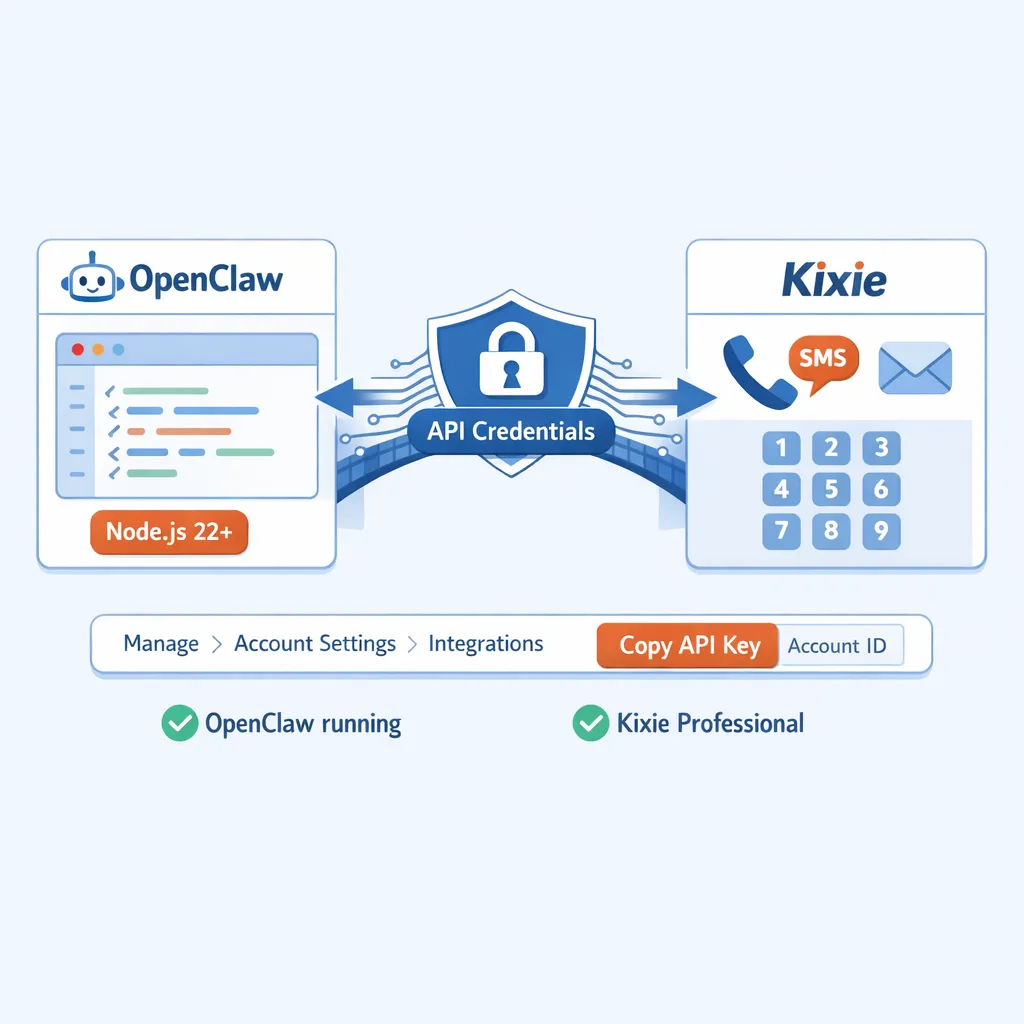
Building a bridge between the OpenClaw autonomous agent and Kixie’s telephony infrastructure requires specific coding steps. This guide assumes the user has a running instance of OpenClaw (Node.js ≥22) and a Kixie Professional tier account.
Prerequisites and API Credential Extraction for Kixie Integration
Users must retrieve the necessary credentials from the Kixie Dashboard to authorize OpenClaw. Go to: Manage > Account Settings > Integrations in the Kixie Dashboard. Locate: The Business ID and API Key.
Defining the OpenClaw Skill
To enable the agent to dial, we create a custom Skill named kixie-dialer. In the OpenClaw architecture, skills are typically defined in a directory within the workspace.
File Structure:
~/.openclaw/workspace/skills/kixie-dialer/
├── skill.json      # Definition for the AI model
└── index.ts        # The execution logic
Step 1: The Skill Definition (skill.json) This JSON file tells the AI model (e.g., Claude 3.5 Sonnet or GPT-4) how to use the tool.
{
  "name": "kixie_make_call",
  "description": "Initiates a phone call to a prospect using the Kixie Dialer. Use this when the user asks to call a specific phone number.",
  "parameters": {
    "type": "object",
    "properties": {
      "targetPhoneNumber": {
        "type": "string",
        "description": "The phone number of the prospect to call, in E.164 format (e.g., +15551234567)."
      },
      "agentEmail": {
        "type": "string",
        "description": "The email address of the Kixie agent who should place the call."
      }
    },
    "required": ["targetPhoneNumber", "agentEmail"]
  }
}
Analysis: The description is crucial. It directs the Limitless Language Model (LLM) to invoke this function only when call intent is detected.
Step 2: The TypeScript Implementation (index.ts) This script performs the actual HTTP request to Kixie. We use the standard fetch API available in Node.js environments.
import { tool } from 'openclaw/sdk'; // Hypothetical SDK import based on architecture

// Configuration - Load from Environment Variables for Security
const KIXIE_API_KEY = process.env.KIXIE_API_KEY;
const KIXIE_BUSINESS_ID = process.env.KIXIE_BUSINESS_ID;
const KIXIE_ENDPOINT = 'https://apig.kixie.com/app/event';

export const kixieMakeCall = async ({ targetPhoneNumber, agentEmail }) => {
  if (!KIXIE_API_KEY || !KIXIE_BUSINESS_ID) {
    throw new Error("Missing Kixie API Credentials");
  }

  // Payload Construction per Kixie Documentation
  const payload = {
    businessid: KIXIE_BUSINESS_ID,
    apikey: KIXIE_API_KEY,
    target: targetPhoneNumber,
    email: agentEmail,
    eventname: "call", // Immutable requirement
    displayname: "OpenClaw Auto-Dial"
  };

  try {
    const response = await fetch(`${KIXIE_ENDPOINT}?apikey=${KIXIE_API_KEY}`, {
      method: 'POST',
      headers: {
        'Content-Type': 'application/json'
      },
      body: JSON.stringify(payload)
    });

    if (!response.ok) {
        const errorText = await response.text();
        return `Error initiating call: ${response.status} - ${errorText}`;
    }

    return `Successfully initiated Kixie call to ${targetPhoneNumber} for agent ${agentEmail}. ConnectionBoost is active.`;

  } catch (error) {
    return `Network error connecting to Kixie API: ${error.message}`;
  }
};
Step 3: Registration Once the file is saved, OpenClaw’s skill registry (ClawdHub logic) or local skill loader will detect the new capability upon restart or reload.
Advanced Automation with SMS and Queue Management for OpenClaw AI Agents
Beyond voice calls, OpenClaw can utilize Kixie’s SMS capabilities.
- Send SMS Endpoint: The logic is identical to the call endpoint, but the
eventnameparameter is changed to"sms"and amessagefield is added to the payload. - Use Case: If OpenClaw fails to reach a prospect (detected via a “Missed Call” webhook), it can autonomously trigger an SMS follow-up: “Hi, this is [Agent Name], sorry I missed you. When is a good time to reconnect?”
Strategic Trends and Drivers in AI Sales on the Autonomous Sales Floor
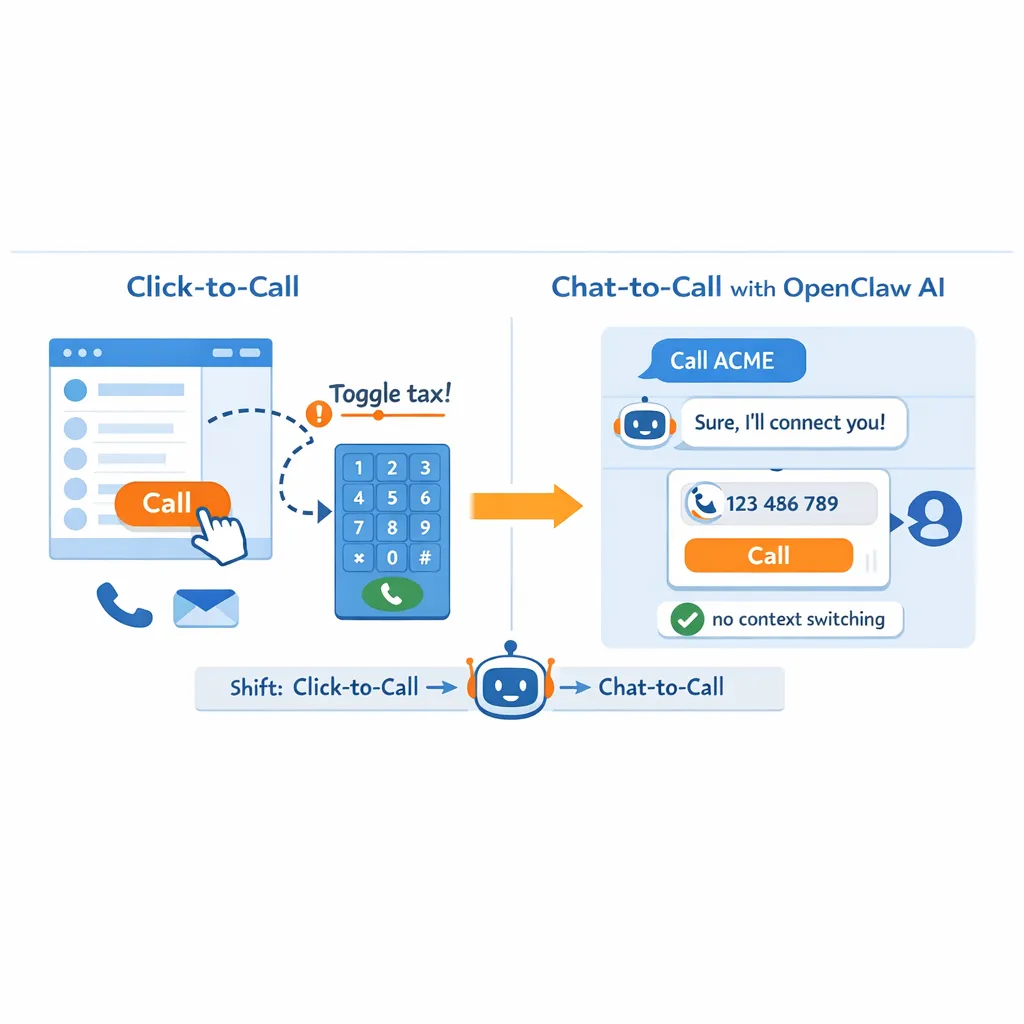
The Shift from Click-to-Call to Chat-to-Call using OpenClaw AI Agents
Current sales workflows often involve “Click-to-Call” extensions inside CRMs (like Kixie’s Chrome Extension). While efficient, this still requires the sales rep to work within the CRM interface. Integrating OpenClaw enables “Chat-to-Call.” A rep operating entirely within Slack or Microsoft Teams can command the dialer without context switching. This reduces “toggle tax” (the mental cost of switching apps) and streamlines the workflow for high-performance SDRs.
Autonomous Speed-to-Lead with Kixie’s Intelligent Dialer
Speed-to-lead is the single most critical driver of conversion rates. In traditional setups, a lead form fills, an email triggers, and a rep eventually sees a notification to call, resulting in latency that averages minutes or hours. OpenClaw can be configured to monitor inbound webhooks from lead forms (using its webhook triggers). Upon receipt, it instantly executes the kixieMakeCall skill. The rep’s phone rings seconds after the lead hits submit.
Theoretical Security Implications for the Autonomous Sales Floor
Integrating a local agent with telephony APIs introduces new attack vectors.
- Risk: If an OpenClaw instance is compromised (e.g., via a malicious skill download or prompt injection), an attacker could theoretically trigger thousands of calls using the Kixie API, racking up telephony costs.
- Mitigation:
- Rate Limiting: Kixie applies API rate limits per account.
- Sandboxing: OpenClaw supports running in Docker containers to isolate execution environments.
- Permission Scoping: Users should strictly limit OpenClaw’s file system access and ensure API keys are not exposed in shared chat logs.
Actionable Insights and Recommendations for OpenClaw and Kixie Users
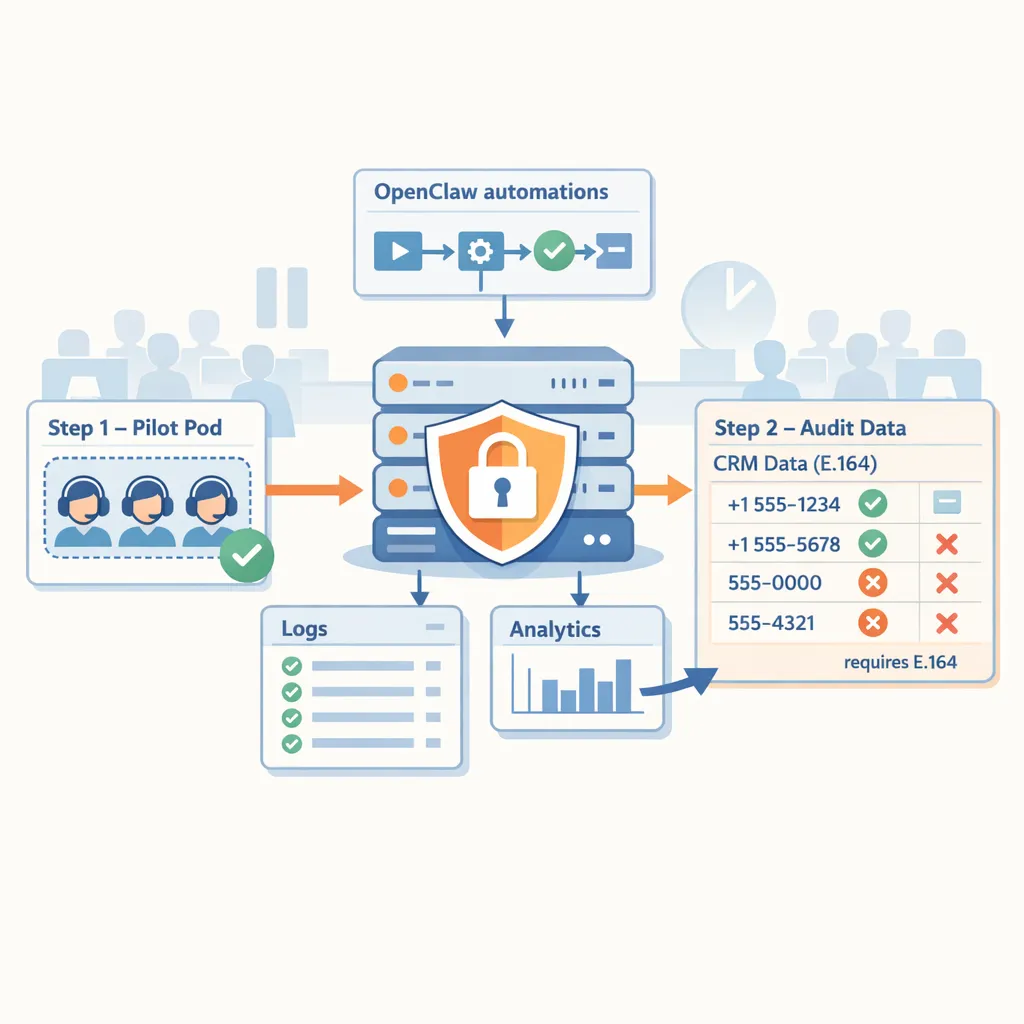
For organizations looking to deploy an autonomous sales stack utilizing OpenClaw and Kixie, the following strategic roadmap is recommended:
End Call Webhook to send data back to OpenClaw. This allows the agent to “learn” the outcome of the call. If the disposition is “Left Voicemail,” OpenClaw can automatically schedule a follow-up task in the CRM.
Final Thoughts on Integrating OpenClaw AI Agents with Kixie’s Intelligent Dialer
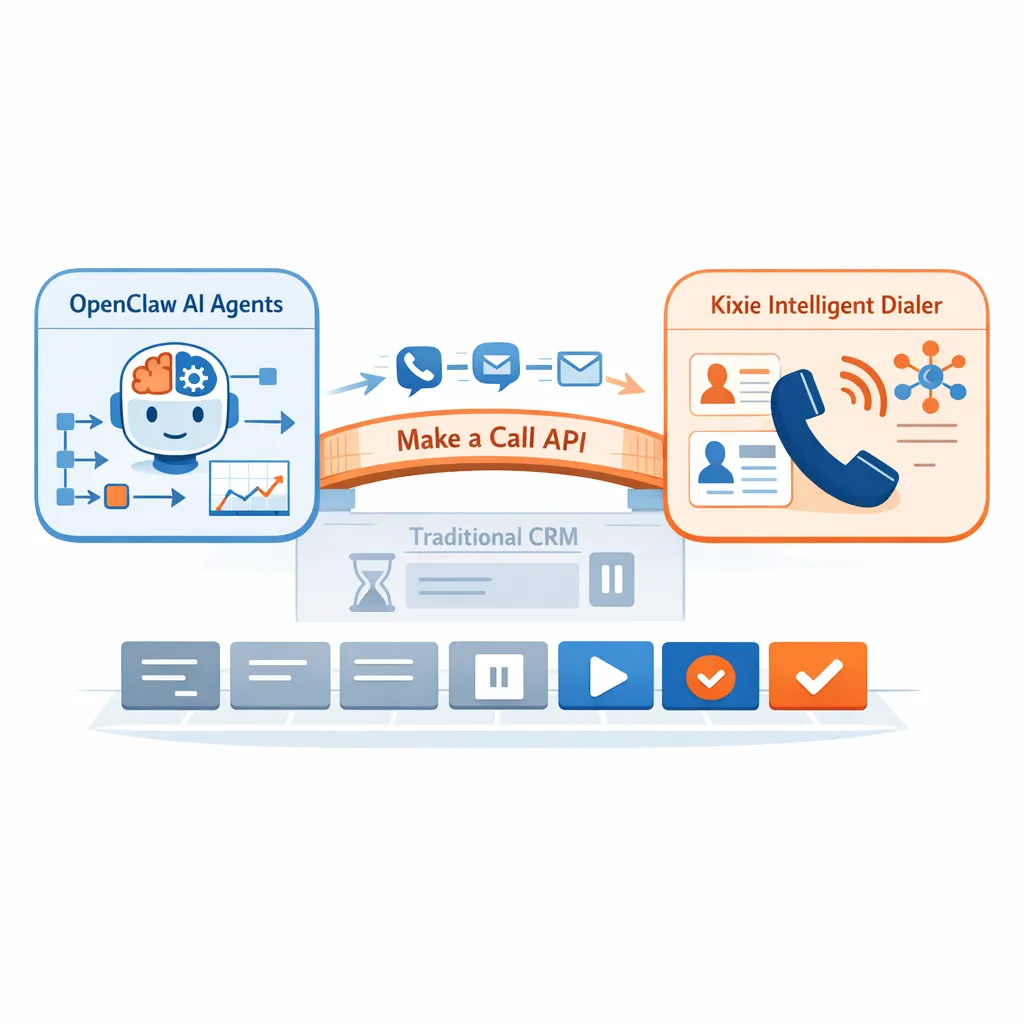
The integration of OpenClaw and Kixie represents the bleeding edge of sales automation. By combining the proactive, local intelligence of OpenClaw with the robust, high-connectivity infrastructure of Kixie’s Dialer, businesses can construct a sales stack that is faster, smarter, and more efficient than traditional CRM-based workflows.
The “Make a Call” API acts as the bridge, turning a static sales floor into a dynamic, agent-driven environment. As AI agents continue to mature, the organizations that master these integrations today will define the efficiency standards of tomorrow.
Ready to close more deals with Kixie?
See how Kixie's AI-powered tools can transform your sales and support operations.
Start Free Trial