

 HubSpot
 Salesforce
 Zoho
Zoho
 HighLevel
 Pipedrive
 ActiveCampaign
 Slack
Slack
 Zapier
Why the $1,500 Upgrade Isn't the Answer, and How to Get a 10-Line Power Dialer on HubSpot's Free Plan
TL;DR
HubSpot's Sales Hub Professional plan is an expensive trap. It costs $90-$100/seat plus a mandatory $1,500 fee, only to give you a basic single-line dialer. This article shows you how to bypass this by pairing your free or starter HubSpot plan with a tool like Kixie. This gives you a true 10-line power dialer with superior features like AI-powered local numbers, voicemail drop, and deep automation for a fraction of the cost. We include a full step-by-step guide below.
In This Article
- The HubSpot Glass Ceiling: Hitting a Wall
- Deconstructing the Real Cost of Sales Hub Pro
- What HubSpot's "Power Dialer" Still Doesn't Do
- How to Power Dial HubSpot Lists (Step-by-Step Guide)
- Key Features You Get with Kixie (That Pro Lacks)
- The Difference: Why a Deeper Integration Matters
- Conclusion: Stop Paying for Upgrades, Start Dialing
The HubSpot Glass Ceiling: Why Your Sales Team Is Hitting a Wall
For growth-focused sales teams, HubSpot is a paradox. You have the world's most intuitive Smart CRM, a central hub for all your contacts, deals, and marketing data. Your lists are built, your leads are qualified, and your team is ready to scale. And then... they hit the wall.
The "wall" is the manual, soul-crushing reality of high-volume outreach in a platform not built for it. It's the "click... call... log... tab-switch... repeat" workflow that defines a sales rep's day on HubSpot's Free or Starter plans. Your team spends more time performing administrative data entry than they do having actual conversations.
You know you need a power dialer. And this is where the frustration begins.
A quick search on Reddit or Quora reveals a constant, simmering frustration from sales managers. The forums are filled with teams looking for a "poor man's auto dialer" or asking a simple question: "Why is it so expensive to get a basic, high-volume dialer for HubSpot?".
They are desperate for an option that provides the essentials: a multi-line auto-dialer, automatic logging of calls and recordings, and, critically, zero lag on connection.
HubSpot's platform is brilliant, but its sales tools create a "glass ceiling" designed to do one thing: push you toward an expensive, and ultimately disappointing, upgrade. The limitations on the Starter plan-like a cap of 500 calling minutes or 8 hours per user per month-are not just a "taste" of their tools. They are a deliberate barrier to productivity, a "friction-by-design" model engineered to make the 10x price leap to Sales Hub Professional feel like the only way out.
This report will demonstrate why that upgrade is not the answer. In fact, it's a trap.
Deconstructing the Real Cost of Sales Hub Pro
The first "fix" HubSpot presents is the upgrade to Sales Hub Professional. This is the "Upgrade Trap," and it's built on two painful truths: a massive, hidden cost and a severely limited feature set.
First, let's talk about the sticker shock. The jump from Sales Hub Starter (starting at $9-$15/seat/month) to Sales Hub Professional is a staggering 1,000% increase to $90-$100 per seat, per month.
The Hidden Cost
But that's not the part that stops most businesses. The real "gotcha"-the one that gets buried in the pricing page-is the $1,500 mandatory onboarding fee. This fee is non-negotiable. As HubSpot's own pricing-adjacent materials note, you are "required to pay regardless of whether you need the service or not".
For a small, 5-person sales team, the total Year 1 cost to get "Pro" features isn't $6,000 ($100 * 12 * 5). It's $7,500 after you add the onboarding fee. This is a massive capital expenditure for a feature (dialing) that should be standard.
The core of the problem is that you are forced to pay a "platform tax" for a single, critical feature. You are buying an entire "Hub" when all you need is a dialer.
This is where the "smart path" emerges. Instead of paying the upgrade trap, compare the cost and features of that path with a specialized, integrated tool like Kixie. The results are not just better; they're definitive.
The Clear Winner: Feature Comparison
| Feature | HubSpot Sales Hub Professional | HubSpot Starter + Kixie |
|---|---|---|
| Mandatory Onboarding Fee | $1,500 | $0 |
| Est. Monthly Cost (per seat) | $90 - $100 | $15 (HubSpot) + Kixie |
| Multi-Line Power Dialing | (Offers single-line "call queue" only) | (Up to 10 lines) |
| AI-Powered Local Presence | (ConnectionBoost™) | |
| One-Click Voicemail Drop | ||
| Automated SMS/Texting | (Limited) | (Via Workflows & PowerLists) |
| Live Call Coaching (Whisper/Barge) | (Enterprise Only) | |
| Works with HubSpot Free Plan |
The data is clear. Kixie, paired with your existing HubSpot plan, is not just a cheaper alternative. It is a functionally superior tool. You are not just saving money; you are buying a 10x more powerful tool.
What HubSpot's Power Dialer Still Doesn't Do
The most painful part of the "Upgrade Trap" is this: even if you pay the $1,500, and even if you commit to $100 per seat, the "power dialer" you get is a profound disappointment.
High-velocity sales teams have a clear definition of a "power dialer". It's a tool that dials multiple lines at once, uses AI to detect live human answers (skipping voicemails and busy signals), and instantly connects a live prospect to an available rep, all while displaying the contact's CRM info. It is a tool of pure efficiency, designed to maximize agent talk time.
HubSpot's tool is not that.
In their own documentation, HubSpot refers to their new feature as a "sales power dialer [beta]". You are paying a premium price for a product that is not yet considered complete. Its core functionality is described as a "call queue", which in sales tech terminology is, at best, a progressive dialer. It dials one number at a time, after the rep finishes the previous call.
This is marginally faster than manual clicking, but it is not high-velocity dialing. The feature set you pay $1,500 to access is missing all the critical components:
No Multi-Line Dialing
This is the most significant omission. Your rep is still only dialing one contact at a time. This is a workflow optimization, not a productivity revolution.
No One-Click Voicemail Drop
Reps will still waste 30-60 seconds on every call leaving the same, repetitive voicemail message. True sales dialers offer a "voicemail drop" feature, where a rep clicks one button to leave a pre-recorded message and is instantly moved to the next call.
No Advanced Connection-Boosting
Simply dialing is not enough. You have to connect. HubSpot's dialer does not offer AI-powered local presence or proactive "Spam Risk" management. Your reps' calls are more likely to be ignored, defeating the purpose of dialing in the first place.
No Unified SMS
HubSpot's calling and texting are disconnected. A rep cannot finish a call, click one button to log a "No Answer" disposition, and have that action automatically trigger a follow-up SMS. This multi-channel workflow is absent.
HubSpot's "beta" dialer is a strategic "moat." It was built not to be the best option, but to be just good enough to prevent Pro users from churning to third-party apps-the very apps that solve the problem correctly. It's designed to keep you inside the ecosystem, even if it means you're using an inferior tool.

How to Power Dial HubSpot Lists with Kixie (Step-by-Step Guide)
Here is the practical, step-by-step guide to achieving what you actually want: true, multi-line power dialing, integrated directly with your HubSpot lists. This method works with any version of HubSpot, including the Free and Starter plans.
Prerequisites
A HubSpot account (any plan) and a Kixie account (which includes a 7-day free trial). The entire setup and integration process takes only a few minutes.
Create Your Active List in HubSpot
First, build the list of contacts you want to call inside HubSpot. The best way to do this is with an "Active List", which is a smart list that automatically updates as contact properties change.
Example List: "Cold Outreach - West Coast"
- Trigger: Contact Property | Lead Status | is any of | New
- AND: Contact Property | State/Region | is any of | California, Oregon, Washington
- AND: Contact Property | Last Contacted Date | is more than 30 days ago
This list will now dynamically populate with all new leads in your target territory who have not been contacted recently.
Create Your PowerList in the Kixie Dashboard
Next, you need a "container" in Kixie to receive these contacts. This is a Kixie PowerList.
- Log in to your Kixie dashboard.
- Go to Manage > PowerLists.
- Create a new list and name it (e.g., "HubSpot West Coast Leads").
Connect HubSpot to Kixie with a Simple Workflow
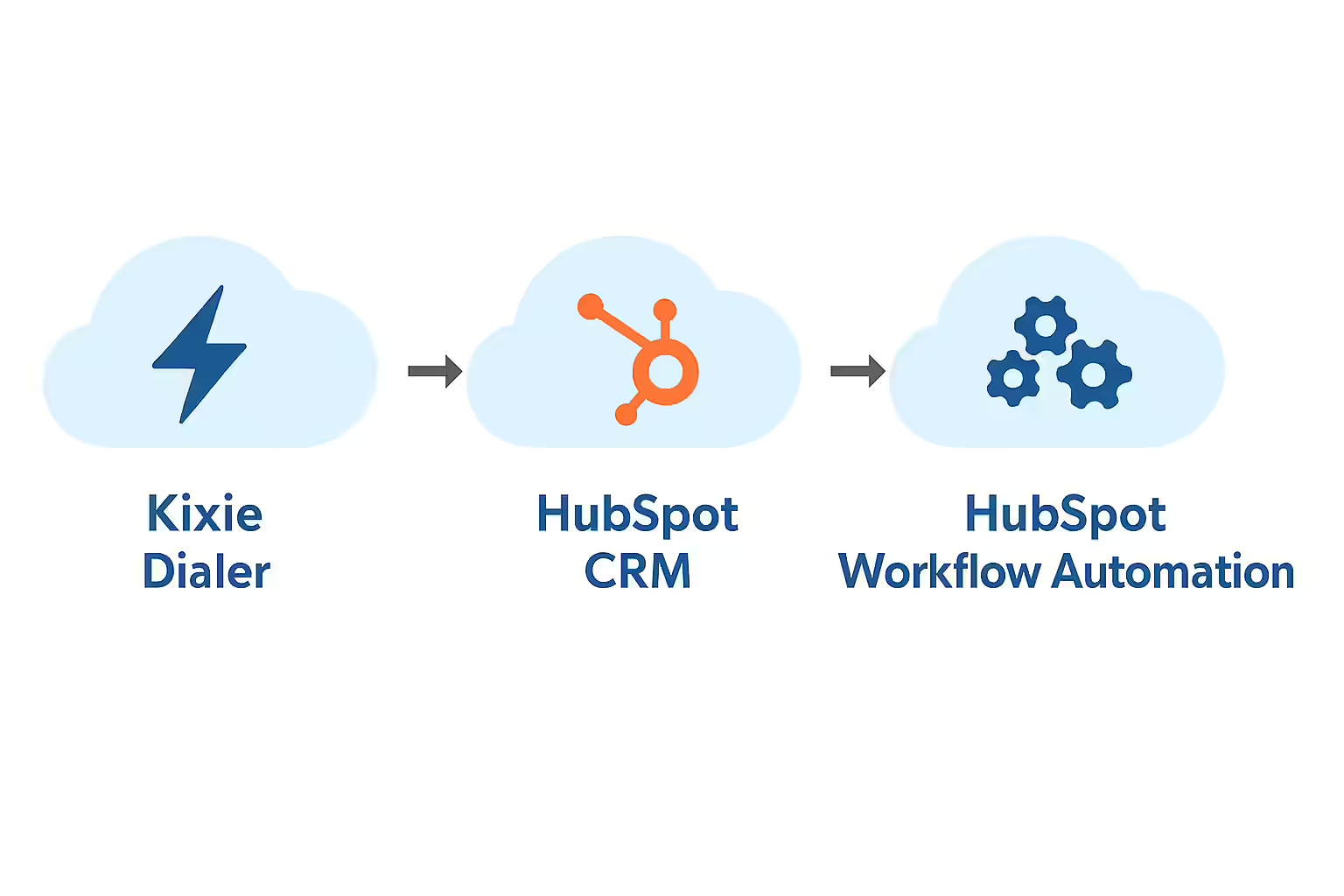
This is the "magic" step that uses Kixie's deep, bi-directional integration. You will use a HubSpot Workflow to automatically add contacts from your Active List (Step 1) into your Kixie PowerList (Step 2).
- In your HubSpot account, go to Automation > Workflows and create a new Contact-based Workflow.
- Set the Trigger: Select "List membership" as the trigger. Choose the Active List you made in Step 1 (e.g., "Trigger when contact joins 'Cold Outreach - West Coast' list").
- Set the Action: Click the + icon to add an action. Scroll down to the Kixie integration actions and select "Kixie: Add to PowerList".
- Map the Fields: Select the Kixie PowerList you created in Step 2 from the dropdown. Map the HubSpot contact fields (Phone, Mobile Phone, First Name, etc.) to the corresponding Kixie fields.
- Publish the workflow.
Create the Removal Workflow Optional but Recommended
To ensure your dialing lists are always clean, create a second workflow to remove contacts who no longer meet the criteria.
- Trigger: When an event occurs | List membership changed | is removed from list "Cold Outreach - West Coast".
- Action: Kixie: Remove from PowerList.
This ensures that as soon as a rep contacts a lead and changes their Lead Status, that lead is automatically removed from both the HubSpot Active List and the Kixie dialing list.
Launch Your Power Dialing Session
This is the payoff for your sales reps.
- The rep opens their Kixie PowerCall dialer.
- They select the "HubSpot West Coast Leads" PowerList they want to call.
- They choose their dialing mode: single-line for a more personalized approach, or 10-line multi-dial for maximum velocity.
- They click "Start."
Kixie now takes over. It dials up to 10 numbers at once, automatically detects live answers, skips voicemails and busy signals, and instantly connects the rep to a live prospect, all while "popping" the HubSpot contact record on their screen.
Automate the Follow-up (The Bi-Directional Power)
The integration doesn't stop when the call connects. When the call ends, the rep selects a "Call Outcome" in the Kixie dialer (e.g., "Demo Scheduled," "Not Interested," "Left Voicemail").
This outcome is immediately logged back to the HubSpot contact record. Even better, this Kixie outcome can be used as a trigger for a new HubSpot Workflow.
Example Automation
- Trigger: Kixie call outcome | is | Demo Scheduled
- Action 1: Change Deal Stage to Demo Booked
- Action 2: Send Internal Notification to the Account Executive
- Action 3: Send Email (Calendar Invite) to the contact
This is true automation. A single click in the Kixie dialer has updated the contact, the deal, and the pipeline, all without the rep ever leaving their dialer.
The Features You Get with Kixie (That Sales Hub Pro Lacks)
Kixie is not just a "cheaper dialer." It's a comprehensive sales engagement platform that adds critical, revenue-driving features that HubSpot Pro and Enterprise do not offer.
Feature 1: ConnectionBoost™ - The End of "Spam Risk"
Dialing 10 lines at once is useless if every call shows up as "Spam Risk" and gets ignored. Kixie's ConnectionBoost™ is the answer. It is an AI-powered system that combines:
- AI-Powered Local Presence: Kixie automatically dials from a pool of over 50,000 numbers, displaying a local area code to the prospect, which can increase pickup rates by up to 500%.
- Progressive Caller ID: It intelligently rotates through local numbers so a prospect doesn't see the same number repeatedly.
- Proactive Spam Protection: This is not "spoofing". Kixie's system actively monitors its numbers. If any number is flagged as spam, it is automatically retired from the pool and replaced with a "clean" one, protecting your company's caller ID reputation.
Feature 2: A Full, Bi-Directional SMS Automation Suite
Unlike HubSpot's disconnected tools, Kixie's calling and texting are unified.
- Auto-SMS from Call Outcome: A rep dispositions a call as "No Answer." A Kixie workflow instantly sends a pre-written SMS template from that rep: "Hey [Contact.FirstName], just tried you. What's a good time to connect?".
- HubSpot Workflow Triggers: Use a HubSpot Form Submission to trigger an immediate auto-call or auto-SMS from the contact owner. This is the key to winning the "speed to lead" race.
- Team SMS Inboxes: Manage team-based SMS conversations (like "support" or "sales") from a shared inbox, all of which logs to HubSpot.
Feature 3: One-Click Voicemail Drop
This is a massive time-saver. Reps pre-record their "perfect" voicemail message. When they hit an answering machine, they click one button. Kixie drops the recording, logs the "Left Voicemail" outcome, and the rep is already dialing the next contact. This feature alone can save a rep hours every week. Notably, key competitors like Aircall do not even offer this feature.
Feature 4: Live Call Coaching (Whisper & Barge)
In HubSpot, live call coaching is a feature reserved for the most expensive Enterprise tiers. Kixie includes it as a core feature. Managers can listen in on live rep calls, "whisper" advice that only the rep can hear, or "barge" into the call to take over and save a deal. This is an essential tool for training and quality assurance that Kixie makes accessible.
The Kixie Difference: Why Our HubSpot Integration is Deeper
Not all integrations are created equal. This is the single most important concept for a RevOps leader to understand.
Many competitors, like Aircall, offer a "one-way" integration. Their dialer logs calls into HubSpot as a completed activity. This is a passive "system of record." The data flows in one direction, and events in the dialer cannot be used as triggers within HubSpot.
Kixie's integration is fundamentally different. It is a true, bi-directional partnership that makes HubSpot smarter.
Kixie events-like a call outcome, a call disposition, or an inbound SMS-become native triggers you can build your entire HubSpot automation strategy around. While competitors like Ring.io are heavily focused on Salesforce and Zoho, Kixie has built the most advanced and flexible HubSpot Workflows integration on the market.
This isn't just a technical difference; it has tangible business results. A tax software company, Canopy, used the Kixie + HubSpot integration to fix their lead management process. They decreased their average "time to first call" from 35 minutes to just 9 minutes and increased their conversion rate by 3%.
That is the power of a deep, bi-directional integration. Kixie doesn't just "add on" to HubSpot; it extends it, turning your passive CRM into an active, automated sales engagement engine.
Stop Paying for Upgrades. Start Paying for Results.
The choice for a growing sales team on HubSpot is now clear.
You can pay HubSpot $1,500 upfront plus $100 per rep, per month for the "Pro" upgrade. In return, you will get a limited, single-line "beta" dialer that lacks the core features your team needs to be successful.
You can keep your HubSpot Free or Starter plan. For a simple, transparent monthly fee, you can add Kixie. In return, you get a 10-line multi-power-dialer, AI-powered ConnectionBoost to triple your pickup rates, one-click voicemail drops, a full suite of automated SMS, and a bi-directional integration that automates your entire sales process.
The answer to HubSpot's "glass ceiling" isn't to pay the upgrade tax for a disappointing feature. The answer is to plug in a best-in-class tool that is both cheaper and infinitely more powerful than the "Pro" alternative.
This is the answer that sales teams on Reddit and Quora have been searching for. Stop wondering how to scale your sales team on HubSpot. Start dialing.