

 HubSpot
 Salesforce
 Zoho
Zoho
 HighLevel
 Pipedrive
 ActiveCampaign
 Slack
Slack
 Zapier
⚡ Quick Navigation: 7 Ways to Use Kai
RevOps leaders are drowning in raw data but starved for usable insight. Your teams are generating thousands of calls, SMS messages, and dispositions inside Kixie every day—but turning that into answers usually means exporting CSVs, wrangling spreadsheets, or waiting on a BI resource.
Kixie’s new AI Insights section changes that dynamic.
AI Insights lets you build any report you want using the data you already have in Kixie: calls, SMS, call outcomes, connection rates, agent performance, PowerList activity, and more. No SQL. No dashboard builder. Just flexible, queryable data.
Meet Kai
Sitting on top of AI Insights is Kai, Kixie’s AI report builder. With Kai, you don’t have to know how to build the report—you just describe what you want in plain English.
Below are seven real prompts that demonstrate how RevOps leaders can use AI Insights and Kai to get immediate answers from their Kixie data.
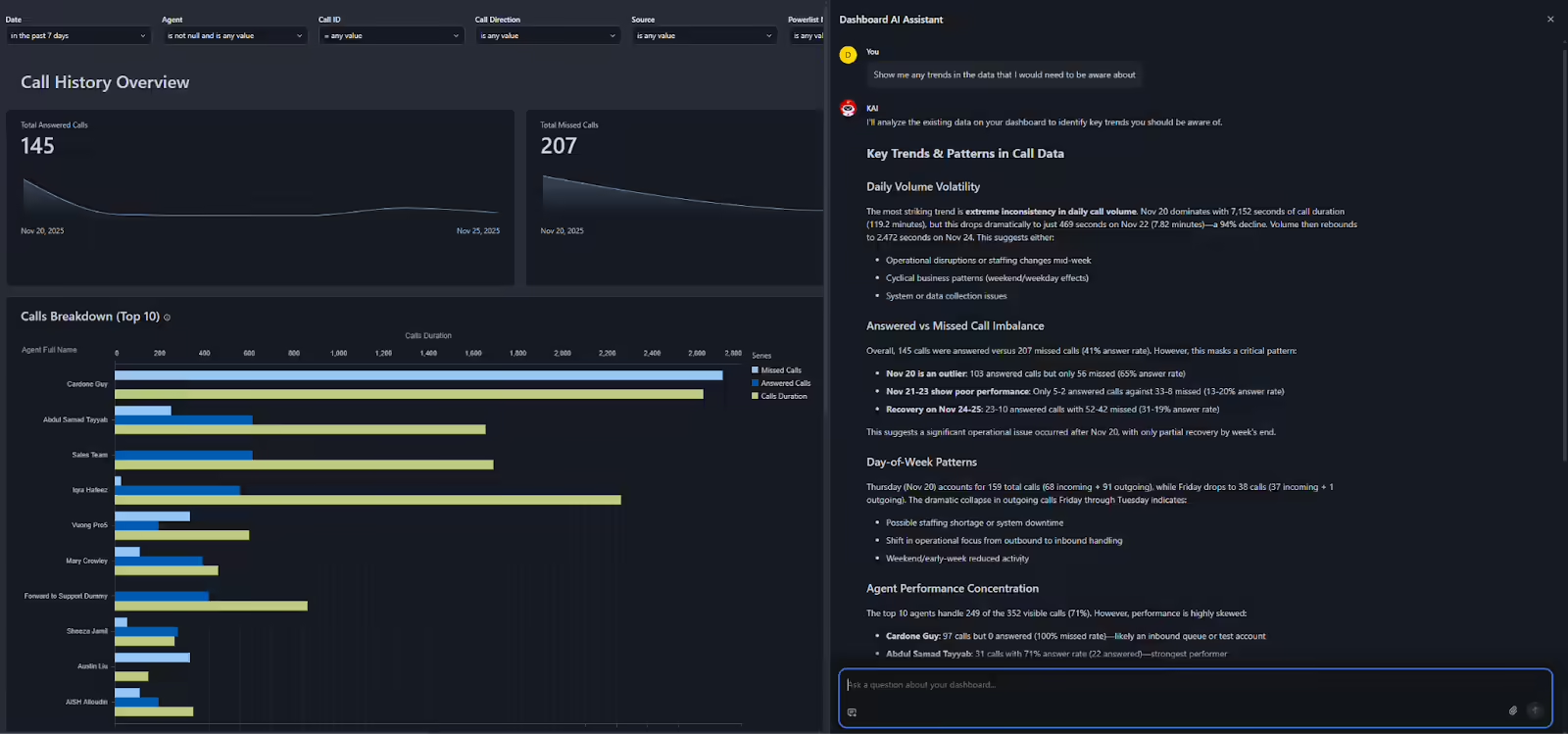
This is the most “RevOps-native” prompt you can give Kai. Instead of asking a narrowly defined question, you’re asking: What is the data trying to tell me?
In AI Insights, Kai scans your call history—total calls, answered vs. missed, duration, agent performance—and surfaces high-level trends.
🎯 The RevOps Value
Kai acts like an automated “weekly business review.” It might highlight:
- Daily volume volatility (e.g., big drop on Tuesday vs. Monday)
- Answered vs. missed call imbalances by team
- Agent performance concentration where a few reps carry most of the volume
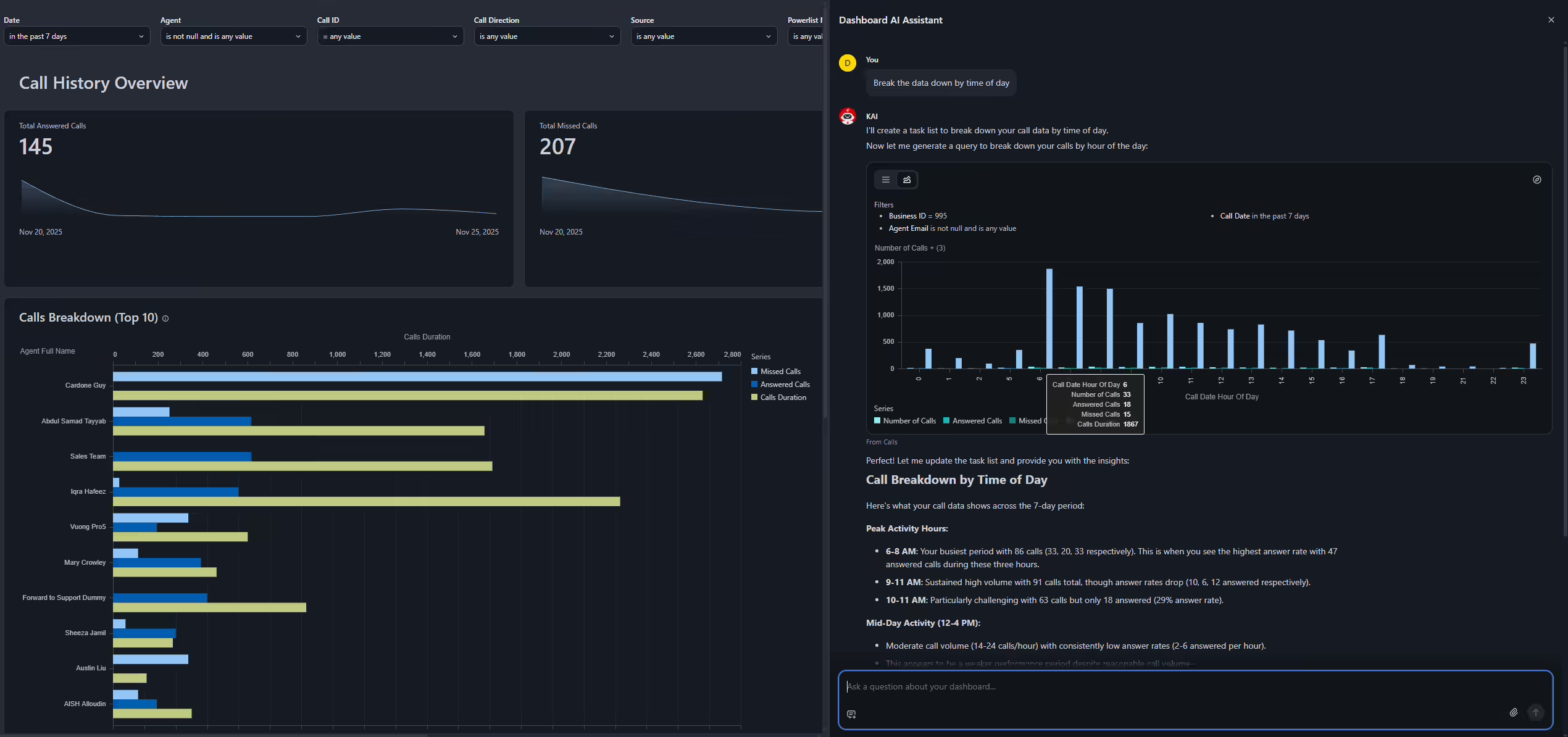
Once you know the big trends, the next step is to slice the data. AI Insights lets you break down performance any way you want: by agent, team, time of day, day of week, PowerList, call direction, and more.
Kai responds by generating a chart that shows call volume, answered calls, missed calls, and total call duration for each segment.
🎯 The RevOps Value
This breakdown provides the raw material for staffing models and SLA planning. It reveals:
- Which hours drive the most demand
- If outbound efforts align with customer behavior
- Hours with high missed-call volume
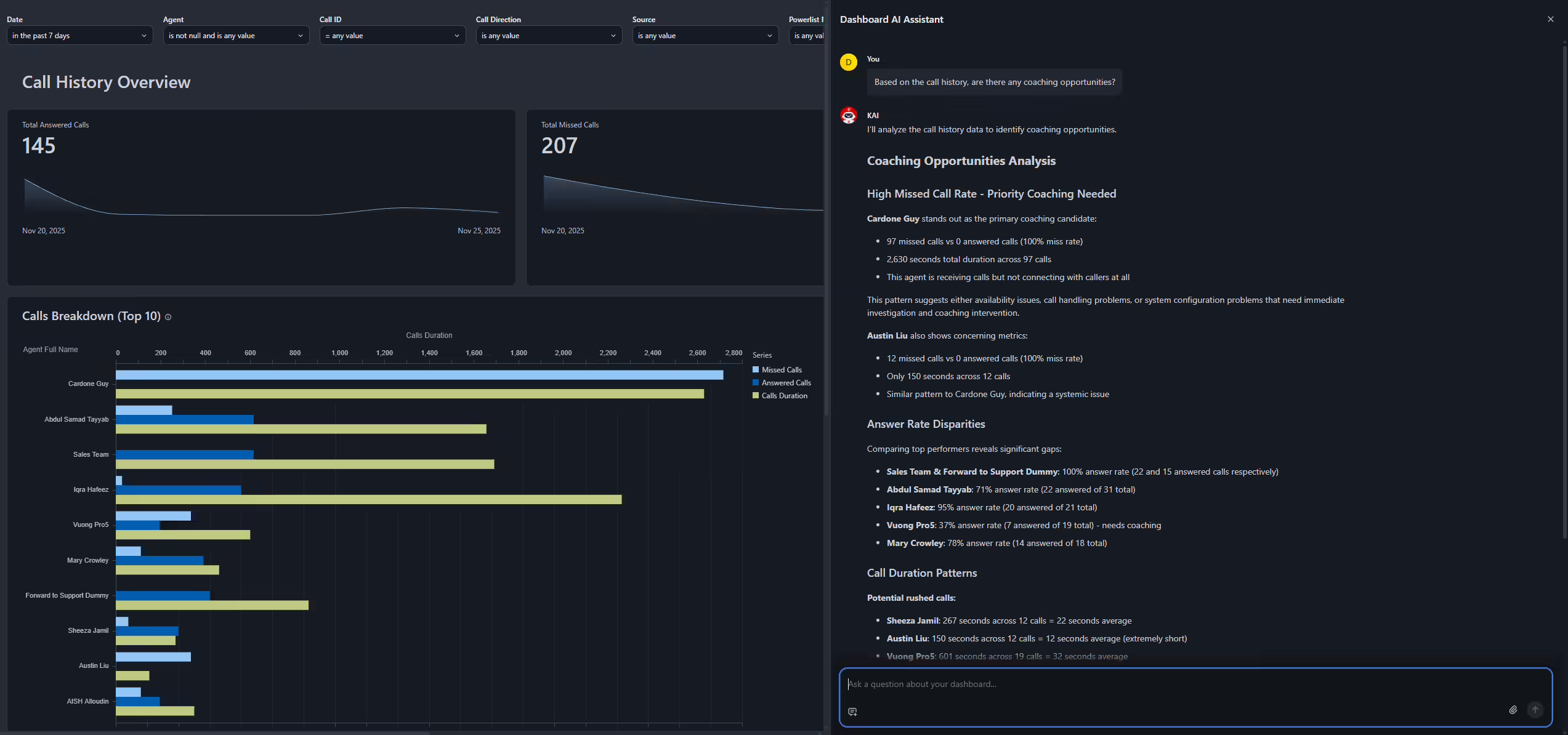
This prompt turns your call history into a coaching radar. Kai analyzes metrics such as missed vs. answered calls per agent, average talk time, and connection rates to surface specific issues.
🎯 The RevOps Value
Turn raw data into a prioritized coaching to-do list:
- Spot agents with 90+ missed calls and 0 answered calls (availability issues).
- Find reps with unusually short average call duration (poor qualification).
- Conduct objective, data-backed performance conversations.
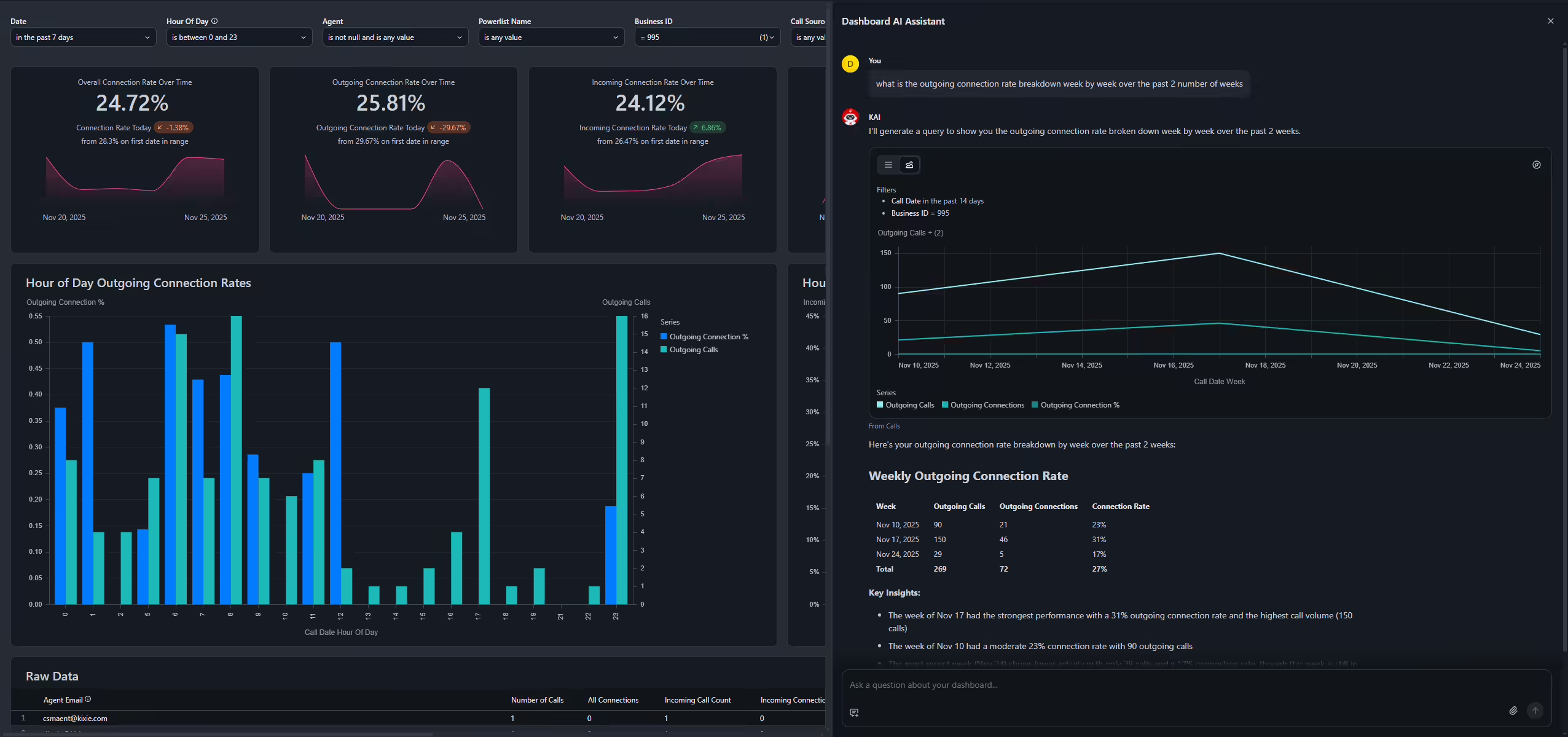
Connection rate is one of the most important outbound performance metrics. This prompt asks Kai to show how your outgoing connection rate changes week-by-week over a given period.
🎯 The RevOps Value
This view used to require a custom BI report. Now you can:
- Connect operational changes (scripts, lists, cadences) to weekly outcomes.
- Expose negative trends before they become entrenched.
- Support forecasting and planning with real conversion data.
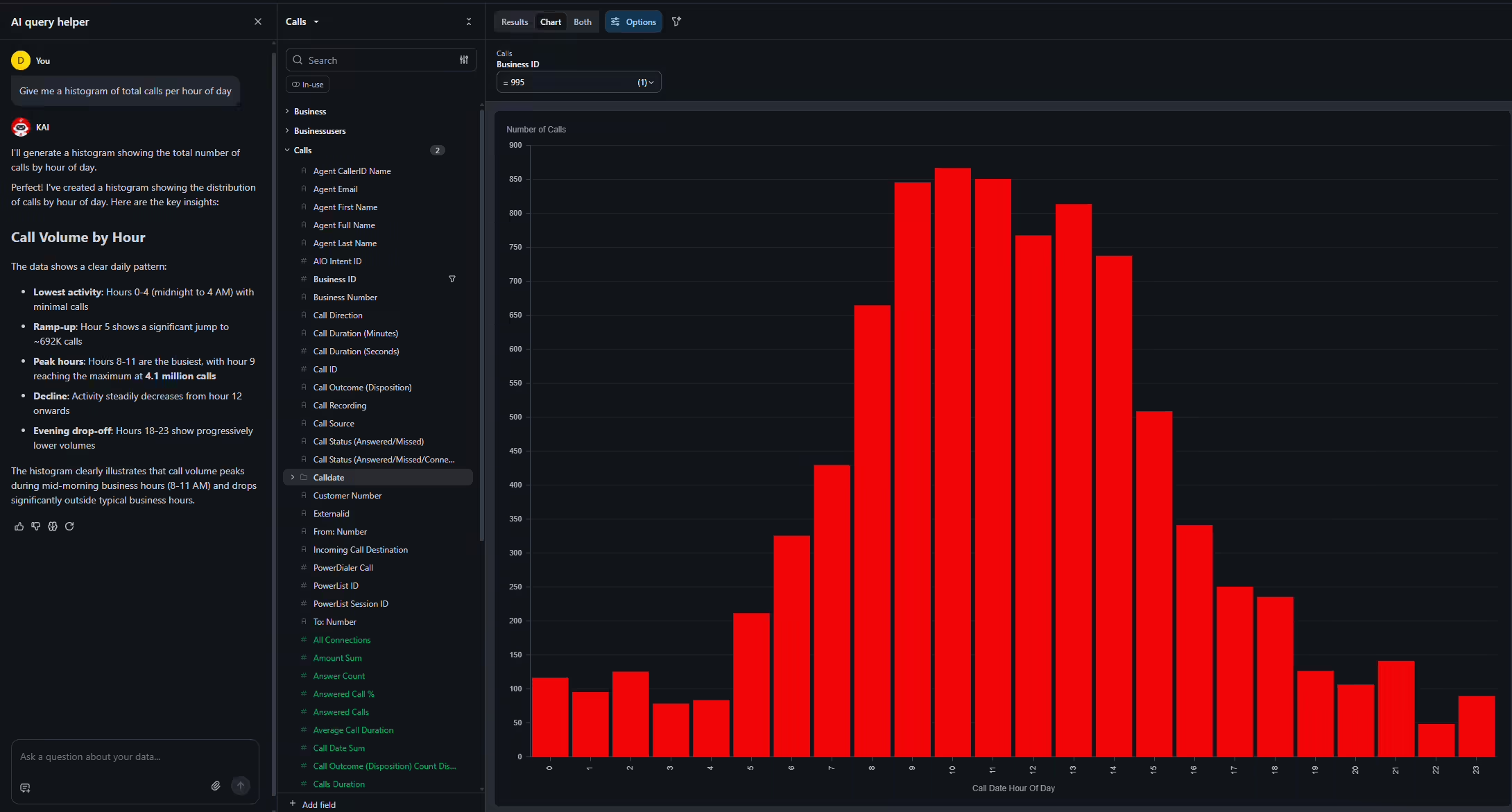
The “histogram” prompt is designed for visualizing distribution. Kai returns a bar chart where each bar represents the number of calls in a given hour, agent, or list.
🎯 The RevOps Value
Don't worry about chart types—Kai handles the mechanics. Use this to:
- Identify peak hours (e.g., 9–11 AM) versus slow hours.
- Compare actual volume patterns to staffing and shift coverage.
- Plan when to run PowerLists or campaigns.
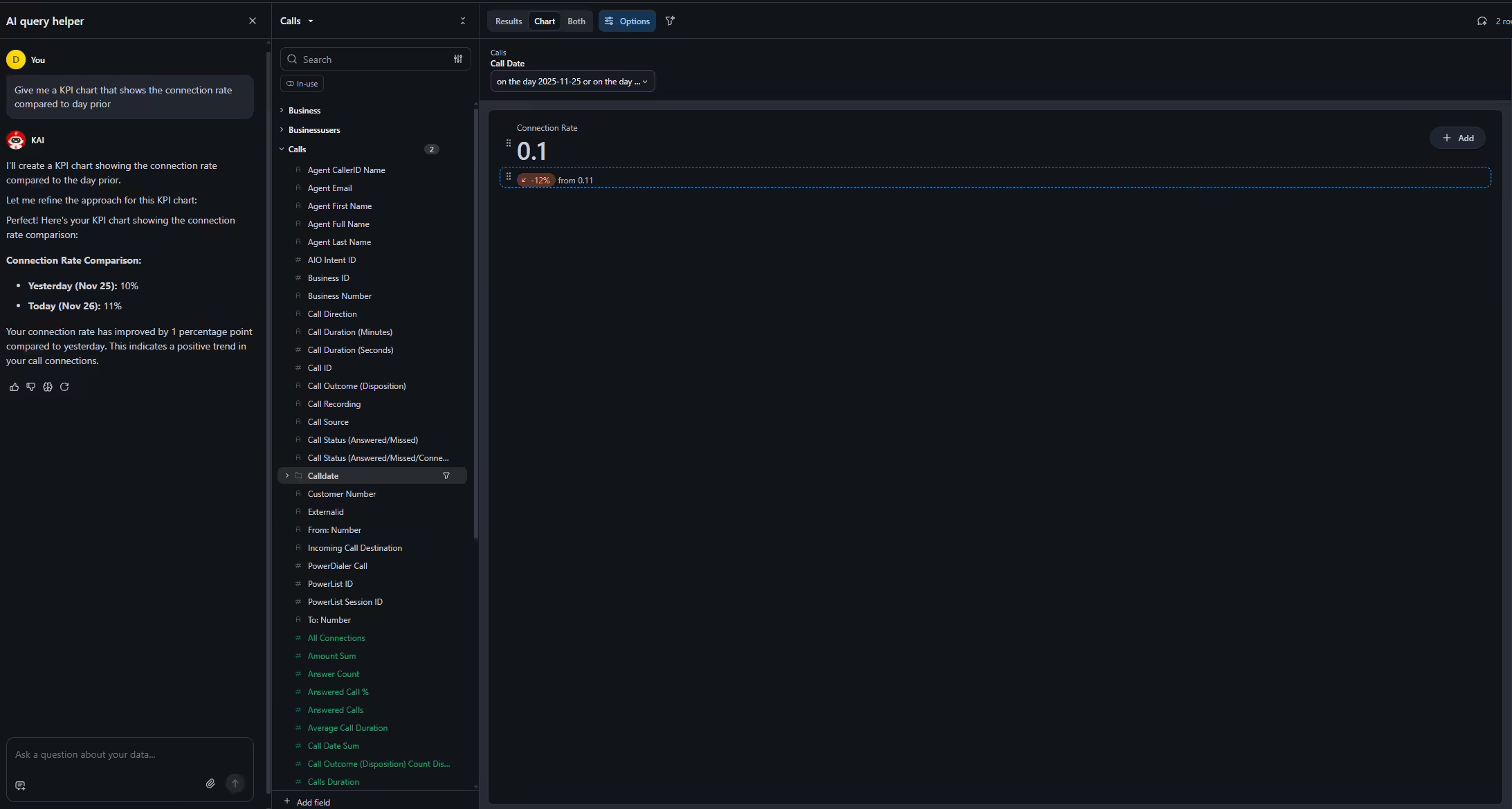
Sometimes you just need a quick health check. This prompt asks Kai to calculate the delta between two periods and visualize it as a KPI-style graph with a short explanation of what that change implies.
🎯 The RevOps Value
A fast way to monitor daily performance swings:
- Validate whether a new list, script, or schedule change is working.
- Catch sudden drops that might indicate system issues or list fatigue.
- Share simple, executive-friendly metrics with leadership.
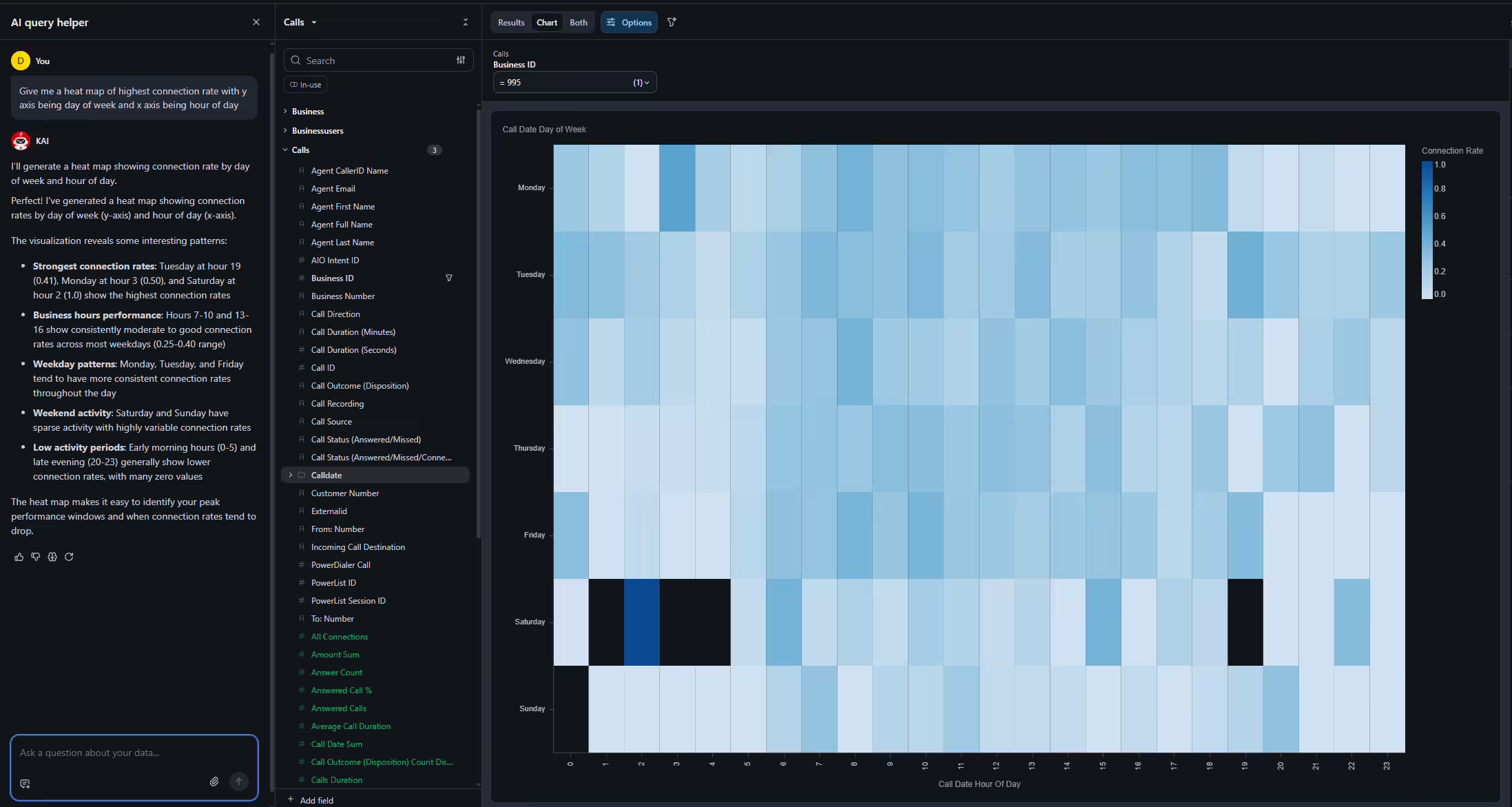
This prompt is an advanced, extremely powerful visualization. The resulting heat map uses color intensity to show connection success across Days of the Week (Y-axis) and Hours of the Day (X-axis).
🎯 The RevOps Value
Redesign your outbound strategy around empirically proven windows:
- See the exact day–hour combinations where connection rates spike.
- Identify dead zones where callers rarely connect.
- See differences between weekdays and weekends.
The Core Value Proposition for RevOps
Across all seven prompts, the story is the same: AI Insights + Kai turns Kixie’s activity data into an always-available RevOps analyst.
-
Build any report you want, on demand.
If the data exists in Kixie, Kai can surface it in tables, histograms, heat maps, or trend charts. -
Forget the "How."
Kai handles the query building and charting. You focus on the questions. -
Move from Reactive to Proactive.
Ask daily, "Show me trends I need to be aware of" and act immediately. -
Scale Insight without Headcount.
Stakeholders can self-serve views, reducing dependence on analytics resources. -
Make Better Decisions.
Staffing, list allocation, and coaching become grounded in live data, not gut feel.
AI Insights and Kai don’t just make reporting easier—they make your entire revenue engine smarter.